hi Fernando!!
...thank you so much for sharing your experience with this function!!
...i had been trying to get this to work for a long time and found a couple ideas to try out.
...i am so new in this magnificent coding realm and by no means know whether this would be a fool proof solution but i found it to work most of the time.
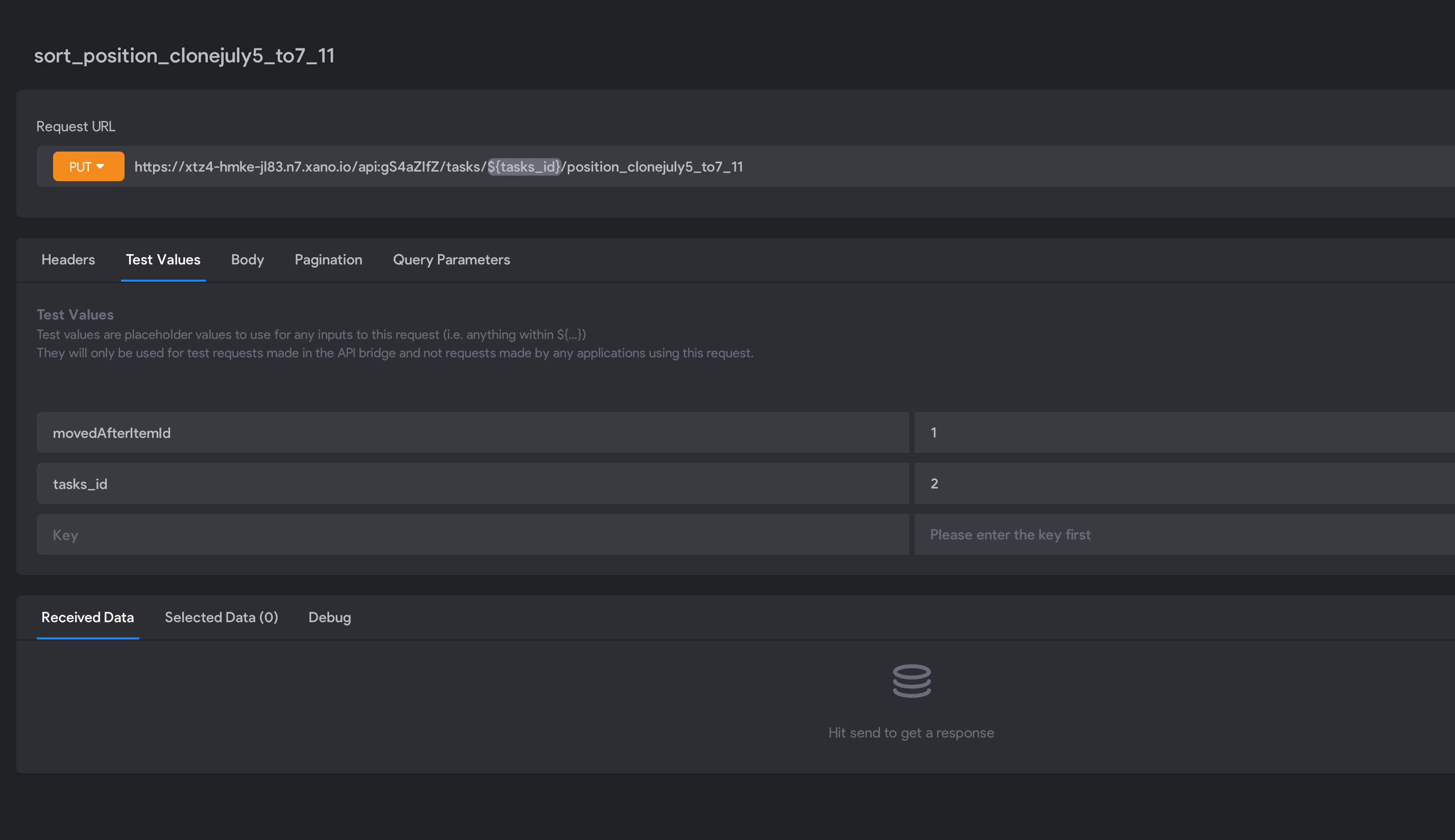
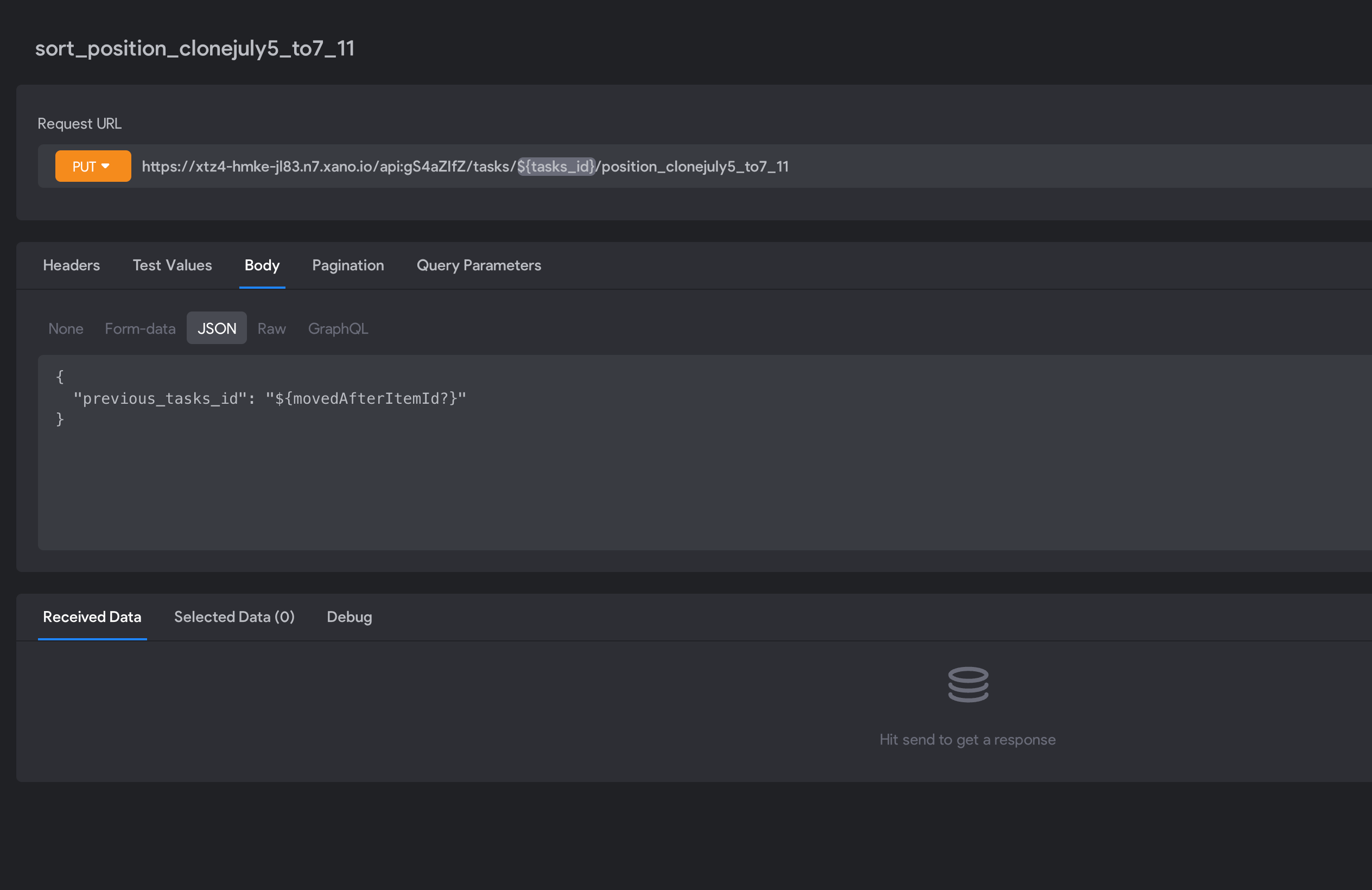
...i will list some of the settings i changed and will attach a couple screenshots of my xano and bravo settings too....i would love to share them with you and please please let me know if you have any ideas, suggestions, corrections!!
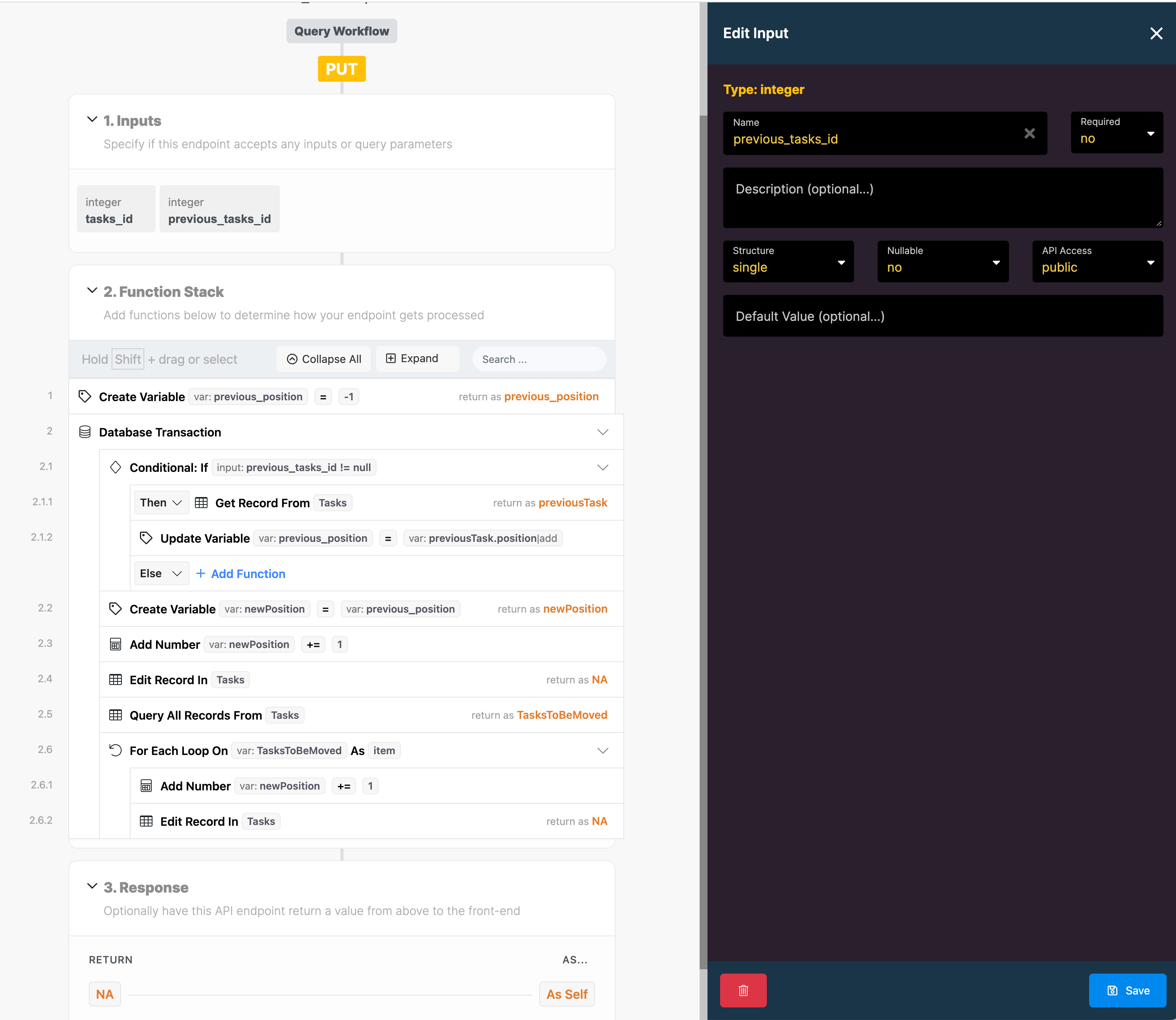
…for the null workaround, i changed the Xano Inputs setting for previous_tasks_id to:
“no” in the upper right “required” dropdown.
and
“no” for the center nullable dropdown.
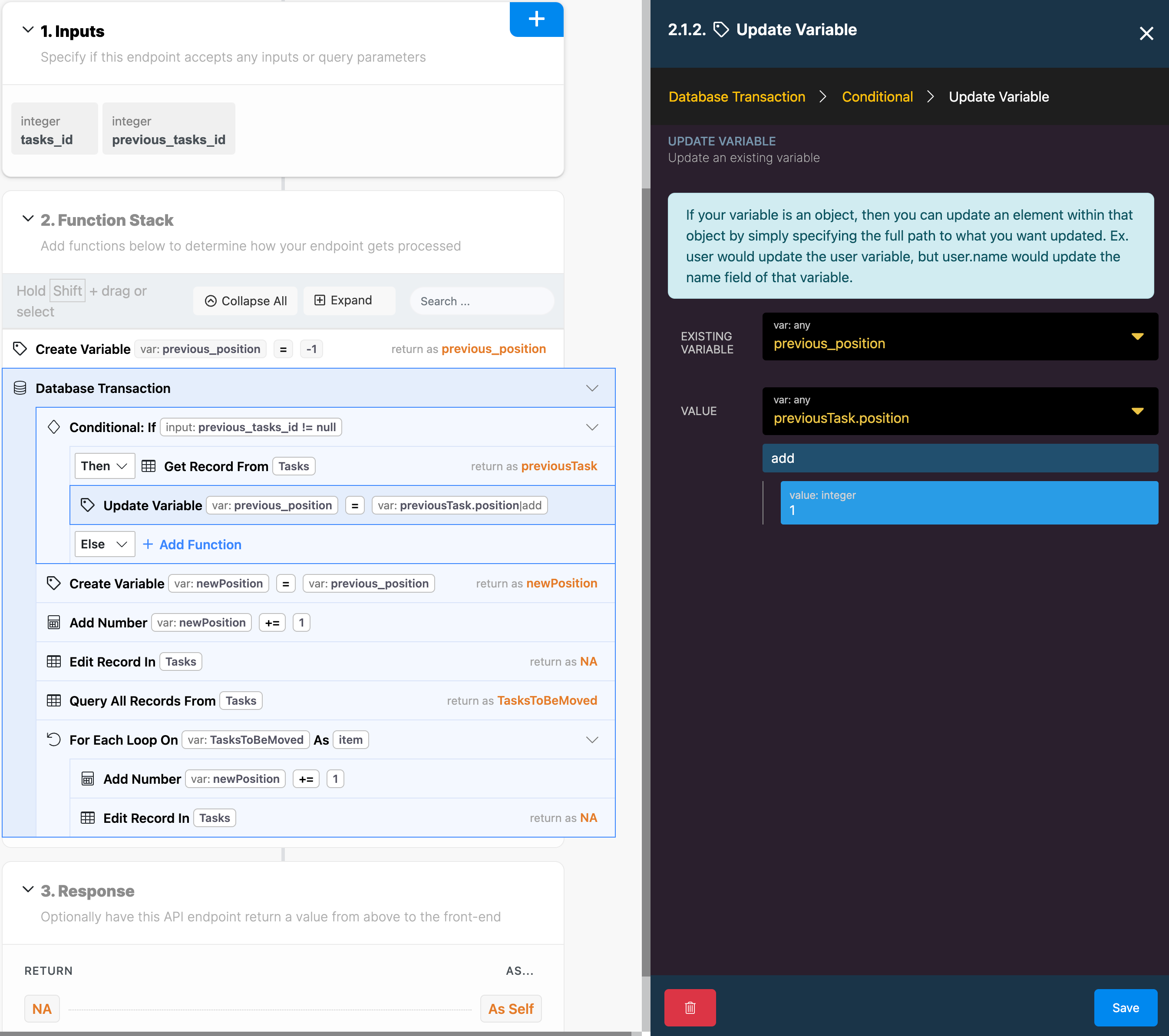
…i found that my when i dragged the item it was off…usually by 1 so in the first Conditional function where Update Variable
var: previous_position = var: previoustTask.position
i added a value of 1 to the new variable making it
var: previous task.positionIadd
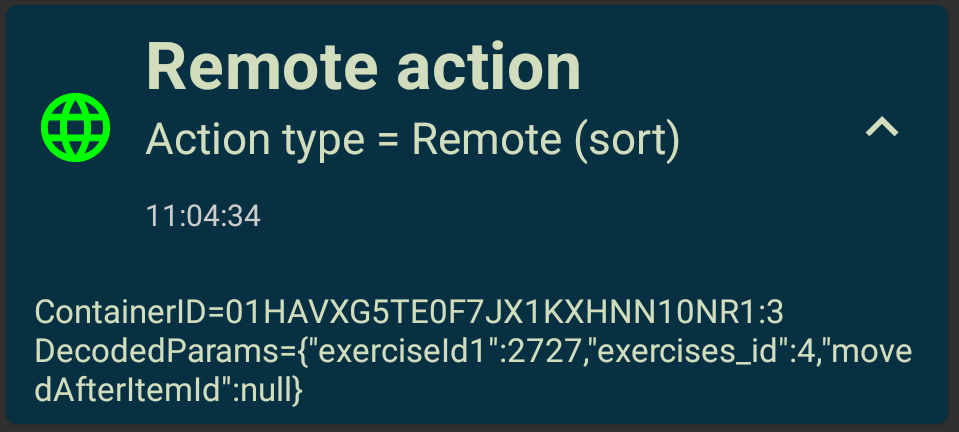
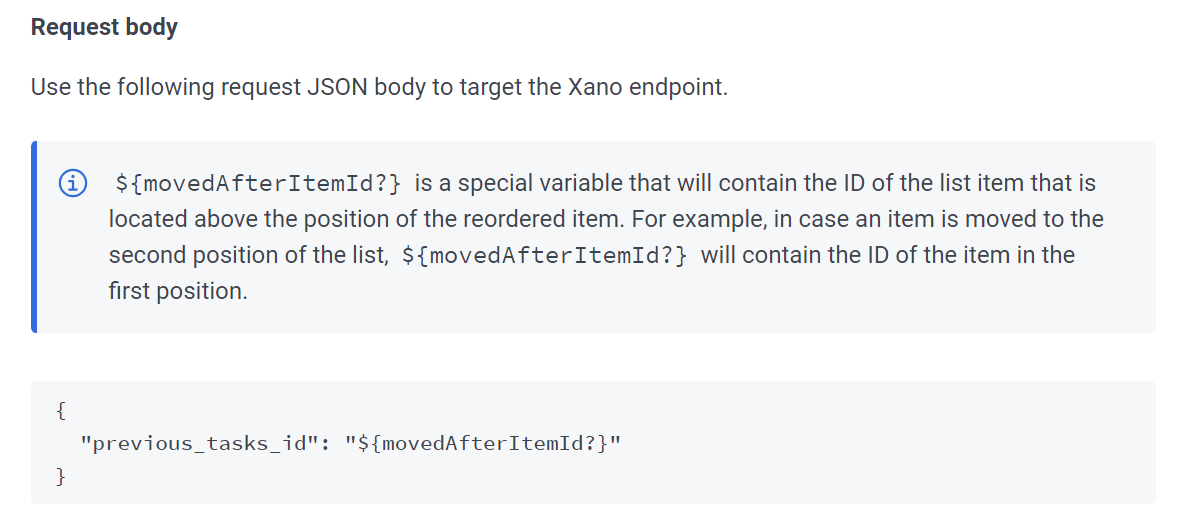
…i also attached the screenshot of the PUT settings in Bravo that i have been using just in case.
…i believe that is all i did but still feel there may have been something more that i adjusted…. i know i was trying to make sure that the position numbers in the database didn’t keep going higher and higher but rather bounced themselves back so that position 1 would keep starting back from 1 however i think that might already have been coded into their function or by the altering of with Nullable = no on the previous_taks_id input settings.
…when i was testing the sorting in Bravo Vision i noticed that sometimes it wouldn’t catch the new position in the database even though it moved on my phone screen and i think that might happen when i was too quick to drag on the screen and not carefully moving the item.
…i truly hope that this works for you and please let me know your thoughts!!
…thank you so much for taking the time to correspond about this!!
…wishing you lots of moonlight!!
molly