← Data, API & Backend
Data, API & Backend December 26, 2021 · 2 replies

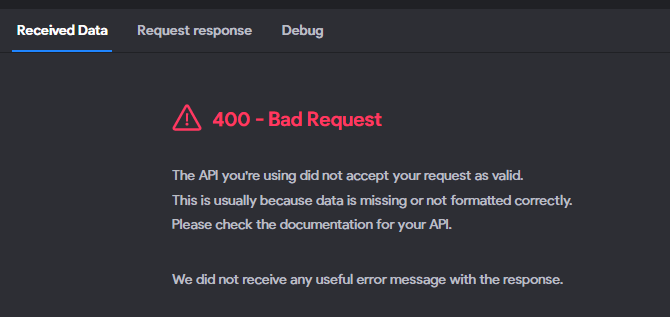
400 - Bad Request

Archived from the Bravo community forum (2021–2026). Some answers may refer to older versions of Bravo.

Hello All,
i need help on this, I have tried several time plus reading and watching video tutorial on creating a Post API but i still getting error as show on the picture  
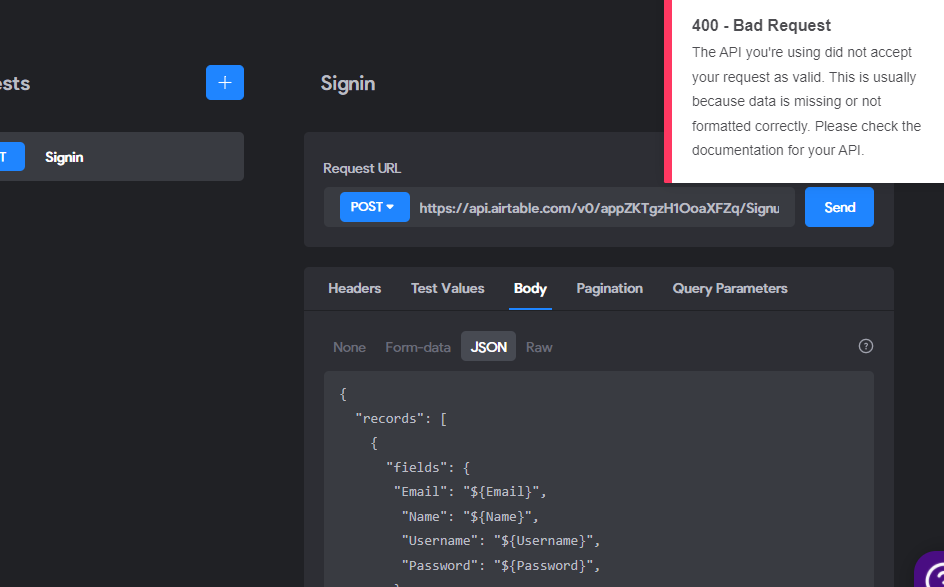
400Error4.PNG

400 error2.PNG

400 Error.PNG

2 replies

Stéphan December 26, 2021

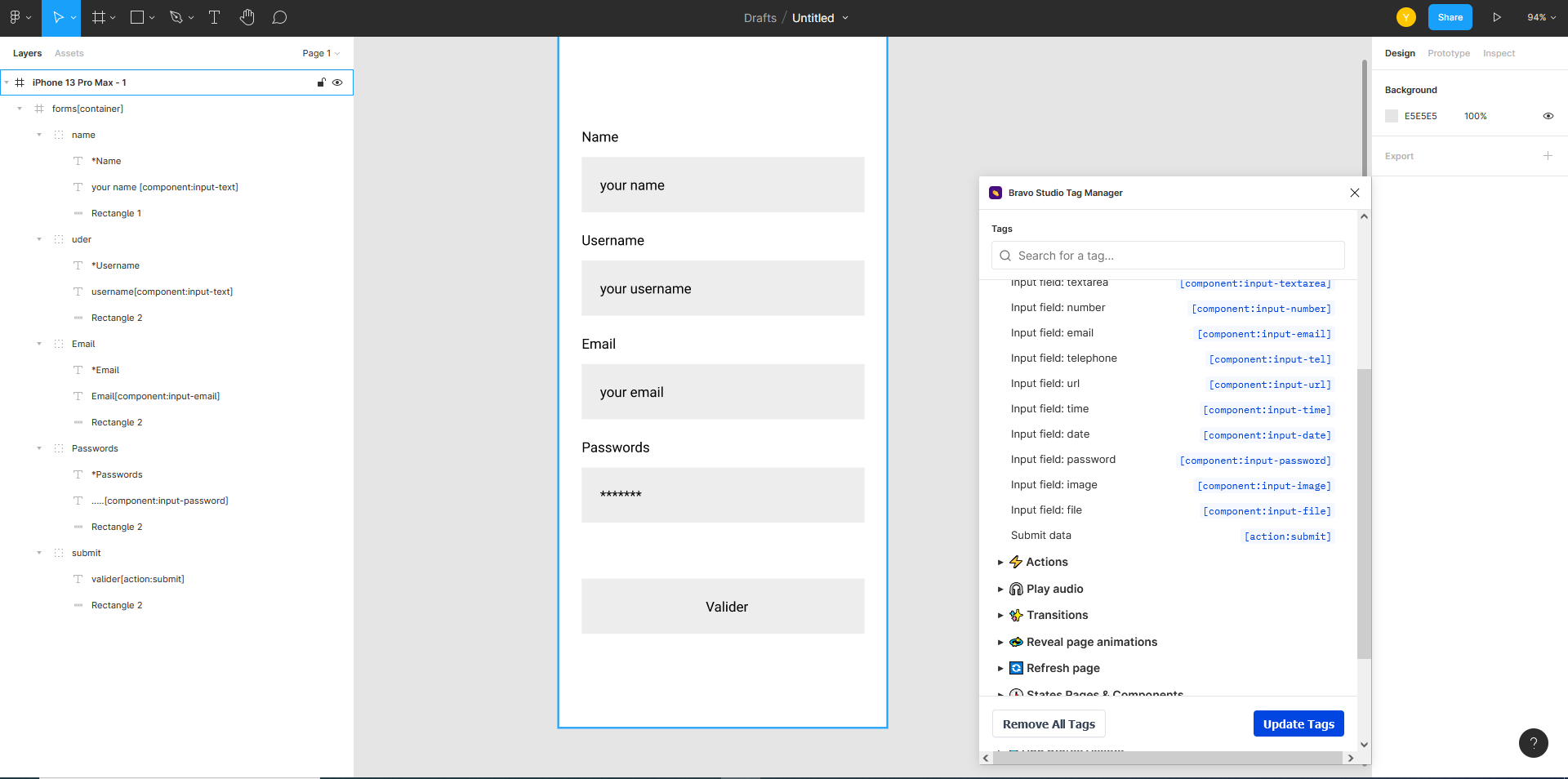
Here is an example form

figma.PNG

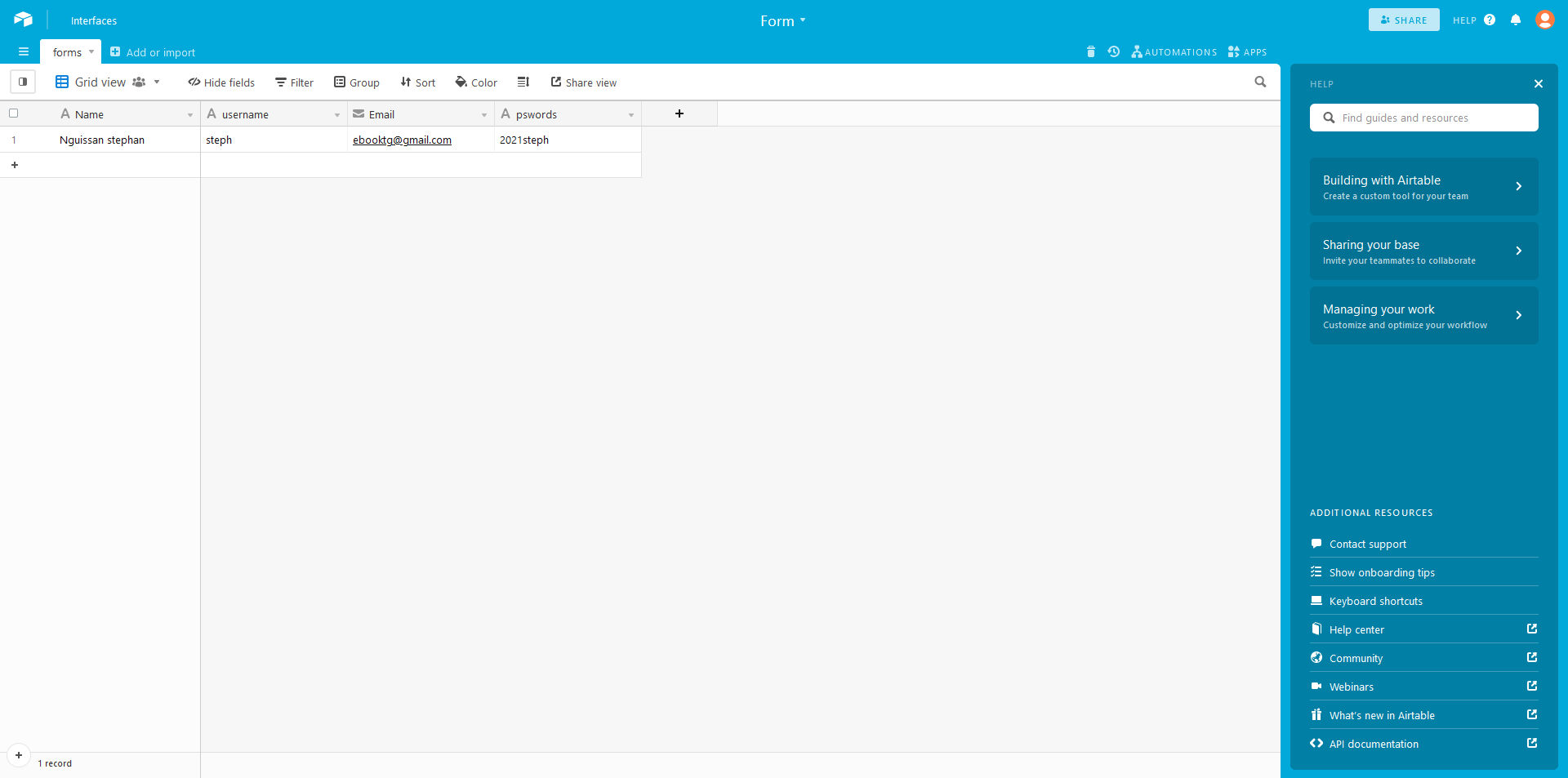
an example of an airtable to receive information

airtable form.PNG

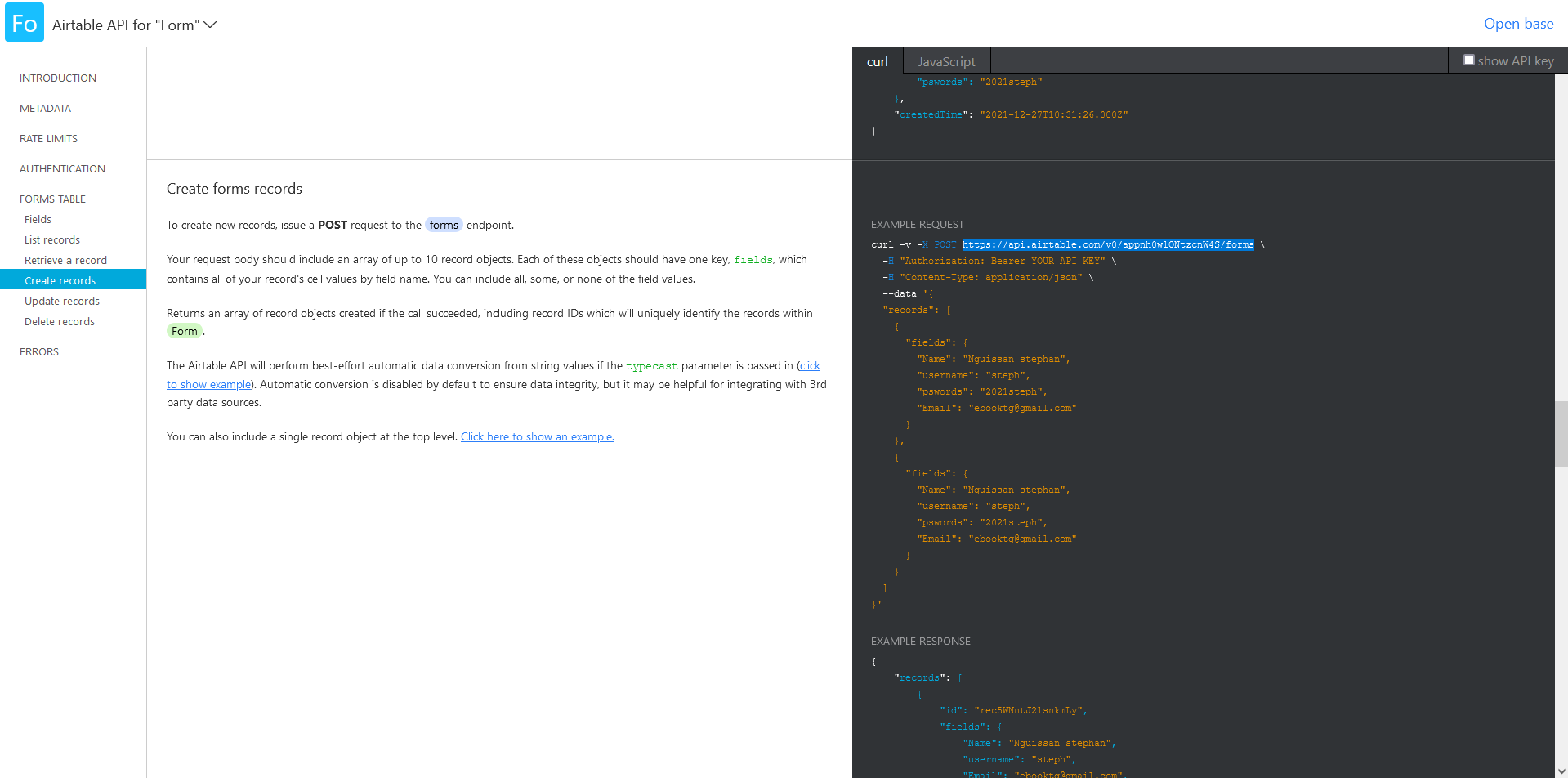
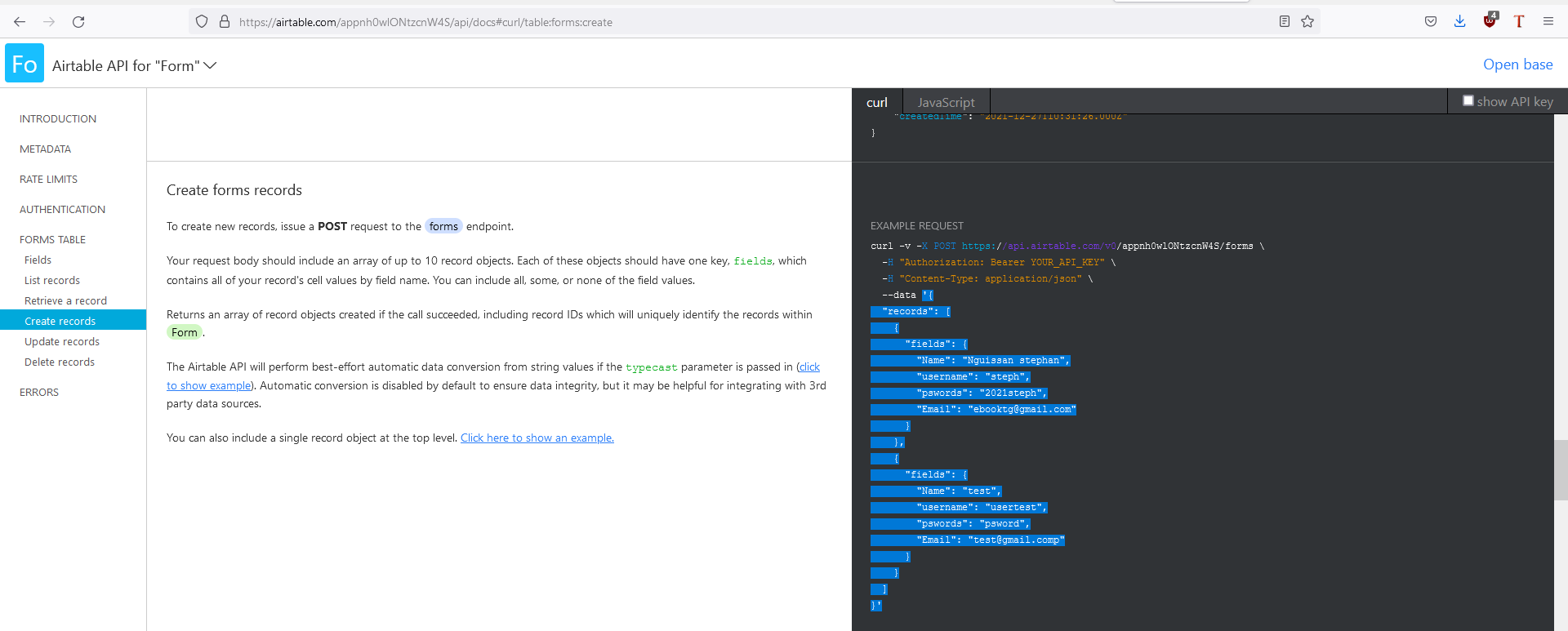
copy the post api of your table which will retrieve the data. to do it, in your table click help at the top right then api documentation / table / create record

api post.PNG

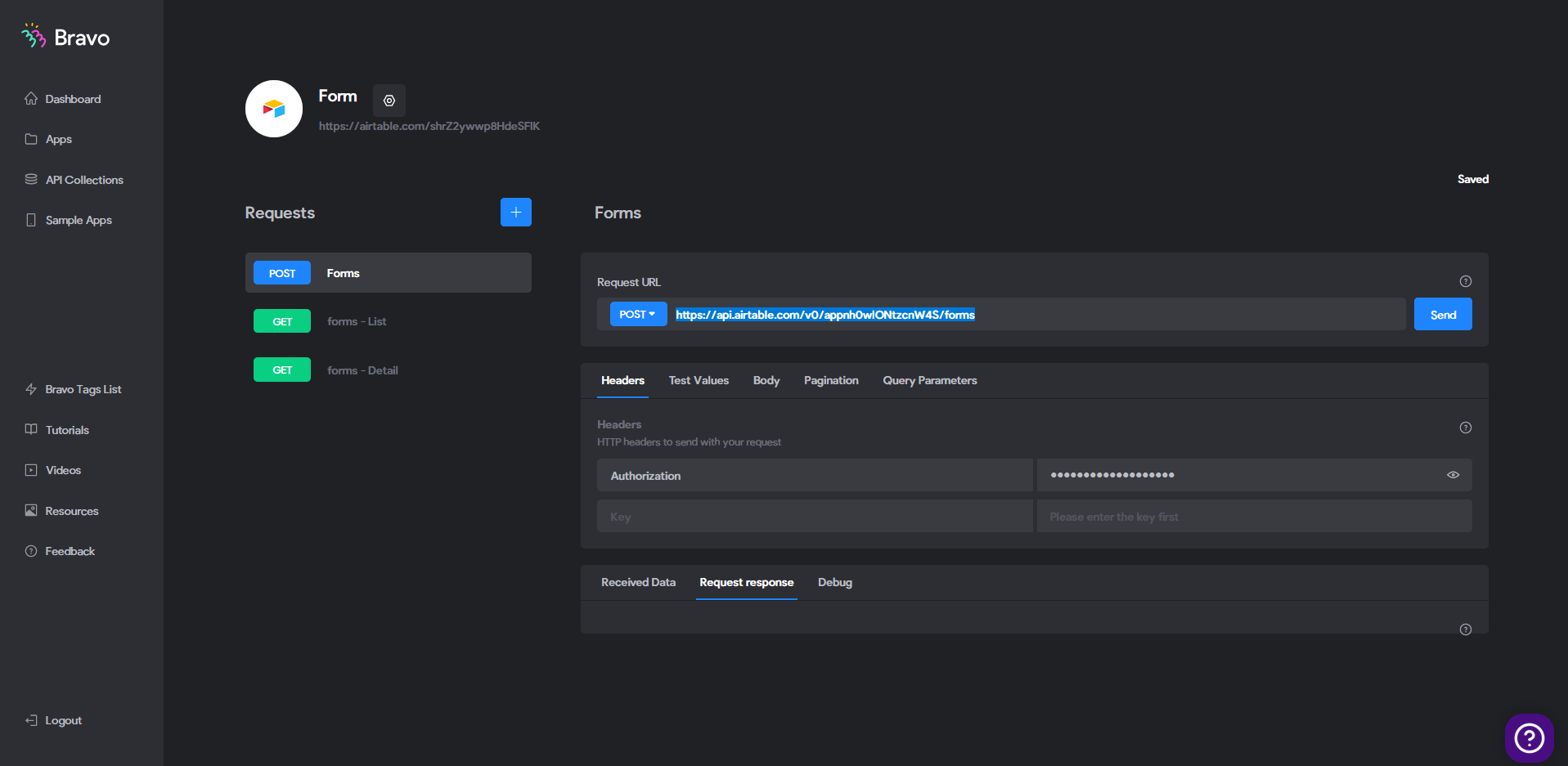
create a new request and select post

api pos bravot.PNG

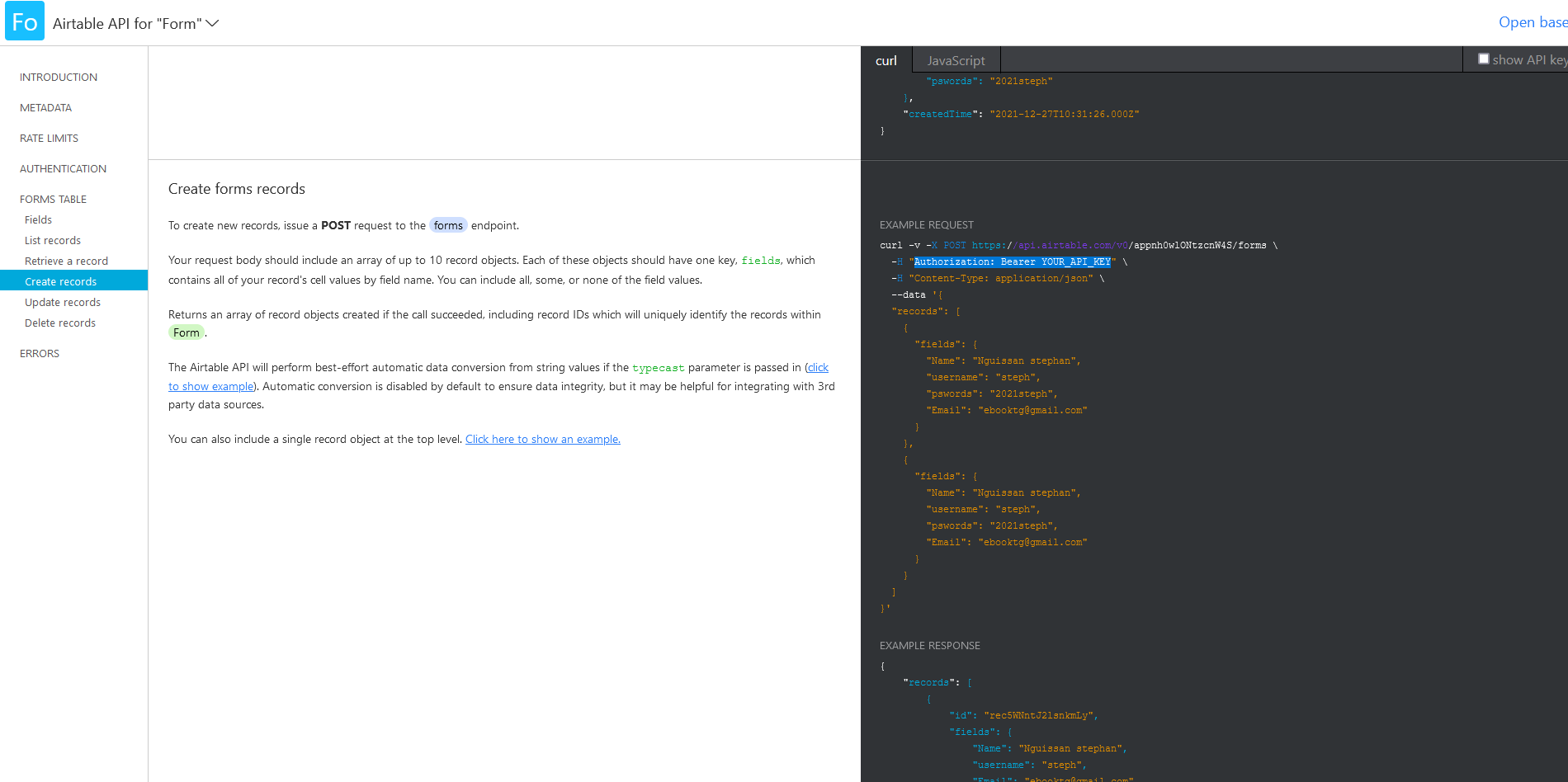
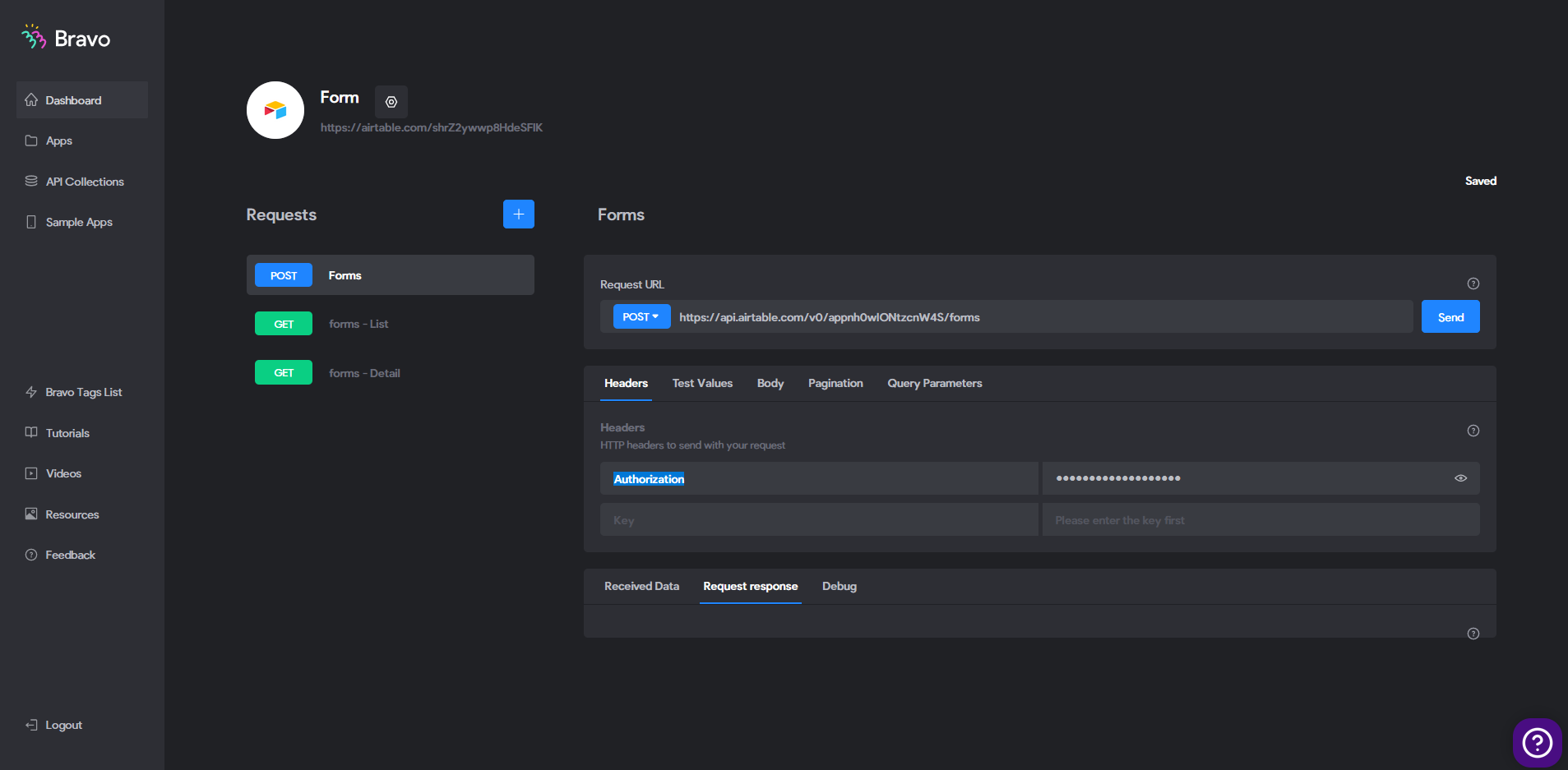
copy the authorization and customize your passwords or keep the airtable one

authorisation.PNG

authorization and key

authorisation2.PNG

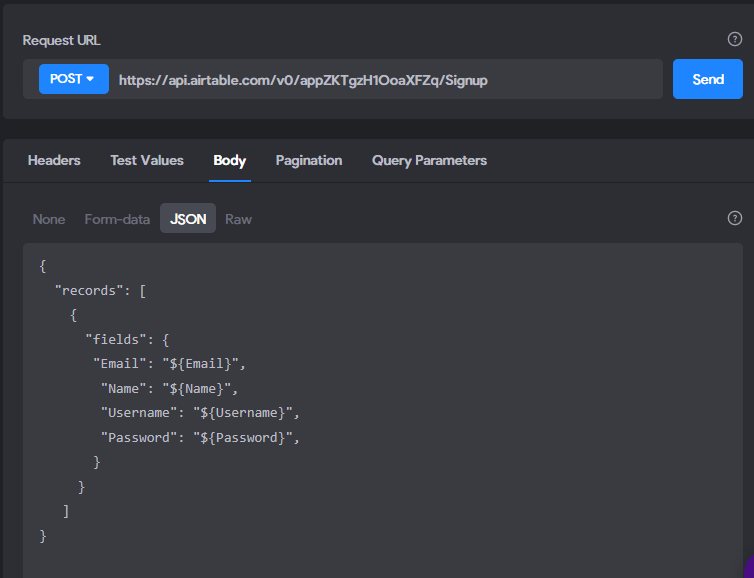
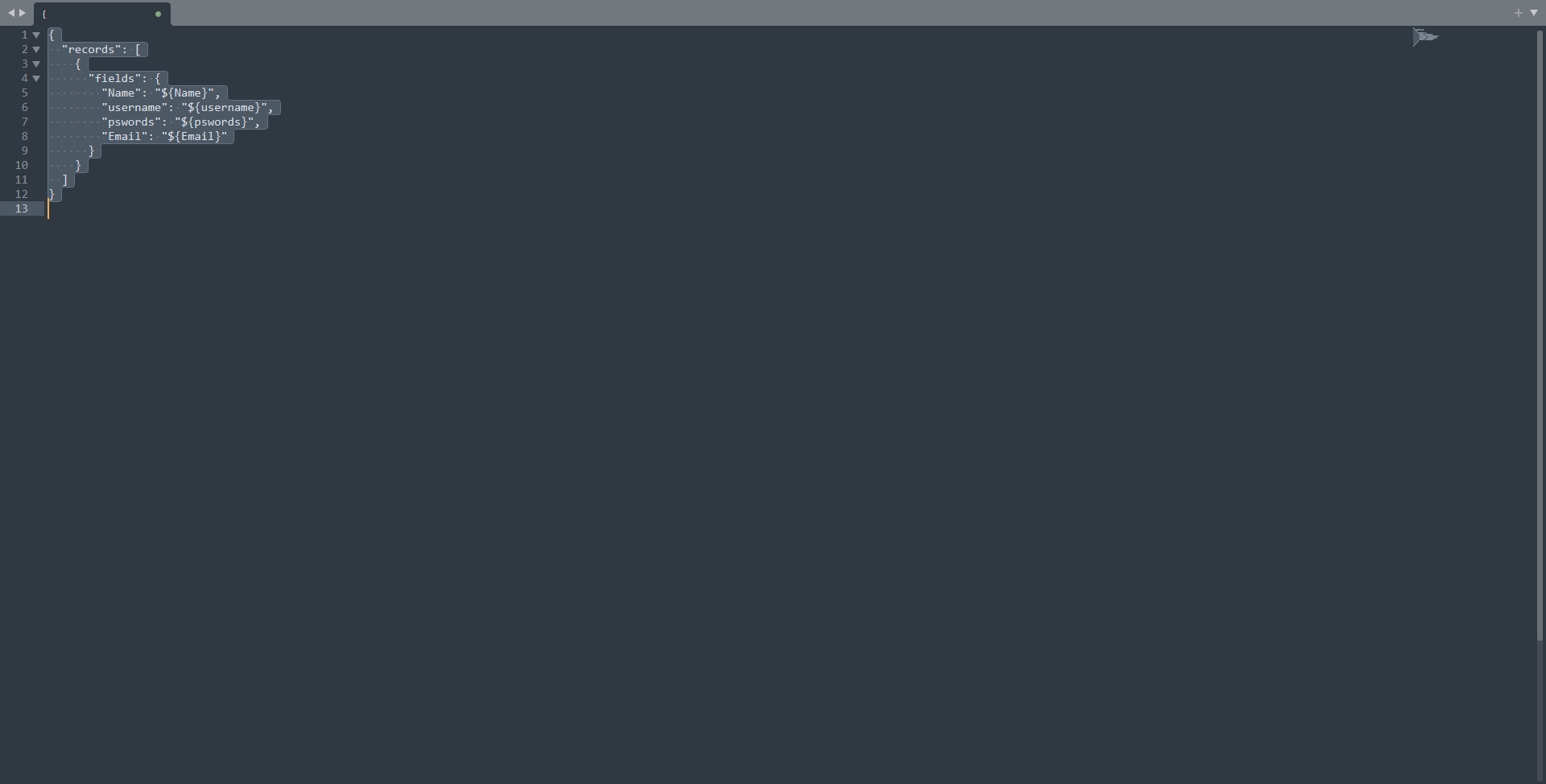
copy the json and arrange it as shown in the screenshot below

jsondetail.PNG

organize the json

json.PNG

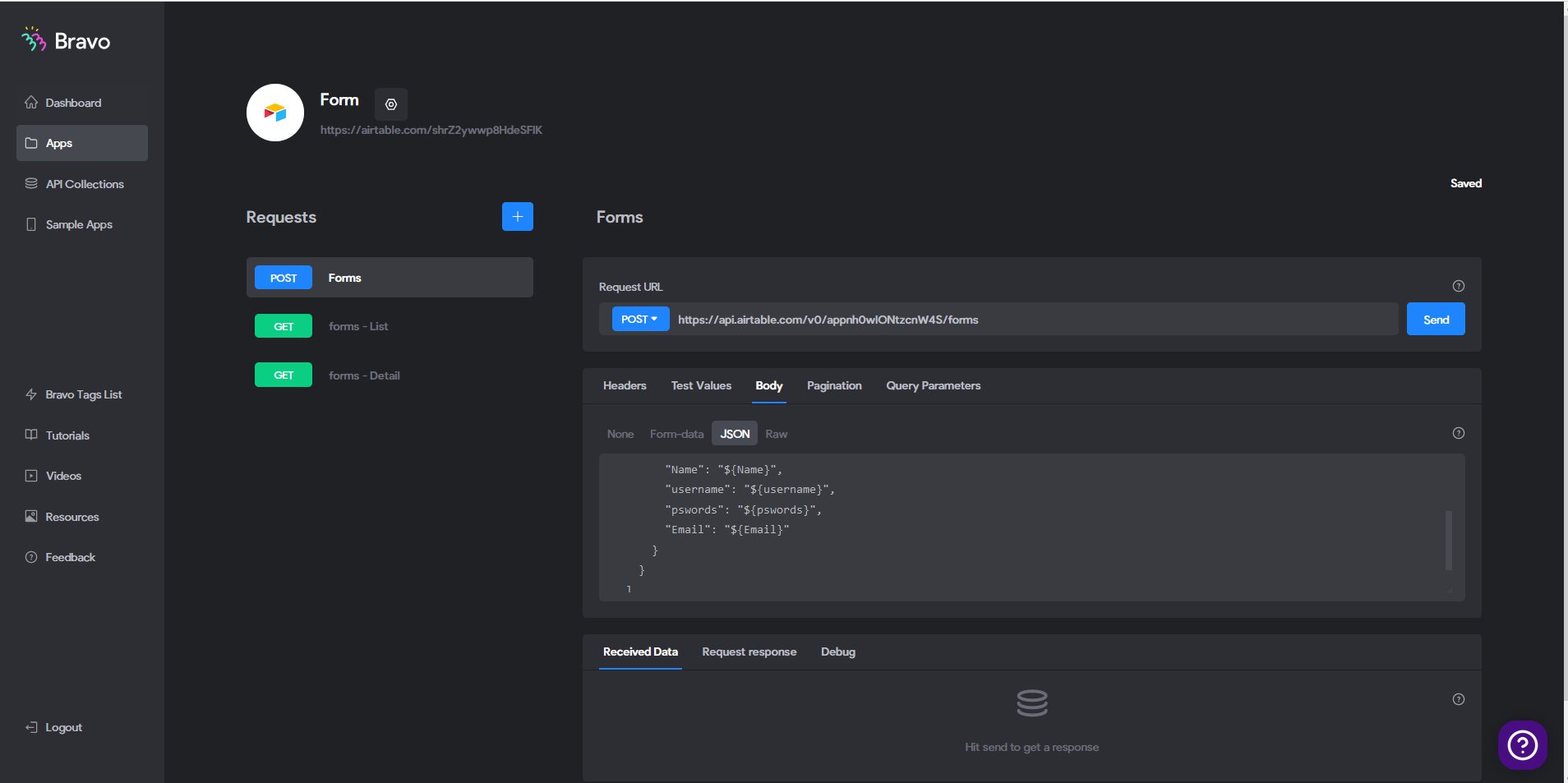
Once you are done organizing the json, hit send

jsonbravo.PNG

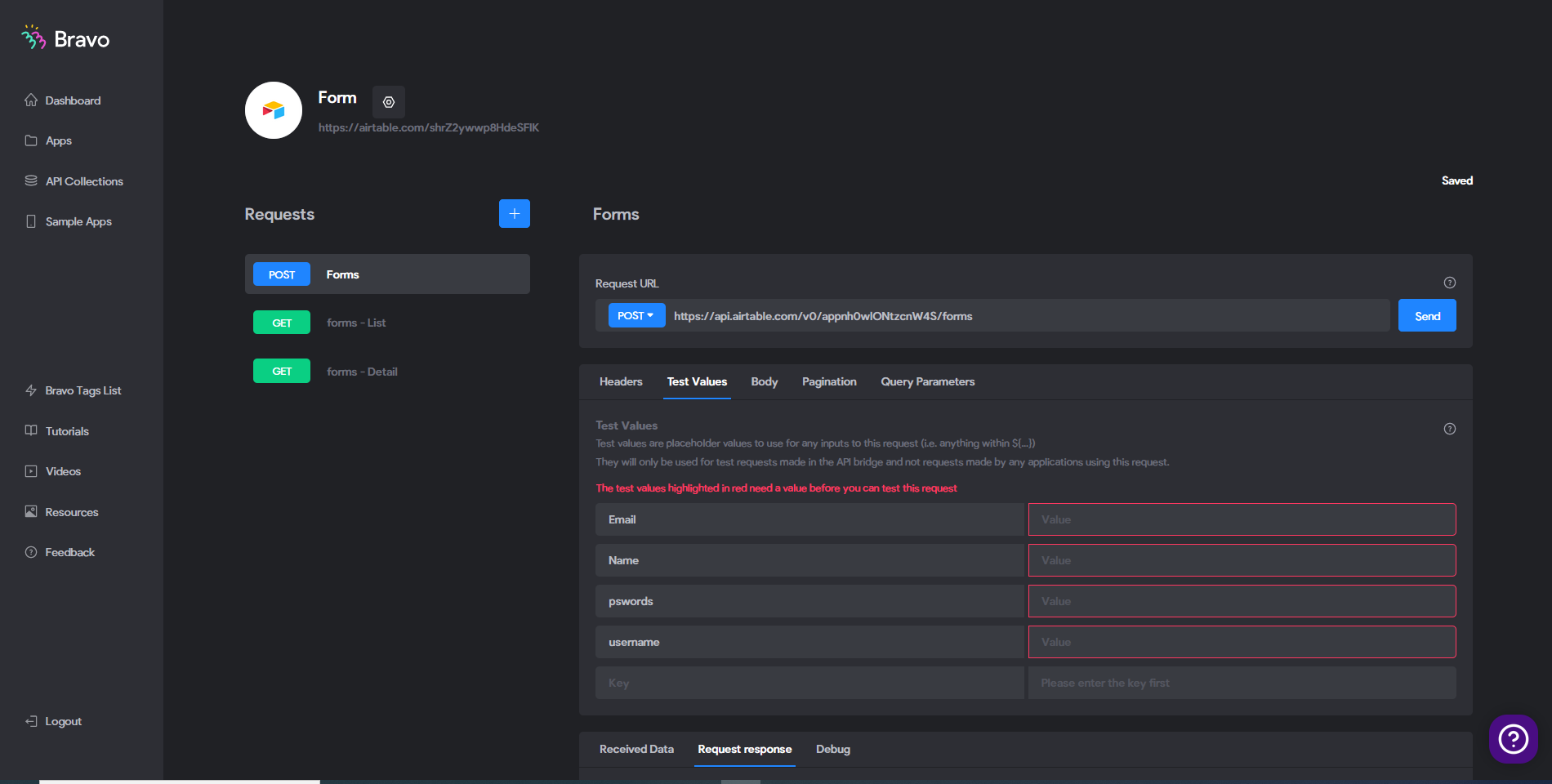
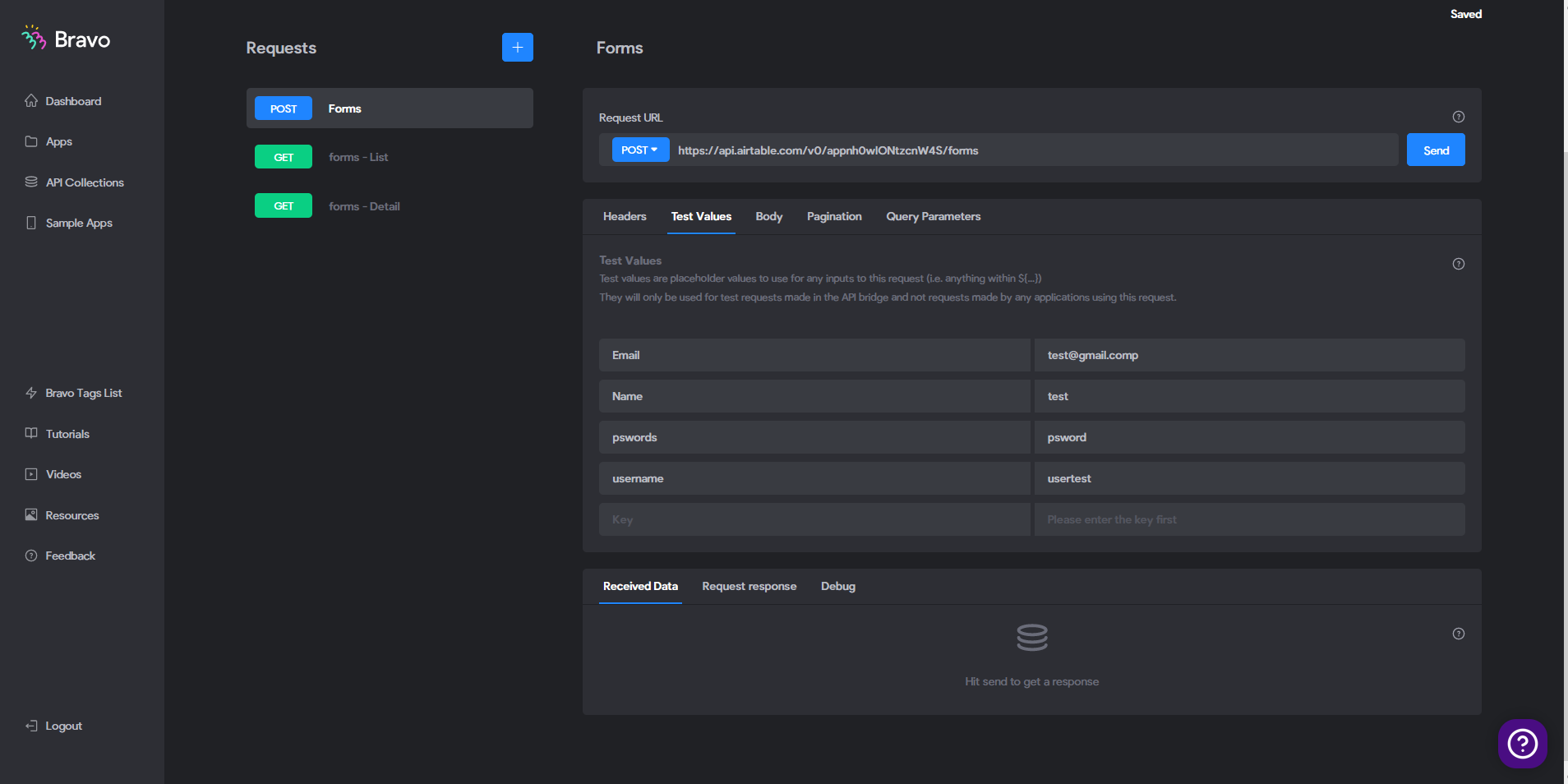
in test value the titles will appear on the left

TEST API.PNG

integrate the test values ​​on the right and press send

testinfo.PNG

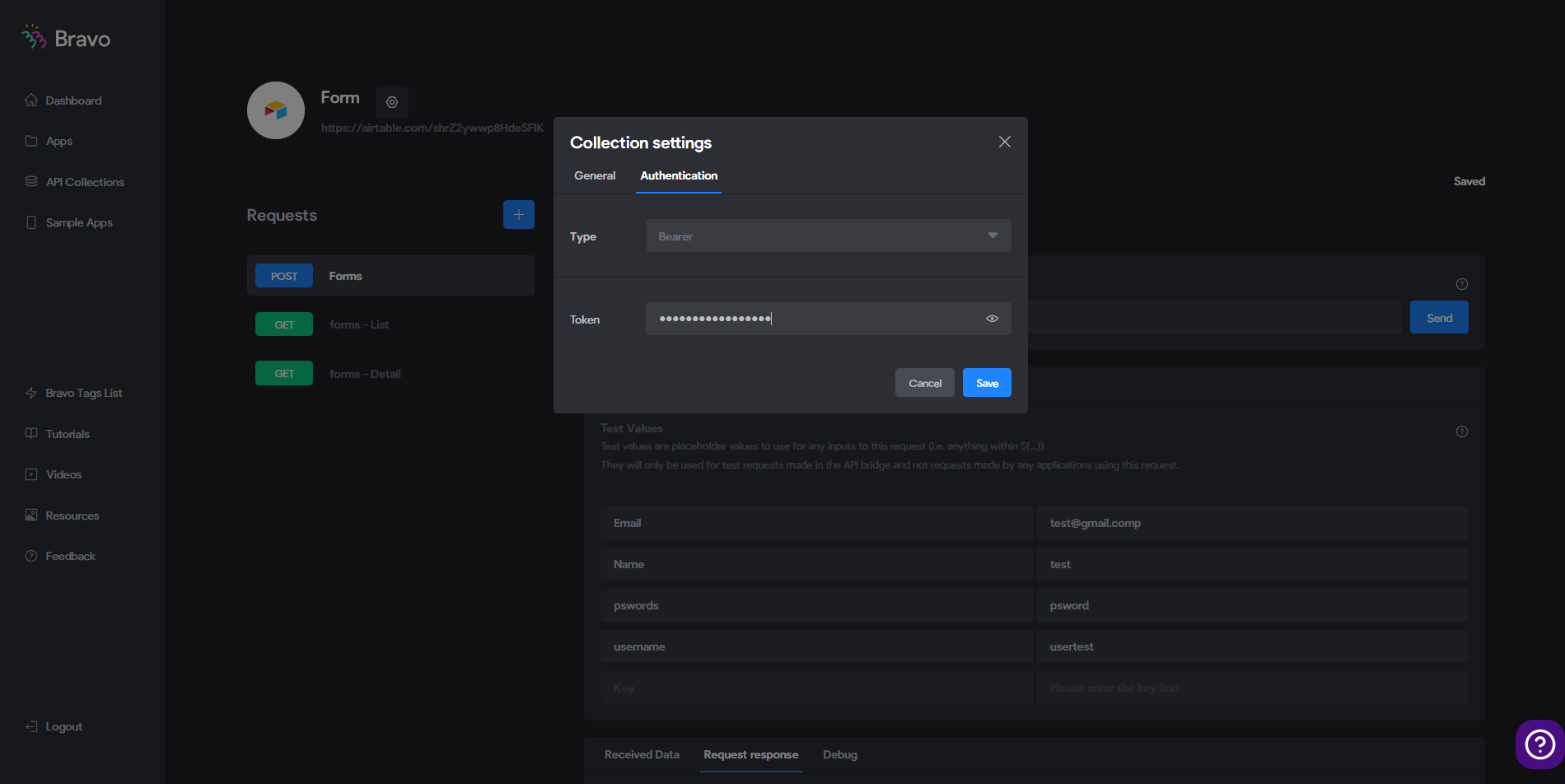
authorization will be requested. click on the parameter of your database, for my example the name of my database is "form".

form parameter / authorization / select the holder / put the token below (your personal API key from airtable) then validate and press send

token key from your airtable.PNG

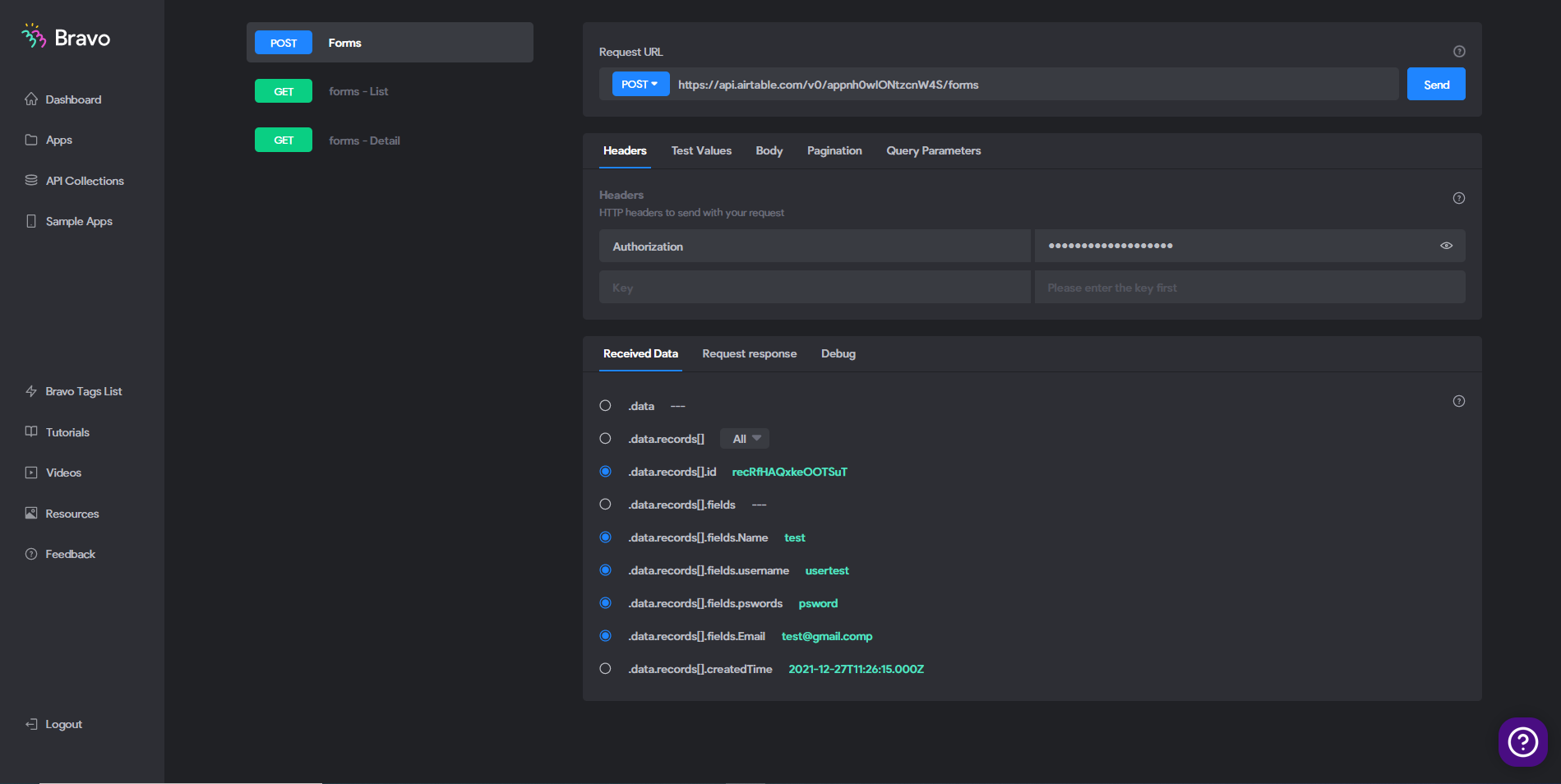
after pressing send you will have a success message

reussi.PNG

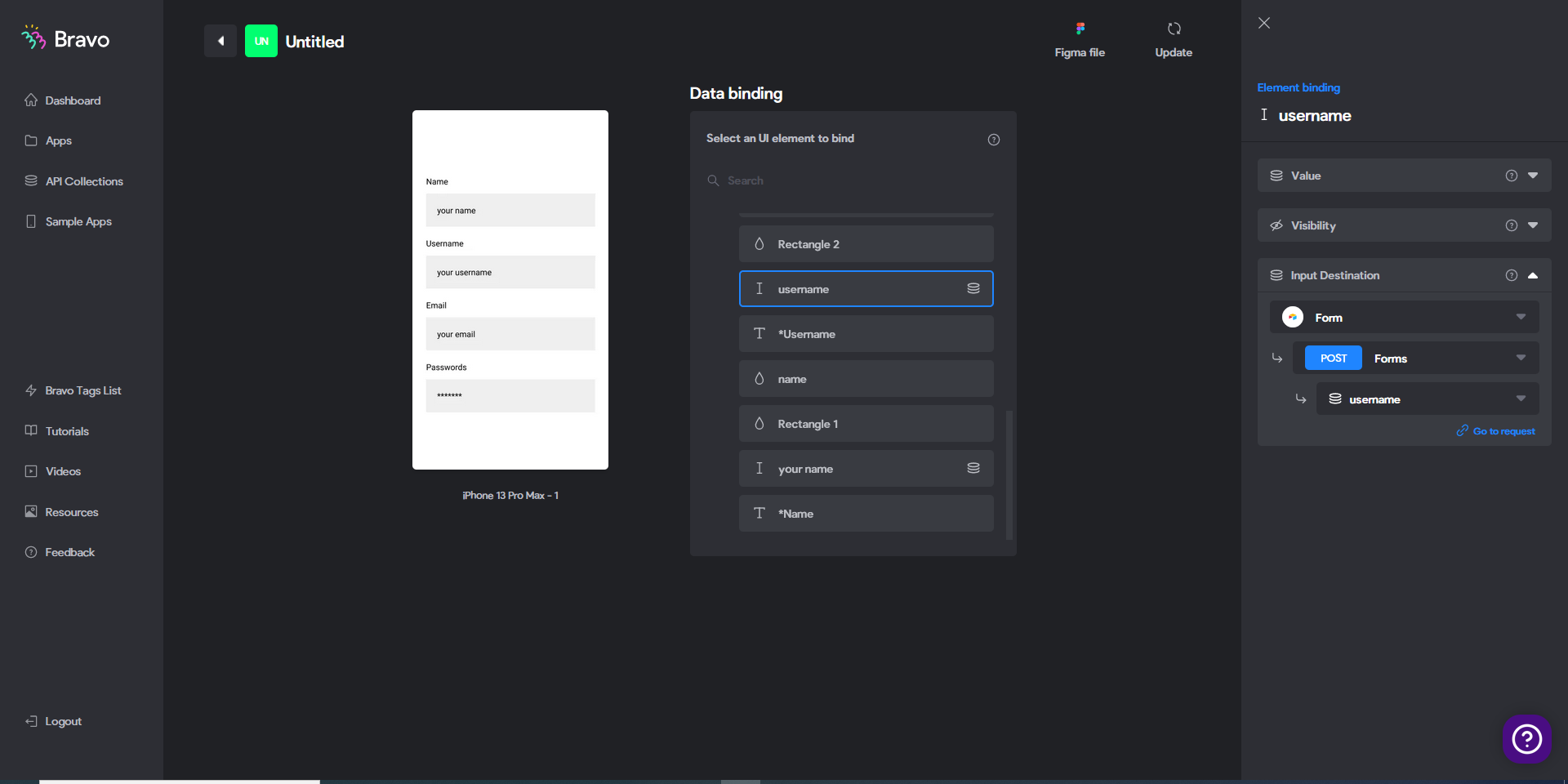
finally, connect each element of your figma project to each corresponding destination element

reccord.PNG

Wrote something in this thread and want it removed? Request removal

Still stuck?

Ask the community on Discord

This archive is read-only. New questions, office hours and product updates now happen in the Bravo Discord.

Join the Discord