← Data, API & Backend
Data, API & Backend September 30, 2022 · 23 replies

Firebase on Prespective Profil ${user.email}

Archived from the Bravo community forum (2021–2026). Some answers may refer to older versions of Bravo.

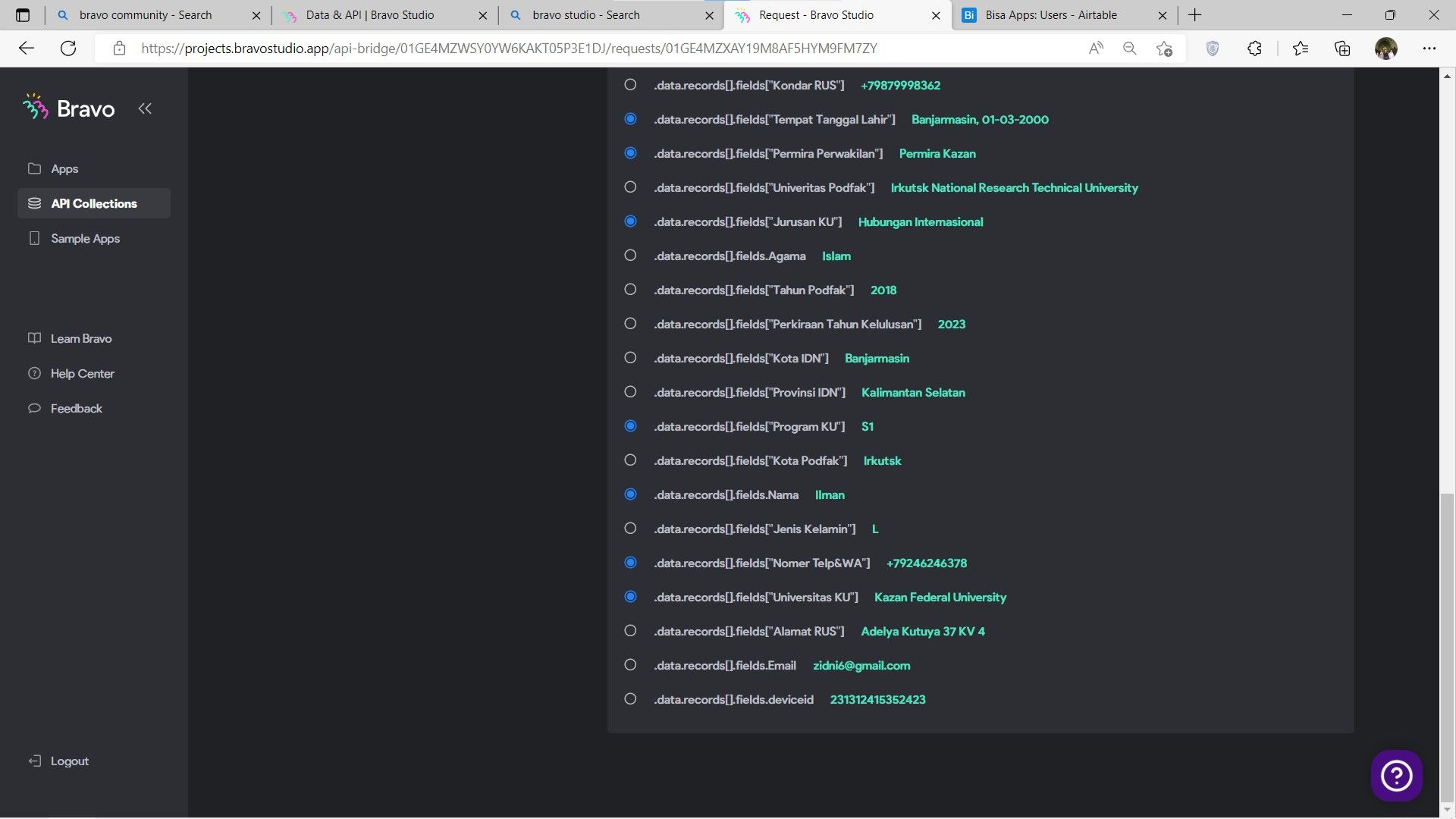
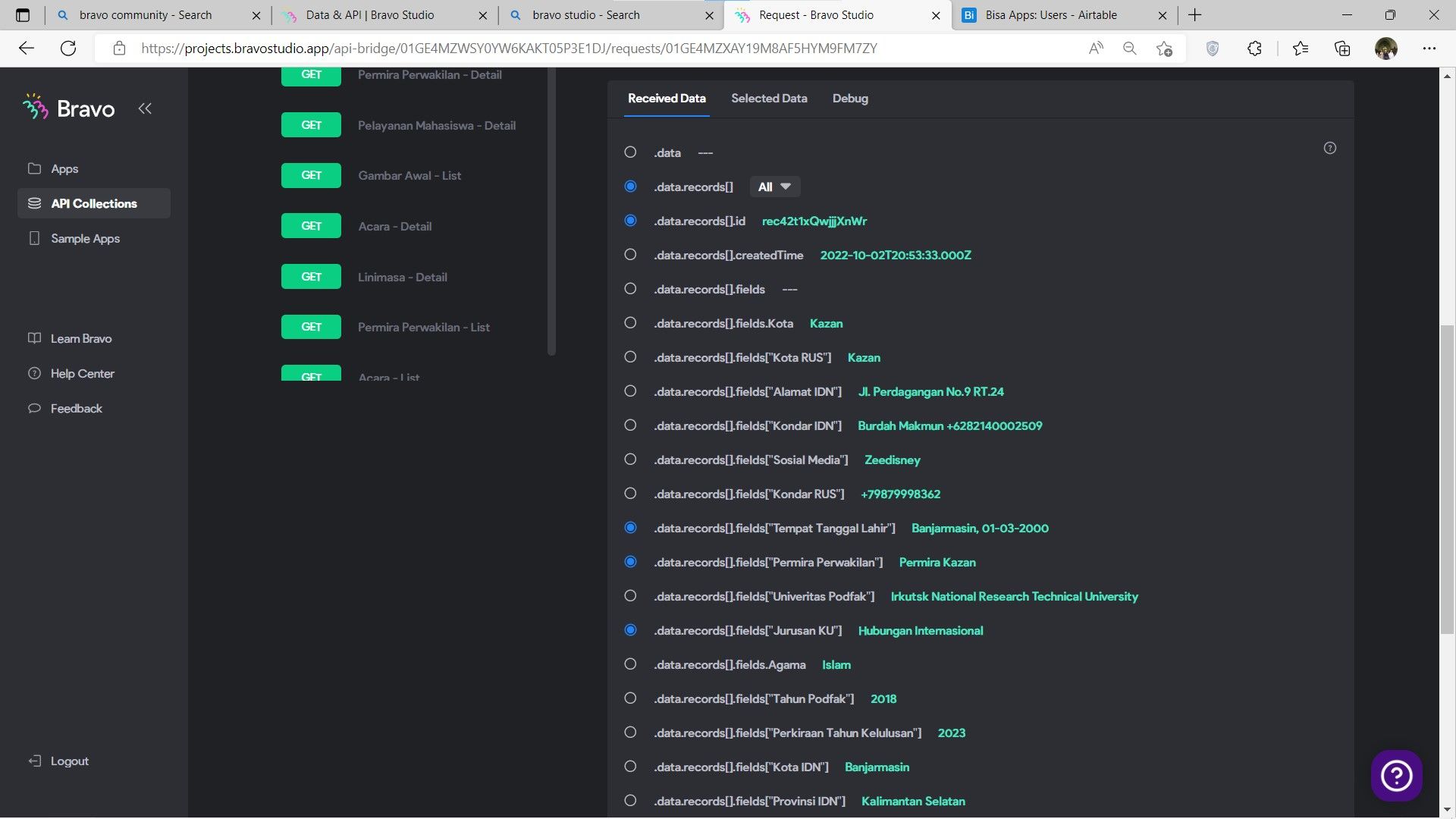
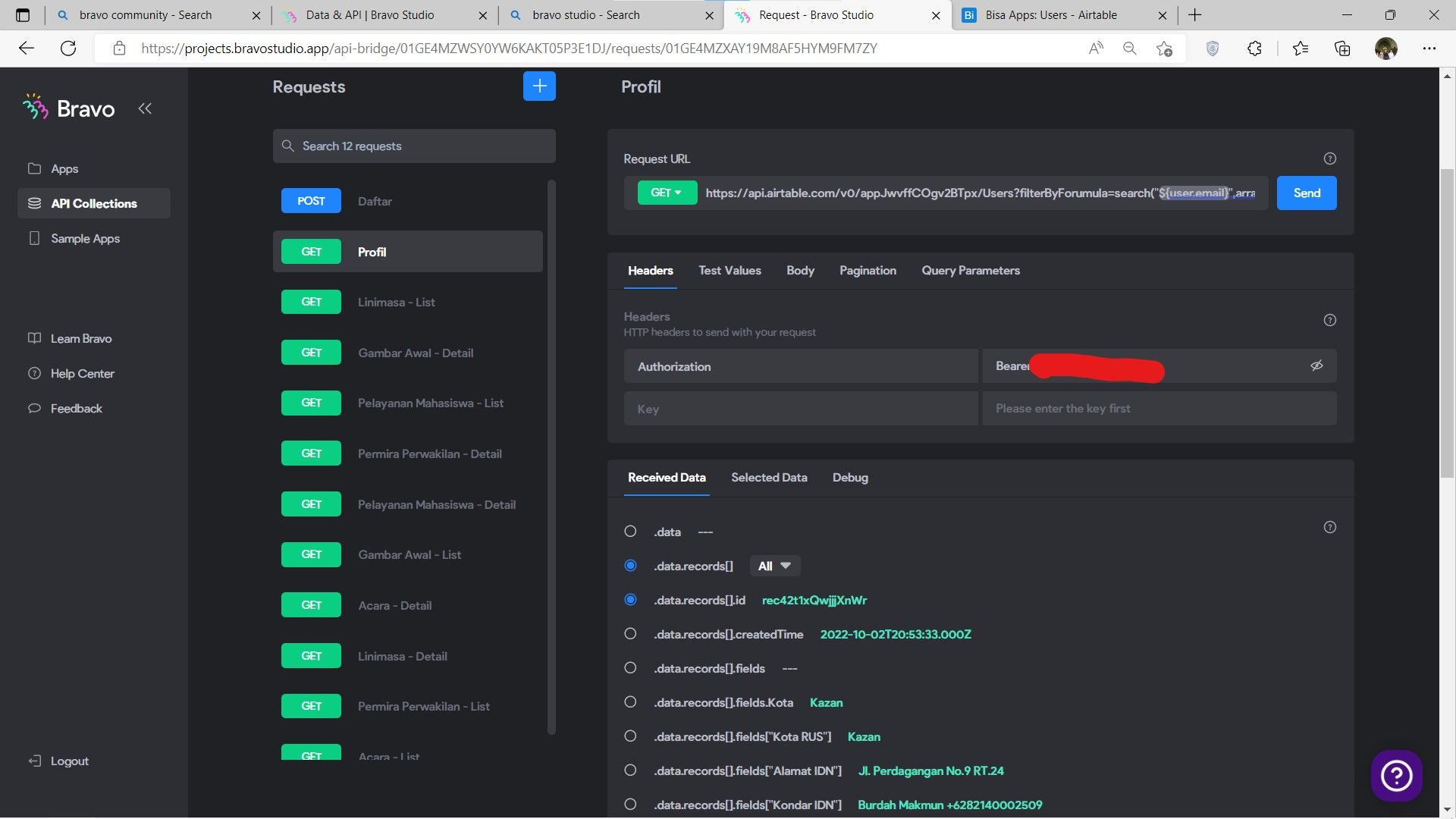
Hey! can you please elaborate on how ${user.email} is supposed to be used to link users to their respective profiles? In the profile keep showing more than one user data, i have tried by adding the filter by formula but it keeps the same. by the way i use ${user.email} by Firebase. Pleease help meee

23 replies
Zidni September 30, 2022

i have changed to the user.email but in the profile keep showing more than one data in GET Request

app.monster September 30, 2022

How are you saving the emails in Airtable? Could you share the response please?

Zidni September 30, 2022

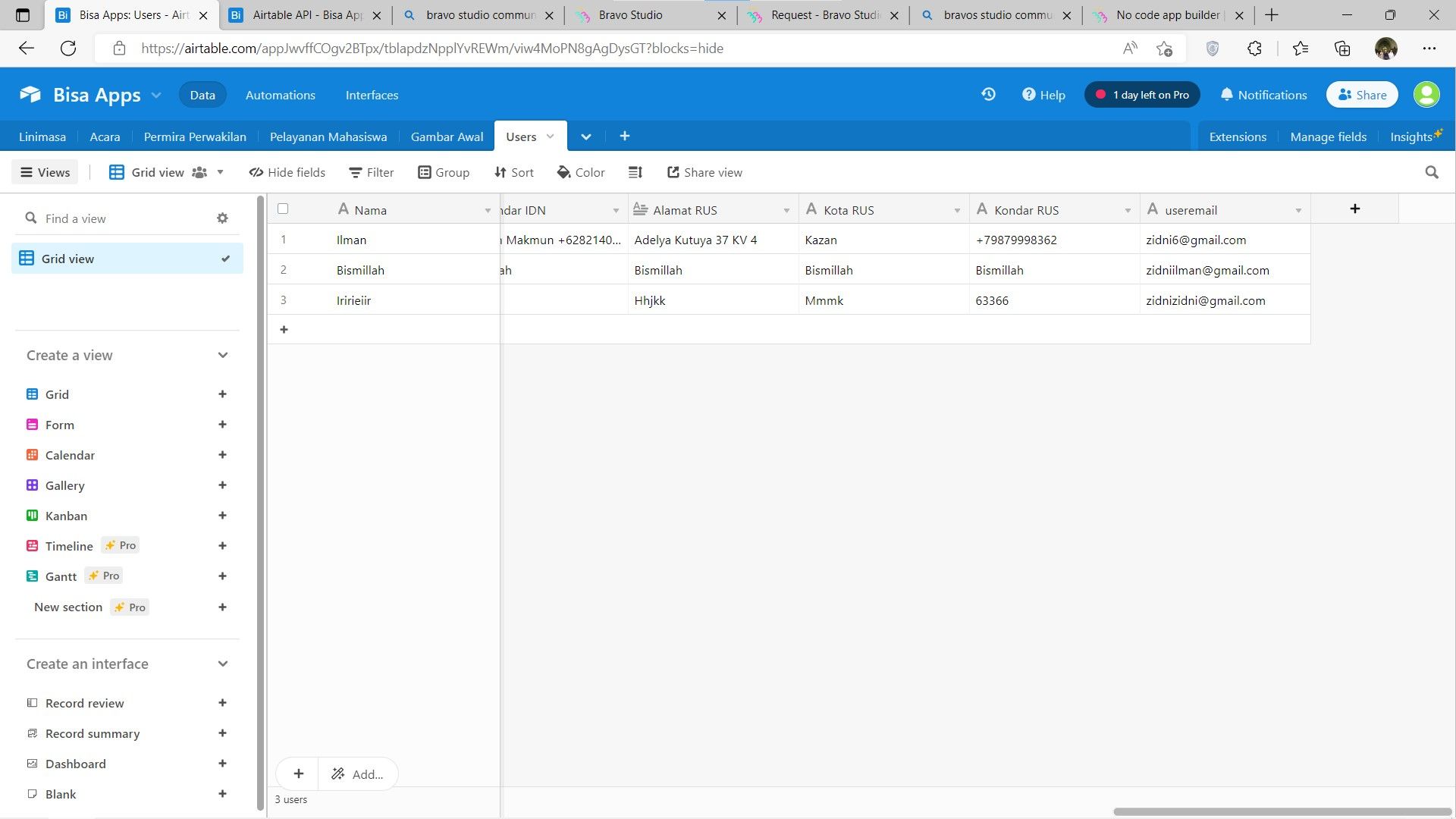
i created 2 pages. First page is log in page using Firebase and then in the second page i give the tag [post-login:once]. Second page is form so the data will be submited in the Airtable and the email automatically added because using ${user.email} in the body. in the Get Request is my problem, they can't filter the data by the email.

app.monster October 1, 2022

Thanks but this doesn't help you. You would need to share the requests so we can check them out

Zidni October 2, 2022

i have changed into ${device.id} but it doesn't work as well. Airtable collecting the Device Id but in the Profil keep showing other data

app.monster October 3, 2022

Unfortunately, this is all I can do for you since you don't want to share any screenshots. I hope you can figure it out by going through the video again and looking at the details. Good luck :)

Zidni October 3, 2022

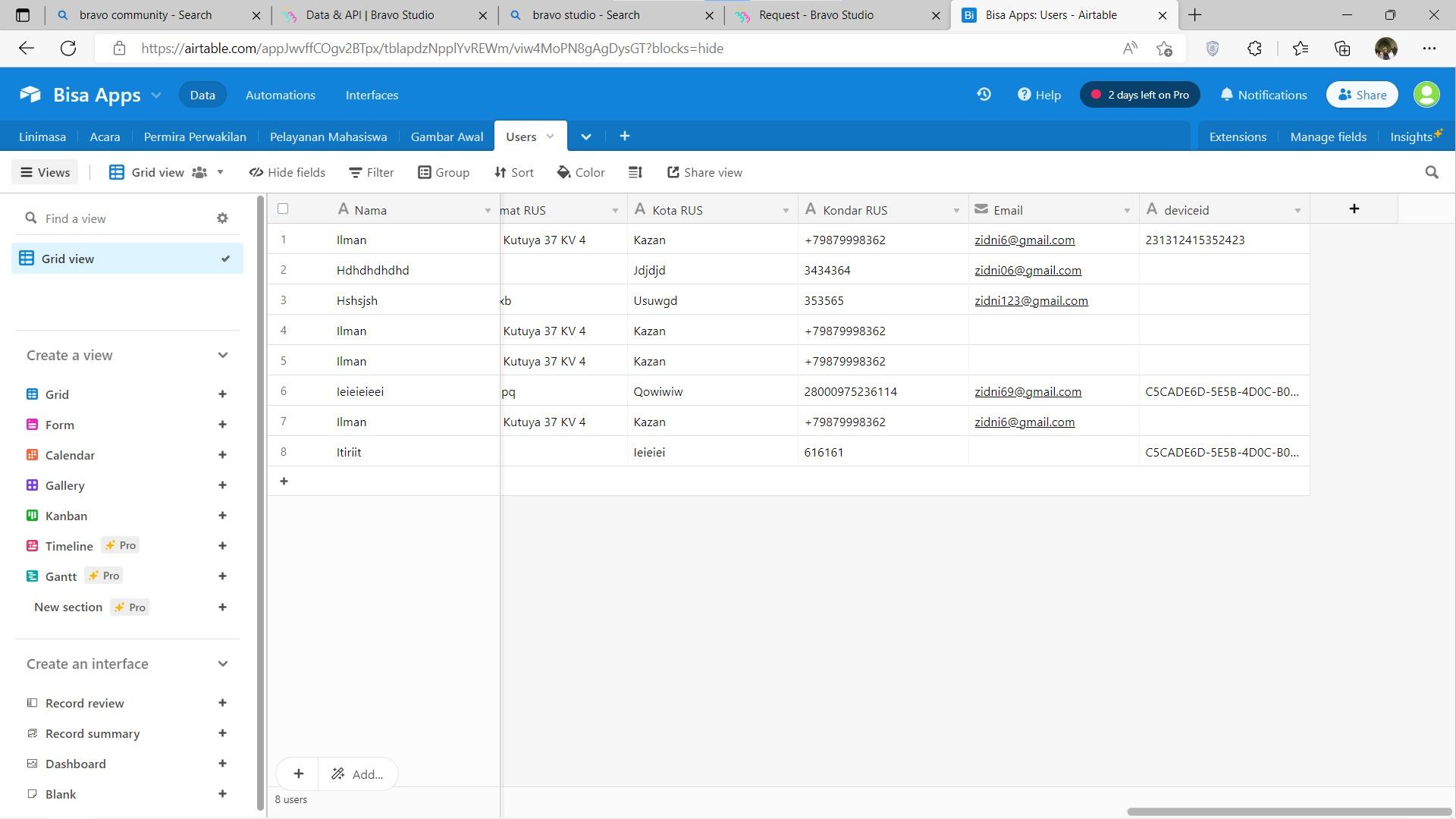
Here is in the Airtable i have tried both options, by using ${user.email} and ${device.id} but the result is the same, doesnt work

Zidni October 3, 2022

I am sorry for not sharing the screenshot from the first, i  misunderstood your point. i have shared all of the screenshot, if there's anything i need to share again, just tell me!

app.monster October 3, 2022

The request you shared searches the field "useremail" i Airtable. That field doesn't exist in the screenshot you shared. You probably mean "Email"

Zidni October 3, 2022

i have changed it just now and it keeps showing more than one data

terbaru.jpg

Zidni October 3, 2022

You know how i solve the problem is, the problem is sometimes when we copy paste the airtable just by share button, it sometimes doesnt show the correct data exactly like in the airtable. for example, like sorting the data in Airtable has sorted by the date but shows in Bravo Vision it keeps random, without sort. so, i decide to create the request by myself by copying the link from the API Documentation and then it shows correctly eventually. i did the same with the Prespective Profile problem, which is never shows the only one data that related to the email. so i create again the request by adding manually and finally it's solved!

app.monster October 4, 2022

I'm happy to hear that, thanks for sharing your solution :)

Zidni October 4, 2022

Thanks a lot for you especially have teach me how to make it right:)
you are really responsive in every our problem in Bravo Studio:) 
The best luck for you and team!

Wrote something in this thread and want it removed? Request removal

Still stuck?

Ask the community on Discord

This archive is read-only. New questions, office hours and product updates now happen in the Bravo Discord.

Join the Discord