← Data, API & Backend
Data, API & Backend Solved December 10, 2022 · 3 replies

[action:submit] - cannot add request

Archived from the Bravo community forum (2021–2026). Some answers may refer to older versions of Bravo.

I created a form in Figma with a button and the [action.submit] tag and imported it into Bravo Studio. When I open the page I don't find the place where I can define the post / patch request for this form as shown in the documentation. 

attachment

The data binding section of my forms page:
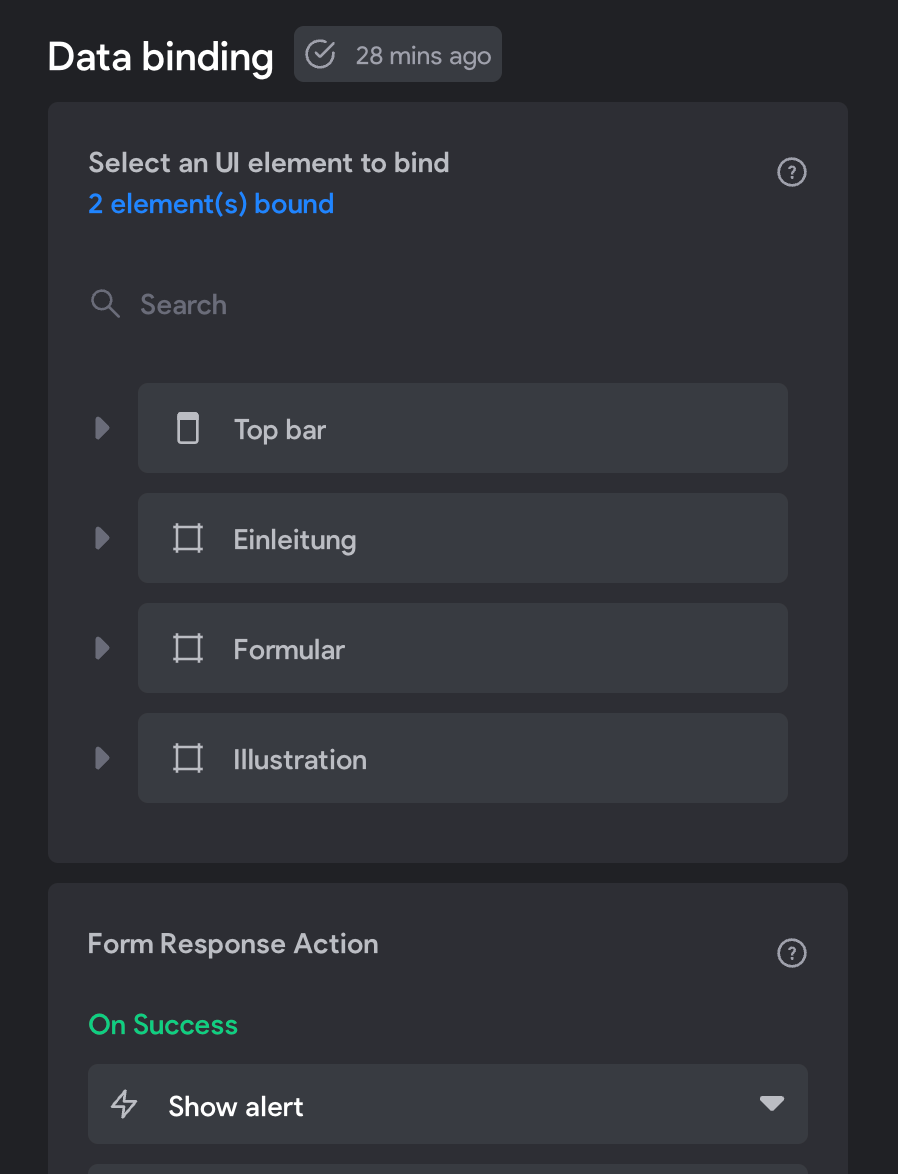
image.png

First I thought it must be on the submit button but it doesn't need to be binded due to the documentation.

What do I miss?

Thanks!

3 replies
app.monster December 11, 2022

Hi Arno,
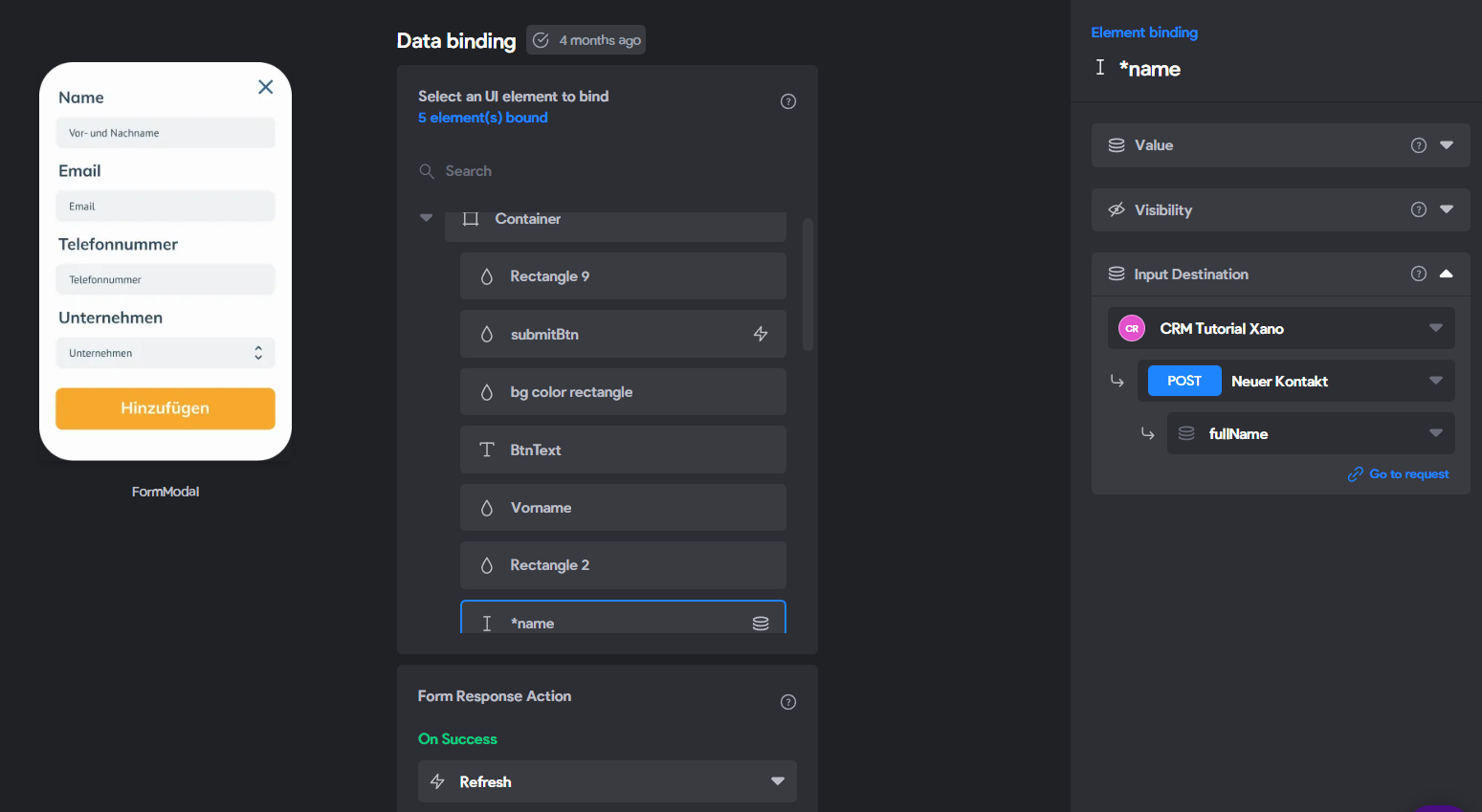
the visual from the docs was for an older version of Bravo. Not to worry that it looks a little different now. For reference, this is how it looks for me:

image.png

That means you should be able to select your text box with the input tag and bind the "input Destination" there. Remember that this feature is not available in the free plan.
I hope this helps.

Arno December 11, 2022

Thanks app.monster! Ok, that's what I've done, but submit is not working (although the post request works fine in API collection). After submit it moves to another page. No alerts (for success or failure) will be displayed. Seems to be another problem then.

Arno December 11, 2022

Problem solved thanks to app.monster. The Submit button was (accidentally) linked to another page.

Wrote something in this thread and want it removed? Request removal

Still stuck?

Ask the community on Discord

This archive is read-only. New questions, office hours and product updates now happen in the Bravo Discord.

Join the Discord