Archived from the Bravo community forum (2021–2026). Some answers may refer to older versions of Bravo.
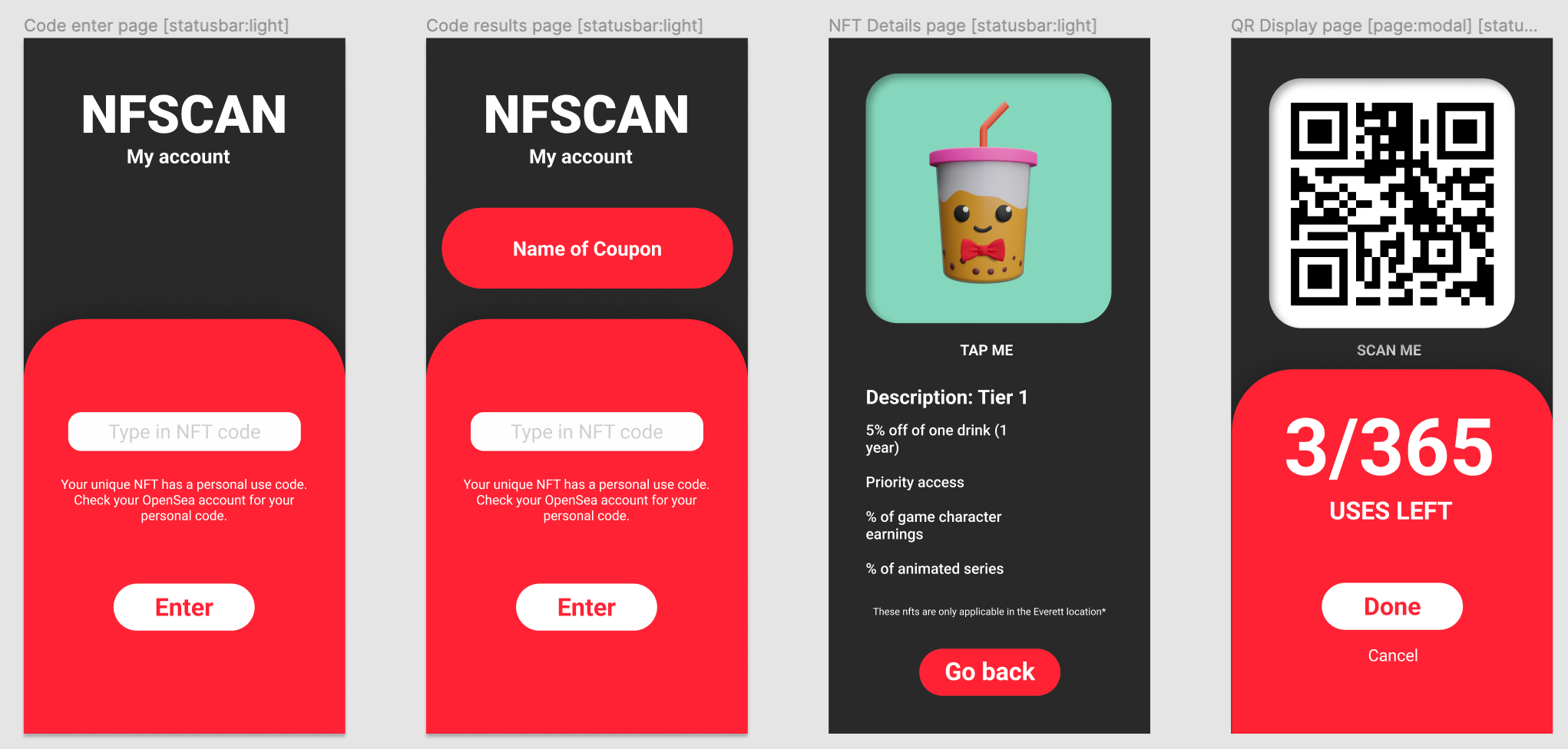
Hello! I'm making a coupon app for a friend where you type in a code to access the image of a QR code that can be scanned at certain restaurants for free food/drinks. I'm using the advanced search and filter for this as a sort of make-shift password verifier, and it actually works just fine. The only problem I'm having is that if you don't type anything, and just press enter, then it reveals all of the QR codes. Does anybody know a way around this? I need it so that the QR codes are only shown when someone puts in the right password to access them. Like maybe an if then statement that makes it so that if the seachInput is blank then it should treat it as an error...? I don't know how to make bravo do that though...
1 reply
Wrote something in this thread and want it removed? Request removal
Ask the community on Discord
This archive is read-only. New questions, office hours and product updates now happen in the Bravo Discord.
Join the Discord