← Data, API & Backend
Data, API & Backend September 14, 2022 · 11 replies

API is STILL not working/sending data 😭

Archived from the Bravo community forum (2021–2026). Some answers may refer to older versions of Bravo.

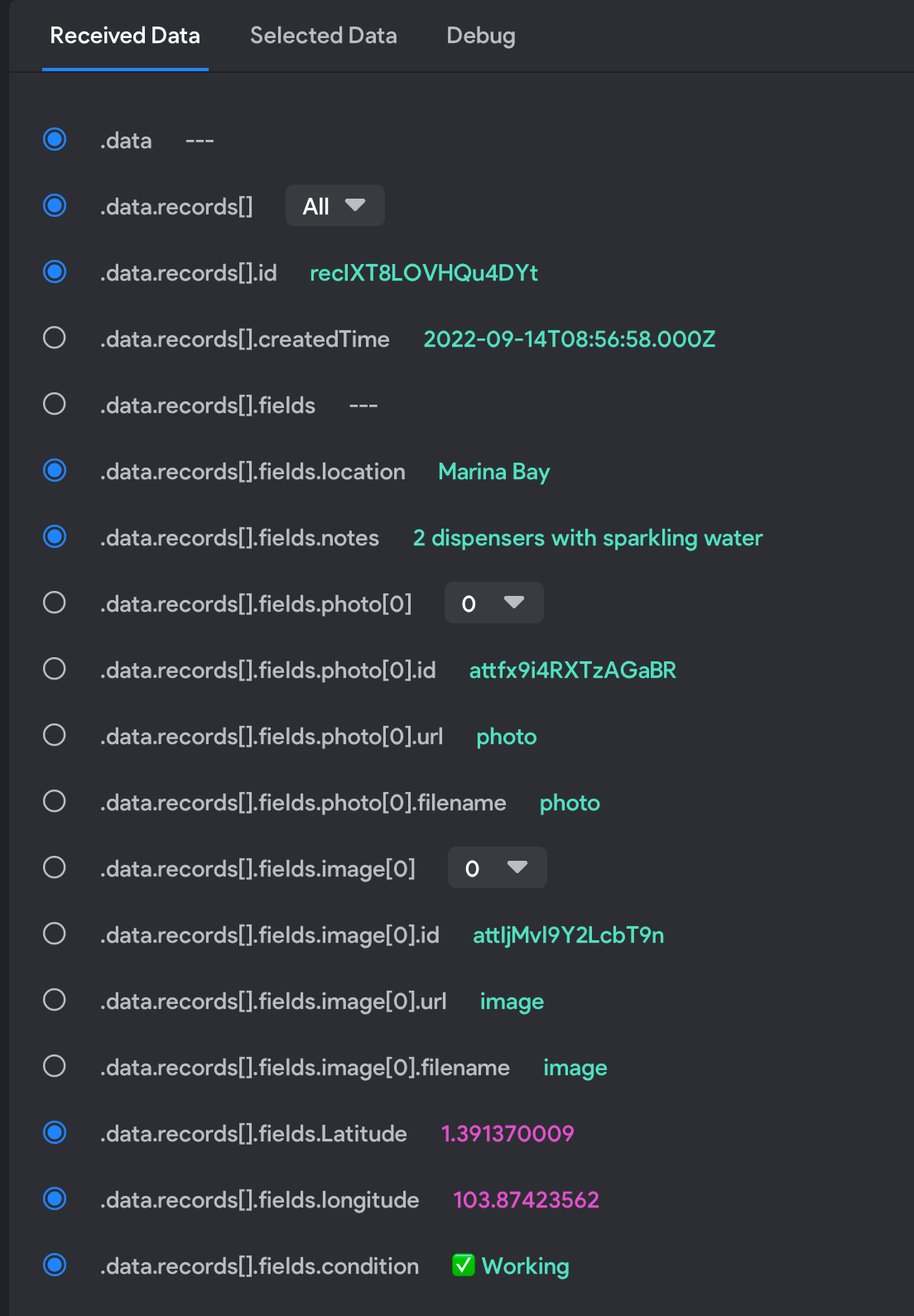
It has been almost a week and my API is still not able to send data. I am still seeing this message:

"Request was successfull but no data was sent back in the response, this behaviour is set by the backend you are using."

I have reached out to Bravo on support@bravostudio.app (i am on the Ole Plan - is there other help platforms?) but they just asked for my url and then no response after. If anyone could help or have experienced something similar that would be very very much appreciated. My MVP for my app has to be pushed back several weeks because of this.

This week has been so rough with Bravo platform. Seems like nothing is working. 😢
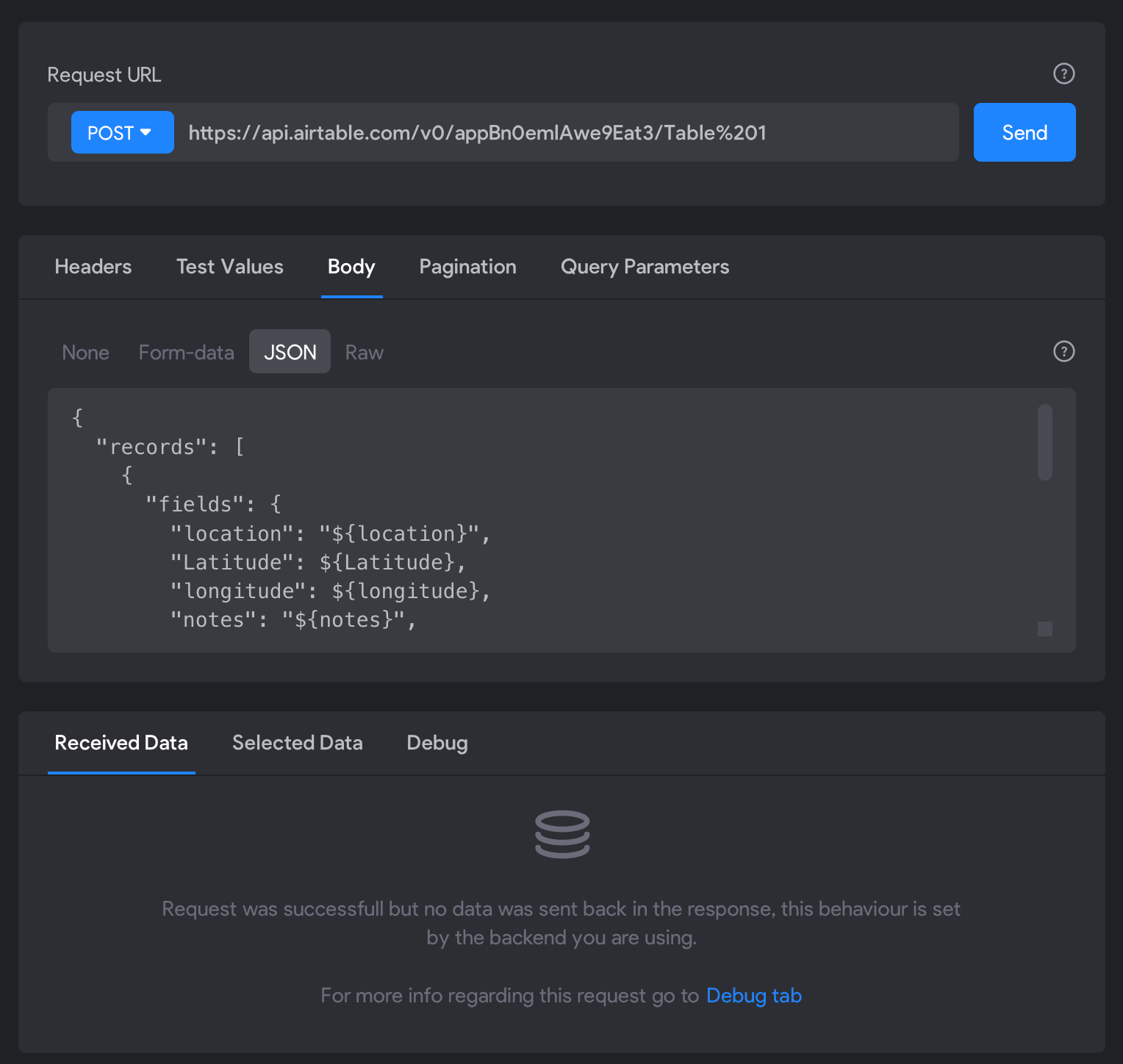
Screenshot 2022-09-14 at 3.15.58 PM.png

11 replies

Masi September 14, 2022

Can you paste the whole JSON body here together with the debug response body?

As for support: also check your spam folder, I had multiple emails from support landing there.

Summer September 14, 2022

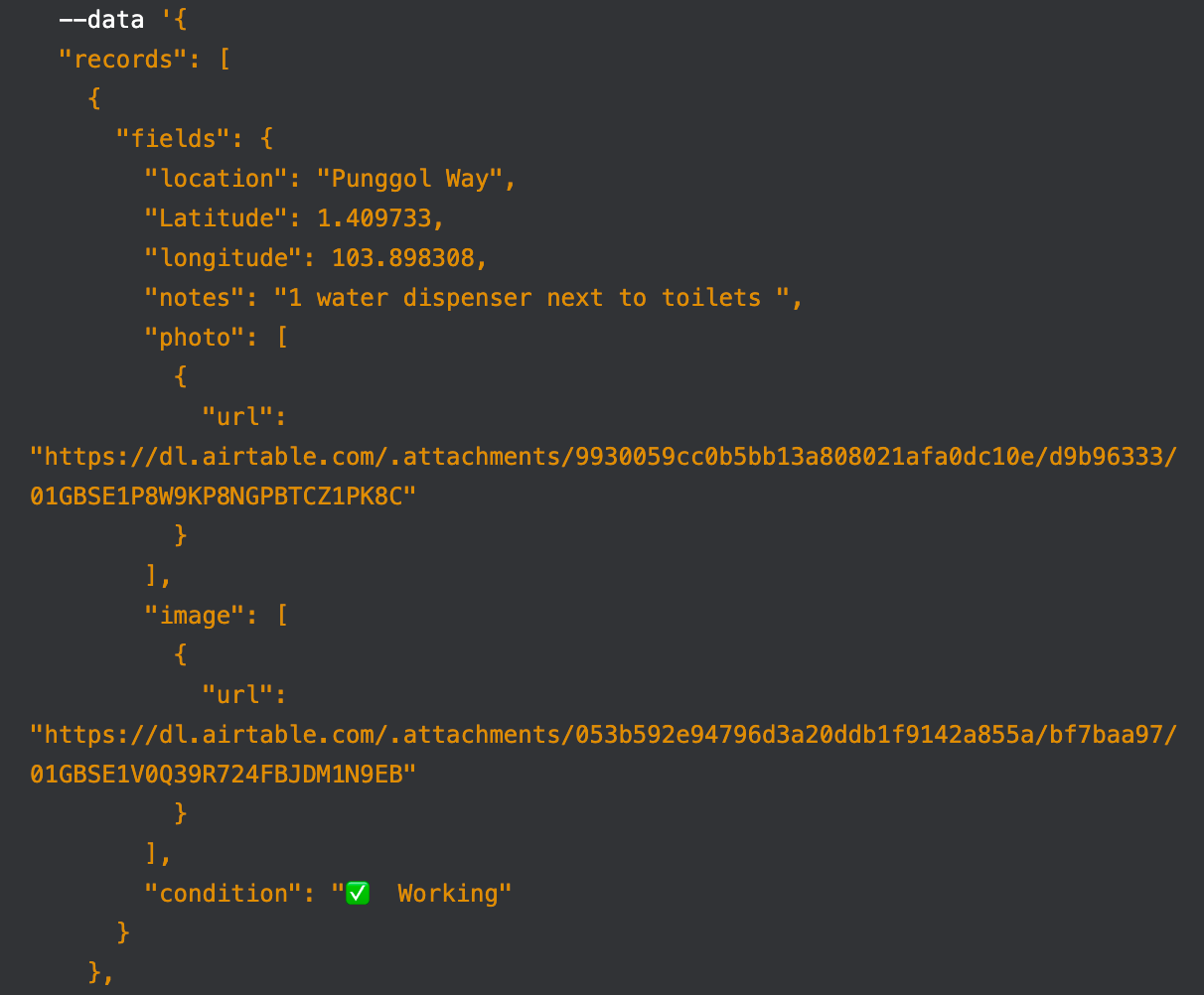
{
  "records": [
    {
      "fields": {
        "location": "${location}",
        "Latitude": ${latitude},
        "longitude": ${longitude},
        "notes": "${notes}",
        "photo": [
          {
            "url": "${photo}"
          }
        ],
        "image": [
          {
            "url": "${image}"
          }
        ],
        "condition": "${condition}"
      }
    }
  ]
}

Summer September 14, 2022

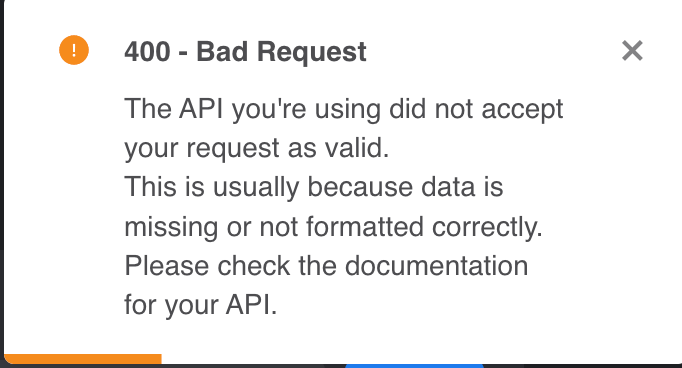
Thanks for your comment. I edited my JSON and now there is a 400 error. I have checked it through and the JSON is correct in my understanding. Not sure what went wrong. 😞

Screenshot 2022-09-14 at 3.57.11 PM.png

Fred September 14, 2022

I have a similar problem! Any new endpoint I add on collections that takes some data as input is not working

Masi September 14, 2022

if you get the 400 - Bad request, your JSON body is probably not valid. 

I'd advise to revert back to the version where you didn't have the 400 - Bad request and then test this POST request through trial and error by starting with a Body with only one field (location), test that and if that works add the next field (Latitude) and continue until you have found the culprit.

It might be that the Latitude / longitude fields are causing an issue.

Alberto Manzano Bravo team September 14, 2022

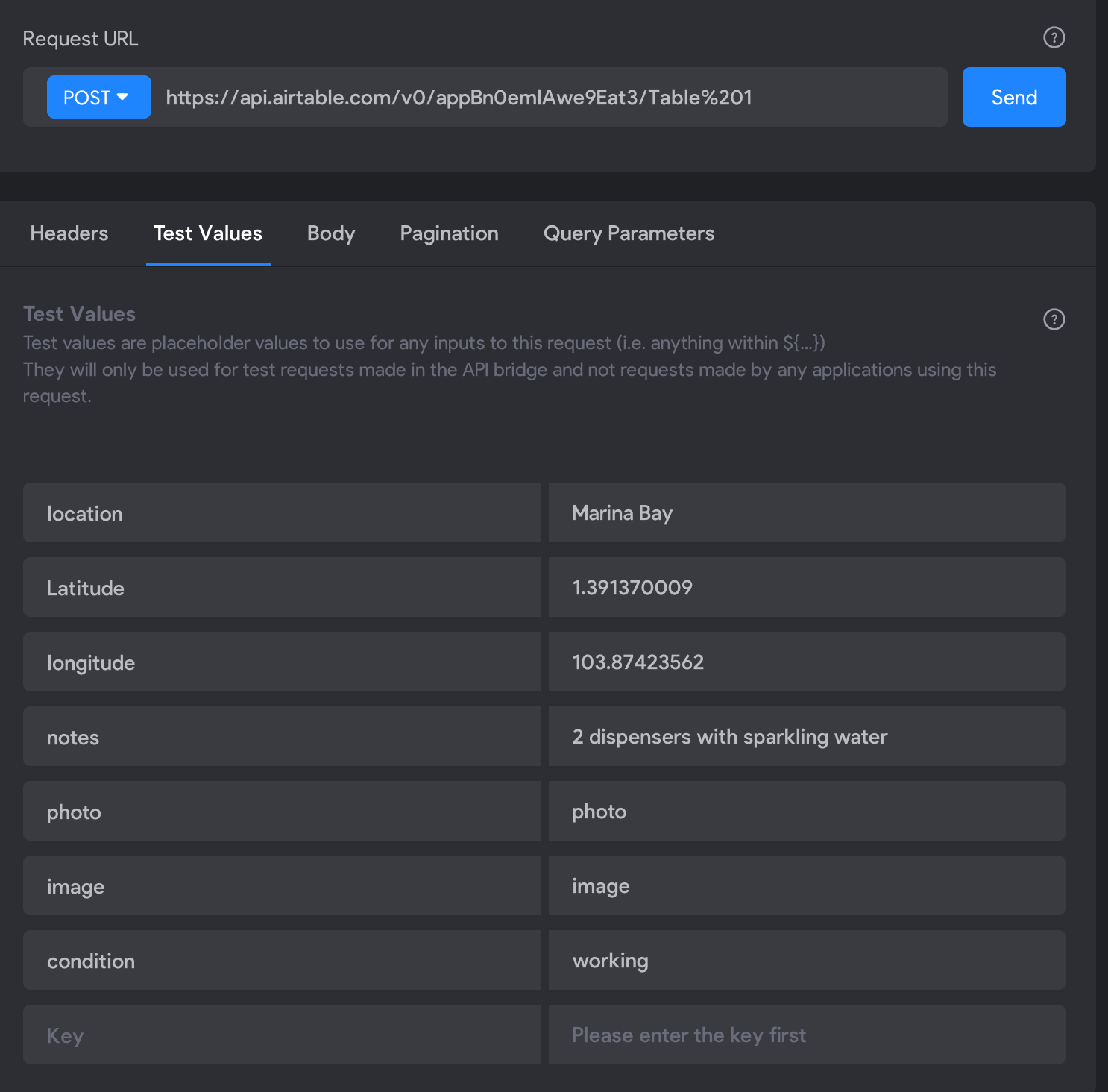
I think the issue is your Test Values. Replace "Latitude" by "latitude" (starting lowercase), since you are sending it as ${latitude} in your JSON body.
Variables are case-sensitive!

Summer September 14, 2022

Thanks for your comments everyone! Truly appreciate the help. I did some troubleshooting and it worked. Here is what i did:

  • Click send right after copying and pasting the original JSON. (Don't touch JSON yet) The data on both Bravo and Airtable amazingly started populating when I did that. THEN, i started going into JSON to edit the variables.  
  • Replace "Latitude" by "latitude" (starting lowercase) as variables are case-sensitive. (Thanks !)


Hope anyone who is facing the same issues are able to rectify theirs. Thanks everyone again. 

However, I have landed on another issue, which is that the information on my input form (binded to this API), is not showing up on Airtable when I fill it up on my phone. I'll have to post a new thread.

Wrote something in this thread and want it removed? Request removal

Still stuck?

Ask the community on Discord

This archive is read-only. New questions, office hours and product updates now happen in the Bravo Discord.

Join the Discord