Archived from the Bravo community forum (2021–2026). Some answers may refer to older versions of Bravo.
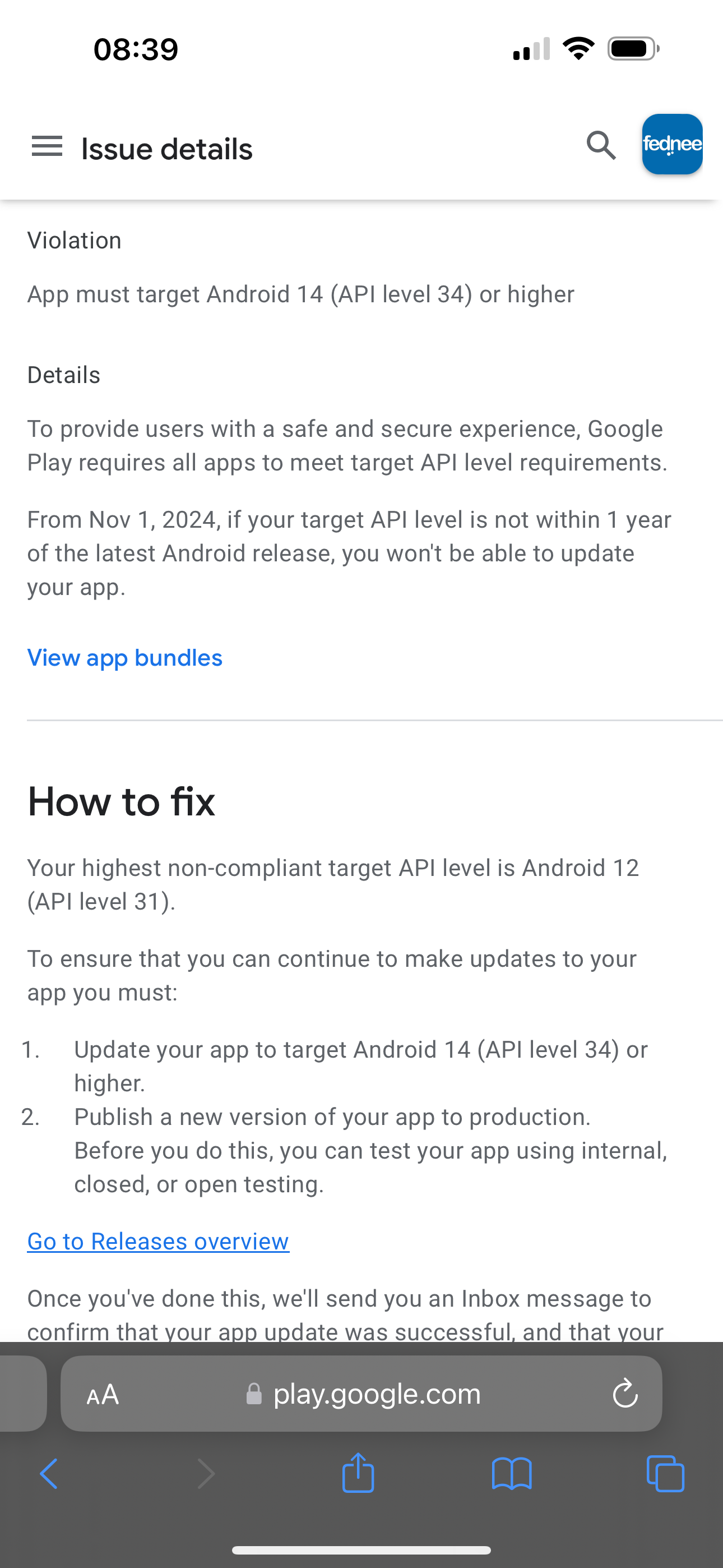
Anyone knows how to get this fixed.
6 replies
@Nour Elhattab you need to request a new build in Bravo.
Hi @Alberto Manzano I did request at least 2 builds after seeing this, and still shows up as a call to action.
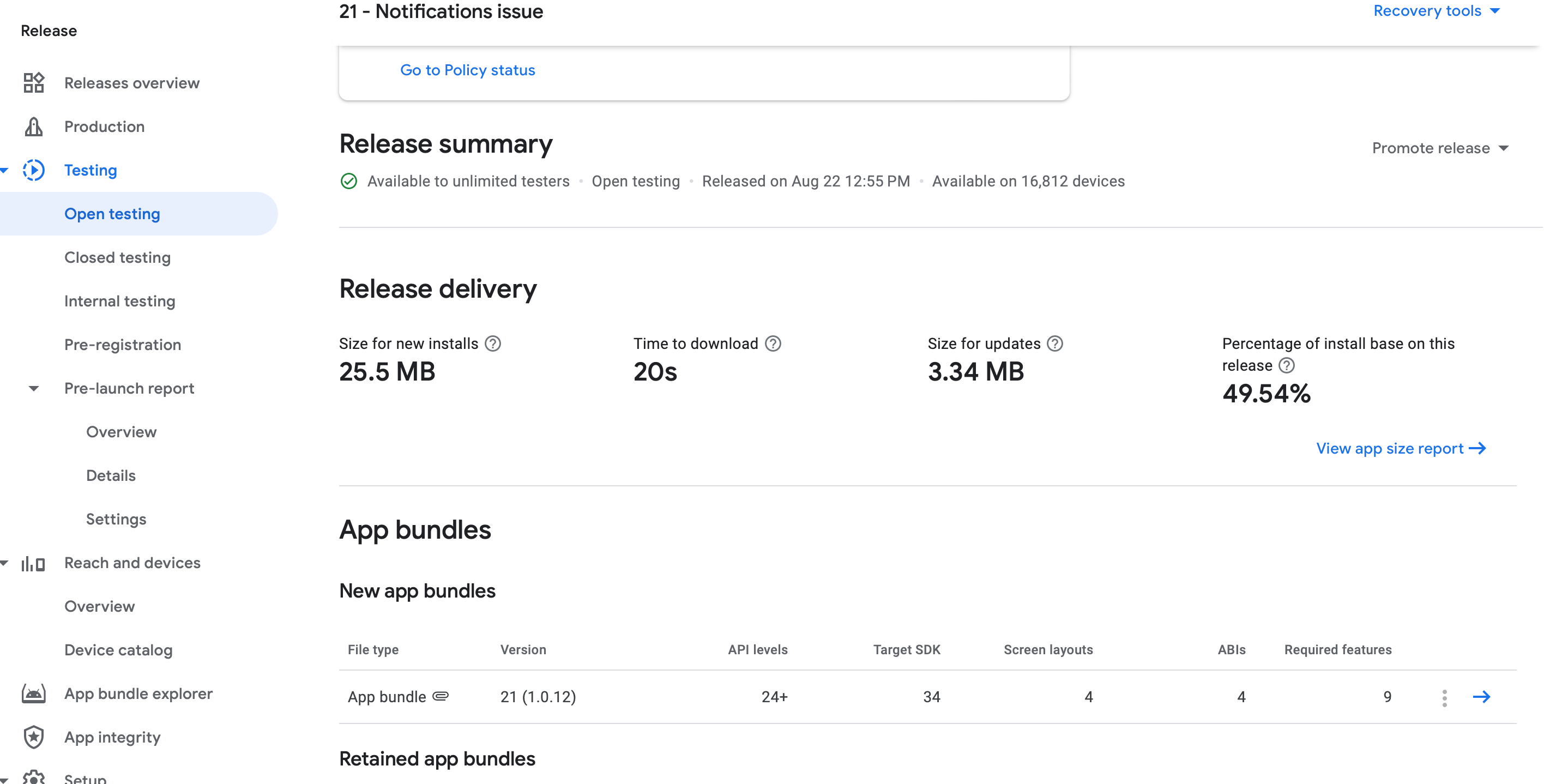
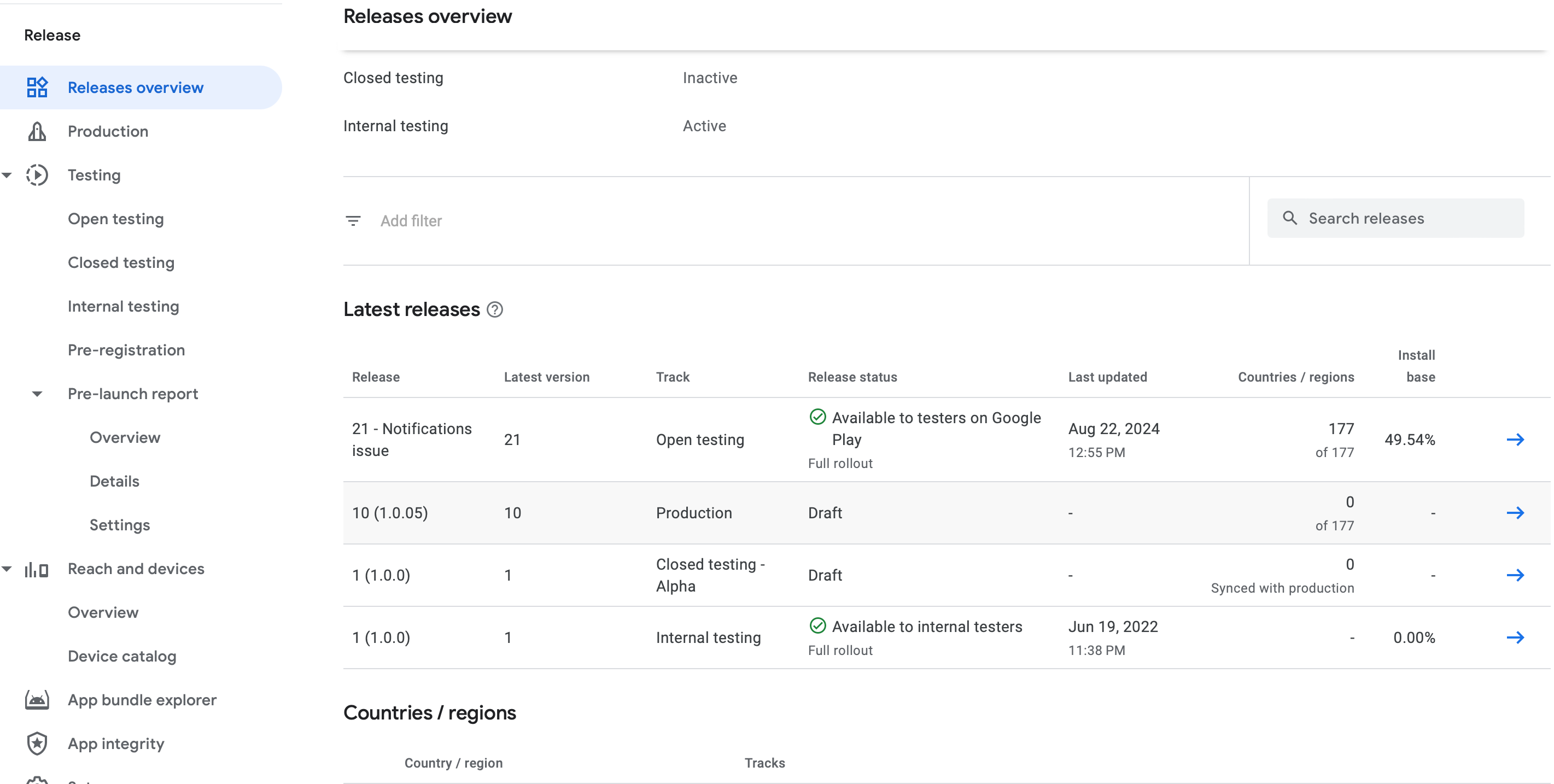
Is it possible that you have old versions in test tracks? Sometimes these warnings refer to those versions. The current codebase of Bravo apps target API level 34 since months ago.
Currently the app is released for “Open testing”. Do you mean I should promote this release to production?
Here is the Releases overview
If your app needs to target Android 14, which corresponds to Android 14 (U), you should ensure that your app is compatible with the features and requirements of this version. Here’s a general checklist to help you target Android 14:
1. Update Your Build Configuration:
- In your `build.gradle` file, update the `compileSdkVersion` and `targetSdkVersion` to 34, which is the API level for Android 14.
```gradle
android {
compileSdkVersion 34
defaultConfig {
targetSdkVersion 34
}
}
```
2. Review New Features and Changes:
- Familiarize yourself with the new features and changes introduced in Android 14. Check the [Android 14 release notes](https://developer.android.com/about/versions/14) and the [API changes documentation](https://developer.android.com/about/versions/14/api).
3. Adapt to New Permissions and Security Measures:
- Review any new permissions or security changes introduced in Android 14. Ensure your app requests and handles permissions correctly according to the new guidelines.
4. Test on Android 14 Devices:
- Test your app on devices running Android 14 to ensure compatibility. Utilize the Android Emulator or physical devices for comprehensive testing.
5. Update Dependencies:
- Make sure that all libraries and dependencies used in your app are compatible with Android 14. Check for updates to these libraries and adjust your code if necessary.
6. Optimize for New UI/UX Guidelines:
- If there are any changes to UI/UX guidelines in Android 14, ensure that your app’s design aligns with the new recommendations.
7. Handle Deprecated APIs:
- Check if any APIs you use are deprecated in Android 14 and update your code to use the recommended alternatives.
8. Review Documentation and Developer Guides:
- Consult the official Android developer documentation and guides for any additional recommendations or best practices related to Android 14.
By following these steps, you’ll ensure that your app is well-prepared for Android 14 and can take advantage of the latest features and improvements. picsart
Wrote something in this thread and want it removed? Request removal
Ask the community on Discord
This archive is read-only. New questions, office hours and product updates now happen in the Bravo Discord.
Join the Discord