← Data, API & Backend
Data, API & Backend October 7, 2021 · 5 replies

Binding Data And AirTable

Archived from the Bravo community forum (2021–2026). Some answers may refer to older versions of Bravo.

So I thought I'd dive in with a bit of binding data, and I'm getting in an almighty muddle.

I've checked out a few videos and tutorials, but I think some of the layouts and instructions are different now Bravo has updated a version and so I'm thinking I've missed something - probably to do with json code or something like that.

I'm getting errors with the database linking to AirTable, but on the other hand I know it's connected because I've got some of the options to bind in Bravo.

When I try and bind POST queries, the screen is blank in the app.  So I'm a bit bewildered.

Any ideas?  🙂

5 replies
Eo94 October 7, 2021

Hello,
I think i've got the same problem...
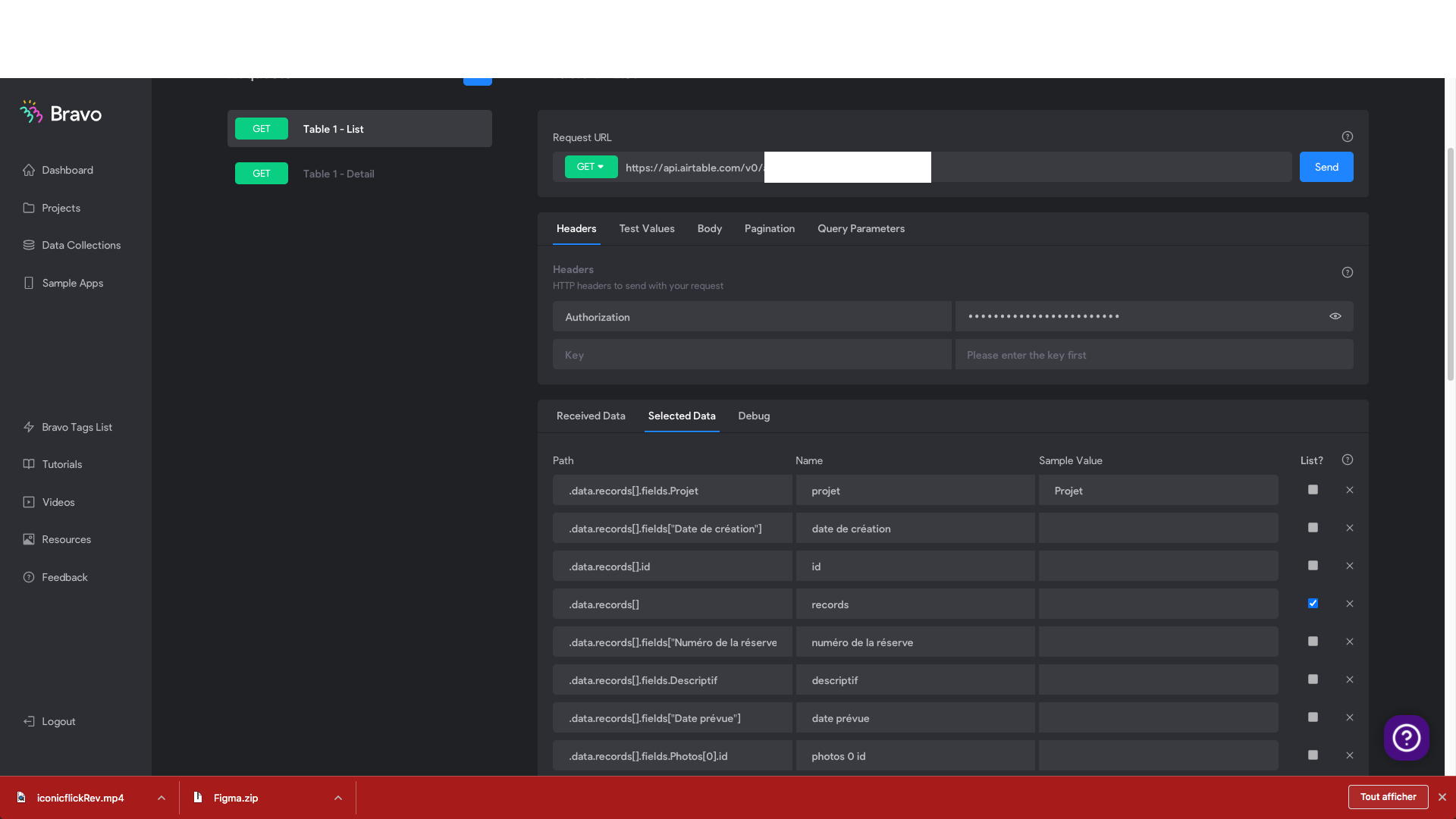
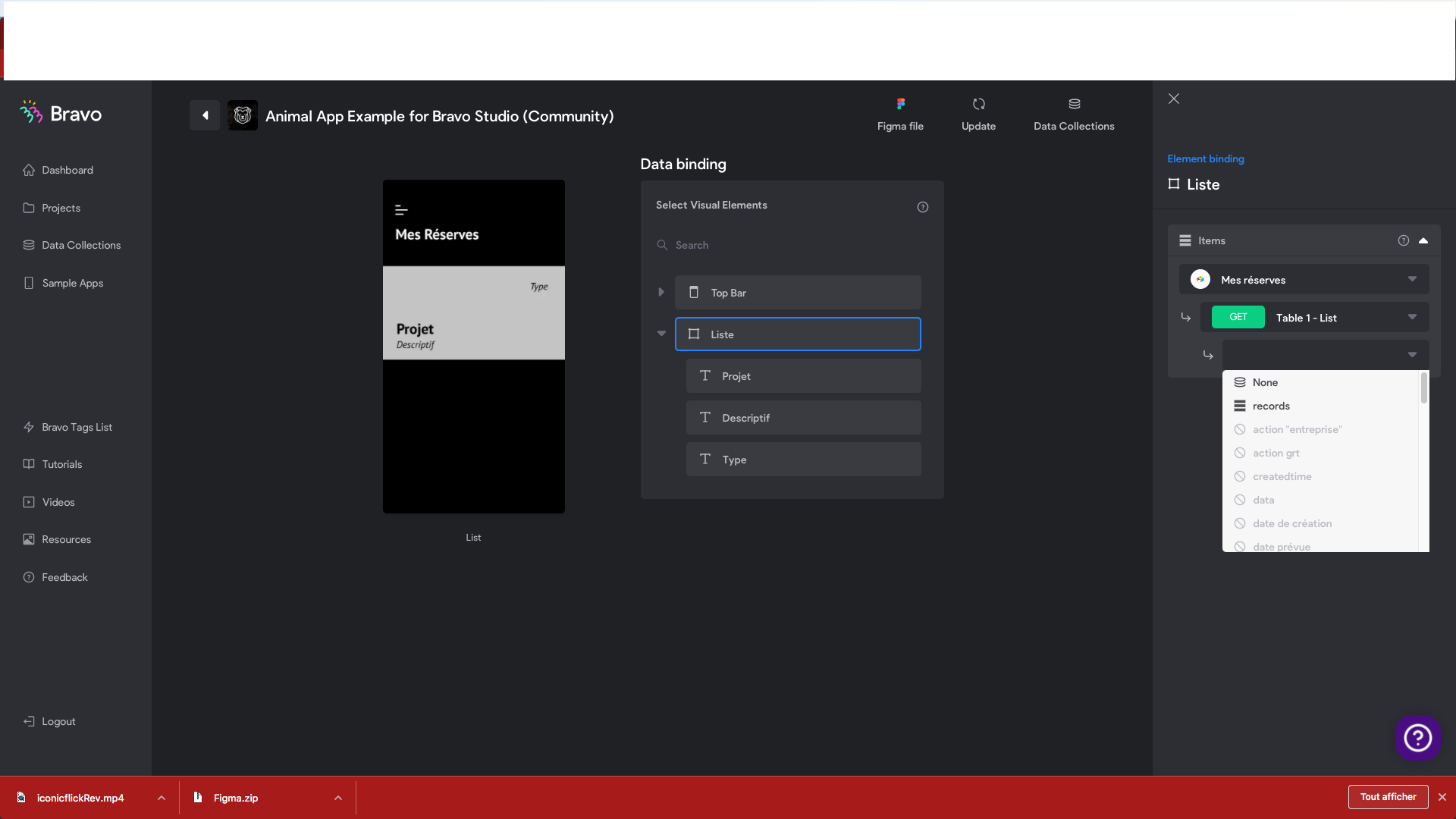
With the Table 1 - List, i can only use "records" ... Do you have some ides to resolve it please ?

Capture d’écran 2021-10-07 à 23.30.52 (2).png

Capture d’écran 2021-10-07 à 23.30.28 (2).png

Javier Felipe Bravo team October 8, 2021

Hi guys! :)

As we've released many features lately and the interface of the product has changed quite a bit, we're still renovating all Help Center content to adapt it to the new product. Therefore, some screenshots and other resources might be a bit out of date.

Regarding your questions:

  • For the POST request, did it work by sending a test request in the API Collections section? (Step 8 in this guide). You can use a JSON validator to make sure the request body is syntactically correct.
  • For the list binding, you need to bind the list data item ("Records") in this case to the list container (the UI element with the square icon), and then the individual data items (texts, images and so on) to the UI elements inside that list container.


I linked in this answers some resources to our Help Center, hope it's useful. Cheers!

Paul October 8, 2021

Whatever I end up doing, I get a 400 error for tryig to set up POST.  Of course, that means I've done something wrong, but I've no idea what!  

Effectively, the log in ID (which is email address) should link to profiles and retrieve the details of specific records.  

Also, there's the option to create a new record.

I've bound the data to a list, but the list only shows the placeholder text, so I probably haven't set up that link between the ID and data properly.

As you say, the screens have all changed, so a lot of these tutorials online are tellng me to do things I can't see or find.

Any help would be very much appreciated.  🙂

Paul October 8, 2021

I've managed to retrieve information from my Airtable into a simple profile page!  I'll admit in making the mistake of thinking the wizard put the right API keys in the right places; it didn't!  So it's best to check all of those settings before moving on.

Paul October 8, 2021

Solved my POST problems too - the debug section at the bottom of the page in Bravo is relly useful, but I didn't see it at first.  So I've got that done!

Wrote something in this thread and want it removed? Request removal

Still stuck?

Ask the community on Discord

This archive is read-only. New questions, office hours and product updates now happen in the Bravo Discord.

Join the Discord