← Resources & Tips
Resources & Tips June 4, 2025 · 13 replies

Button state inquiry

Archived from the Bravo community forum (2021–2026). Some answers may refer to older versions of Bravo.

I designed a couple of buttons in Figma, bravorized them with tags(state:default & state:pressed). I used Bravo Vision to preview their functionality, and they animate properly when navigating to the next screen, but when I come back to the previous screen, the pressed button appears on top of the default, and it looks so unnatural.
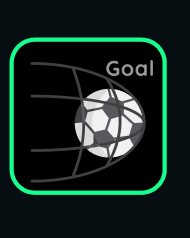
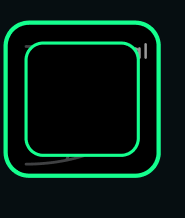
My inquiry is if this is only an issue in Bravo Vision, and when I upload the application, it will work normally. Or, if Bravo Vision directly simulates everything about how a normal app works and this will end up being an issue. If the latter is true, is it something I can solve using conditional visibility or conditional actions.

13 replies
Nour June 4, 2025

add the page refresh tag to the screen, so when you «goback» it is reset. Give it a try and let me know. Good luck, Nour

Andrew June 6, 2025

@Nour Elhattab It works when the tag is [refresh:pull], and i pull down the screen cause everything refreshes as result but when it’s [refresh:always], the buttons still do the same thing

Karla July 8, 2025

Can you share a file example @Andrew Ogwang? or did you solve it?

Andrew July 9, 2025

@Karla Fernandes | design & no-code I haven’t exactly solved it but i got a work around. Had to change what the pressesd button looks like so that even when it appears on top of the default it can’t be noticed. File example of what exactly though. The figma designs?

Andrew July 9, 2025

I noticed that there might be other apps facing this issue. I’ve looked at Tripmix and it seems to face a similar problem. Idk if the team that designed the app is aware though. Bravo Studio might have to look into this

Karla July 9, 2025

@Andrew Ogwang yes, can I check the figma file example? or even your Bravo Vision app? :)

Karla July 16, 2025

Hey Andrew, a few tips:

- put [skip] tag on all frames you aren't using yet
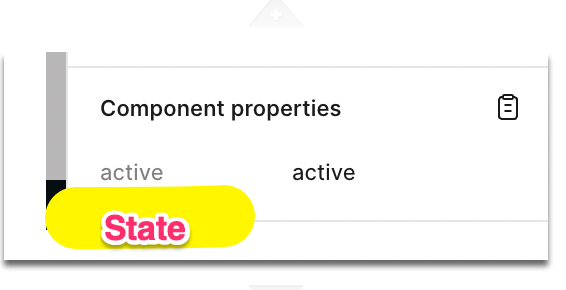
- in the component properties change the name of the property from “active” to "state“, active and default are the values of that property.

Watch video

Component states | Bravo Studio Help Center

I believe this is what is happening there ;-)

Andrew July 16, 2025

I also wanted to inquire though. Does bravo studio support the firestore database because I keep getting 401 and 403 errors

Karla July 16, 2025

@Andrew Ogwang yes, but you names the variable wrong. you need to use the right name for it to work.

And yes, you can create all kinds of screens for errors ;)

Andrew July 17, 2025

I’ll rename the variables. I’m aware that you can create screens for errors. My issue is that whenever I send a get request to the firestore api it brings errors regardless of following the documentation line for line. I even change my firestore database rules and it’s still the same result. So is it possible to use the firestore database as my app database

Andrew July 18, 2025

@Karla Fernandes | design & no-code It’s okay I’m switching to Xano. Thanks for support

Wrote something in this thread and want it removed? Request removal

Still stuck?

Ask the community on Discord

This archive is read-only. New questions, office hours and product updates now happen in the Bravo Discord.

Join the Discord