Archived from the Bravo community forum (2021–2026). Some answers may refer to older versions of Bravo.
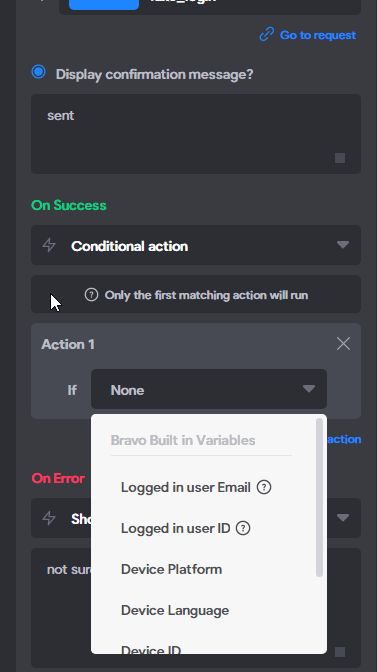
I have a form that get's submitted and I'd like to trigger different pages depending on the response.
In the Video Demo https://youtu.be/3HK6shxPM0I?t=483
When he clicks the options he has "access" at the top above the default bravo variables? My form returns several variables, but they are not listed for me to choose? What do I need to do here?
2 replies
Wrote something in this thread and want it removed? Request removal
Still stuck?
Ask the community on Discord
This archive is read-only. New questions, office hours and product updates now happen in the Bravo Discord.
Join the Discord