Archived from the Bravo community forum (2021–2026). Some answers may refer to older versions of Bravo.
Does anyone know how to "lock" certain list items as premium?
My goal
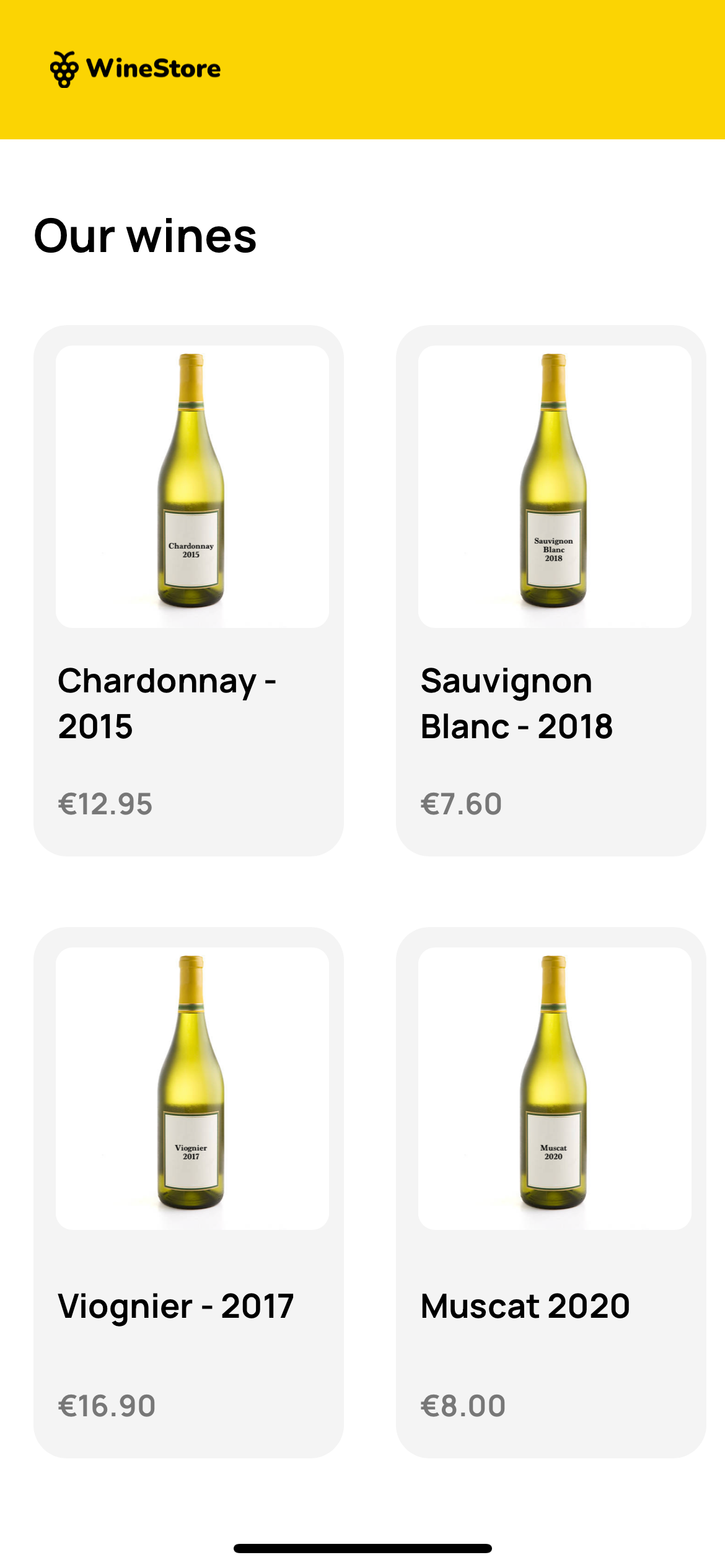
A list of items where half are clickable > and go to a detail page. The other half when clicked go to a premium locked page.**
**How it would work
**1. List view of all available content (some of the content is locked, some isn't)2. When clicking un-locked content > successfully go to _Detail page
_ 3. When clicking locked/premium content
If non-premium user > go to error or sign-up page
If premium user > successfully open detail page.
My guess:
My guess at the moment would be to use a conditional statement to check if the user is considered premium or now. But I'm not sure how to use "get-endpoints" on list items without using Figma prototype mode, it kinda breaks the get/page/{id} request that is working.
**Why the conditional tutorial doesn't work:**This tutorial shows all the locked content behind a specific paywall. My experience with premium apps converting well is if you show users a preview of the list content, and then when they click on it they see it's locked. This tutorial gates everything off with no previews.
For example, if half of these list items had a lock on them:
6 replies
Wrote something in this thread and want it removed? Request removal
Ask the community on Discord
This archive is read-only. New questions, office hours and product updates now happen in the Bravo Discord.
Join the Discord