← Data, API & Backend
Data, API & Backend June 1, 2021 · 4 replies

Count the numbers of records

Archived from the Bravo community forum (2021–2026). Some answers may refer to older versions of Bravo.

As the title said, I wonder how to show the list of the records of my DB with a particular category, and in the title of the page/screen show the category of the list and the numbers of records. e.g.

<           VideoGames (14)       

Is there a formula to call that sum on the Datalibrary connections or its a matter on the Airtable formula??

thanks

4 replies
Javier Felipe Bravo team June 2, 2021

Hi !

You'd need to get a field with the record count sent to Bravo together with the list of records (in the same HTTP response). The Airtable API doesn't send this count field together with the data, so you'd need to calculate it yourself somehow. For instance with a tool like Integromat acting as a "glue" between Bravo and Airtable. 

Unfortunately it's not possible to get that count number directly from the Data Library either, but we'll investigate if it's possible to add it as a variable, so you can bind this type of variables to your screens.

Cheers!

Javier Felipe Bravo team June 2, 2021

There's another workaround you can try:

1. Create an Autonumber field on your Airtable base, and order the table by this field in reverse order, so the autonumber field of the first row in your table will correspond to the total amount of records in the table.

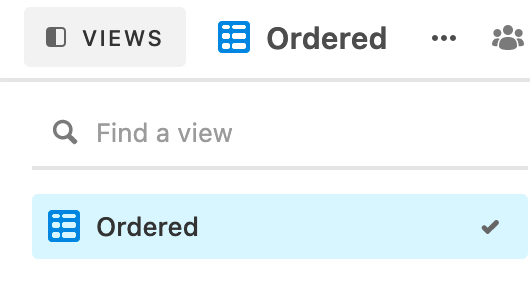
2. Choose a name for the view of your table. In this example, I set "Ordered" as the name.

imagen.png

3. On the Data Library, list all the records of the table and specify that you want to retrieve this view, so you get them on Bravo ordered in the same way as on Airtable. The URL will need to have this query string: 

table_name?view=Ordered

4. Bind the autonumber field of the first element you receive in the list, to the element of the screen where you want to display the record count.

Wrote something in this thread and want it removed? Request removal

Still stuck?

Ask the community on Discord

This archive is read-only. New questions, office hours and product updates now happen in the Bravo Discord.

Join the Discord