← Data, API & Backend
Data, API & Backend December 28, 2021 · 9 replies

Create a blog app with Wordpress API

Archived from the Bravo community forum (2021–2026). Some answers may refer to older versions of Bravo.

Hi, as suggested by AppMonster, I create a new thread for my issue :) !

I struggle connecting my wordpress to Bravo Studio. I have the right API url, and Bravo see informations, but when I try to link it to my design, I'm not able to link the container to a list of records.

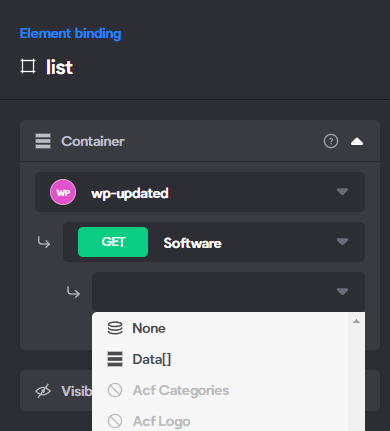
I explain myself : When I link my container to Airtable API, I have to choose "Records" for the Container, and then select the correct data for each element. Here with Wordpress, I'm able to select the correct data for each element, but for the container, all I have the "None". 

So when I check in Bravo Vision, nothing work?.
Any idea of what I'm doing wrong ?
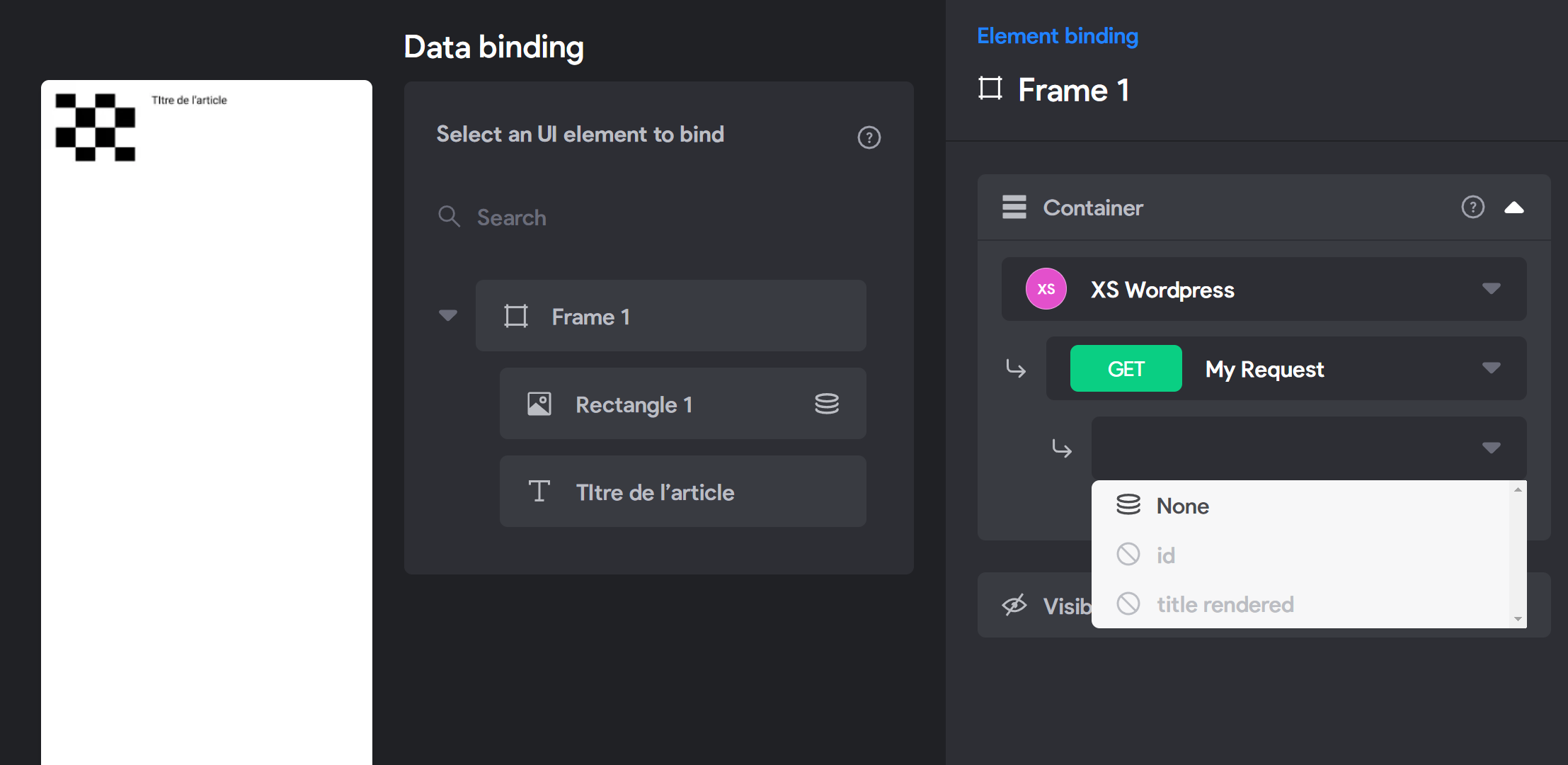
image.png

9 replies

app.monster December 28, 2021

Hey Nicolas,
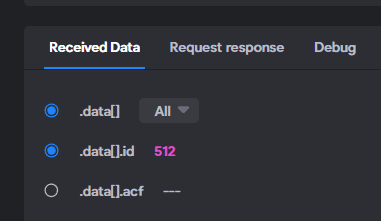
good job :) The screenshot helps a lot. Does the response return the posts as an array and have you selected that array and "all" as shown in the image below

image.png

With my Wordpress response it looks like this in Bravo's binding part then ("Data" instead of "Records" with Airtable)

image.png

Nicolas December 28, 2021

Oh my good, that's it ! "data" was on "All" but not selected. I feel like an idiot 😅 Thank you very much for your help ! Was stuck on this every time I tried to do something with Wordpress 😅

D July 11, 2022

,  I have the same problem like your case. it was clear now. but I have question, how if I want to access the details. 

Now I have blog list on the app, but I still struggle to access the details of the post. do you know it?  

I watched on youtube, bravo channel. on vid tutorial it was only for airtable. is the method same or different?  I followed it,  but not working. now I am stuck.

D July 12, 2022

Thanks for your response.  got it.  I need find how to setup on bravo. I spent hours to do that. watched restAPI tutorial. it was like puzzle I need to solve it.  I just changed <id> to ${id} add test sample data. 😅

app.monster July 12, 2022

Yes, that's right, the id will be replaced by an id from an actual post of yours and it makes sense to have that as a variable 👍

Topicimes September 29, 2022

Hello,

I have the same problem as you, but I can't solve it despite your comments.

As you can see I have selected Data ALL :

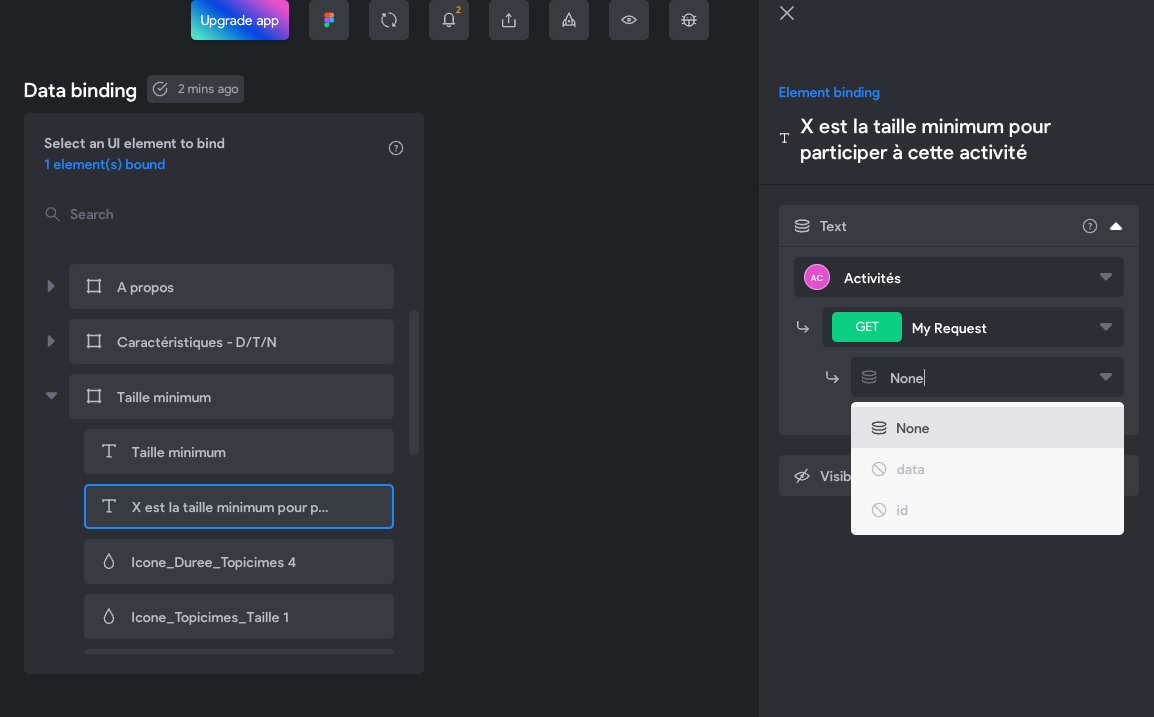
image.png

However, as soon as I go to link the data this is what happens:

image.png

Thank you for your precious help!

app.monster September 29, 2022

Hi,
first you need to bind "data" to your container element. Try watching the basic list setup video on Bravo's YT channel to see the binding part.

Wrote something in this thread and want it removed? Request removal

Still stuck?

Ask the community on Discord

This archive is read-only. New questions, office hours and product updates now happen in the Bravo Discord.

Join the Discord