Archived from the Bravo community forum (2021–2026). Some answers may refer to older versions of Bravo.
Hy
Is possible to create with Figma and Bravostudio a register of Attendance to add on my app where I can have a kind of 2 Button next to the name of my students (Present or Absent) and at the moment I click the button I add a record on Airtable exactly in the row of that Students and every 4 “present” I send to my ERP with Zapier a trigger that will create a payment for my dance class
Thanks
Andrea
18 replies
Hello andrea,
I have created a simple example, and I will send it to you for your observation to see if it meets your requirements.
@Stéphan N'GUISSAN thank you very much Stéphan very kind of you will you send me the link ?
Hello Andrea !
Here is an improved example:
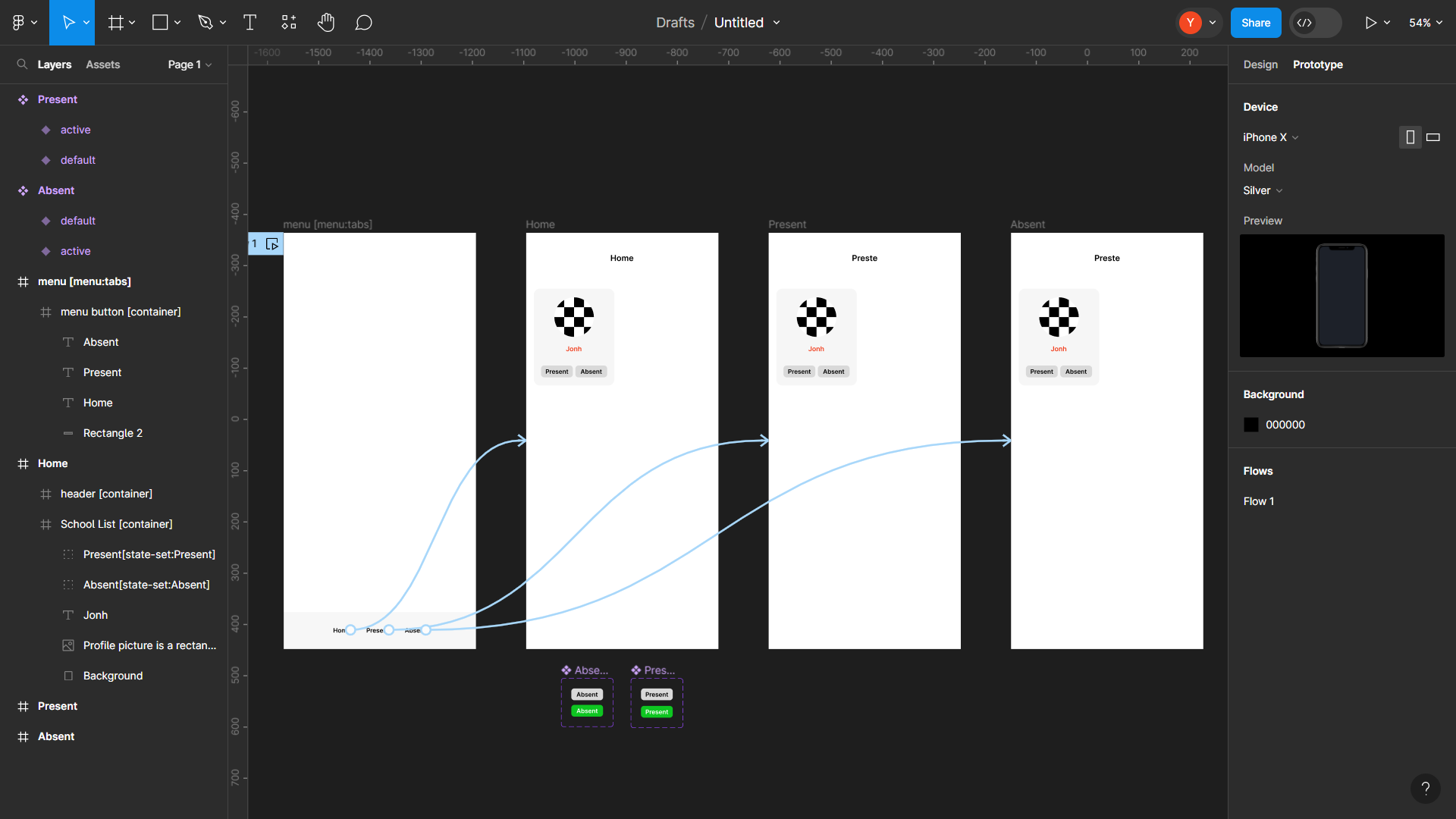
In this demonstration, the use of tags in Figma design is crucial:
- Menu [menu:tabs],
- List of schools [container]
- Presence state [state-set:Present]
- Default [action:remote]
- Active [action:remote]
- Absence state [state-set:Absent]
- Default [action:remote]
- Active [action:remote]
For more information on state-set tags, please refer to the documentation available here: [link to documentation](https://docs.bravostudio.app/bravo-tags/components/stateful-component-like-button)
In my file, you will find 4 frames: Menu, Home, Present, Absent, as depicted in the screenshot below.
Thus, by clicking on "Present" in the "Home" frame on the student's profile, it will appear on the "Present" page. Conversely, by selecting "Absent", it will be displayed on the "Absent" page. This approach will allow us to obtain a comprehensive list of present and absent students.
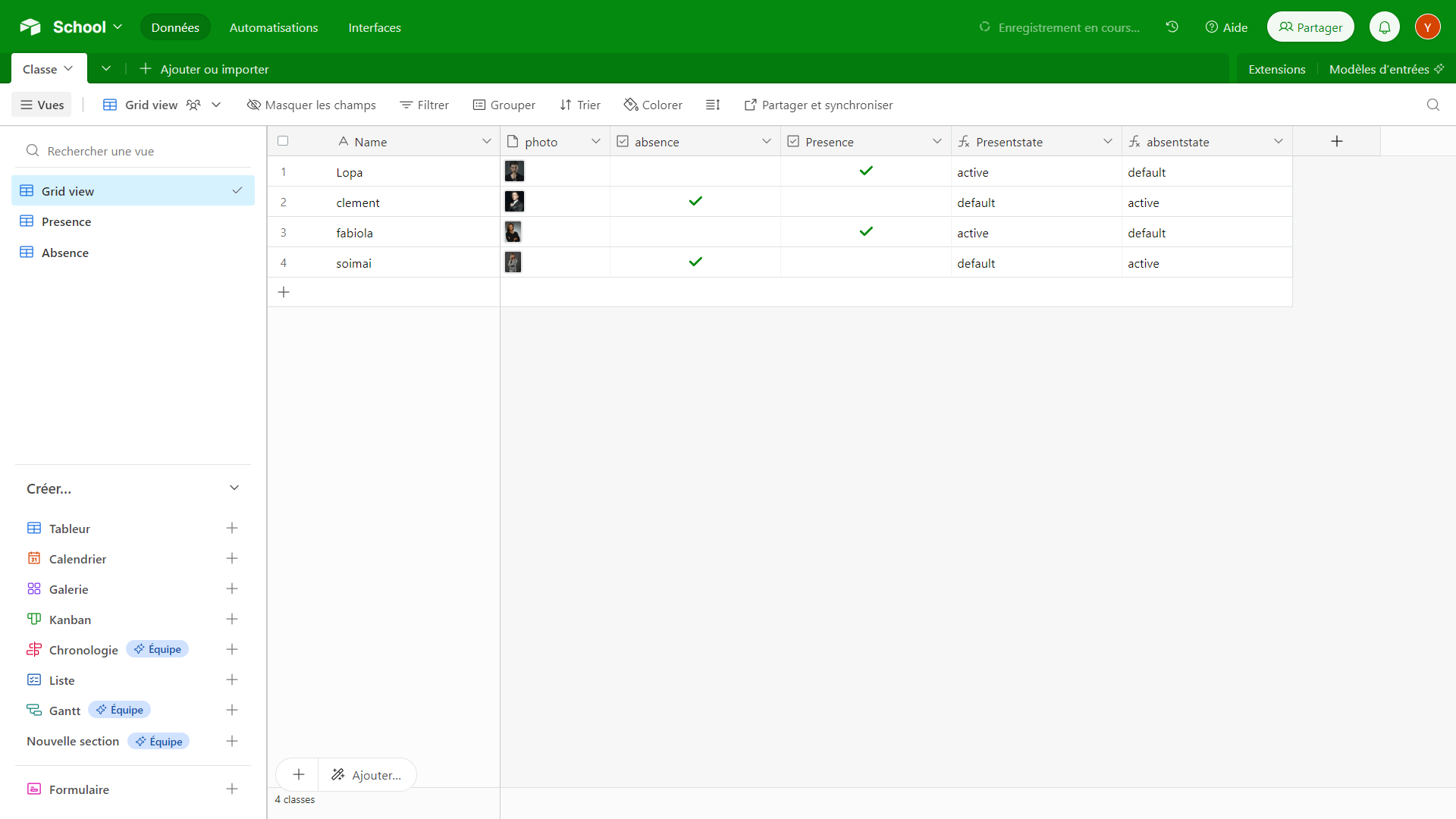
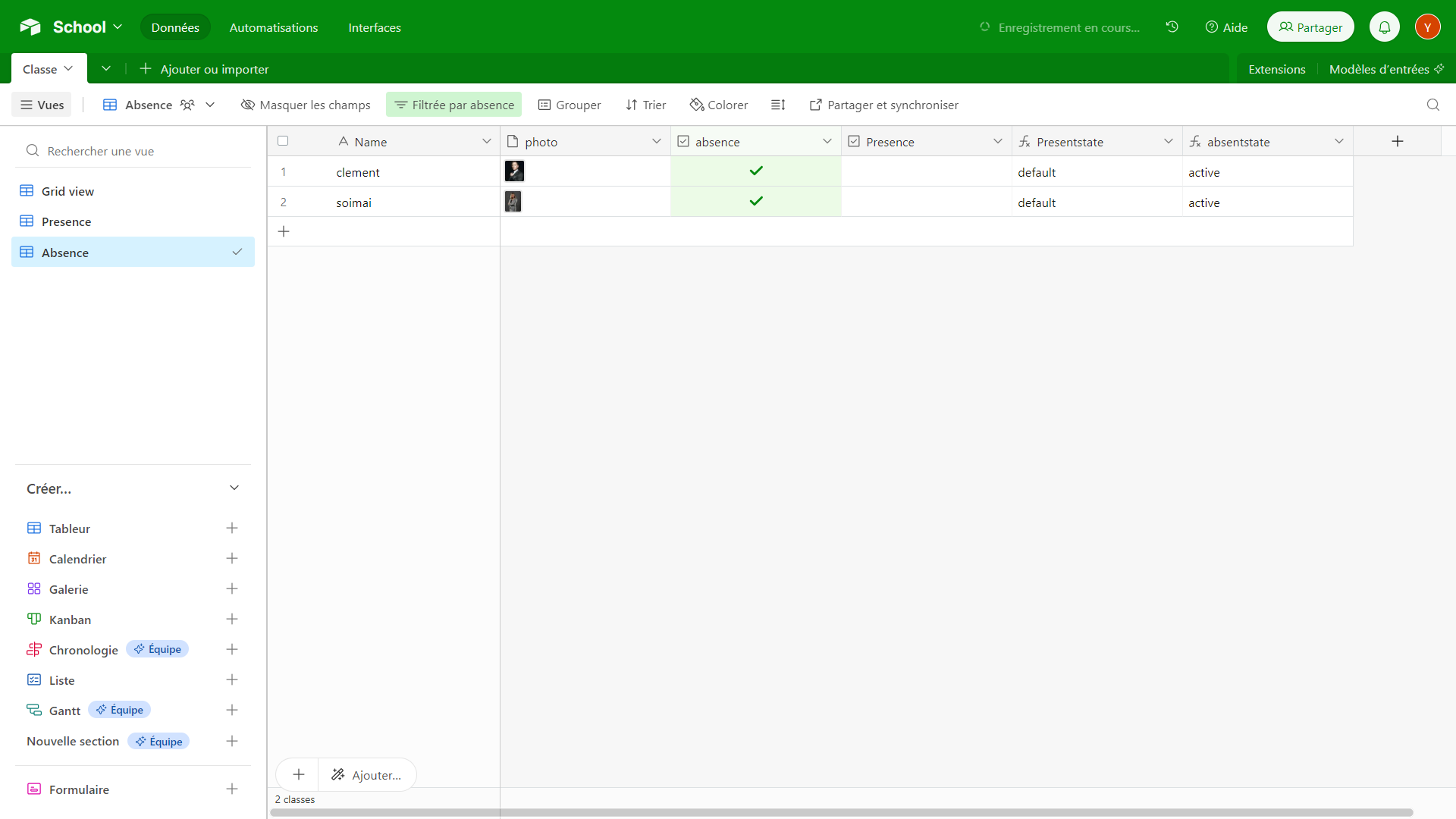
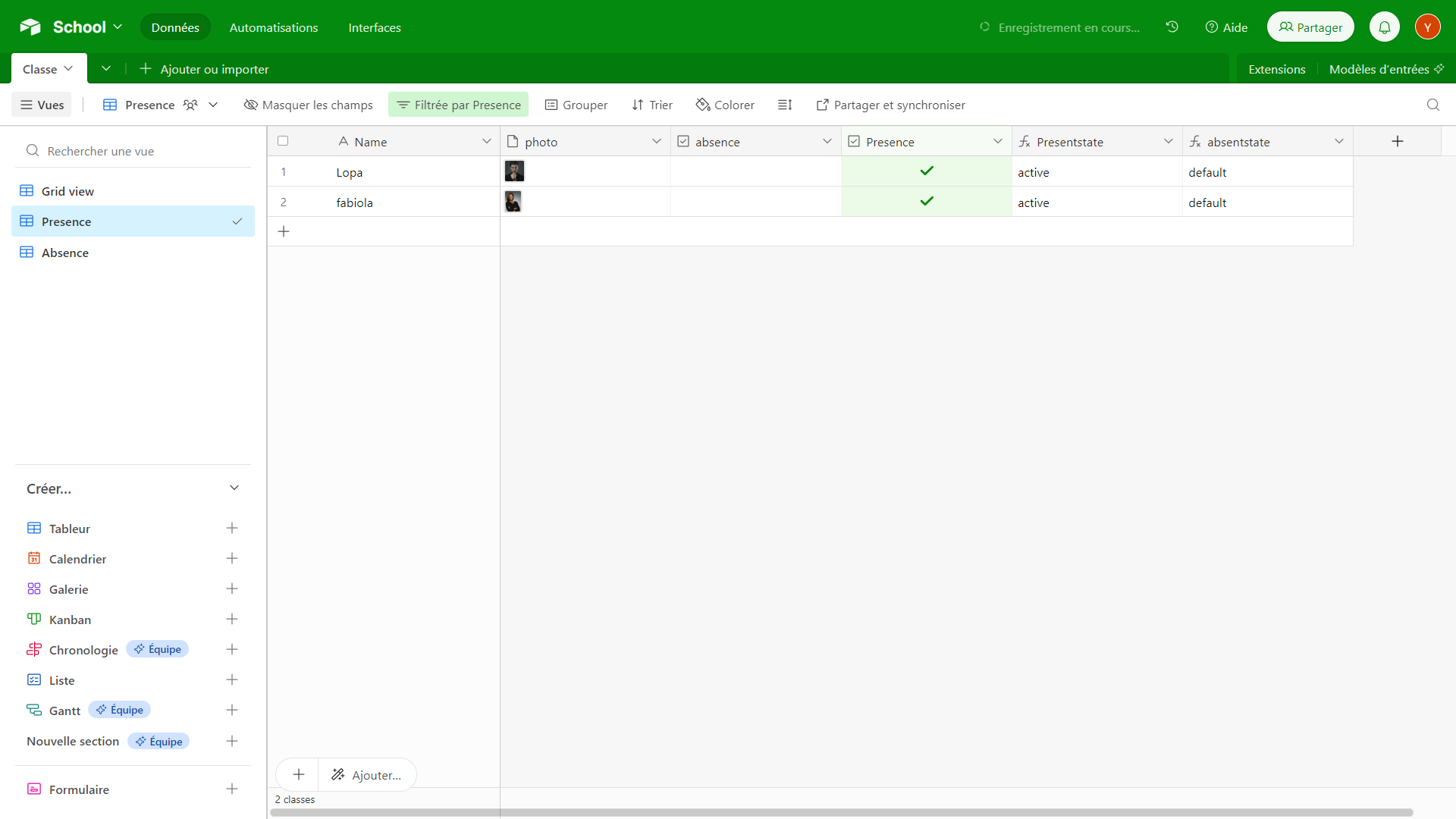
The Airtable database used to illustrate this example includes the following elements: Name, image, a filter for absence, a checkbox filter for presence, two boolean formulas, and an important identifier (not used in this context) for each student. The filters will be retrieved in their specific tables, "Present" and "Absent". You can view them in the screenshots below.
1.
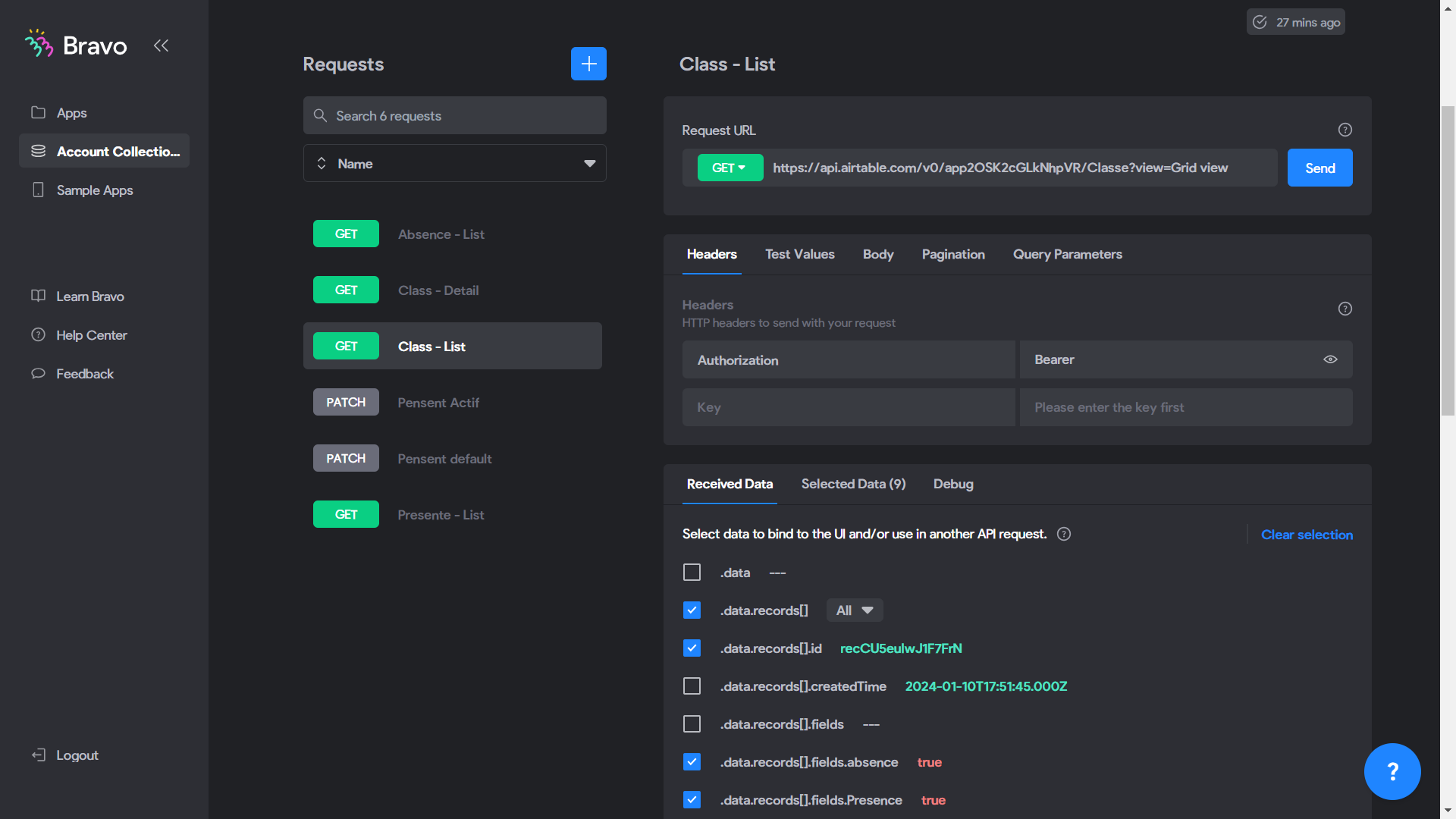
After importing the database into the API Collection, I have two elements: "Class-List" for results in list format and "Class-Detail" for the details of the lists. These two elements make up the complete list of classes.
API for retrieving the list of classes (GET): https://api.airtable.com/v0/app2OSK2cGLkNhpVR/Classe?view=Grid
API for retrieving details of a specific class (GET): https://api.airtable.com/v0/app2OSK2cGLkNhpVR/Classe/${id}
For the presence list, I will duplicate "Class-List" and at the end of its API, I will add "?view=Presence", the Airtable title corresponding to the filter:
- API for retrieving the list of present students (GET): https://api.airtable.com/v0/app2OSK2cGLkNhpVR/Classe?view=Presence
Similarly for absent students: "?view=Absence"
- API for retrieving the list of absent students (GET): https://api.airtable.com/v0/app2OSK2cGLkNhpVR/Classe?view=Absence
To trigger presence and absence, we will need to use the PATCH method with a boolean JSON for the active and default buttons for presence and absence. Simply duplicate "Class-Detail," rename it, transform the GET into PATCH, click on "Body/JSON," and add the following code:
Active button for presence (true):
jsonCopy code{
  "fields": {
    "Presence": true
  }
}
:
jsonCopy code{
  "fields": {
    "Presence": false
  }
}
Repeat the same process to handle absences. Make sure to observe the JSON structure carefully.
To finish, follow the example of the "like" button whose link I sent you at the very beginning. Use the documentation available in the link I provided to set up synchronization between your application and the Airtable database. Go through the steps and necessary configurations, adjusting the parameters according to the specific needs of your project.
If you have specific questions about particular aspects or if you encounter difficulties during the synchronization setup, feel free to mention them, and I'll be happy to provide more targeted assistance.
@Stéphan N'GUISSAN hy Stephan
Thank you very much this is amazing
Imagine each my students have a set amount of “Credit” (depend how much they pay) can I everything I put “present” took away 1 credit from the credit coloumn ????
@Stéphan N'GUISSAN also is possible if some of my students pay have a button that top on new credit belong to that students …….like 4credit - 8 credit - 10credit
@Stéphan N'GUISSAN hy Stephan I nearly finish my project but I have last problem to resolve and I am sure you can help me………………….. I would like to patch that every time I push the “presence” button it add -1 credit to the record “credit” in the airtable base ……. is it possible ??????? also I would like to add a button that every time my students pay me I can add new credit like package (+5,+10+20 credits) to an other record called “credit bought”……………..thanks Andrea
@andrea Borrelli Hello Andrea I'll check that and get back to you.
@Stéphan N'GUISSAN thank you
@andrea Borrelli Hello, Did you find a solution to that, considering the time taken
@Stéphan N'GUISSAN basically i have still to work on that section of my app But I would like something like this
👉 list page with all the students divided by cities (because we have classes in different cities)
👉 this list will be a kind of a register of attendance
👉 when I click to the name or also next to the name some button that give - 1 credit every time they attend the class
👉 when the credit go to -1 mean that the students need to pay and top up other credits
👉 at this point I can also create the payment where I go to a kind of detail page of the students and input (price ,description) and create the new record link to a base on airtable (each month the table change because I need to have a report )
At this point I don’t know if it is even possible to create a receipt of the payment straight away from the app
Very complicate I know sorry
🤯🤯🤯🤯
If I understand correctly, you want to develop a section of your application with the following features:
👉 A student list page, organized by city, acting as an attendance register.
👉 A smooth mechanism to deduct a credit each time a student attends a class, and to indicate that a payment is due when the credit reaches -1.
👉 For more complex solutions or projects requiring greater flexibility, you suggest using Xano:
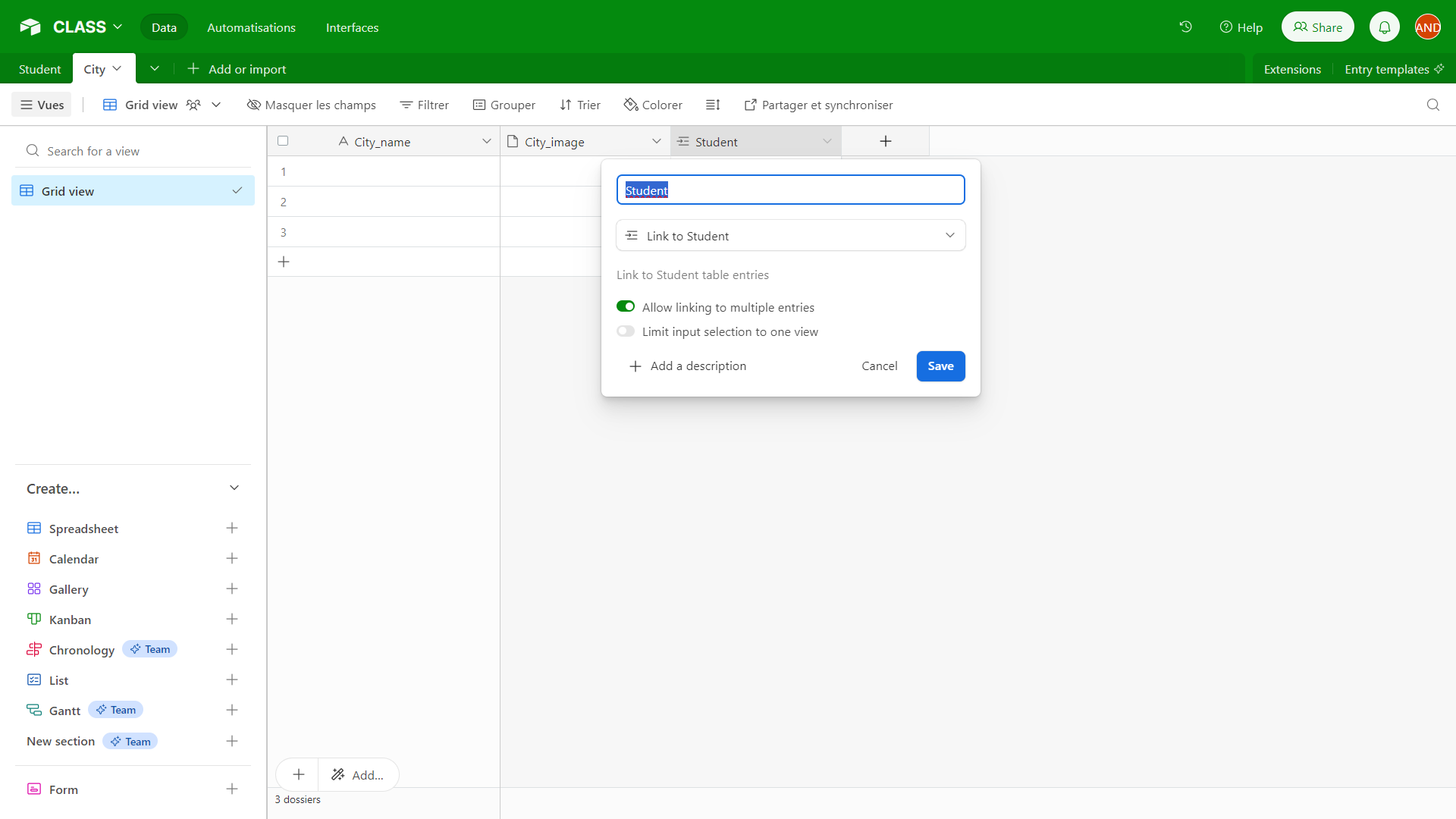
A possible solution: Each student is linked to a city, and a city can have multiple students attending your courses. With Airtable, you would need two tables for this part: the student table linked to the city table. Therefore, when registering or if the student registers in the app, they choose their city.
Here is the student table linked to the city table. In the student table, each student only has access to one city where the course is conducted. Here is the configuration:
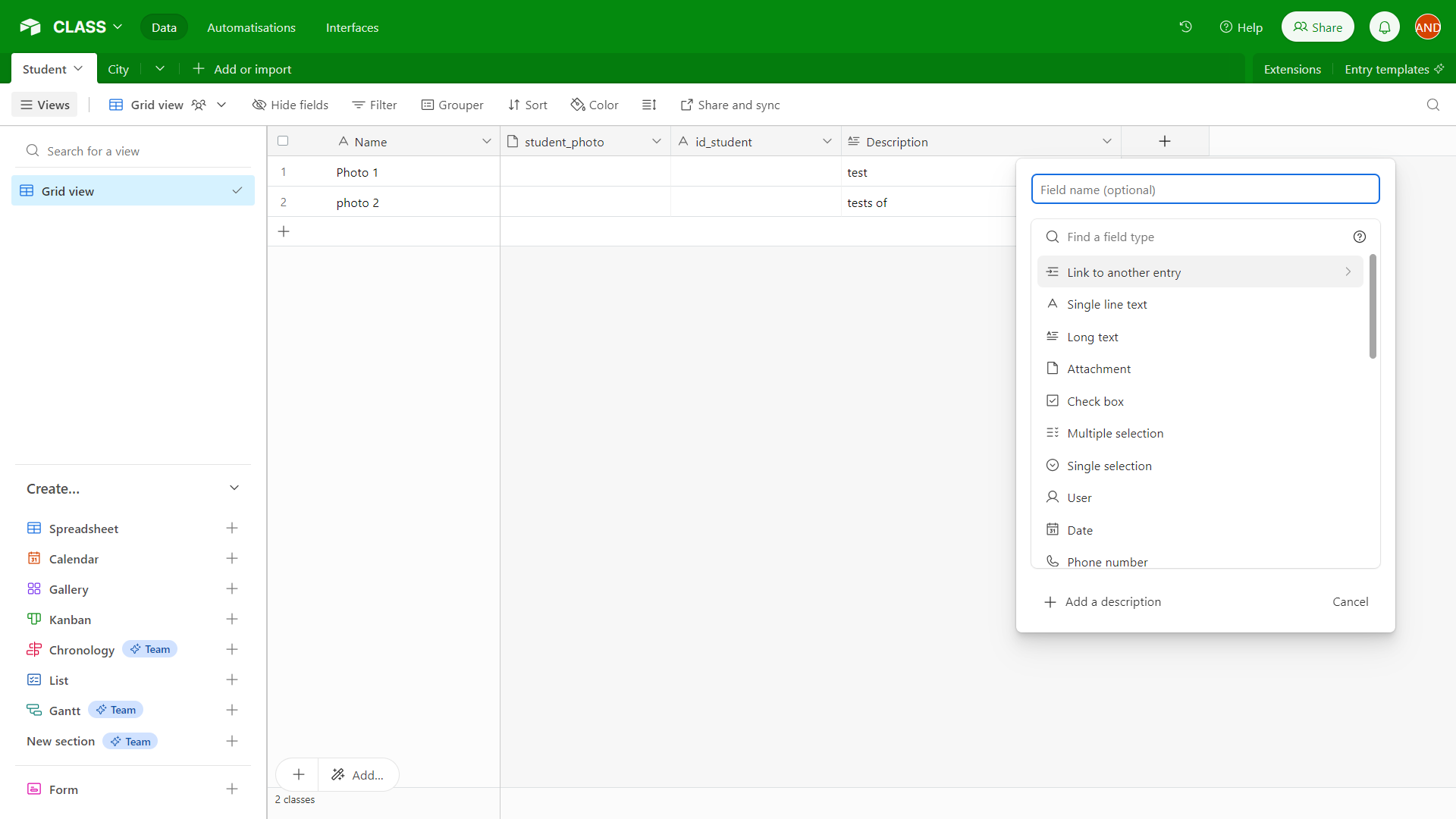
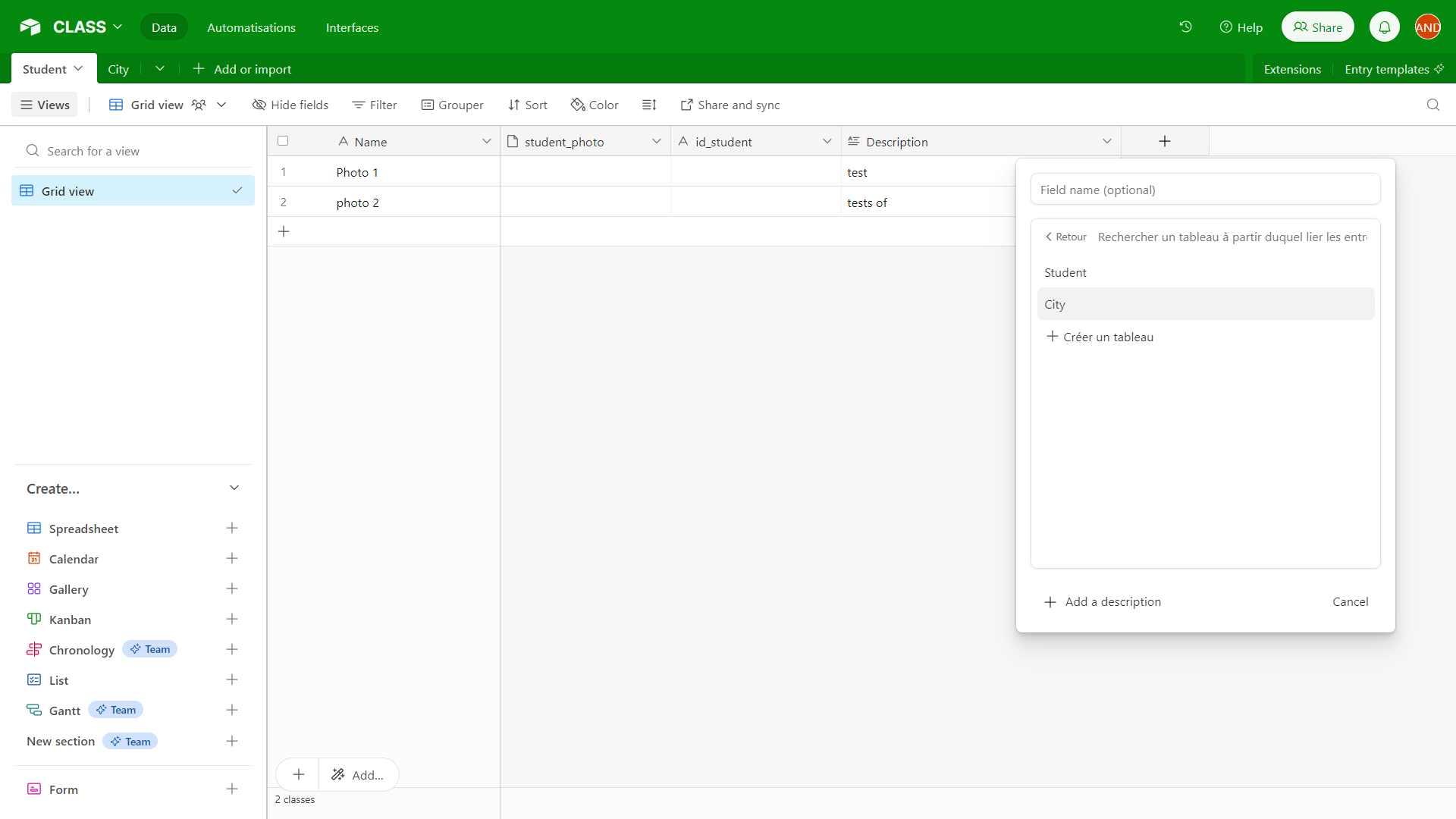
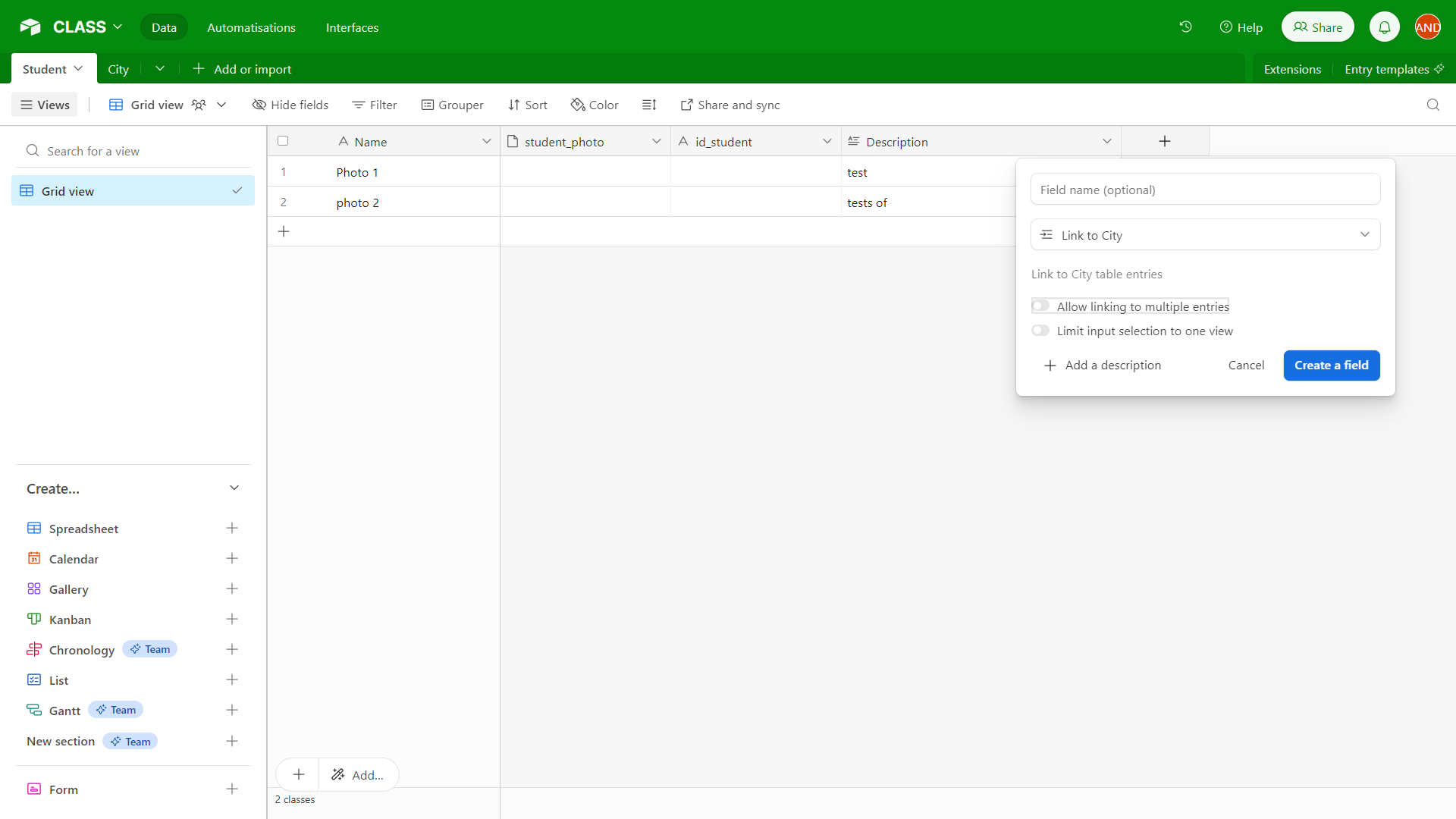
In the city table, a city can have multiple students attending your courses. Here is the configuration:
@Stéphan N'GUISSAN Thank you very much…..after I set the table how do I bind everything to bravo tighter with have a button that give -1 credit to students when is attending the class ?
Hello Andrea,
I'm trying out some solutions and I'll give you feedback. I'm also checking on the Xano side.
@Stéphan N'GUISSAN hy stephan did you find any solution ?
@Stéphan N'GUISSAN hy stephan I tried yesterday with airtable to do some automation to subtract every time I check the box on the app with post request but I can not still find the way how to do it 😔
@andrea Borrelli Could you provide me with more details?
@Stéphan N'GUISSAN HY I STILL DONT HAVE ANY DRAFT DONE BECAUSE I CAN NOT FIND THE LOGIC ON IT……………….Basically I need some way that every time they push the button “subtract credit” 1 credit is less on “credit available” in airtable base………….and in the same time every time they choose from a droplist (value1,value2,value3) this value is be added to the record “credit available” in airtable base
@andrea Borrelli Hello,
I suggest looking into Xano to see if it best matches the problem, and also contacting both the Bravo and Xano teams to explore feasibility or available alternatives
Wrote something in this thread and want it removed? Request removal
Ask the community on Discord
This archive is read-only. New questions, office hours and product updates now happen in the Bravo Discord.
Join the Discord