← Data, API & Backend
Data, API & Backend July 21, 2021 · 2 replies

Currency converter app functionality

Archived from the Bravo community forum (2021–2026). Some answers may refer to older versions of Bravo.

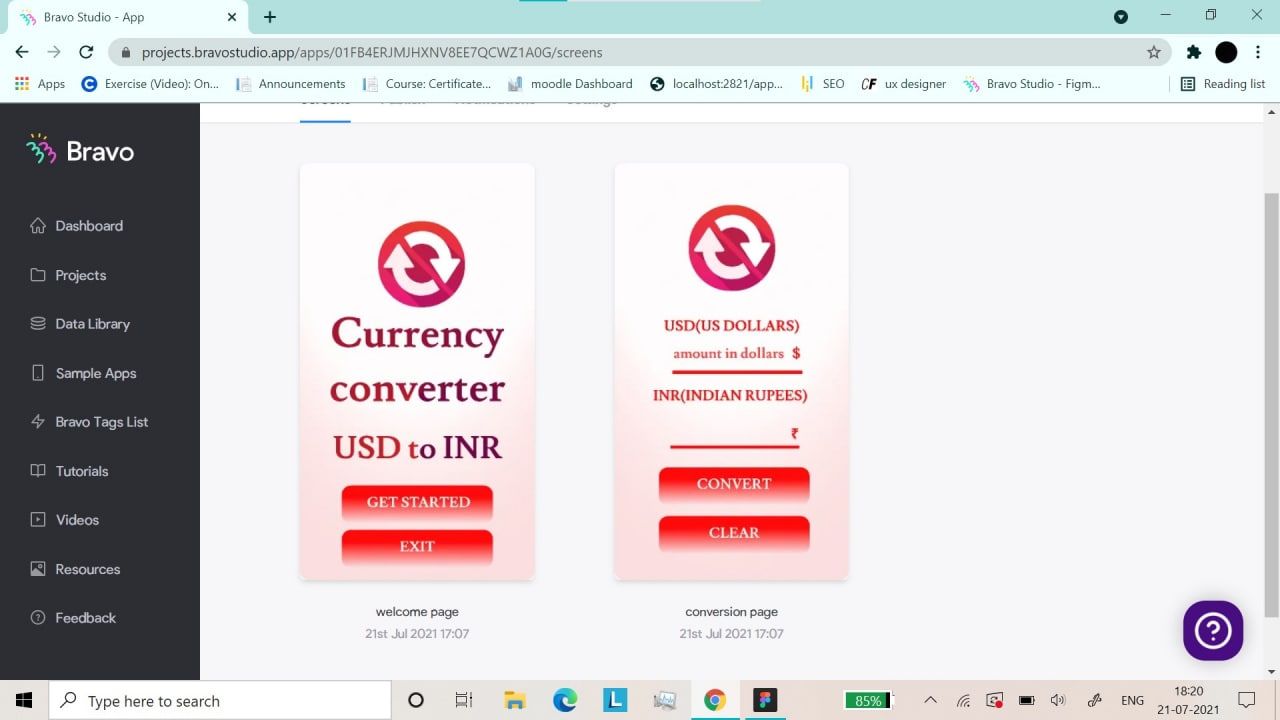
I need  help regarding one of my projects!! I've just started working with bravo iam trying to make a currency converter app I don't understand how to take input and then turn it into different currency rates  on button click which will be displayed as output
This is the screen shot of the app design 
inbound219433580.jpg

2 replies

Bill July 21, 2021

Hey Ruchita,

You could solve this problem by using an API to perform the conversions. I did a quick search on Google for "currency conversion API" and there are many available. Here's one that looks good ... https://exchangeratesapi.io/.

Once you pick your API, you'll need to add it to your Data Library in Bravo. You can follow the Bravo tutorial for that. The setup is fairly simple. During the setup you will run a test query against the API. The test will show the data elements that are returned by the API, and you can select the items you want to use on your page (the conversion page).

Two things to watch for ... 1) make sure you're using the correct REST verb (GET or POST) and 2) be sure to add the security token. That second item is tricky to find in the Bravo UI ... click on the gear icon near the collection's name and then click the Authentication tab.

Bravo is perfect for this kind of app.

Good luck,
Bill

p.s. I am not a member of the Bravo Team, nor am I a "Bravo Expert".

Wrote something in this thread and want it removed? Request removal

Still stuck?

Ask the community on Discord

This archive is read-only. New questions, office hours and product updates now happen in the Bravo Discord.

Join the Discord