← Data, API & Backend
Data, API & Backend June 10, 2021 · 2 replies

Data selection checkboxes disabled

Archived from the Bravo community forum (2021–2026). Some answers may refer to older versions of Bravo.

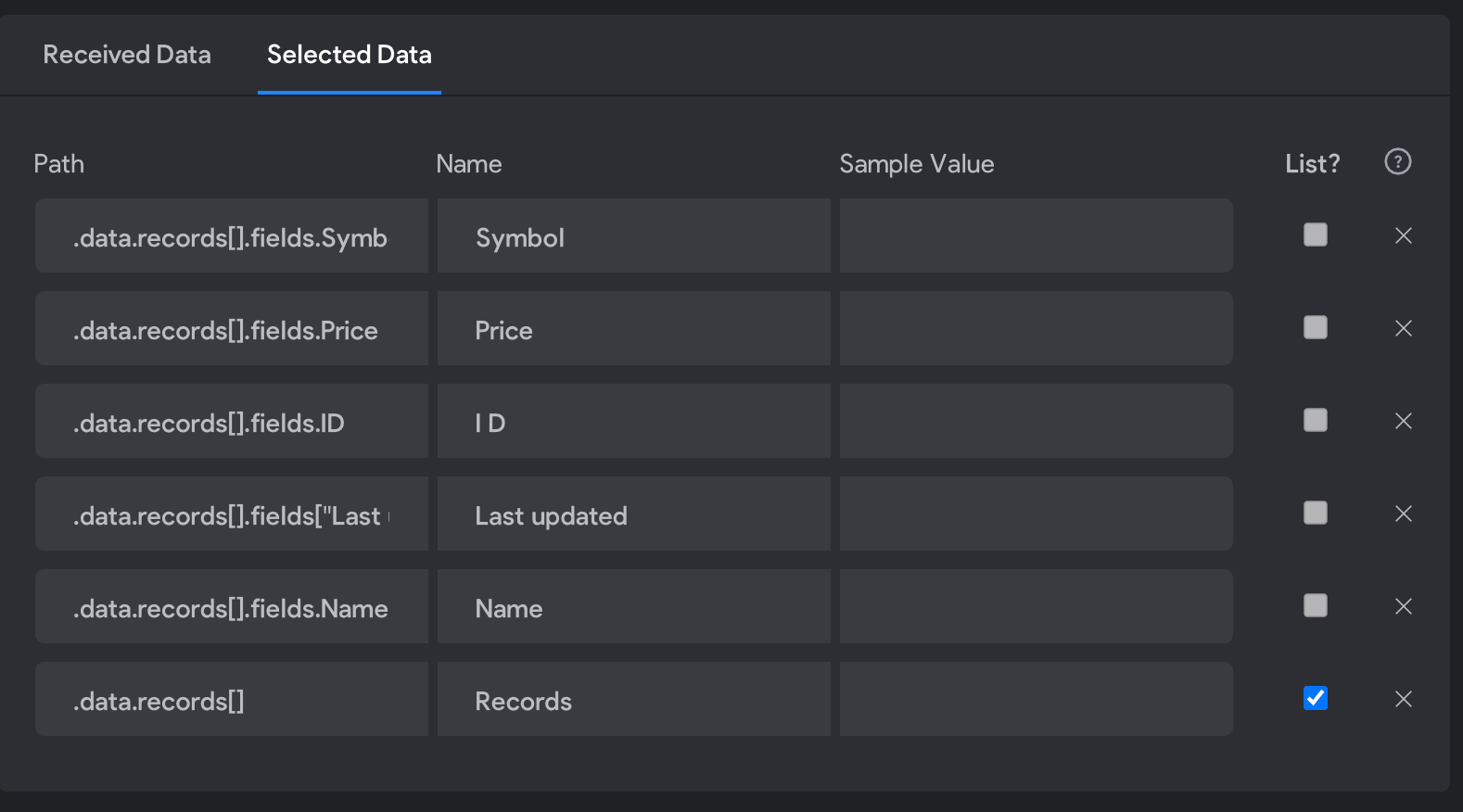
Hi! In "Get List" request : Under "Selected data" I can't select most of the fields that are showing up : The checkboxes are disabled... Please help!

example :   .data.records[].fields.Name
Screenshot 2021-06-11 at 01.47.52.png

2 replies

Javier Felipe Bravo team June 11, 2021

HI !

Those data items are actually selected, the checkbox in that image is to indicate whether they are a list or not. You make the selection in the "Received Data" panel, and then you can change their name in "Selected Data". That's the name that will appear if you bind the data to the UI elements later, or if you use them as a variable in another request.

Wrote something in this thread and want it removed? Request removal

Still stuck?

Ask the community on Discord

This archive is read-only. New questions, office hours and product updates now happen in the Bravo Discord.

Join the Discord