← Data, API & Backend
Data, API & Backend August 4, 2021 · 18 replies

Detail page - ID is not working

Archived from the Bravo community forum (2021–2026). Some answers may refer to older versions of Bravo.

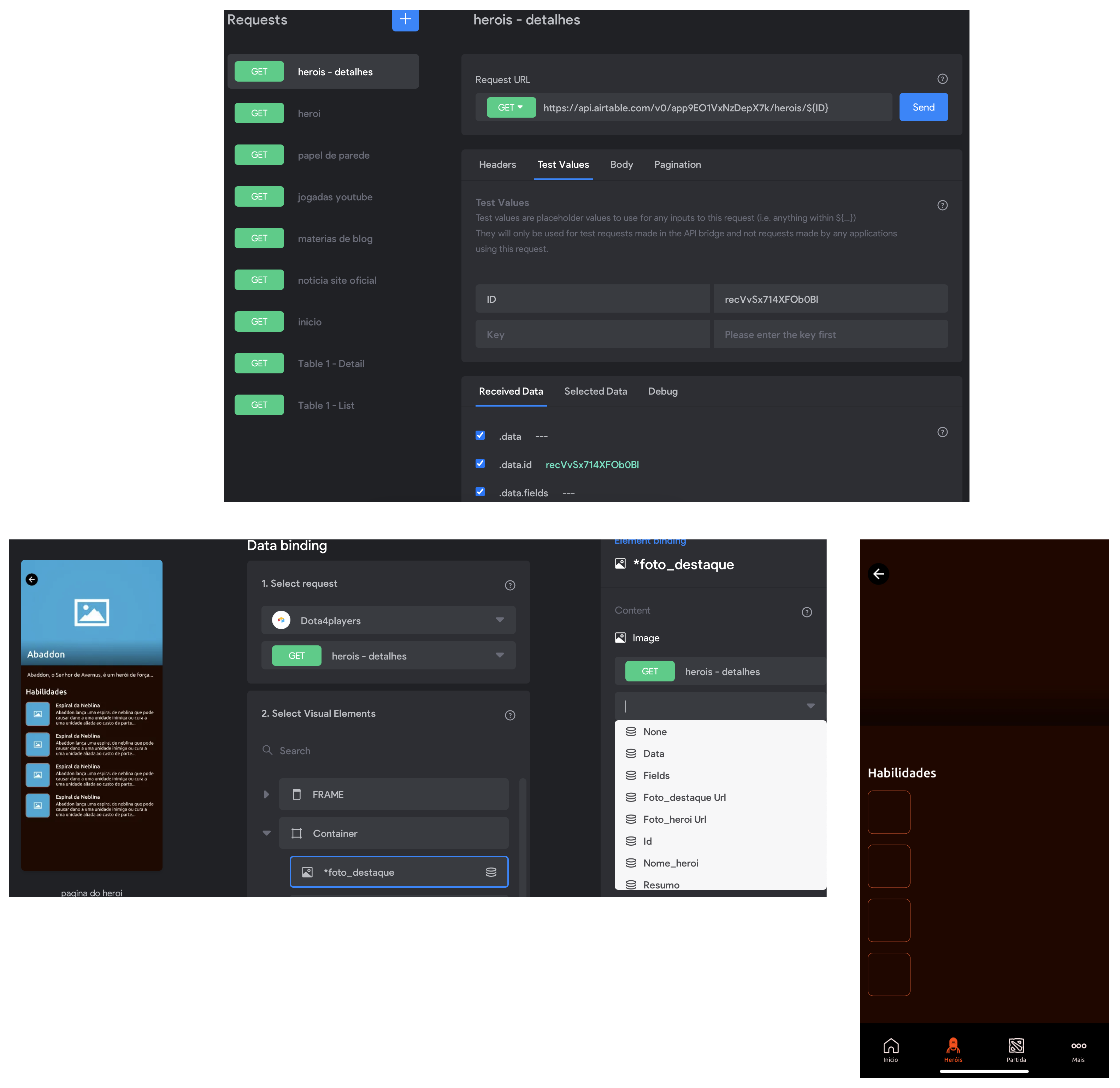
Hi, I've done the whole database and interface sync process, but no information is being displayed on my screen, what can's been happening?
Frame 4.png

18 replies

Karla August 4, 2021

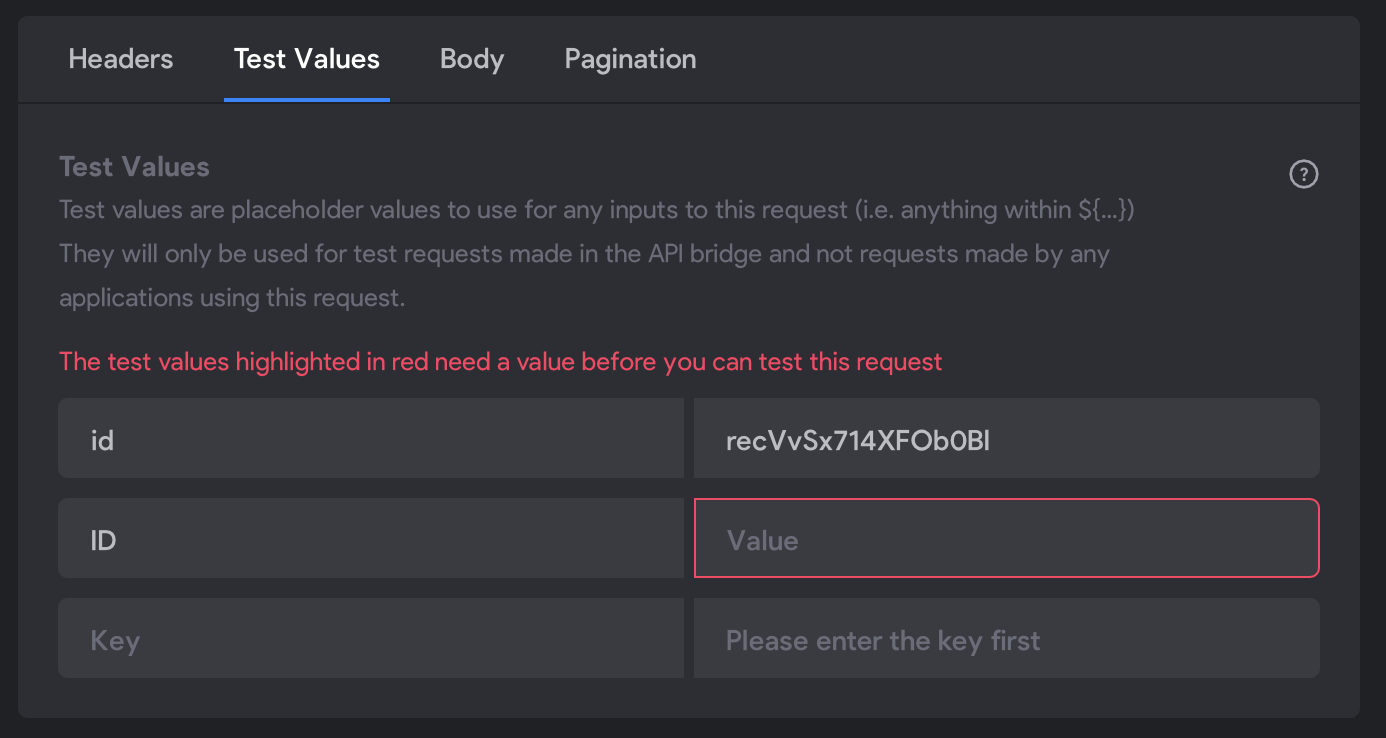
Selected data tab on each table on data library, the data now has “Id” change it to “ID”

Maycon August 4, 2021

I switched and another field appeared with the old name

image.png

Karla August 4, 2021

this os something that could be done automatically. Variable names in small caps, without spaces and special characters would be welcome!!! I need to rename them all the time.

Karla August 4, 2021

Here you have two ids, should be just one. And you should change first the tab “selected data”

Karla August 4, 2021

And then add the field id on ID and remove the id

Karla August 4, 2021

I can’t do much without seeing it. But I assure you, 100%, it will work if selected data is fixed and the ID field on teste too.

Karla August 4, 2021

Se você quiser, me envia uma DM com seus dados que eu posso olhar rapidamente

Karla August 5, 2021

BTW that was indeed the problem when selecting data, the name of the variables aren’t being set equal in detail and list pages, so when you call one from the other, the request doesn’t work. With the use of automation to make the variables always small case, without space and special characters many of those problems if not all, would vanish and make the experience smoother.

Mike Simons Bravo team August 5, 2021

Hi  ; does this happen for you via the airtable wizard or when you're selecting data manually?

Straight out of the wizard everything seems to line up for me. Deselecting and re-selecting the id breaks it though (ID changes to Id).

Karla August 5, 2021

exactly! If you use just the wizard without configuring anything, all will work, but as soon as you change anything or add a new request page that will happen every time.

Mike Simons Bravo team August 5, 2021

Aha; I hadn't considered the new request path too. I think the best way forward is probably to normalize all output names to lowercase as you suggested.

Limiting special characters makes sense but is there a specific reason to exclude spaces?

Karla August 5, 2021

because if we want to use it to do a filter by formula for example it is easier when there are no spaces - at least on my opinion.

Karla August 5, 2021

Less probably to encounter an error and don’t understand why

Mike Simons Bravo team August 5, 2021

Got it; thanks for the feedback 🙇

Wrote something in this thread and want it removed? Request removal

Still stuck?

Ask the community on Discord

This archive is read-only. New questions, office hours and product updates now happen in the Bravo Discord.

Join the Discord