← Data, API & Backend
Data, API & Backend July 19, 2022 · 13 replies

Edit Profile Submission Error

Archived from the Bravo community forum (2021–2026). Some answers may refer to older versions of Bravo.

I have been following this tutorial to setup  https://www.youtube.com/watch?v=4o5qHrX-kKU

I am using Firebase for my user authentication which is working, I have also setup the signup form which binds my user detail from firabase to airtable and this is working too. Displaying profile data for user is also working.

I am now setting-up the Edit Profile and created the Patch request, I have also finished binding and have my json body request which is working when tested in bravo studio, but showed an error when tested the app on bravo vision.

Here's a screen record of the error
https://drive.google.com/file/d/13LFUS3tDiMqO6JVMUBFvMurogJeAs3Jg/view?usp=sharing

13 replies
app.monster July 19, 2022

Hi Jen,
thanks for watching! The error you receive is about a remote action so most likely something with the variables in the request is wrong. The way I would debug it is by gradually rebuilding the Post body. Go back to the last version that was working (probably no variables at all). Then one by one add the variables to see which input is causing the problem.

Jen July 26, 2022

Thank you for your reply .
I tried what you have suggested and on my JSON body I just added just the ID, Fullname and Gender, I received the same error. Even with just ID and Fullname I still get the error.

image.png

I even removed the Container binding so the fields are just empty Values with just the Input Destination and I still get the error.

app.monster July 26, 2022

Then it's probably the record ID. Make sure to check it at all places. The most common mistake is not having the same name in the selected data or having it reused at a different place

Jen July 26, 2022

I used the original $id, and updated on all places.
I am now not getting an error but the values are not updating on airtable, after hitting the button it brings me back to my profile page but the changes I did on edit form did not reflected.

app.monster July 26, 2022

That's not unexpected but in order to be able to help you you will have to share more info about your setup. Screenshots of your request with selected data, test values, bindings etc. Everything that is related to the issue

Jen July 26, 2022

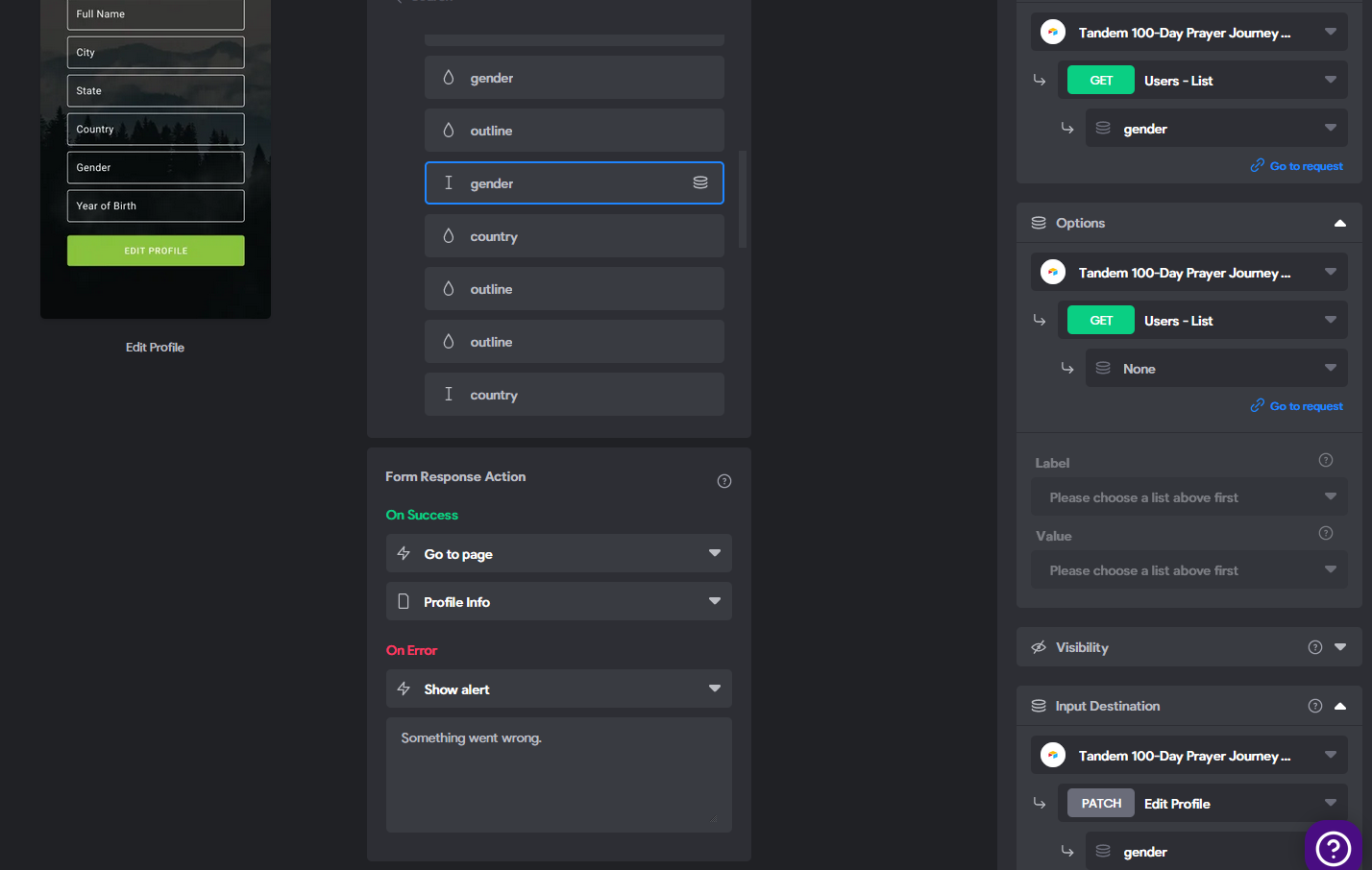
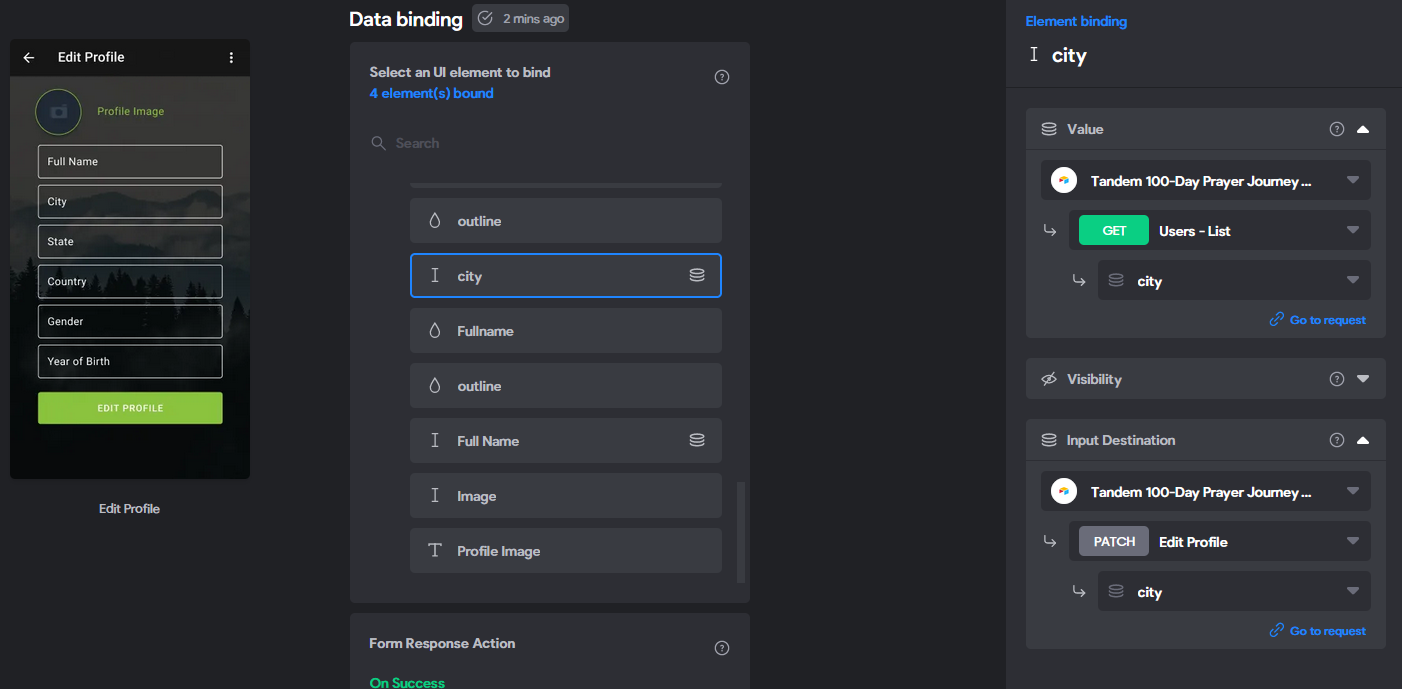
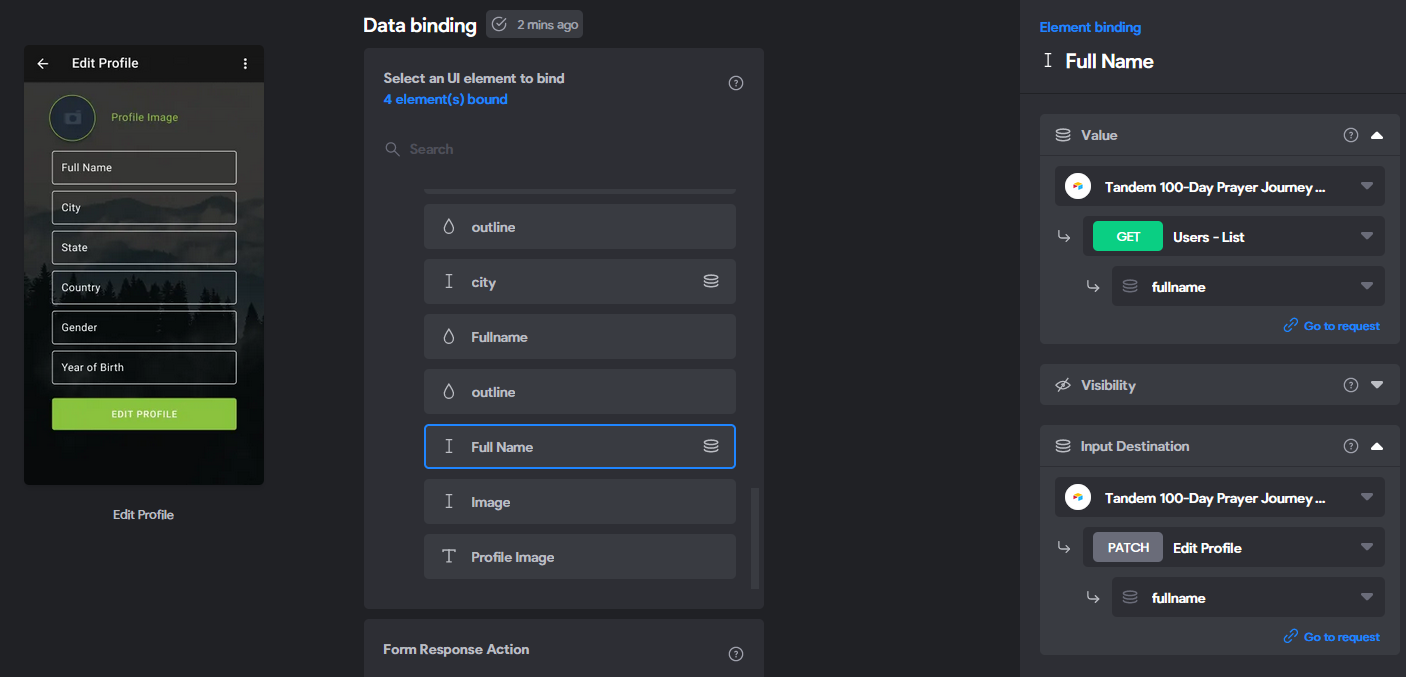
attached the screenshots for the binding of Fullname, Gender and City.

image.png

image.png

image.png

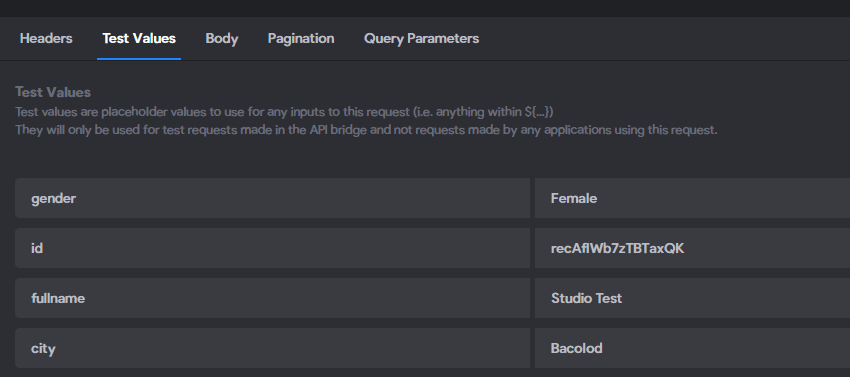
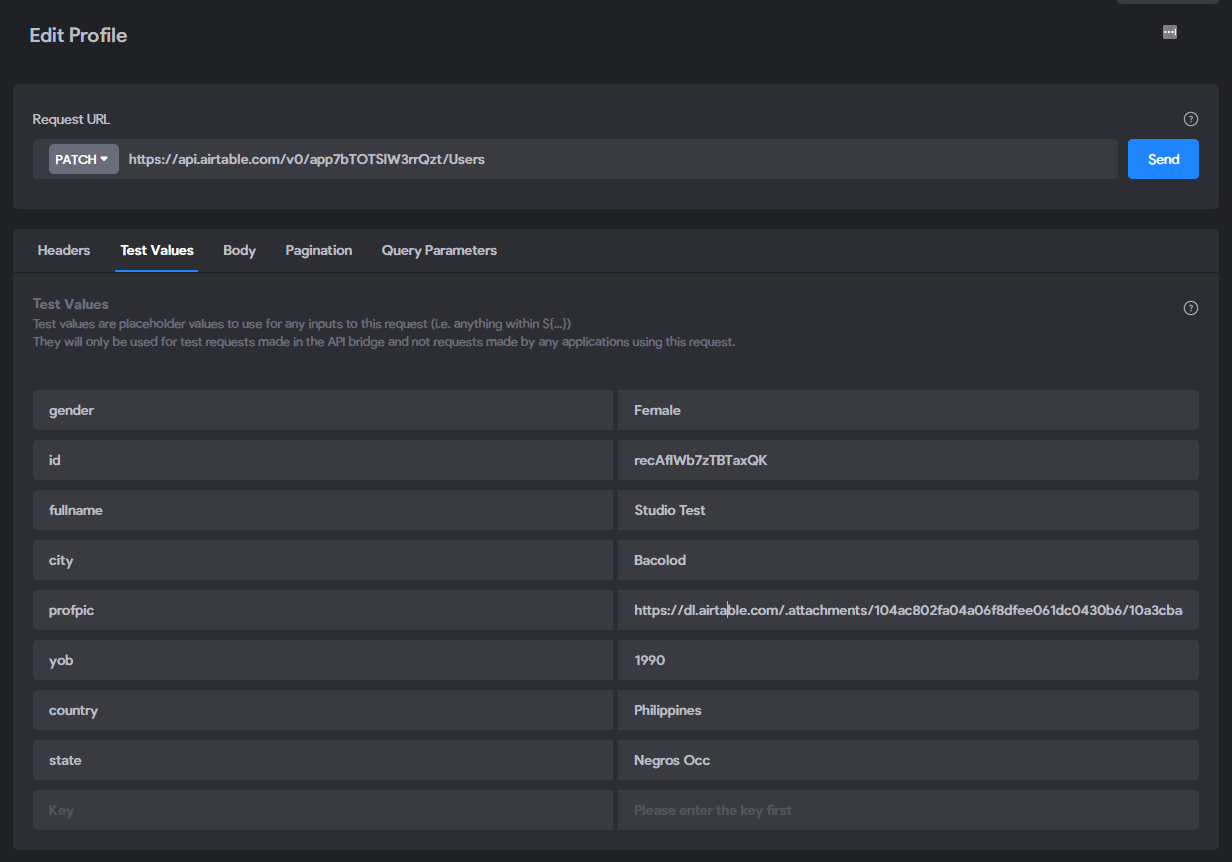
My Test Values, working when tested on the API request

image.png

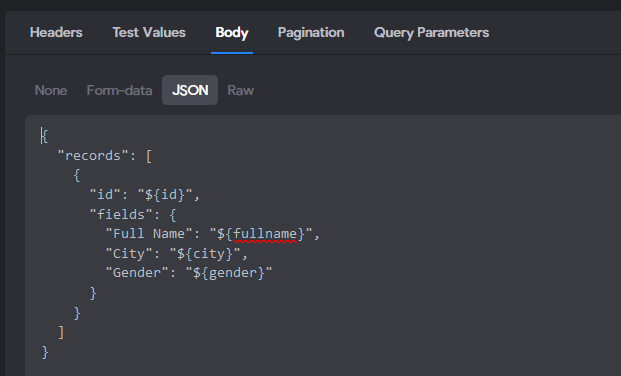
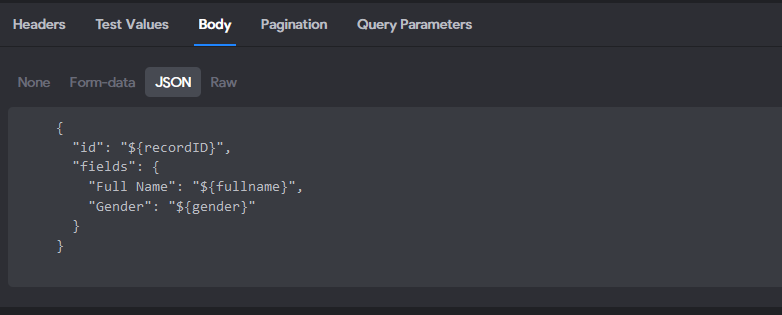
My body

image.png

Jen July 26, 2022

I also found out that when I add the Year of Birth to my body and do the binding, it will give me the Error again.
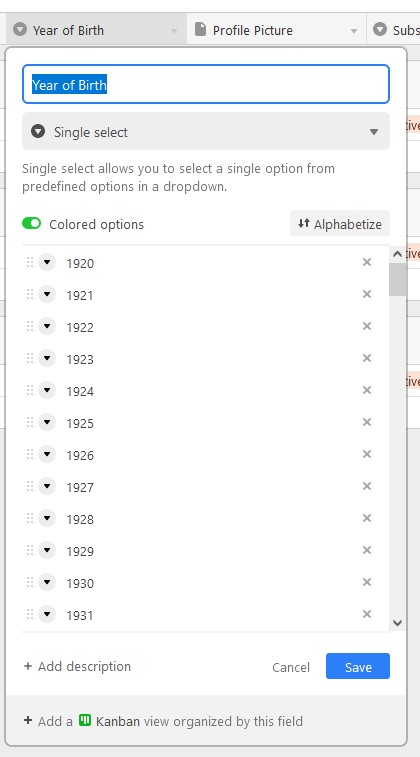
My Year of Birth is set as a select field on airtable, was wondering if this is the reason why it gives the error?

image.png

app.monster July 26, 2022

For me the select field doesn't work. I always use text, makes no difference in the app

app.monster July 26, 2022

You are missing the most important screenshot. Where is the value for id coming from? Probably the selected data of your profile screen

Jen July 27, 2022

thank you for your help, I was able to make it work by choosing  single data items (the ones with an index in the data path, like [0]) on my field values.

I also changed my  Year of Birth field to just Number Field

Jen July 27, 2022

thank you again for the help.
I just have 1 more issue that I need help with.
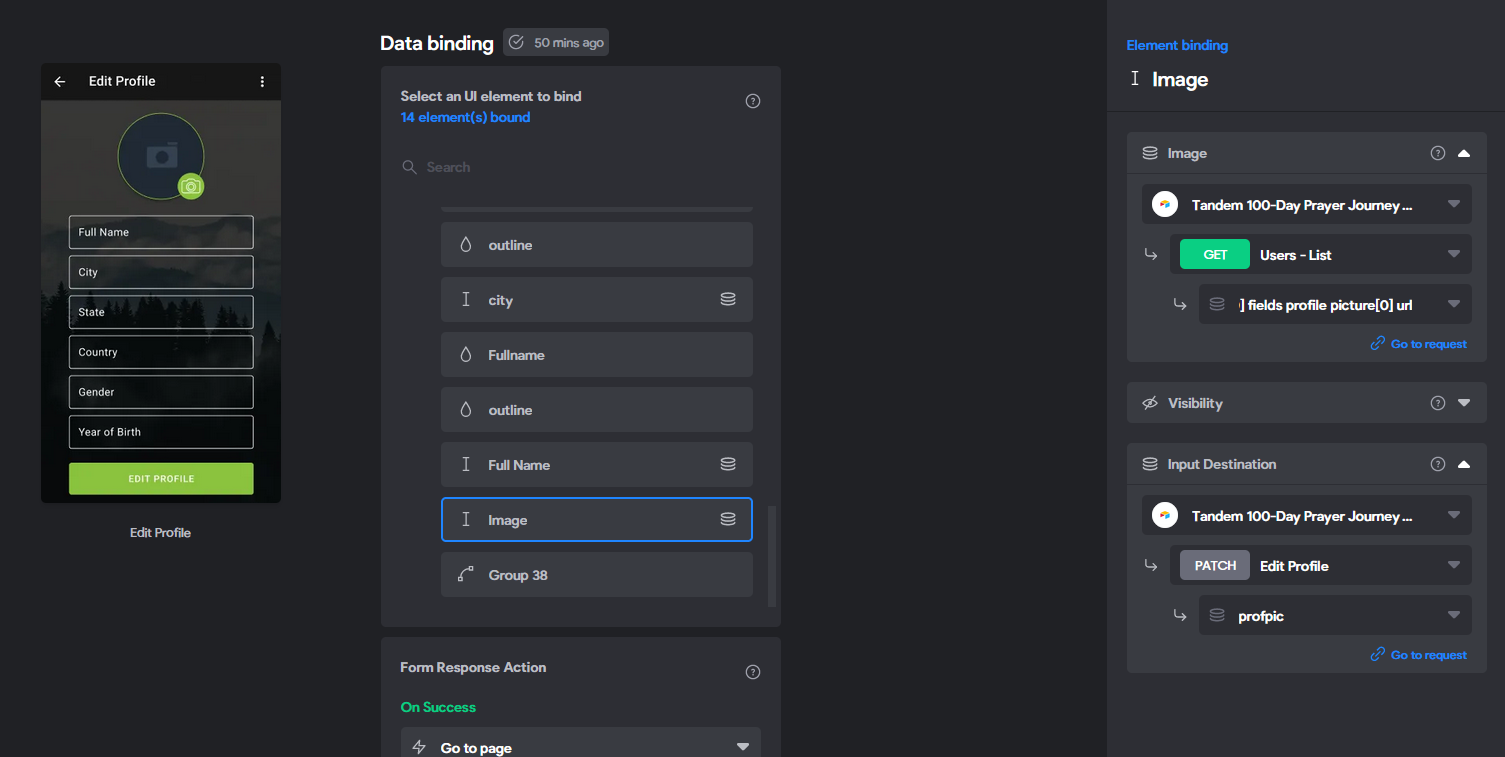
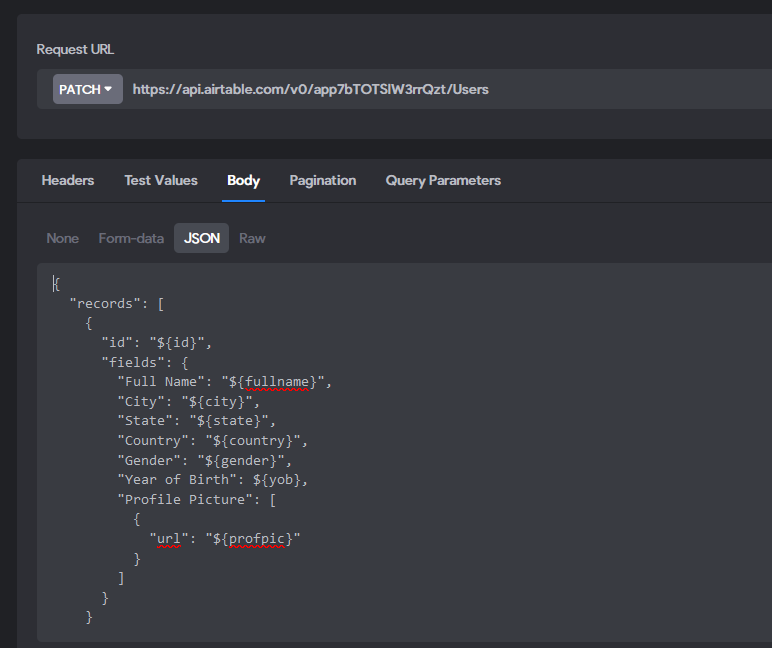
So the edit profile form is now working and I can make edits and its saving, only issue is the profile image. When I go to edit profile, it will show my current profile image, but when I save the changes without changing my image it returns it as empty. Here is the video of the screen record.

https://drive.google.com/file/d/1WVL7Zr_8H5hhsuf70Pi13No494KiNoSM/view

My binding details

image.png

Patch body

image.png

Test Values, I used URL for the profpic
https://dl.airtable.com/.attachments/104ac802fa04a06f8dfee061dc0430b6/10a3cba8/20200223_121848_540.jpg

image.png

Thank you.

Wrote something in this thread and want it removed? Request removal

Still stuck?

Ask the community on Discord

This archive is read-only. New questions, office hours and product updates now happen in the Bravo Discord.

Join the Discord