Archived from the Bravo community forum (2021–2026). Some answers may refer to older versions of Bravo.
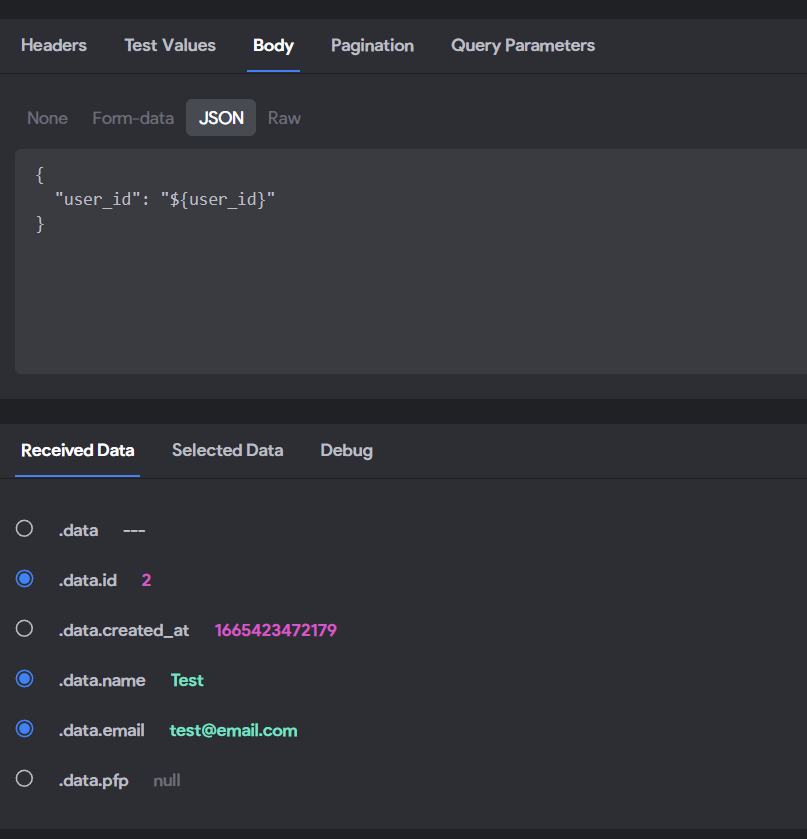
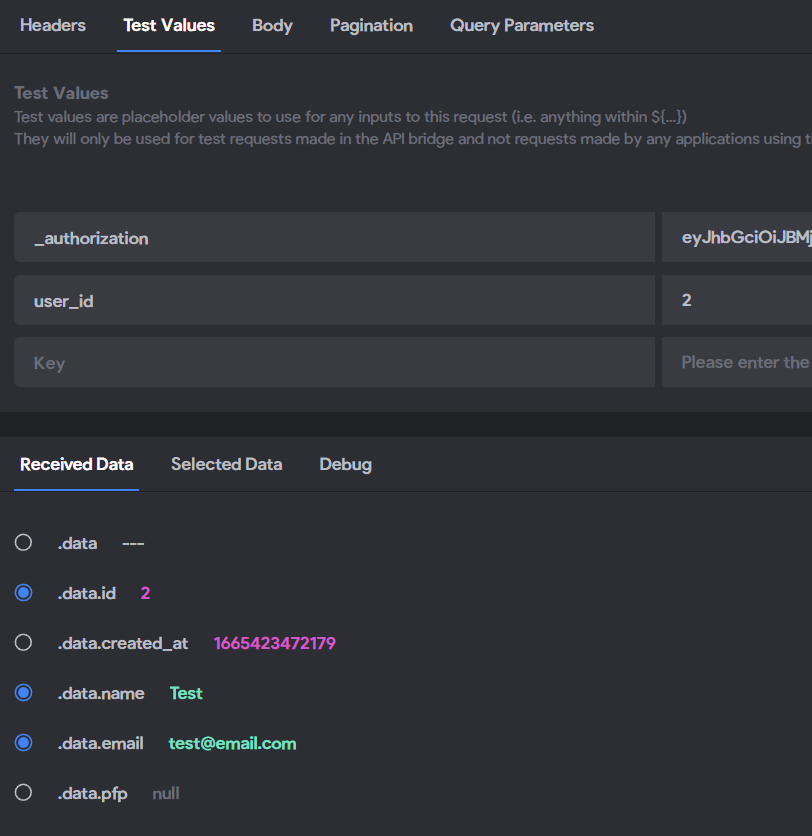
So I think I figured out where the error is occurring but don't know how to fix it... I am using Xano for my backend btw.
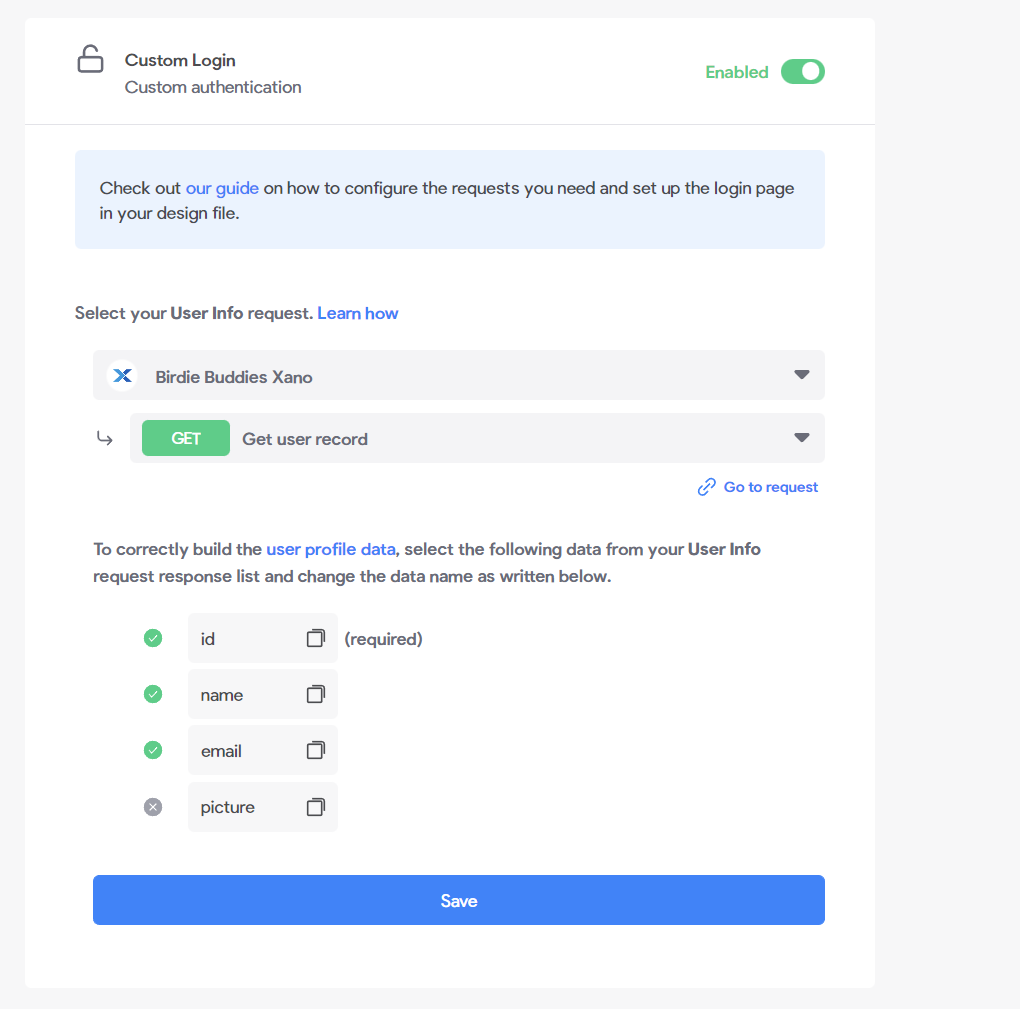
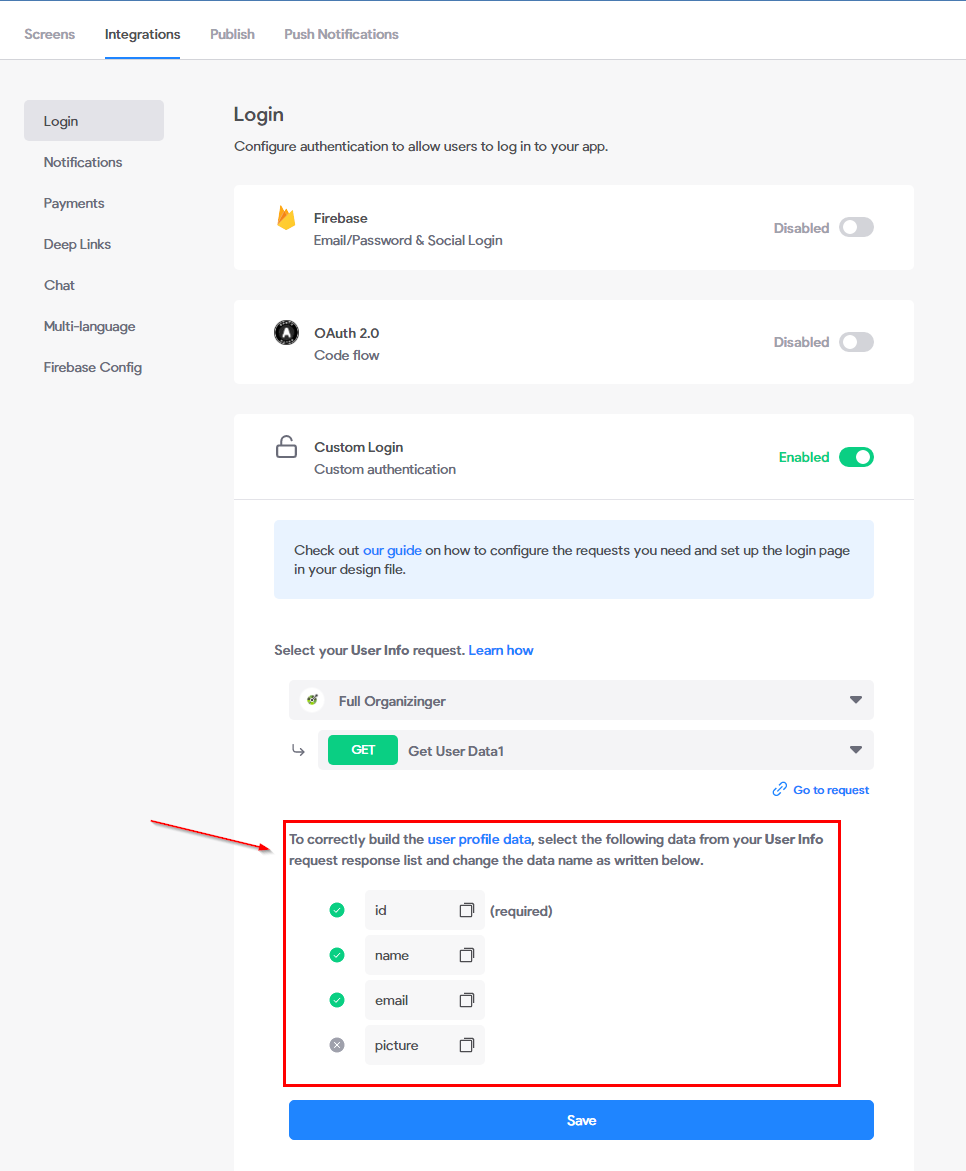
Enabled custom login then Selected GET request ✔️
POST request gives authtoken renamed selected data as accessToken ✔️
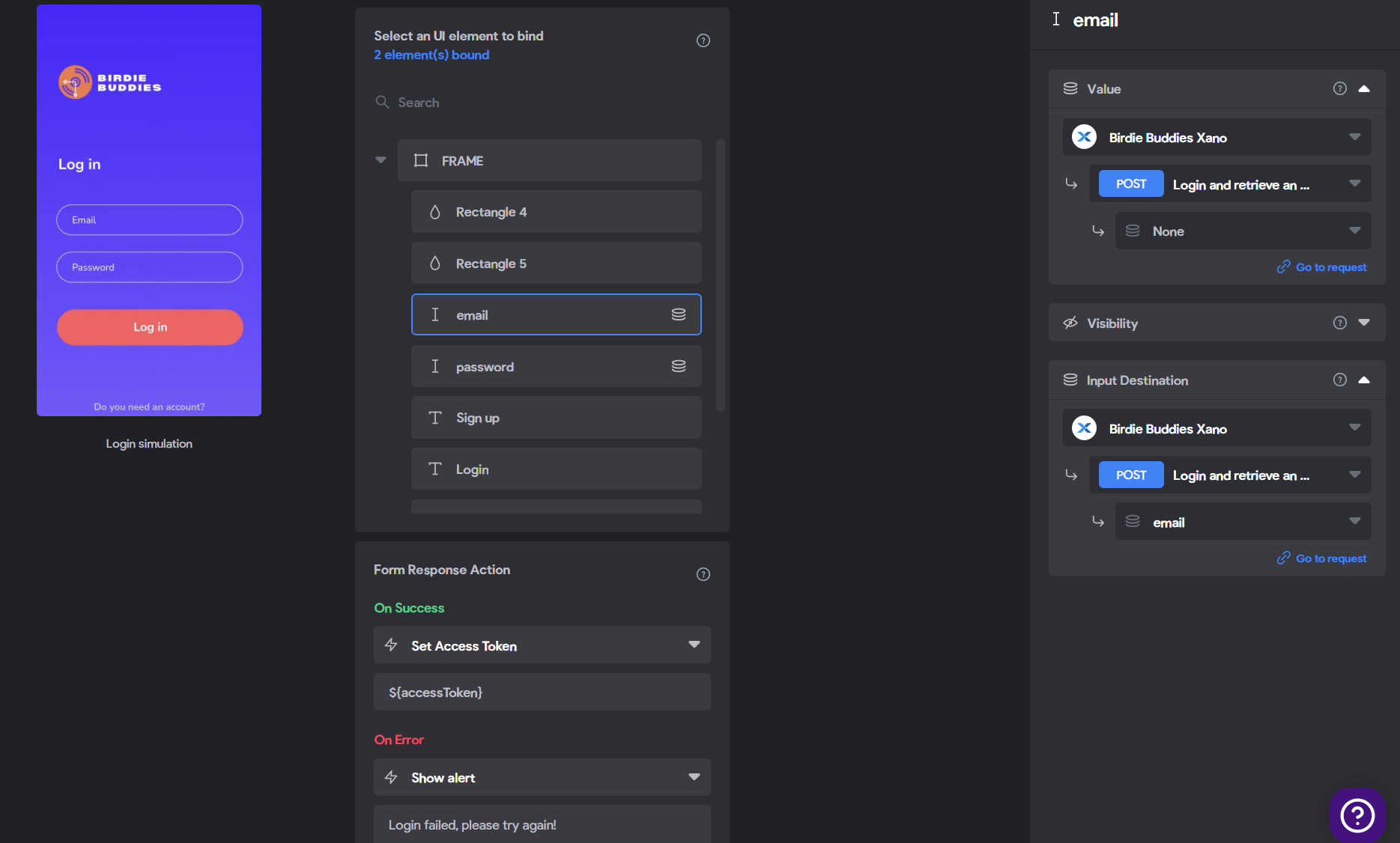
Email and Password binding and form response action as "Set Access Token" ${accessToken} ✔️
Bravo tags in Figma ✔️
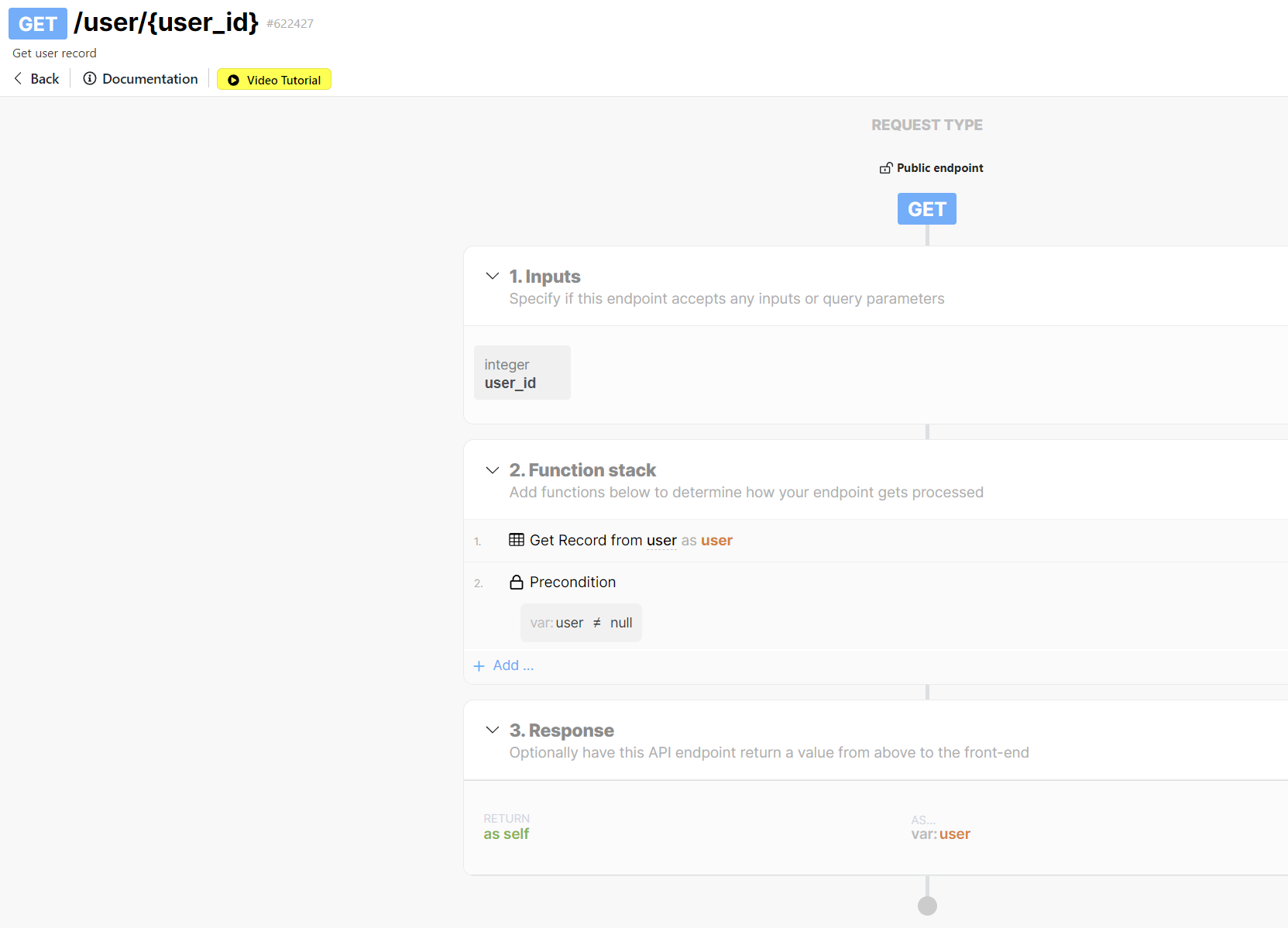
I think the 422 is because it doesn't know which user_id to retrieve on the GET request for the user_id I have to put a value in for it in order to return the data. I am not sure if this is actually the problem or how to troubleshoot more in order to solve it. Thanks in advance!
6 replies
Wrote something in this thread and want it removed? Request removal
Ask the community on Discord
This archive is read-only. New questions, office hours and product updates now happen in the Bravo Discord.
Join the Discord