Archived from the Bravo community forum (2021–2026). Some answers may refer to older versions of Bravo.
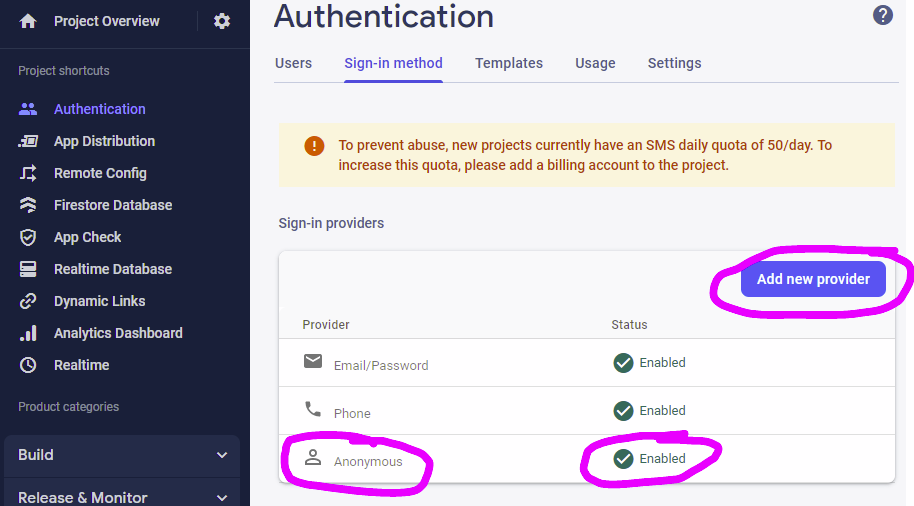
Solution: (Thank you, Pau! See their comments below.) When testing Firebase Phone Login on Bravo Vision, you must have Firebase Authentication configured so that Anonymous Login is enabled also. This will allow you to test Firebase Phone Login in Bravo Vision.
Original Question:

A silly meme for attention about an Admin error message.
While on Bravo Vision for iOS and testing Firebase Phone login, we are prompted with a "Phone login only works on the final app, this is a simulation (you can enter any code). Do you want to continue?" Of course, let's continue.
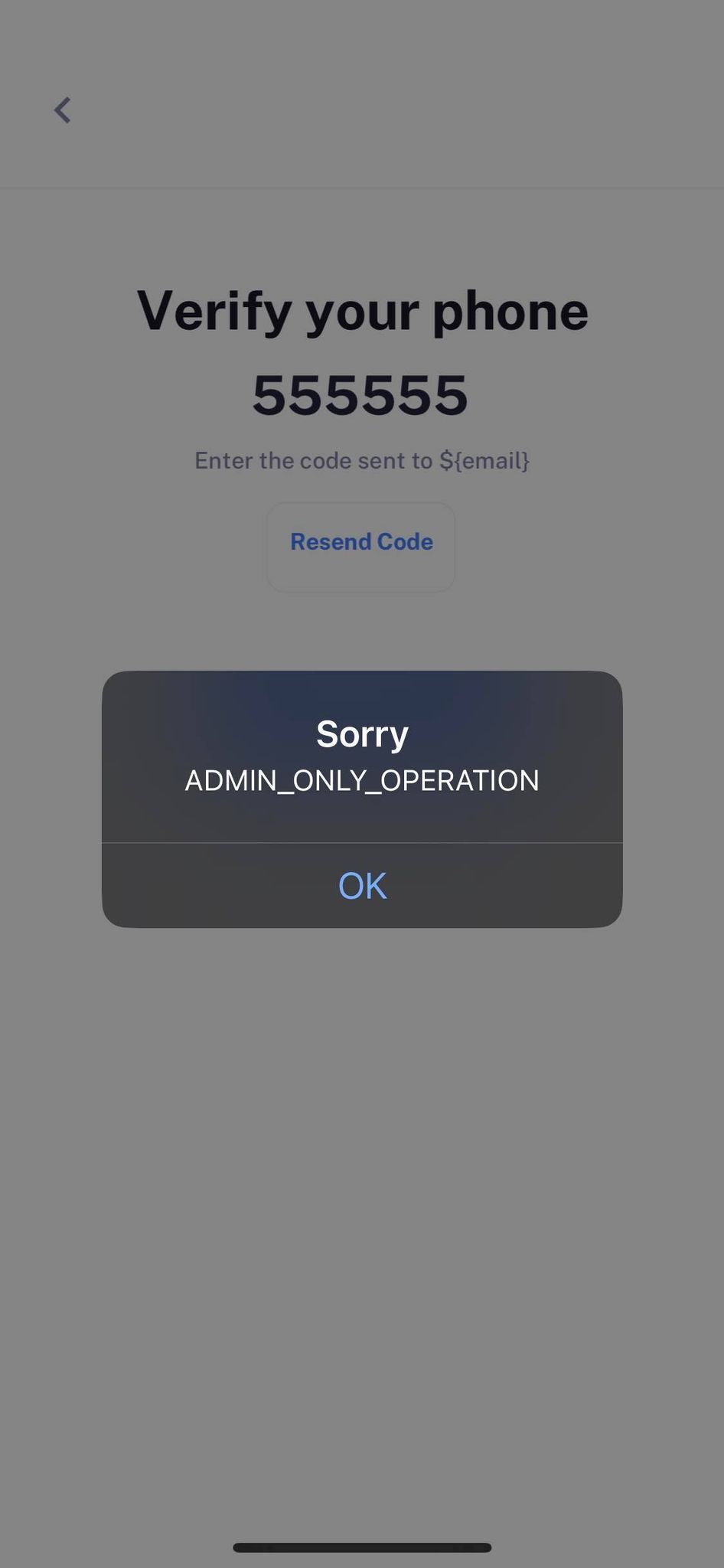
I continue to a code verification page.
I enter random text, and submit.
I see an alert/error of "Sorry. ADMIN_ONLY_OPERATION" when entering a fake verification code. (You can ignore my placeholder text of "Enter the code sent to ${email}")
Does this alert mean:
- I setup Firebase incorrectly (Perhaps this one, because this error is associated with other Google services)
- I setup Figma incorrectly
- I setup Bravo incorrectly (Debug event log doesn't show HTTP requests)
- I setup a combination of these incorrectly
- This is expected behavior during the simulation
- If this is expected behavior****, what is the best practice for testing your app?
- Example: During testing, set up a fake authentication flow in Figma?
- If this is expected behavior****, what is the best practice for publishing your app?
- Example: Right before publish, change your prototype flow so it will work once published? (This seems scary - not being able to observe the flow until after published.)
4 replies
Wrote something in this thread and want it removed? Request removal
Ask the community on Discord
This archive is read-only. New questions, office hours and product updates now happen in the Bravo Discord.
Join the Discord