Archived from the Bravo community forum (2021–2026). Some answers may refer to older versions of Bravo.
I am watching your video for profile sign up. I am using firebase for logginf users in so the submit button wont let me push information to my airtable. It is only pushing data to firebase. How do I get the user data to be pushed to my airtable while using firebase?
21 replies
The video uses ${device.id} which take the users unique device id. When using Firebase you have additional access to ${user.id} and ${user.email}. I would suggest you try it with ${user.email} in all places the video uses device.id
This won't change the fact that the submit button is connected to firebase and won't let me do [action:submit] to my airtable. I'm assuming there isn't a way around this?
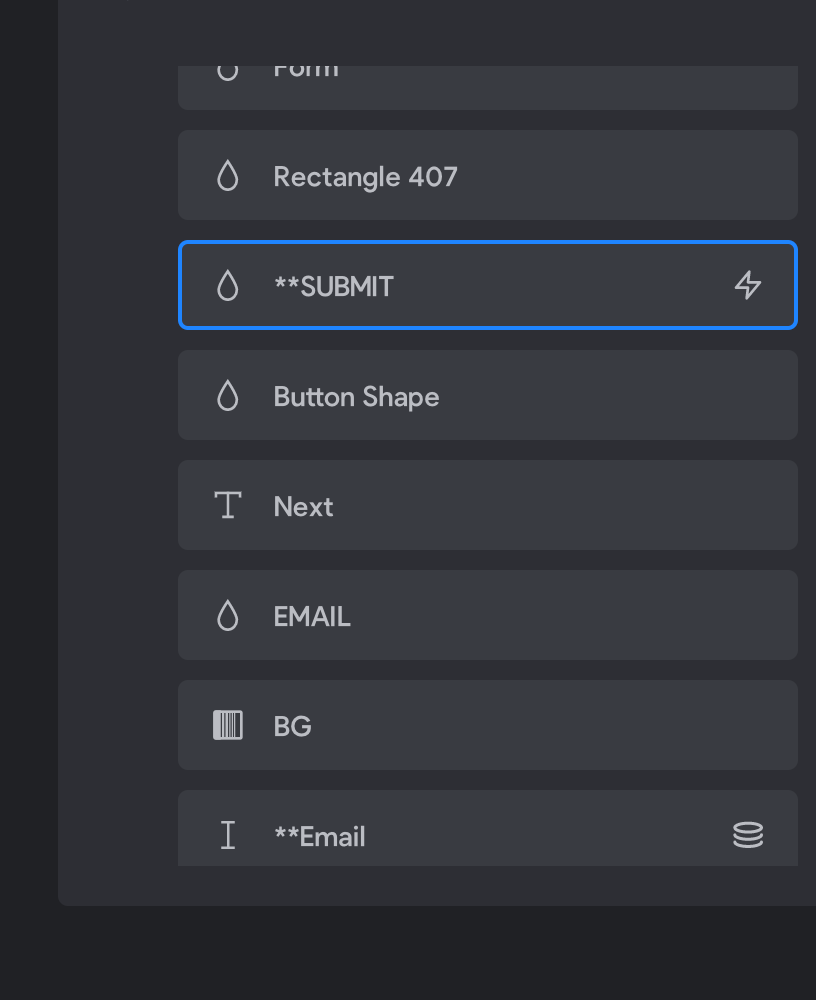
I am sorry that the video was so unclear. I assume you are not storing your user information in firestore (firebase) as your database but in Airtable instead. This means that your form should obviously be connected to Airtable and not firebase. I also think you are trying to mix what you saw in the profile video with what you saw in this video: https://www.youtube.com/watch?v=lUfmXFRiEX4
If that is the case, know that you can only do one thing: Either have a sign up form that is connected to Firebase (This only accepts the inputs Password and Email, as specified in the video) or you can have a form that saves profile information to Airtable. You would have to implement two forms if you were trying to do that.
I've watched the videos many times and unfortunately it's still unclear to me. If we go with the second case and use a form for signup that only saves the profile information to Airtable, how can we also authenticate the user and provide a password reset function? The key benefit of using Firebase is that it covers the authentication part, but it's proving difficult for many people it seems to connect Firebase to the Airtable database successfully, so they can update and get the user's profile data.
The reason it is so difficult to connect Firebase to Airtable is that it is neither possible nor necessary. If you want to use Firebase to authenticate your users you follow the steps in this video: https://www.youtube.com/watch?v=lUfmXFRiEX4
After this you have a full user flow with password reset, sign up etc.
Now you can go ahead and think about saving user data. Assuming you want to save your user data to Airtable, you follow this video: https://www.youtube.com/watch?v=4o5qHrX-kKU
Warning! The "profile" video assumes you don't have Firebase authentication (as stated multiple times throughout the video).
After you have duplicated the steps from both videos you'll find that you have two sign-up screens. One screen registers a new user in Firebase the other creates a new profile in Airtable. For what you are trying to do you'll need both!
After the user has registered with the Firebase Sign-up lead them to the profile page where they can set any additional information you want the users to have. You need a separate form because Firebase only accepts two inputs: Email and Password. In that second form use the variables ${user.id} or ${user.email} to save data according to the user. You can substitute ${device.id} in the video with one of them as stated in my first reply. Hope this helps you understand how apps treat user profiles.
Thanks! This helped a lot. For the final step, to take users from the Firebase signup screen to the profile page, it seems simply drawing an arrow from the Submit button on the Firebase page to the profile page won't work. What happens is, the action for the Firebase submit button is to register, and this takes the user directly to the Home screen (same Home screen for after a successful login). So I'm unable to get the two screens to be sequential. What do you suggest?
I'm glad that helped. The easiest solution would be to start on the profile page with a place holder like "click here to add your profile information". The better solution would be to use a state page: https://www.youtube.com/watch?v=o4eChy6GrS4
In this case though, going from Firebase to the profile page on signup (assuming unique new user) will always give a 200 status code. Should I make an API for the homepage that will 1) return an error if i.e. the "name" field is empty, then 2) based on this error code, show the Profile page as a state? I'm not yet understanding based on the States video.
Yes, that is exactly right. State pages only work on the page you are going to because they replace that page. SO in your case it would be the home page.
First of all thank you for all the advices and hints. You and the team do a fantastic job. I used the state pages to guide the user through register process in case he hasn't fully register yet. Unfortunately this page [state:empty:<pagename>] shows the menu bar although I used the [nomenu] tag as well. Why is the tag not working?

I have just tested it with a custom error code and it is working for me. Maybe there is something wrong just with "empty". Would you try it with a error code and see if that is working please?
Still the same issue. Menu bar is still visible. When I click something on the menu bar and get back to my homepage the bar becomes invisible.
I can't help you any further then, sorry. Maybe knows more?
still having some trouble with this issue. My setup is:
Screen 1: Firebase signup with email and password and click Submit [successfully created]
Screen 2: User adds profile picture, name, mobile number and clicks Submit. Frame is [state:error-400:home]
Screen 3: Home screen accessed on successful log in/sign up. Frame is [state:default:home]
In the prototype, Screen 1's submit button is connected to Screen 2. Screen 2's submit button is connected to Screen 3.
Current behaviour: Successfully created Firebase signup upon Submit click in Screen 1 --> Successfully add data to the database upon Submit click in Screen 2 --> stuck on Screen 2 with blank fields to new submission. Never makes it to Screen 3.
Expected behaviour: Successfully created Firebase signup on Screen 1 --> Successfully add data to the database upon Submit click in Screen 2 --> arrive at Screen 3.
Am I doing something wrong here?
Have you ever gotten screen 3 to work? Could be that there is an issue with your request so it always returns 400
how to debug the request? it's not something I had made with my own APIs in the bravo interface.
I had previously been able to get to screen 3, but that was before I had implemented the state pages. Could be that screen 2 and screen 3 are part of the same state and should not be?
You can use tools like Postman or Hopscotch to debug the request. I would recommend you start a new thread where you share more of your situation (your requests, structure,...).
If you wrote it correctly earlier, they are not from the same state (default vs. error-400)
Jacob please help me
i am using firebase so i replace everything from ${device.id} to ${user.email}. everything is working perfectly until in the Profile. in the profile i have added everything needed
?filterByForumula=search("${user.email}",arrayjoin(useremail)) but it keeps showing more than one user data. could you help me how to filter to only one data that connected to the ${user.email}
Jonas please help me
i am using firebase so i replace everything from ${device.id} to ${user.email}. everything is working perfectly until in the Profile. in the profile i have added everything needed
?filterByForumula=search("${user.email}",arrayjoin(useremail)) but it keeps showing more than one user data. could you help me how to filter to only one data that connected to the ${user.email}
Hi, could you please open a new thread and also share more details about your setup? Thanks!
Wrote something in this thread and want it removed? Request removal
Ask the community on Discord
This archive is read-only. New questions, office hours and product updates now happen in the Bravo Discord.
Join the Discord