Hi thanks for the replies, I will put more details below.
what I want to do:
I have an account settings update page. so I would like to show users a pre filled form with the account info ( name, email address, etc.) where they can edit the content of the input fields, and save the changes through a patch request.
what is happening:
I have set up the get request to get all the current values of the account of each user _and its working
_
I also have created the patch request _and its working._I have setup the input fields to take the input value from the get request and the input destination to the patch request. all the variables are named the same.
**the problem:
when users submit the patch request all the input fields content is empty, regardless if they leave the input content (being pulled from the get request) or if they modify and change the value in the field. and all of the fields appear empty, even if they only modify on the fields.
**but..
**If I delete the input value connection to the get request then the inputs work again, so it looks like if the inputs values are connected with the get request then the input content is being sent as empty to the destination.
my seetings:
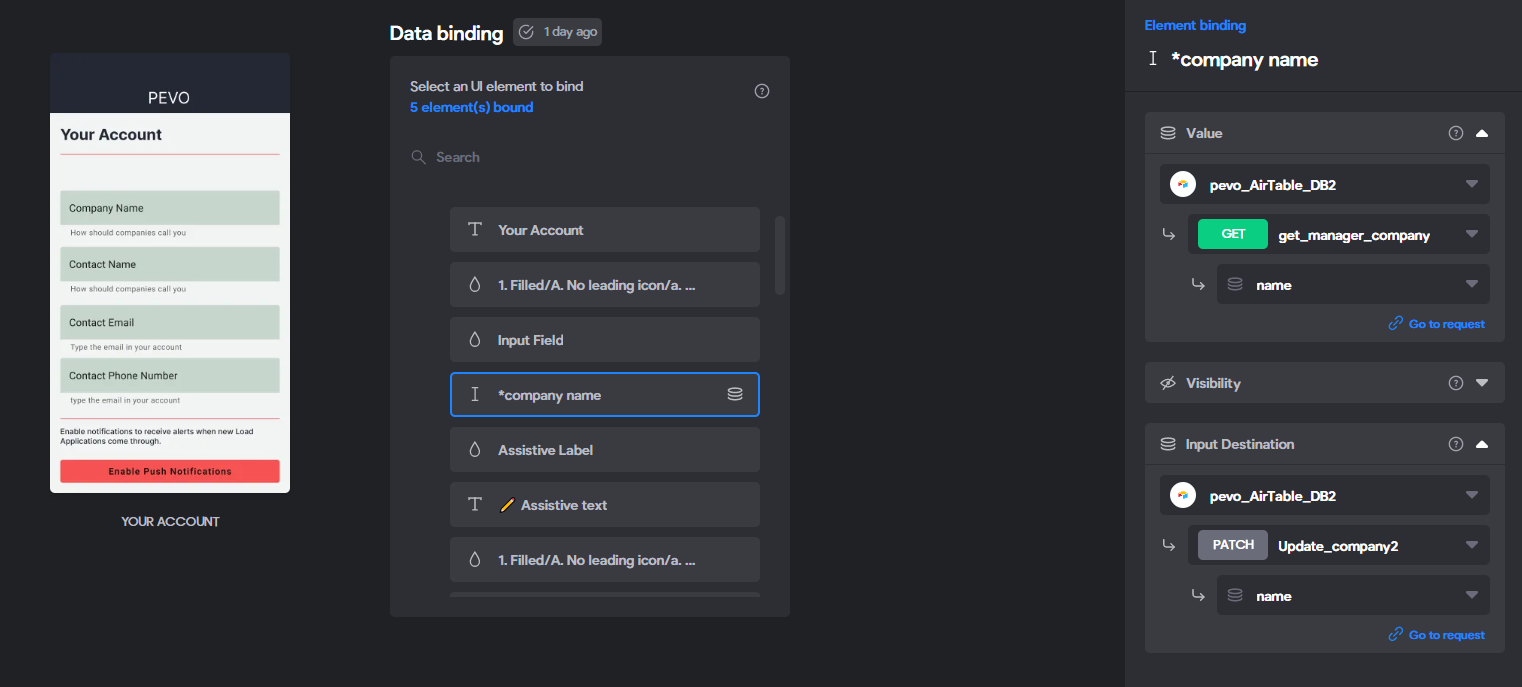
bravo form input set up, here you can see how I'm linking the input to the input value (get request) and also to the input destination (patch request)
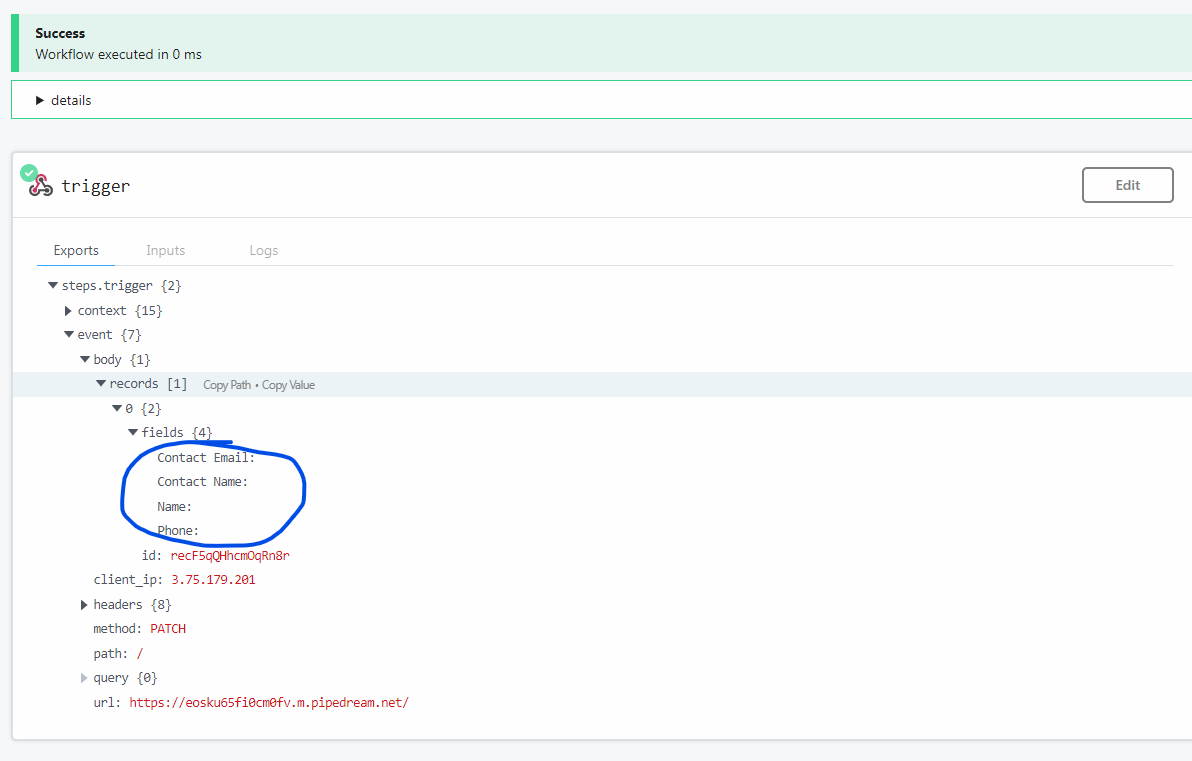
here is the empty response im getting:
( I setup a request catcher to see what was being sent through the form submit action connected to the patch request)
**the 4 fields are empty, even though on the bravo studio app I had content in those 4 fields!
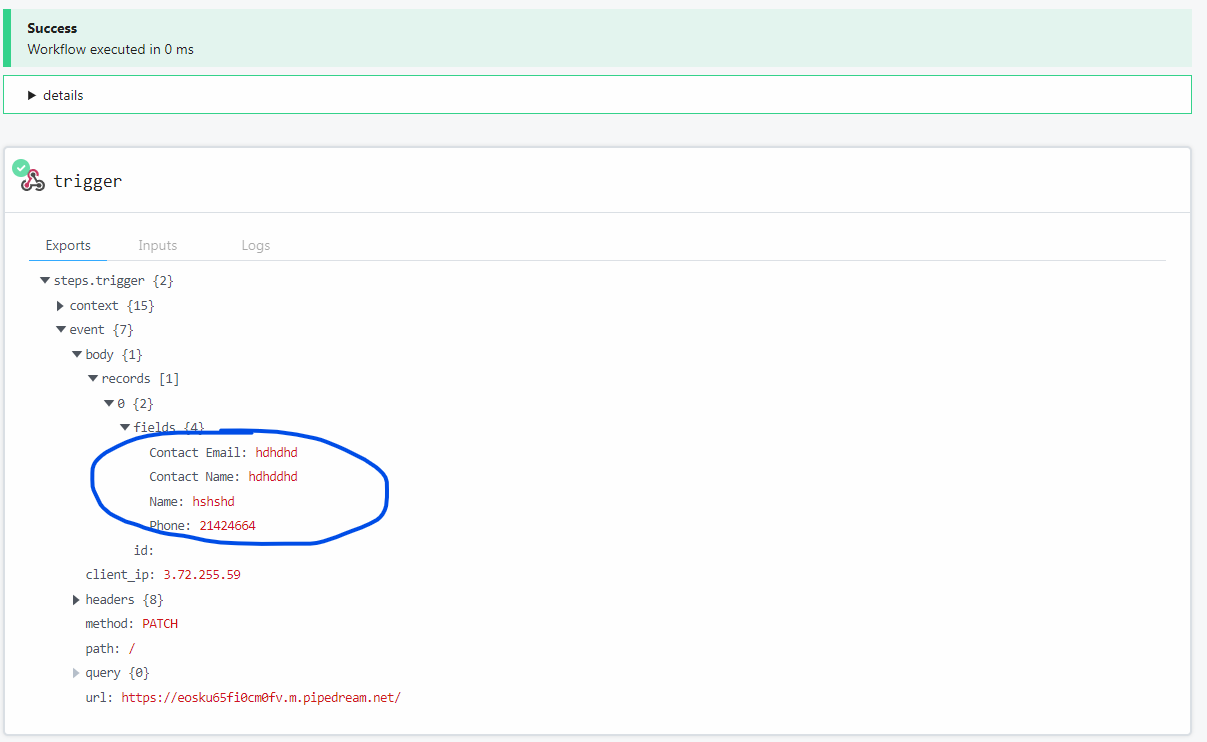
and here is the patch request call I get if I disable the input value connection and just leave the input destination connection:
as you can see in this case Im getting content back.
I had gone through the guides and I believe I have it setup correctly, as I was saying all the requests work by themselves, but If I connect them to the same input filed on the input value and input destination, there's were I'm getting the error.
yes I have setup correctly the JSON body object, Im getting success messages from Airtable API its just that the fileds appear empty when they are not.