← Data, API & Backend
Data, API & Backend September 1, 2022 · 6 replies

Help with Conditional Home Screen - Nearly There!

Archived from the Bravo community forum (2021–2026). Some answers may refer to older versions of Bravo.

Hey guys,

I'm creating an app that shows a different state of the home screen to the user depending on a few conditions:

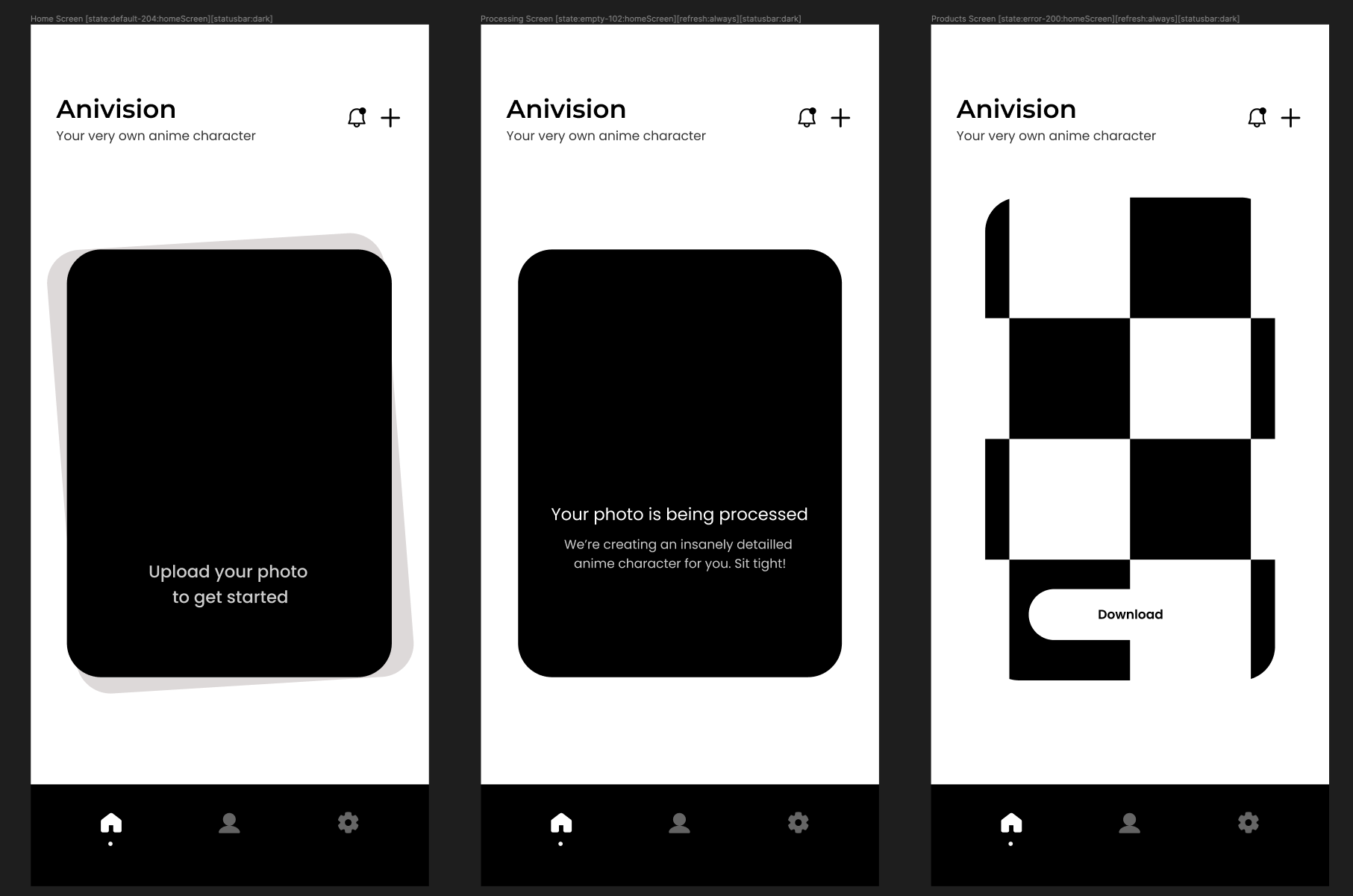
  1.  If the user hasn't uploaded a photo, they see a 'Default' starting screen/home screen where they can upload a photo.

  2.  If the user has uploaded a photo but it's still being processed by us, they see a 'Processing' starting screen that shows their photo is being processed.

  3. If the user's photo has been processed, they see a 'Product' starting screen that shows their final result.

I watched this tutorial by and decided to use screen states to build this. I added the 'State' tags in Figma with custom codes:
Screenshot 2022-09-01 at 19.32.18.png

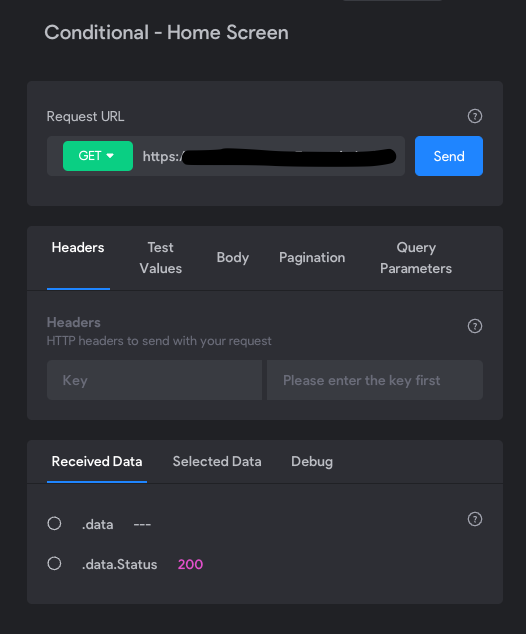
I set up my backend logic in Xano to return the matching custom codes depending on whether a user has a database entry in the relevant tables.

This worked well and I created a successful API request in Bravo:
Screenshot 2022-09-01 at 19.33.37.png

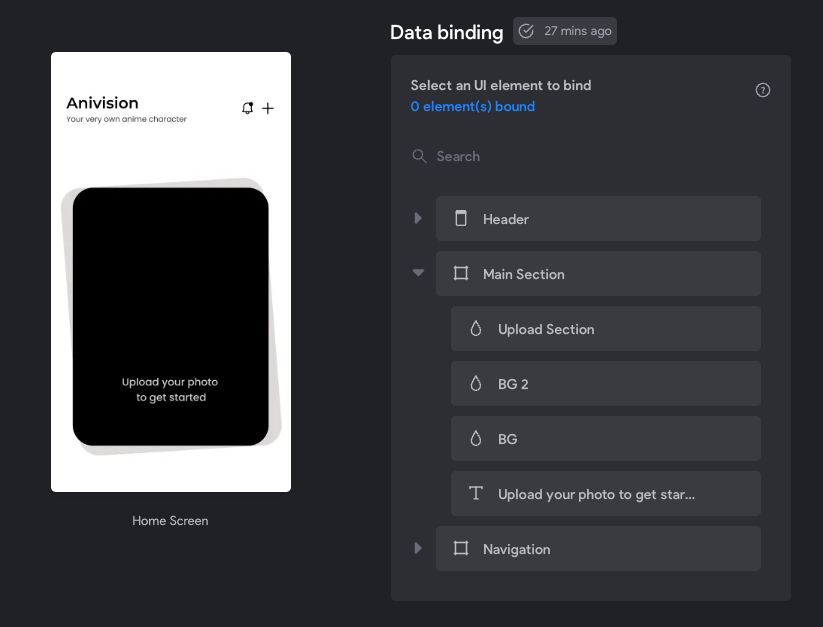
But I'm not sure what to do from this point so Bravo can actually receive the Status codes from my API and show a specific home screen depending on the logic? The Figma screens are uploaded to Bravo, but what next?
Screenshot 2022-09-01 at 19.35.44.png

Thanks in advance,
Tunmise

6 replies

Divyansh September 2, 2022

Although it would be fun to think this approach but I think you could do it in a simple manner rather making it complex. 
How about, you making "upload your photo" your home screen (flow starting point) then link this screen to your "download you photo" screen.
The catch is : -
You have to make "photo being processed" as a LOADING screen for "download your photo" screen. Also remember to add [REFRESH always] to your "download your photo screen".
This way all your worries will be solved automatically, while you just chill and relax!

(I am guessing you already have figured some 3rd party API for changing our photos to anime characters where you send the photo being uploading from home screen to this API and the "download your photo" screen displays GET request of output received fro that API.
Also you will have to add automations for automatically updating your database for GET requests)

Hope this helps
-DC

app.monster September 2, 2022

As Divyansh mentioned, the loading state wouldn't make a lot of sense this way. I would use the [refresh:interval:<seconds>] tag there if you want to keep your structure. Depending on how much time the processing needs you would enter something like every two seconds so the user doesn't have to refresh manually. Regarding the binding: You just need one element that you can bind to the loading screen. For example the image. If the image is returned (200) the third screen will be opened automatically through the tags. Then bind the third screen as you would normally do.

Tunmise September 2, 2022

Hey, thanks for your response, can you please clarify:

  • Which screen would I need to place the [refresh:interval] tag on?

  • When you say I can bind the image to the loading screen, which image are you referring to and how would I actually bind this image to the loading screen in Bravo? That's the area I'm struggling most with!

Tunmise September 2, 2022

Bro, thanks for your response - you may have saved me a lot of time! A few questions:

  • Do you know how I can have the loading screen set to show indefinitely until my downloads/third screen has data in the API to show the user?

  • How can I set the 'Processing' screen as the loading screen just for the downloads screen? I don't want this loading screen to show anytime the app needs to load something.

  • Do you have any resources for learning how to set an automation to update my Xano database for GET requests?

Divyansh September 2, 2022

, brother loading screen will automatically take its time until your "download your image" screen is all set to be visible. Don't worry reg. this

And to make specific loading screen for "download your image screen", there are tags -
[state:default:NAME] = for download you image screen
and
[state:loading:NAME] = for loading screen
Use and read/try this, very simple, dont worry!

And automations are very simple, you can refer my earlier detail comment on this post :-

Lastly, with with, every idea of yours will work, additionally you can take guide of Jonas's an expert in Xano and much more, will surely help you out!

app.monster September 2, 2022

The refresh tag would go on the loading screen. That is where you want to check if it was loaded already.

Ok, first try to get a response where the image is loaded properly. Only this way you'll be able to use the image in Bravo. It will appear in the received data in the screenshot you shared.

Wrote something in this thread and want it removed? Request removal

Still stuck?

Ask the community on Discord

This archive is read-only. New questions, office hours and product updates now happen in the Bravo Discord.

Join the Discord