← Data, API & Backend
Data, API & Backend Solved March 3, 2024 · 7 replies

How Can I Get More Options to show so user can POST data to the correct Airtable Field

Archived from the Bravo community forum (2021–2026). Some answers may refer to older versions of Bravo.
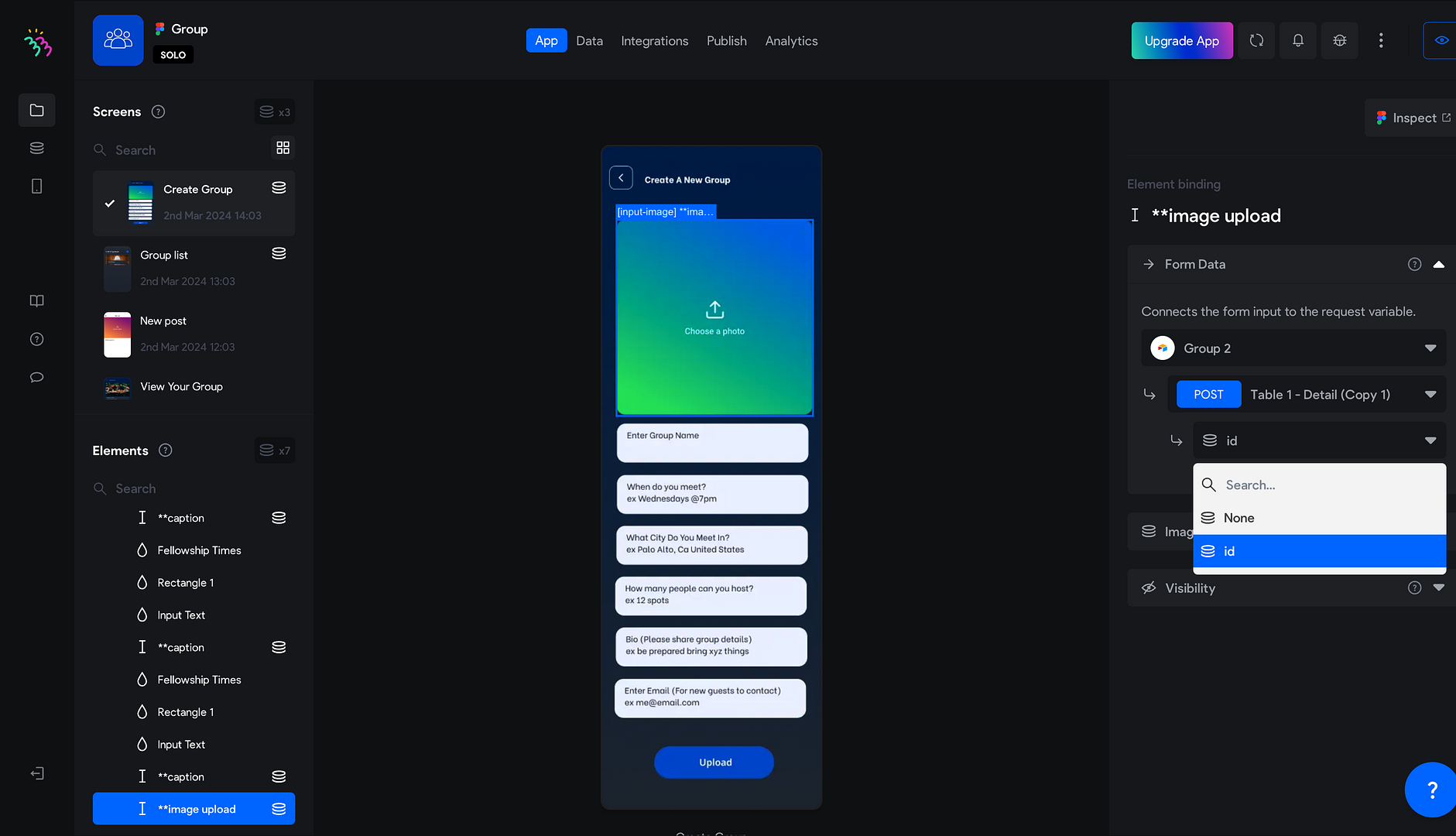
2. What is the correct format for these fields?

{

"records": [

{

"fields": {

"enter_group_name": "${group_name}",

"group_image": [

{ "url": "${airtable_image_url}" }

],

"when_do_you_meet?": "${meeting_time}",

"what_city_do_you_meet_in?": "${meeting_city}",

"how_many_people_can_you_host?": "${hosting_capacity}",

"bio_please_share_group_details": "${group_bio}",

"enter_email_for_new_guests_to_contact": "${contact_email}"

}

}

]

}

EXAMPLE REQUEST

curl -X POST https://api.airtable.com/v0/appZEfE1myLqiXhTf/Table%201 \
  -H "Authorization: Bearer YOUR_SECRET_API_TOKEN" \
  -H "Content-Type: application/json" \
  --data '{
  "records": [
    {
      "fields": {
        "Enter Group Name": "Hi",
        "Group Image": [
          {
            "url": "https://v5.airtableusercontent.com/v3/u/26/26/1709431200000/Xhn5J99eu2Z3HXCa65ah6w/0nYjpvG9V4KbKwpxs9YV8lbVfHI0UUWfGA4kz_zhE7_Bm5GLOIIGtWvBMCXdg5n_LcZnNUR7LaBHLpVSmWqFcJE4NZy0sSgZHjvP-KFtOF32GF-pMua78xpTW4GDNRLrH7kqRwiC0Pv2_RgD6rNAVQttuk0YLcE_rTSl2SJ2MN0/CT68ioXv9-F8pAuCONqGAxPqJpiyeXAYRnA1xqladYI"
          }
        ],
        "When do you meet?": "234",
        "What City Do You Meet In?": "43rt",
        "How many people can you host?": 1,
        "Bio (Please share group details)": "gsdf",
        "Enter Email (For new guests to contact)": "[email removed]"
      }
    },
    {
      "fields": {
        "Enter Group Name": "Hi copy",
        "Group Image": [
          {
            "url": "https://v5.airtableusercontent.com/v3/u/26/26/1709431200000/Xhn5J99eu2Z3HXCa65ah6w/0nYjpvG9V4KbKwpxs9YV8lbVfHI0UUWfGA4kz_zhE7_Bm5GLOIIGtWvBMCXdg5n_LcZnNUR7LaBHLpVSmWqFcJE4NZy0sSgZHjvP-KFtOF32GF-pMua78xpTW4GDNRLrH7kqRwiC0Pv2_RgD6rNAVQttuk0YLcE_rTSl2SJ2MN0/CT68ioXv9-F8pAuCONqGAxPqJpiyeXAYRnA1xqladYI"
          }
        ],
        "When do you meet?": "234",
        "What City Do You Meet In?": "43rt",
        "How many people can you host?": 1,
        "Bio (Please share group details)": "gsdf",
        "Enter Email (For new guests to contact)": "[email removed]"
      }
    }
  ]
}'

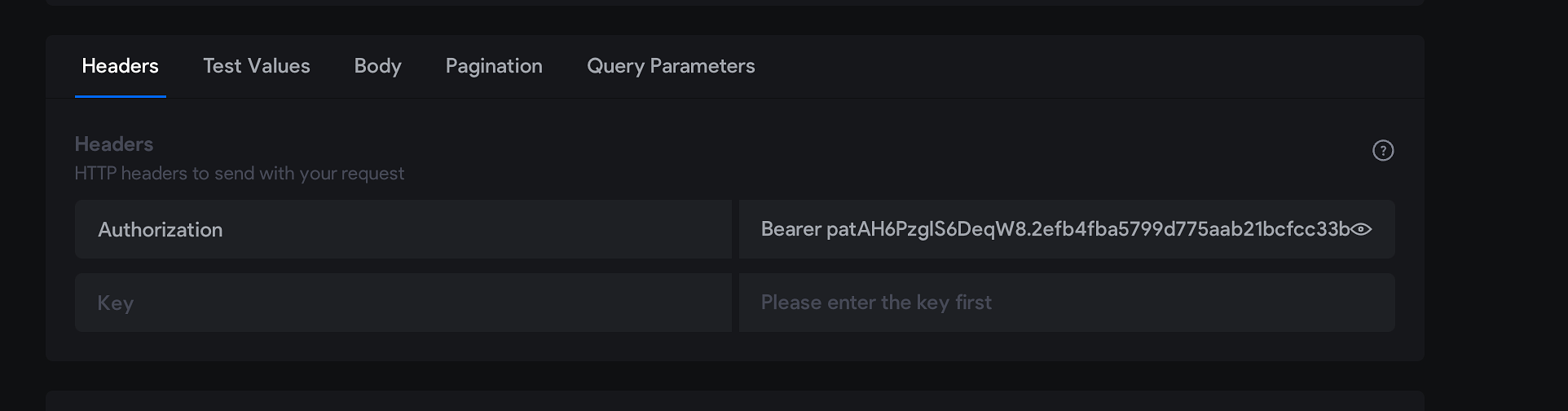
3. What should I put in these?
7 replies
Stéphan March 4, 2024

Hello Travis,
Could I observe your Airtable table that retrieves the posts? Based on that, I'll retrieve the JSON to modify and implement it into Bravo Studio.

Stéphan March 5, 2024

Hello Travis,

Hello Travis,
Here's the corrected table: https://airtable.com/appPu8TEUqsTyL1nj/tblJvncKkKFnAiAmG/viwirz0iBmBJLjQoT?blocks=hide. Avoid spaces, accents, or special characters in column titles.

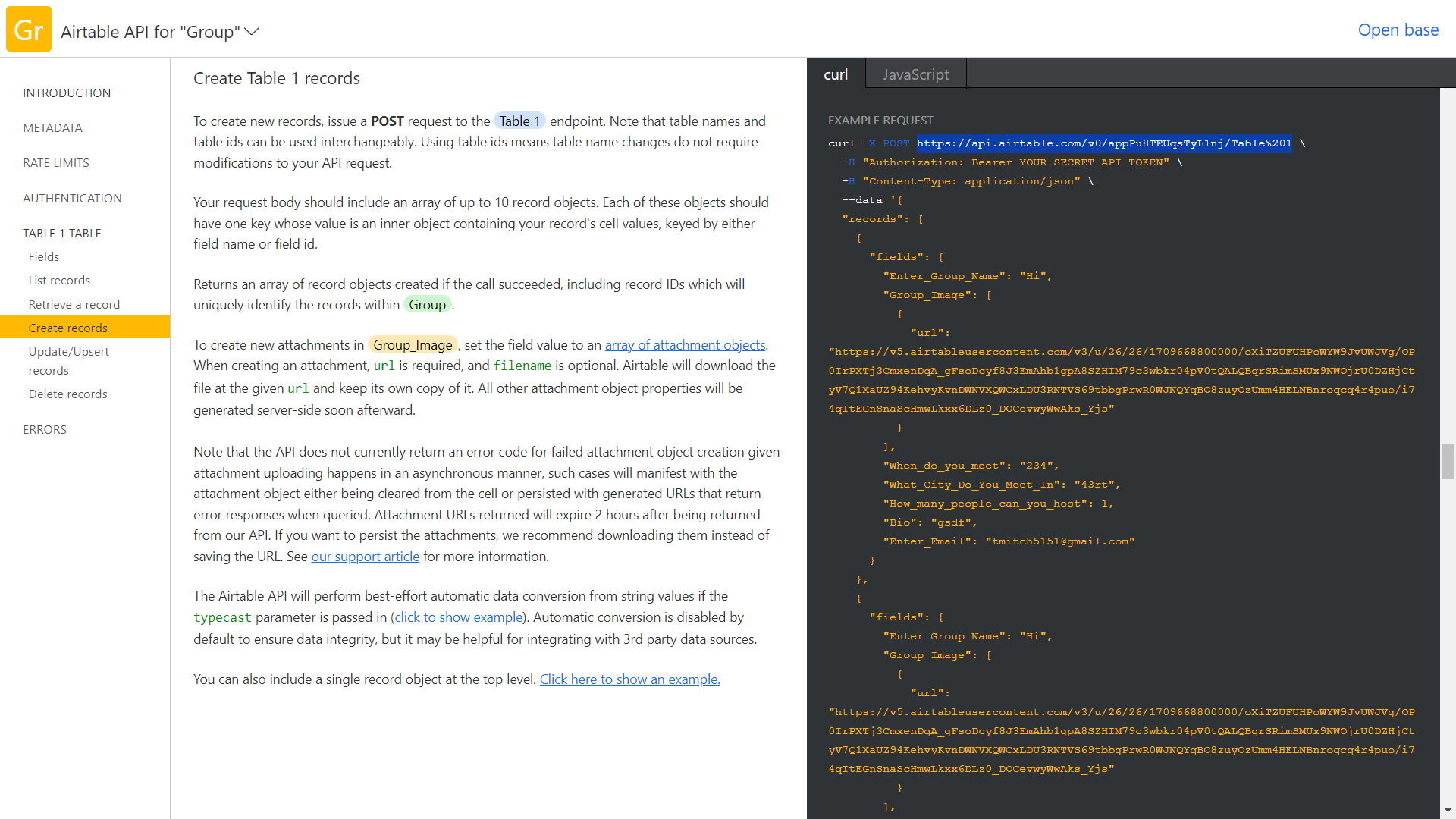
Copy the table post as shown in the screenshot below after clicking on Help/Api documentation/ creat record.

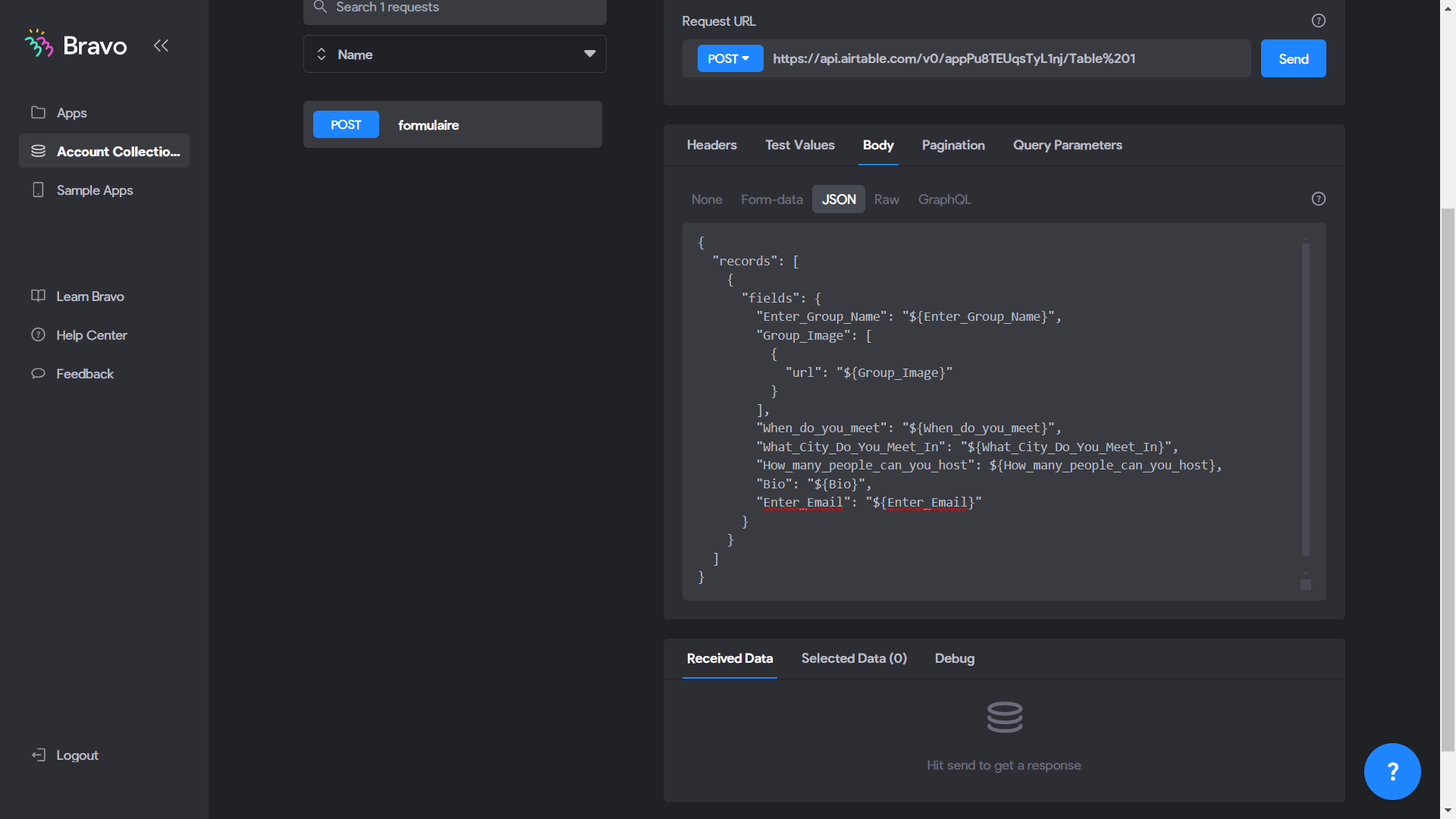
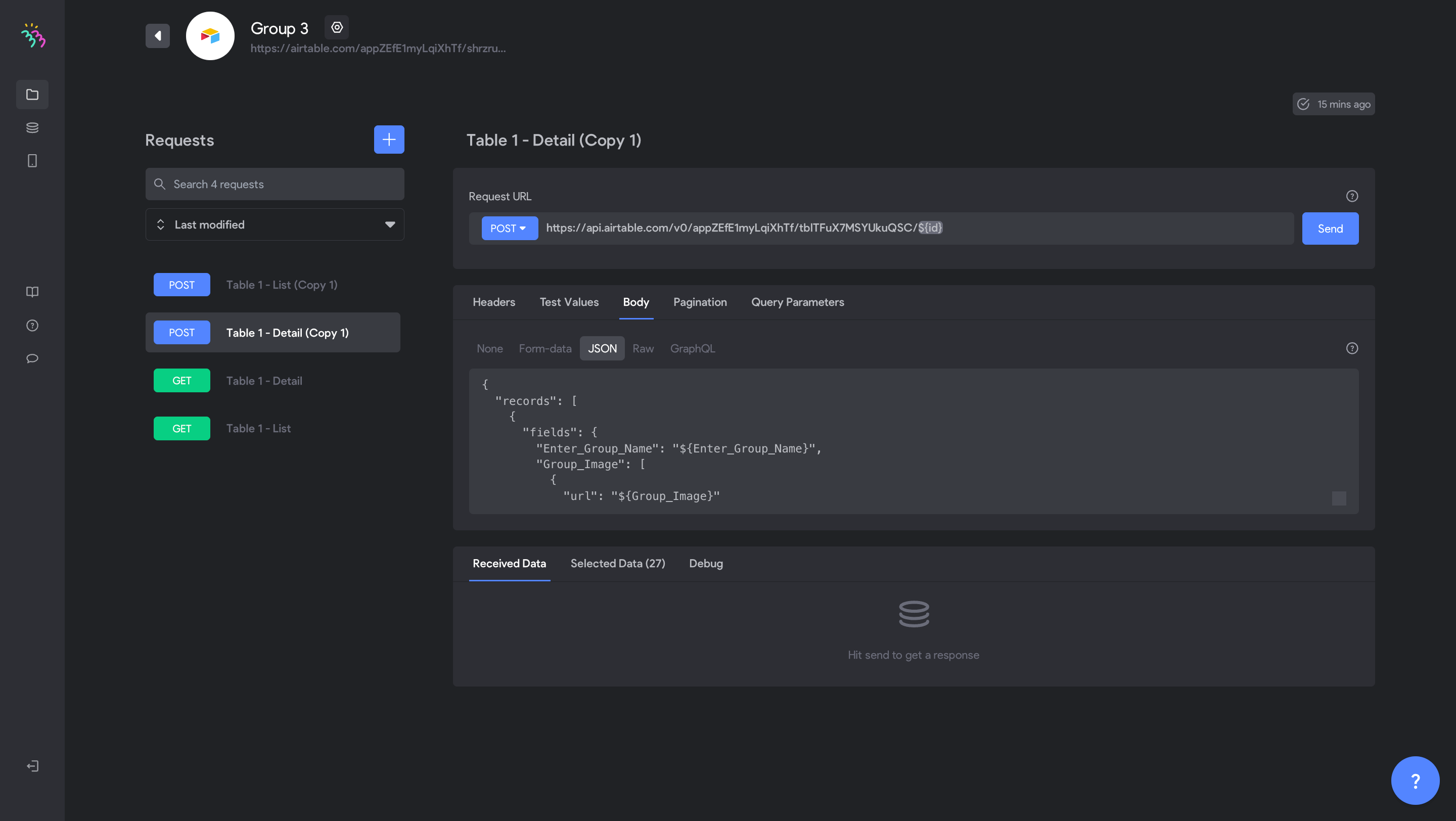
Then in API collection, create a New request post and paste the copied API. Then in body/json, you paste the JSON below:

{

"records": [

{

"fields": {

"Enter_Group_Name": "${Enter_Group_Name}",

"Group_Image": [

{

"url": "${Group_Image}"

}

],

"When_do_you_meet": "${When_do_you_meet}",

"What_City_Do_You_Meet_In": "${What_City_Do_You_Meet_In}",

"How_many_people_can_you_host": ${How_many_people_can_you_host},

"Bio": "${Bio}",

"Enter_Email": "${Enter_Email}"

}

}

]

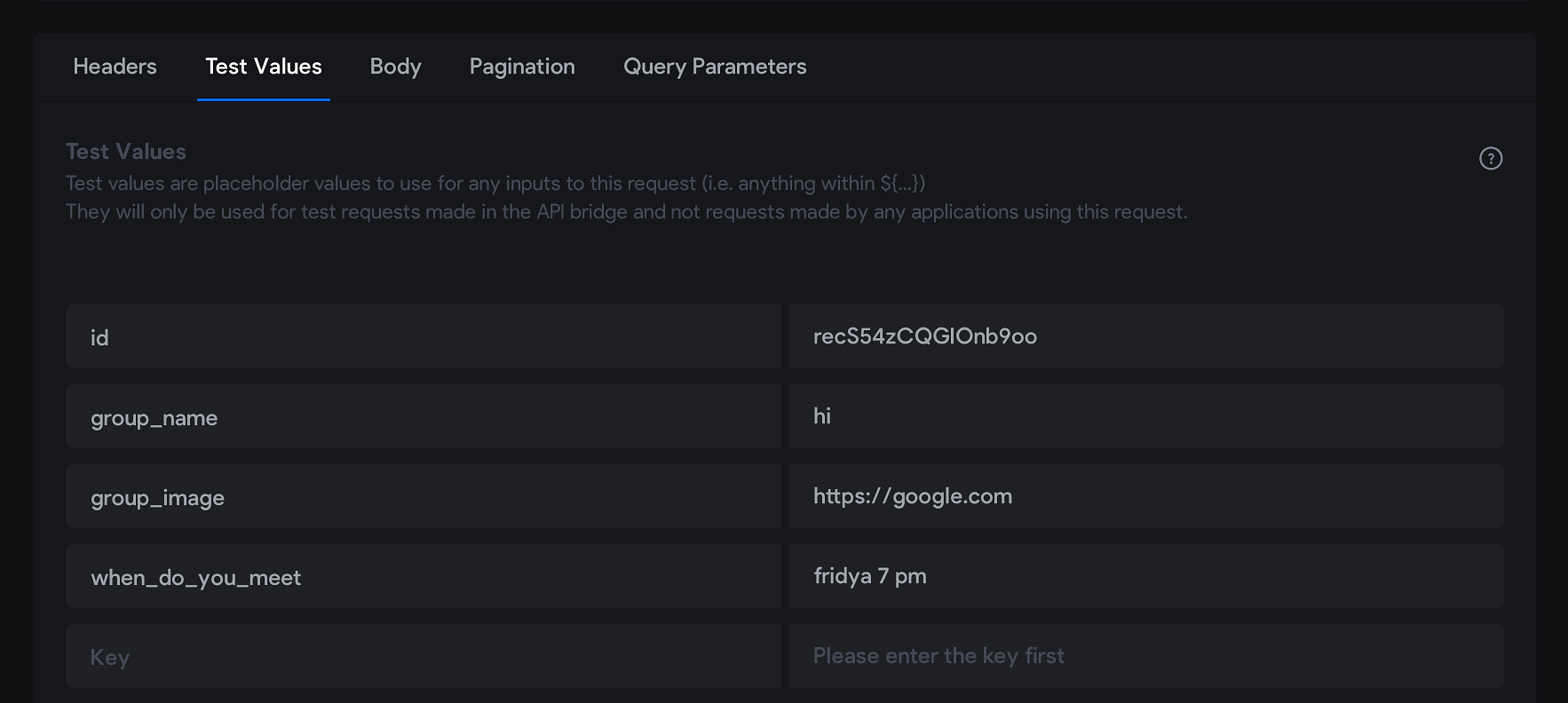
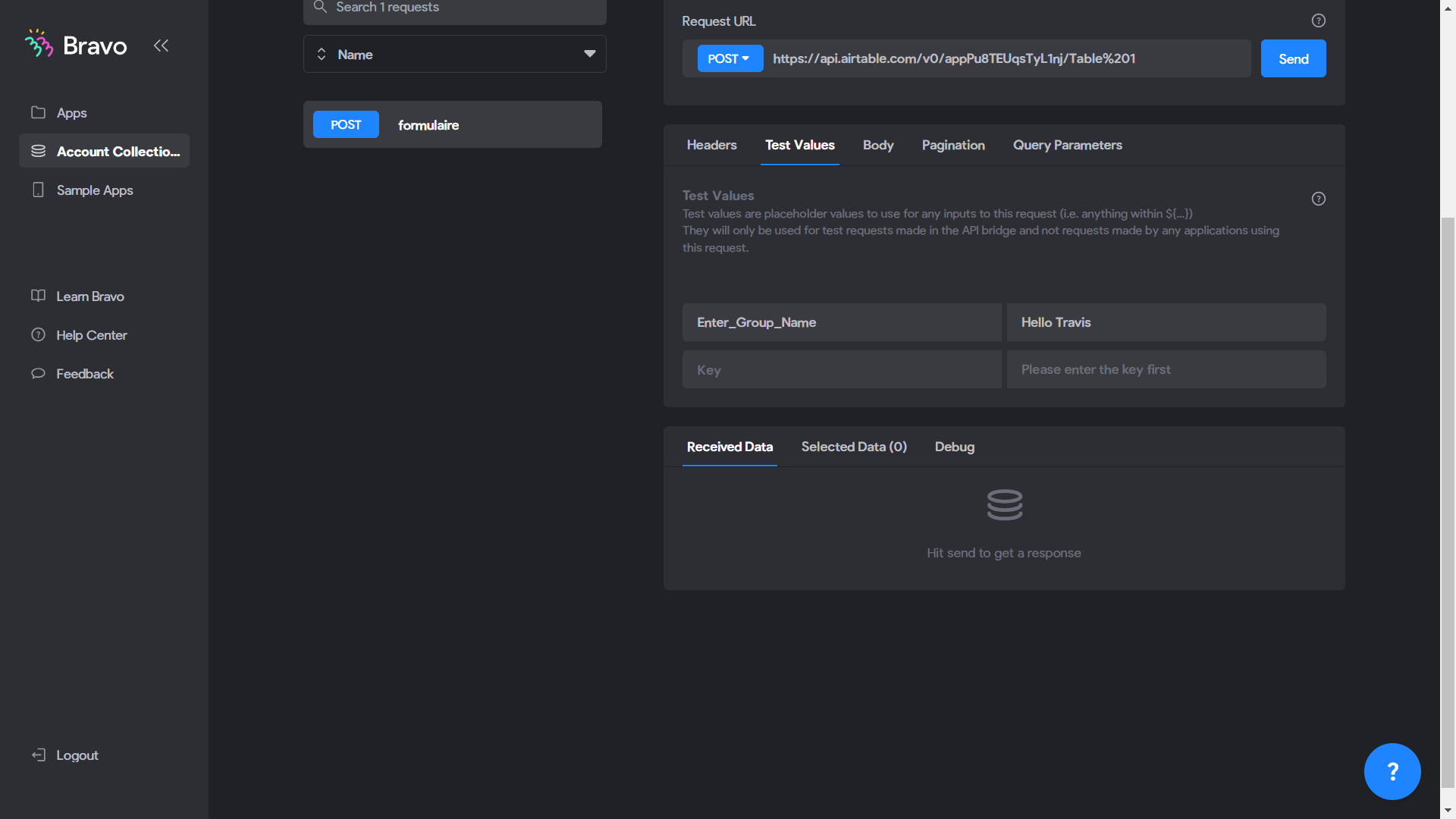
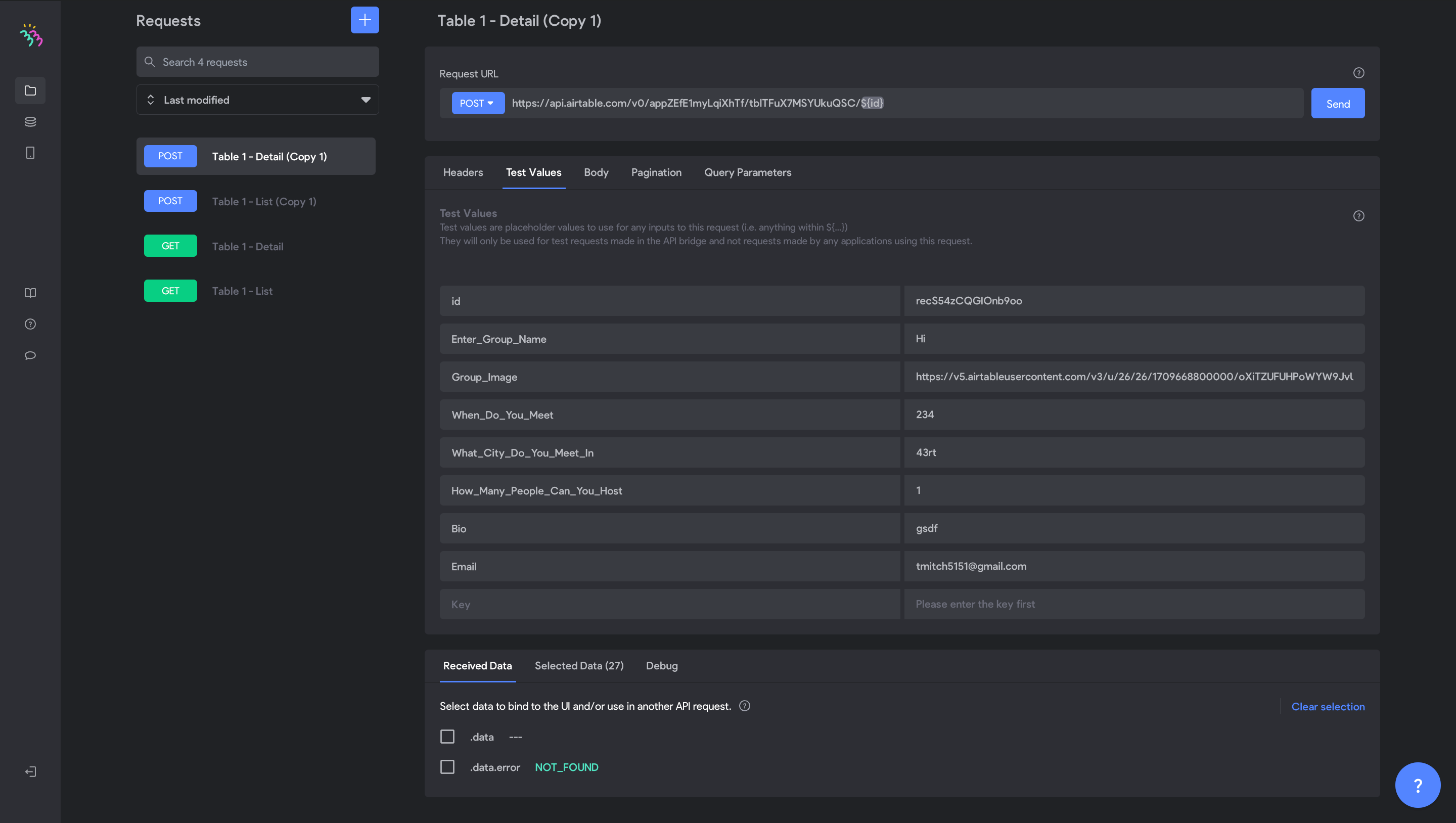
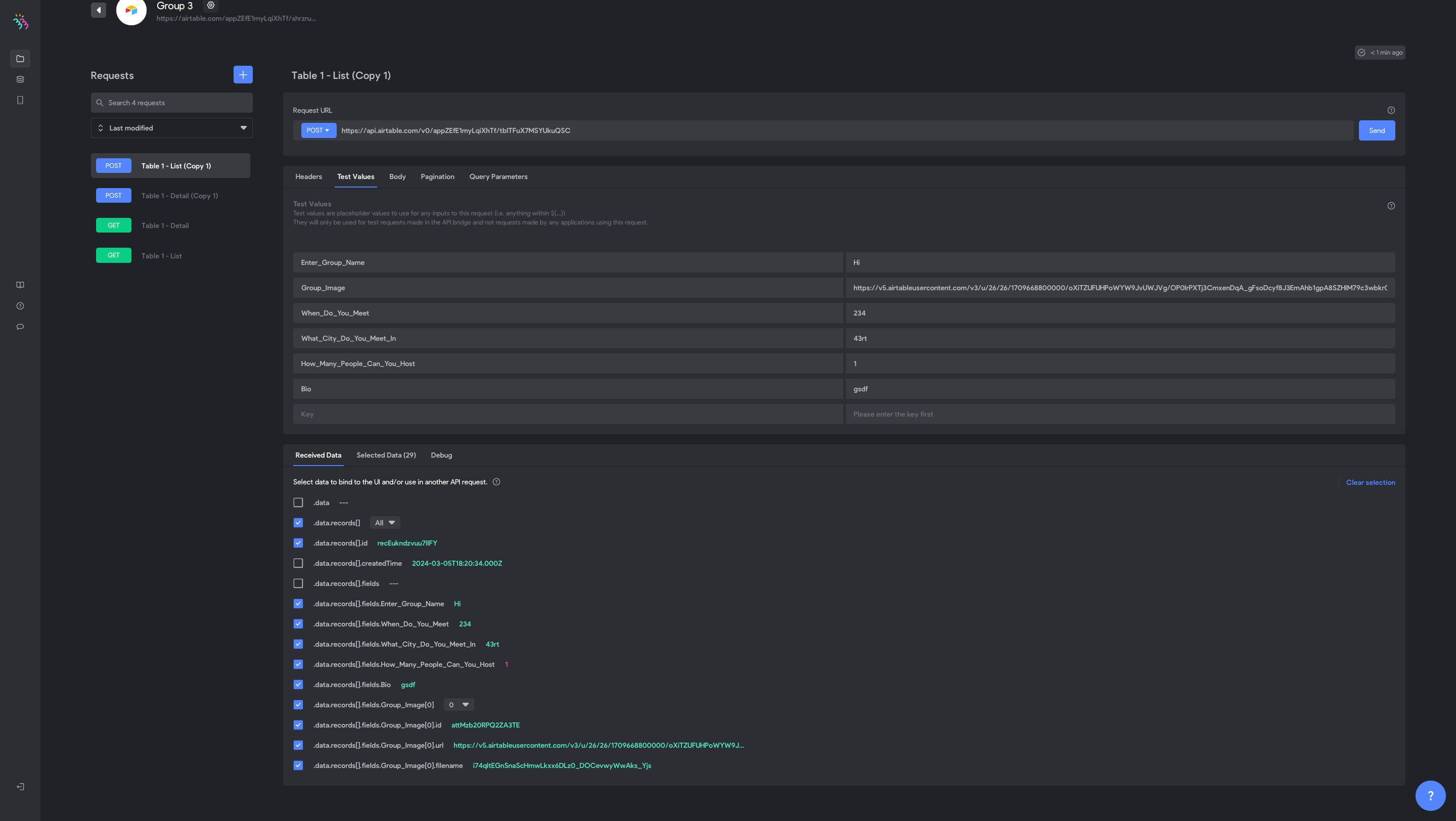
Then in test value, you list the titles on the left and on the right the corresponding test values for data retrieval in Airtable.

Travis March 5, 2024

Please accept my invitation to the view Airtable.

1. Also where you said formularie is this for Table List or Table Detail? Which one do I need to use to enable user to POST their group?

2. Here is my updated fields{

"records": [

{

"fields": {

"Enter_Group_Name": "${Enter_Group_Name}",

"Group_Image": [

{

"url": "${Group_Image}"

}

],

"When_Do_You_Meet": "${When_Do_You_Meet}",

"What_City_Do_You_Meet_In": "${What_City_Do_You_Meet_In}",

"How_Many_People_Can_You_Host": ${How_Many_People_Can_You_Host},

"Bio": "${Bio}",

"Enter_Email": "${Enter_Email}"

}

}

]

}

3. Here is what I’m seeing

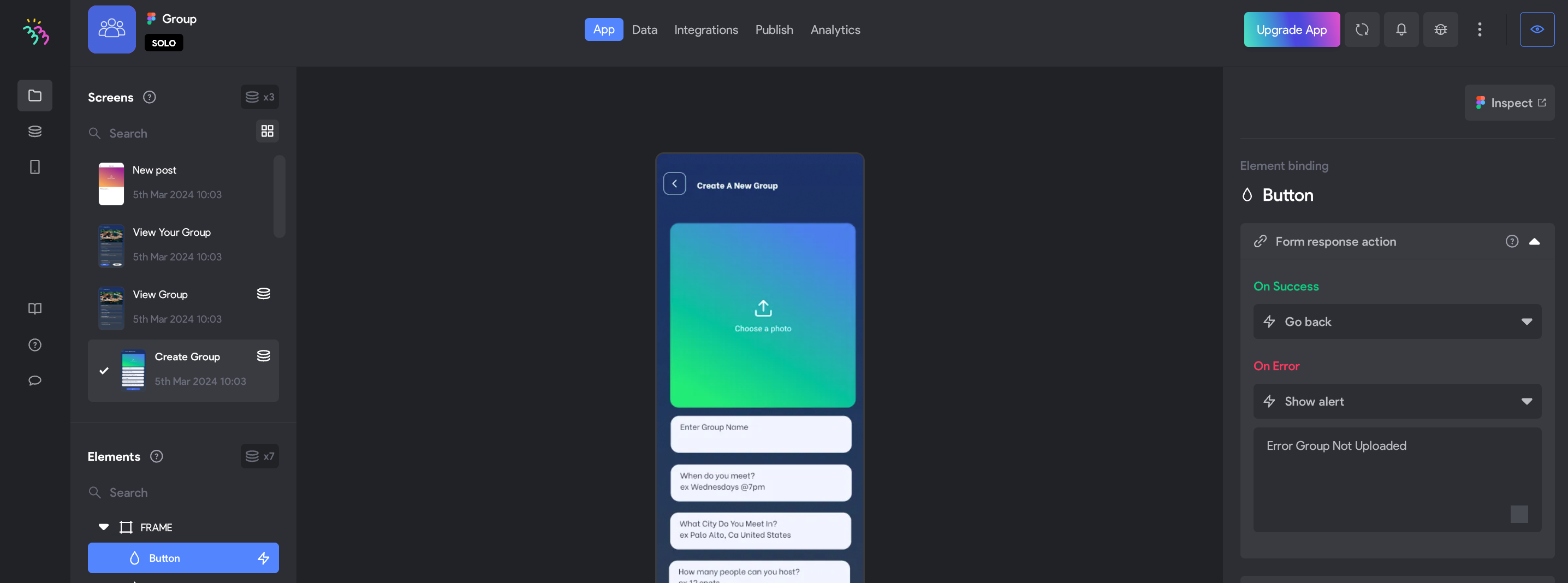
4. Still Unable To Upload A Group It Says File Not Uploaded

video1056348300.mp4

More Resources
Here is my Figma Link
https://www.figma.com/file/9i9lbVPftZCCX21qL8AE7m/Group?type=design&node-id=1294%3A129&mode=design&t=BQF0wF0QpjdwBnWj-1

Additional Comments for other future viewers
this final part is weird for people with more than one record try to only have 1 record in your database initially cause this ending brackets are confusing for newer tech people.
}

}

]

}

Travis March 5, 2024

It’s working just took a few sections to load also had to set the back action
and Group list [refresh:always] to see the refreshed screen.

Stéphan March 8, 2024

@Travis Mitchell Have you been able to resolve your issue?

Travis March 8, 2024

@Stéphan N'GUISSAN Yes

I'm still working on other aspects of the app which is causing me to have to redo there's a couple of times, but I was able to post new groups on the app, and it would load in the feed and show on the air table.

Wrote something in this thread and want it removed? Request removal

Still stuck?

Ask the community on Discord

This archive is read-only. New questions, office hours and product updates now happen in the Bravo Discord.

Join the Discord