Archived from the Bravo community forum (2021–2026). Some answers may refer to older versions of Bravo.
Hey,people
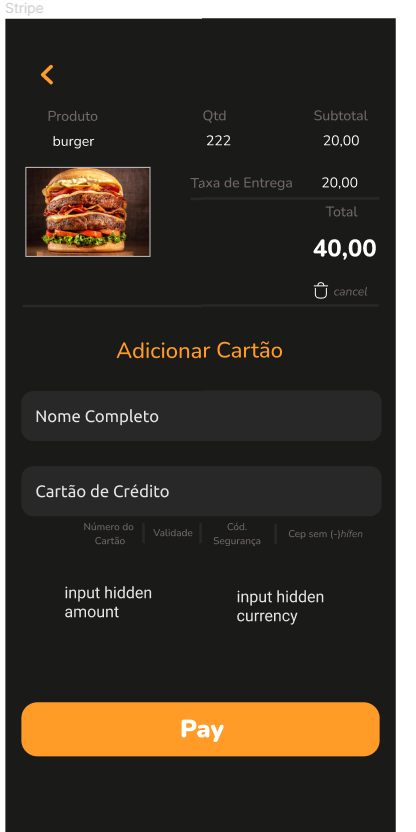
I’m just trying to build a better way to my costumers cancel your products in the shopcart.
I’ve done DELETE request unsucessful disapear all rows.
I’m trying a PATCH request, sending 0 to clean the formulas in airtable, unfortunately it doesn't work.
Someone can give me a Tips how the best way to do this?How can I open my mind to be able to do that?
TKs
10 replies
Hi Paulo, you can successfully add an increment and a decrement button to your layout or add a delete button, or all of them. If you want simply delete the product, you need to use the record.id of the product...https://api.airtable.com/v0/appXXXXXXXX/YOURTABLE/${id}. I usually use Airtable. In the "selected data" tab you can check the right variable name of the field records.id like in the image attached. Let me know if you need more details.
Hi, tks for answer
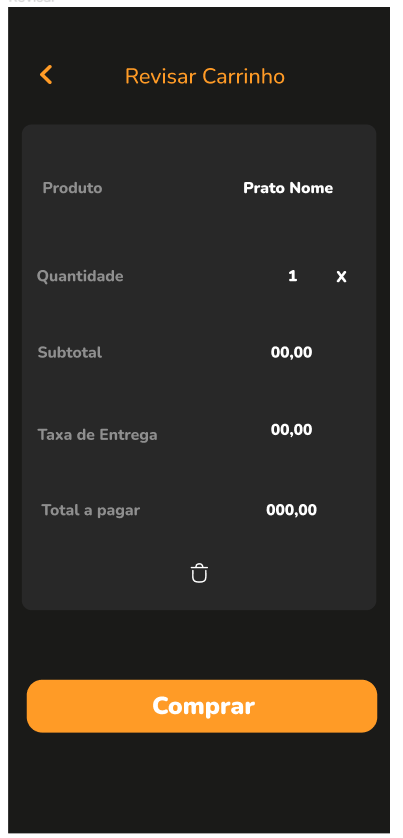
I need this bin element could via [action:remote] PATCH input value 0 to my airtable.I can't imagine how to do this and I'don't know if its possible. Everthing I need is put zero in my formula to clean de shop cart.
Hi Paulo, I don't know how is working your shopping cart or your table in Airtable.
When I tried to solve a problem like that for my apps, I preferred to cancel the product from the cart. After that I added the possibility of increment and decrement the quantity using formulas that check the availability of the product(is not possible to increment over 3 pcs if you have only 2 in your deposit) or the minum order (bigger then 0). When your quantity is 1, with conditional visibility the system display a trashbin icon instead of the minus to cancel the product from the cart if you want to decrement under 1 pcs.
This solution works for me... Let me know if this is understandable to you...or if could be a solution for your problem...
It Would work perfect to me .The way you told me I wish .
The problem is Bravo has no manual how to do That it’s been few hard to build By my self.
I was trying the easy way on my mind.
Could you give me Airtable’s formulas exemple And elements increment And decrement exemples If possible?
Tks
Hi Paulo...I try to explain:
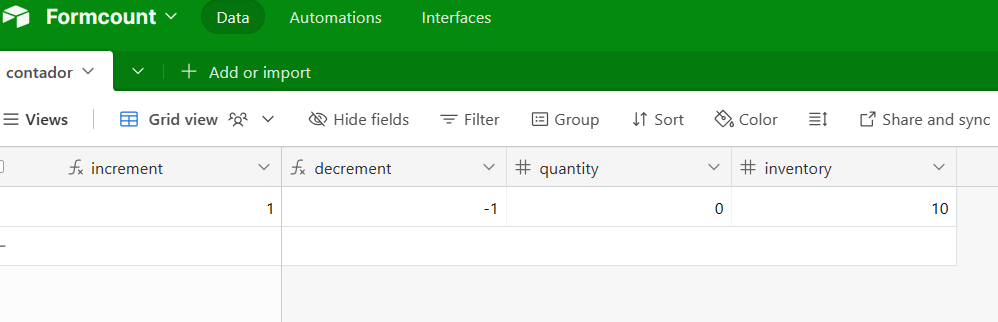
I have products in the deposit. If you try to increment or decrement a quantity, is not possible not increase the quantity on the cart over the inventory availability...The same for the decrement...is not possible to decrement under 0...In Airtable I created Increment and decrement column, quantity(of the cart) and inventory...Inventory is what I have, quantity is what is in the cart(about this product...) and increment and decrement are dynamic value based on the other 2...
Increment: IF({quantity} > {inventory}, {inventory}, {quantity} +1)
Decrement: IF({quantity} < {inventory} , {quantity} -1 , {inventory} -1)
In the backend of Bravo you have to bind your "+" and "-" and eventually your trashbin icon with Patch API that change the quantity value when customers click on the button. Refresh the page after the action to Get the new value of the updated quantity...In case the quantity is 1 and you want to decrement this value, you can bind a DELETE API to remove the product from the cart.
Let me know if is understandable or if you need more help...
I'm sorry the first line is wrong.
This is the correct one: "I have products in the deposit. If you try to increment or decrement a quantity, it is not possible to increase the quantity on the cart over the inventory availability."
Let me know.
To explain in a better way:
"Inventory and Cart Quantity:
Inventory: This represents the total number of a particular product available in the deposit.
Quantity in Cart: This is the number of that product currently added to a customer's shopping cart.
Increment and Decrement Logic:
Increment: This is about adding a product to the cart. The formula IF({quantity} > {inventory}, {inventory}, {quantity} +1) means that if the cart quantity is greater than the inventory, it sets the cart quantity to the maximum available inventory. Otherwise, it just adds one to the cart quantity.
Decrement: This is about removing a product from the cart. The formula IF({quantity} < {inventory}, {quantity} -1, {inventory} -1) means that if the cart quantity is less than the inventory, it subtracts one from the cart quantity. Otherwise, it reduces the inventory by one.
Constraints:
You cannot increase the cart quantity beyond what is available in the inventory.
You cannot decrease the cart quantity below zero.
Implementation in Airtable and Bravo:
In Airtable, columns for Increment, Decrement, Quantity, and Inventory are created to manage these values.
In the Bravo backend, the "+" and "-" buttons, and possibly a trash bin icon, are to be linked with a Patch API. This API will update the quantity value when customers click these buttons.
After performing an action (like incrementing or decrementing), the page should be refreshed to show the new updated quantity.
If the quantity is 1 and the user wants to decrement it, a DELETE API can be used to remove the product from the cart entirely. "
Thanks in advance! I'll work on this and let you know.
One more question, please!
In my Airtable, I have product details such as price, tax, description, etc., all stored in the same table. I'm concerned that if I accidentally delete an entry, it might erase all associated information.
Do you suggest creating a separate database?
, I don't know how it is your base. I usually have one table with products, another one with parent products, another one with cart, another one with calc, etc...When in the cart page you use the API "Delete" , you delete only the correspondent row in the cart table, not the row of the product in the products table...
I understand perfectly all dynamics involved on this,but still hard to implement by my self .I just got create de table in Airtable.
When I work in Backend I lost by my self as well.
I just build another container on my page for that:
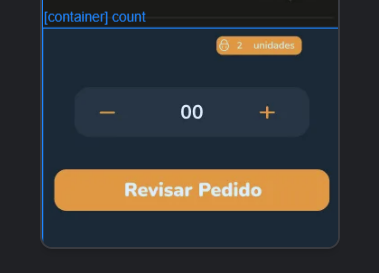
I got list records
I got list inventory on-2 unidades
I got list quantity on-00
--------------------
In PATCH url I create this:
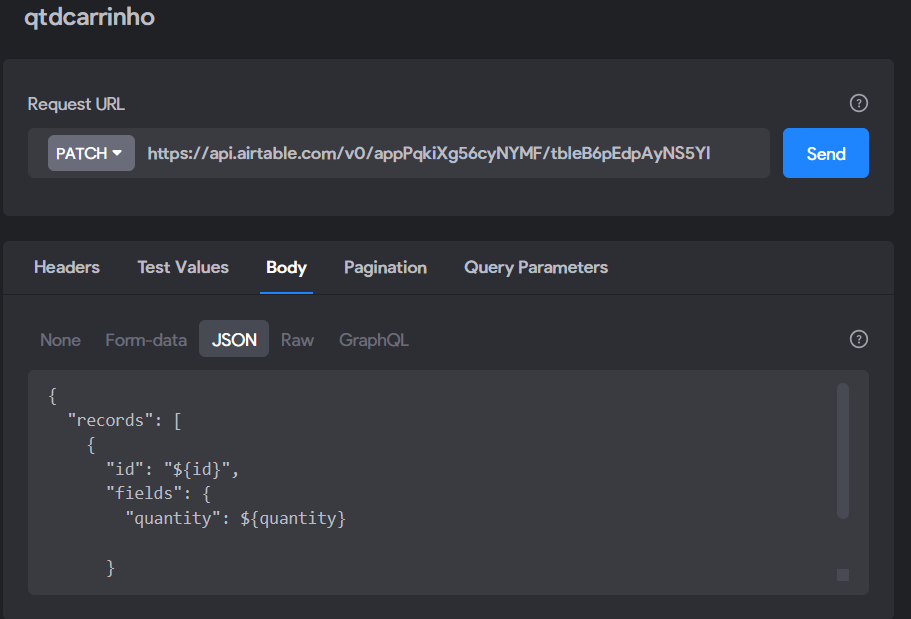
with this test value
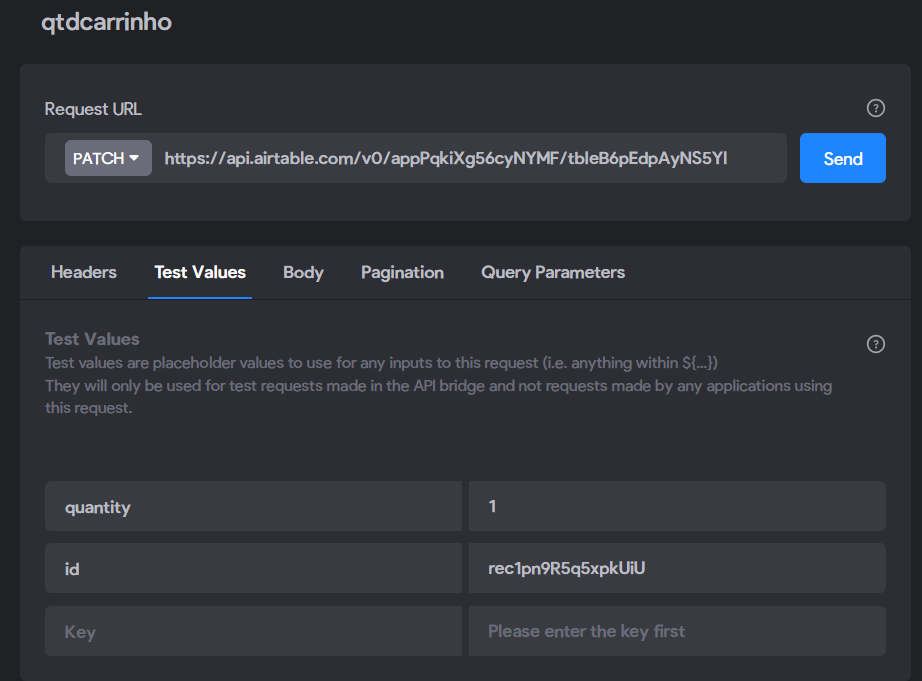
and I
do a PATCH [action:remote] from + and - icon .
No sucess!
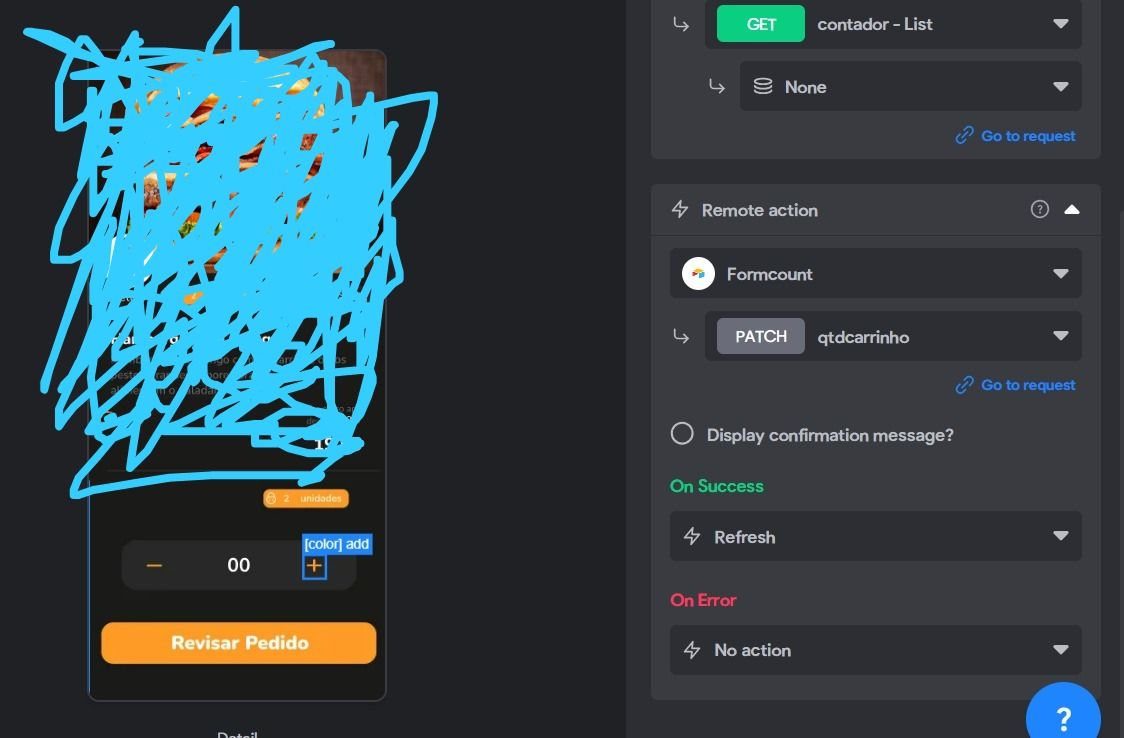
I'm working hard on this.I hope can finally get this function in my app.
Thank you very much for long texts explain me and for patience.
Wrote something in this thread and want it removed? Request removal
Ask the community on Discord
This archive is read-only. New questions, office hours and product updates now happen in the Bravo Discord.
Join the Discord