← Data, API & Backend
Data, API & Backend October 19, 2021 · 7 replies

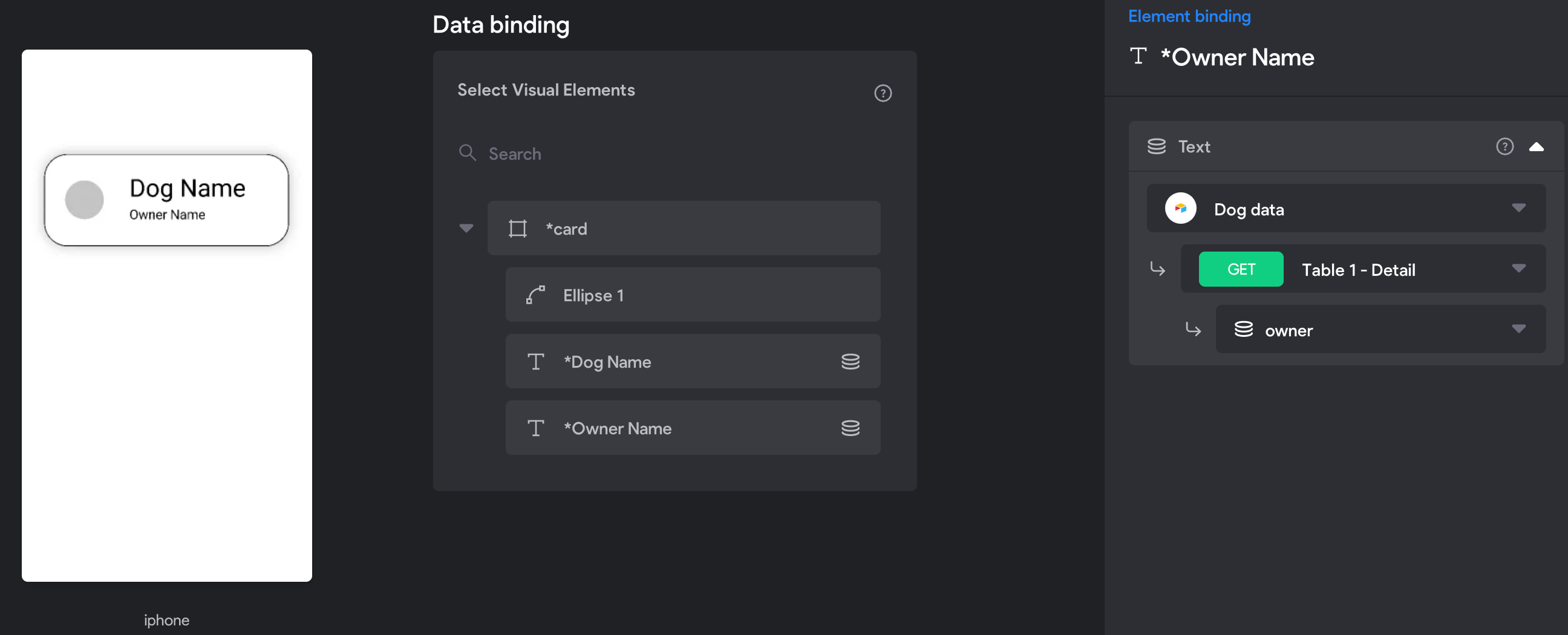
I am creating my first test app. And data is not being displayed on the app

Archived from the Bravo community forum (2021–2026). Some answers may refer to older versions of Bravo.

Its a basic table, displaying DOG NAME and the owners. Attaching screenshots. Please let me know where I am going wrong.
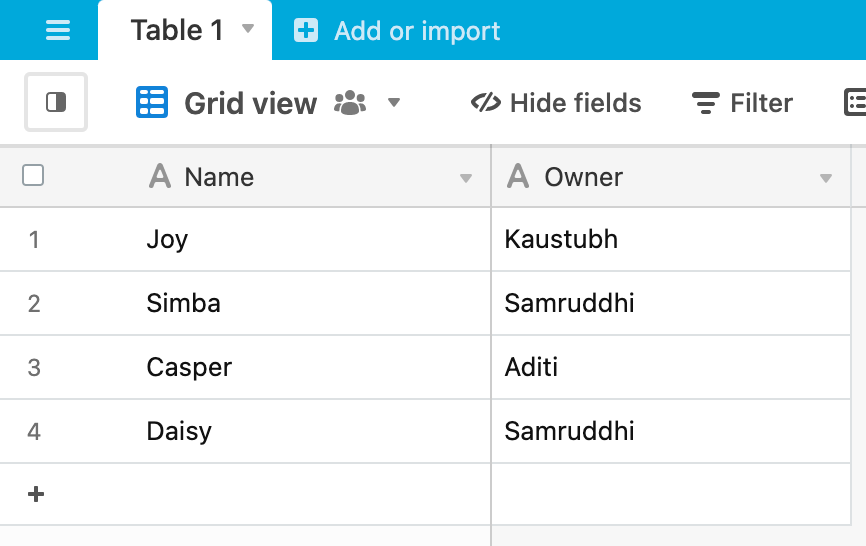
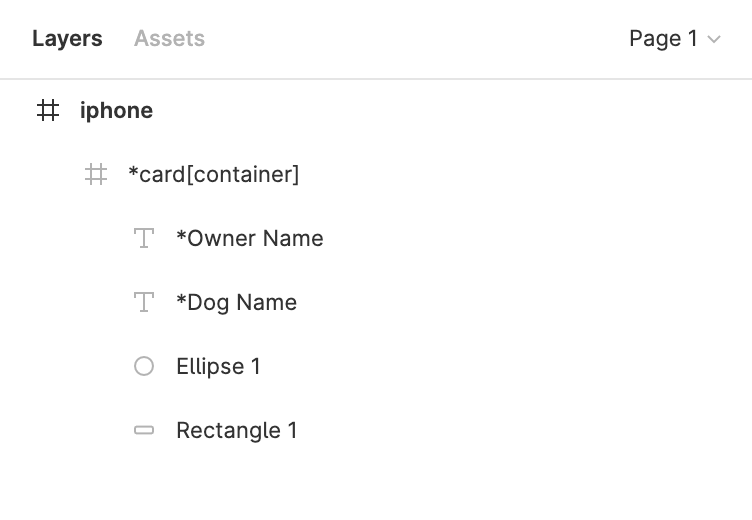
Screenshot 2021-10-19 at 1.03.03 PM.png

Screenshot 2021-10-19 at 1.03.32 PM.png

Screenshot 2021-10-19 at 1.03.11 PM.png

7 replies

Kaustubh October 19, 2021

Yes. There no data displayed in Bravo Vision. This is what I see. Which is basically the base design.

Kaustubh October 19, 2021

Infact I just realised even the placement of the container is sticking on the top.

Marta Serrano Bravo team October 19, 2021

Hello  

  • Are you following any tutorials?
  • Can you share your Figma File? Is the container 100% width? Check out our Container tip To know what can be wrong with the container
  • This page that you share, it's supposed to be a detail page or a list of items? if it's a list you are missing to connect the container.
  • The screenshot you shared with us in Bravo Studio is correct, there you will not see data displayed. You need to check it on our Bravo Vision preview app. Could you share a screenshot of what you see there?
Kaustubh October 19, 2021

Its a list. But I don't know how to connect the container. Bravo Vision is not displaying any data either.

Could you help me on how to connect the container? I can see the data being called in the Data Collections.

Kaustubh October 19, 2021

Oh, I had to delete the data collection associated with it. Re connected it. 
Now I am able to connect the container. It solved the problem!

Thank you !!

Srijan March 8, 2023

Hii Kaustubh, I'm facing the same problem, i.e.  When I bind data it finds the right path and database however in Bravo Vision the data doesn't show up. Want to create a listing and designed one item as a template. As far as I understand Bravo should automatically duplicate my template item and fill it with data, right? Sadly for me that doesn´t seem to work

Wrote something in this thread and want it removed? Request removal

Still stuck?

Ask the community on Discord

This archive is read-only. New questions, office hours and product updates now happen in the Bravo Discord.

Join the Discord