← Data, API & Backend
Data, API & Backend March 7, 2023 · 4 replies

Image data binding

Archived from the Bravo community forum (2021–2026). Some answers may refer to older versions of Bravo.

Hi,
I have an issue with my detail view, I try to bind an image, it works on my list view but not for my detail view. 
The problem is only for the image, "normal data" like text, date etc are OK
Thanks for your help
Max

4 replies
Marielle Ibias Bravo team March 7, 2023

Hi Max! Can you share a screenshot of your received data?

Max March 7, 2023

Hi Marielle
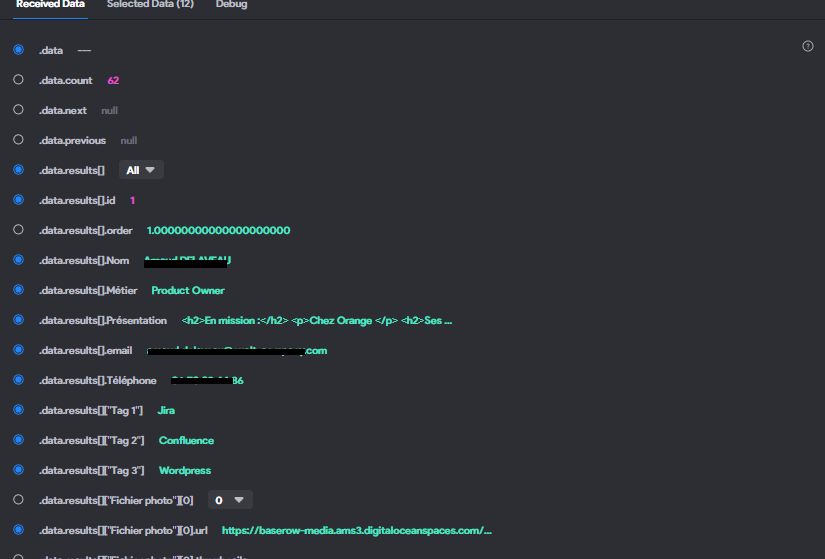
My received data for the detail view

image.png

And for the list view :

image.png

Marielle Ibias Bravo team March 7, 2023

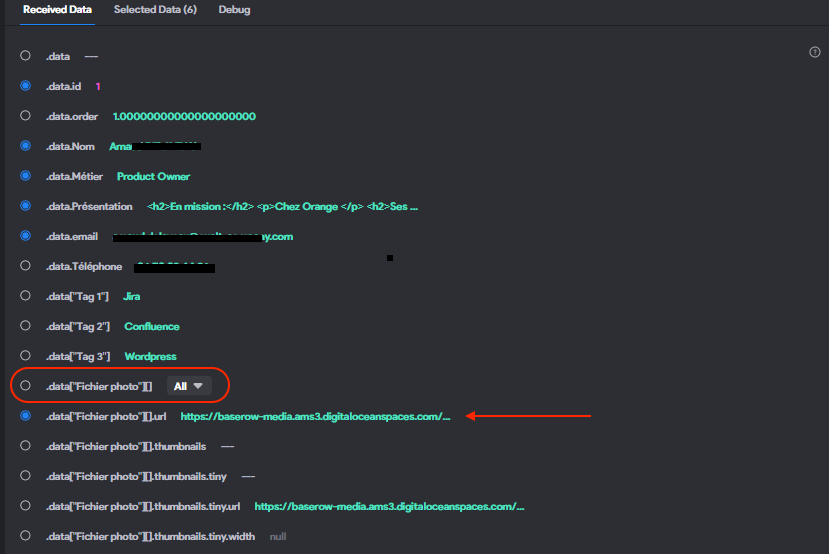
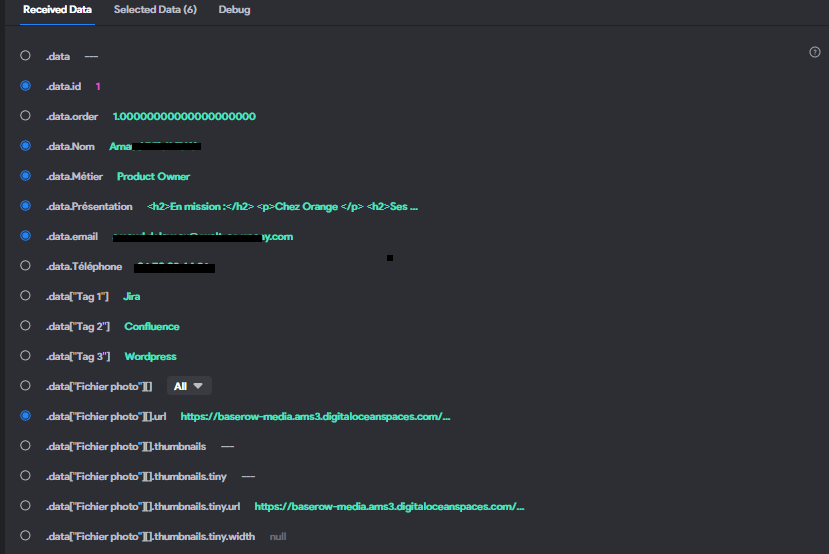
As you'll see, there's a dropdown in .data["Fichier photo"][] path.
Select 0 and then select the new path ".data["Fichier photo"][0]url" and bind that path to your UI element.

image.png

It normally happens with images; the API saves the metadata of the image and includes all this data in an array, like you have a table of image information within the main table. 

Please let me know if this solves the issue!

Wrote something in this thread and want it removed? Request removal

Still stuck?

Ask the community on Discord

This archive is read-only. New questions, office hours and product updates now happen in the Bravo Discord.

Join the Discord