Archived from the Bravo community forum (2021–2026). Some answers may refer to older versions of Bravo.
Based on my Inventory, I would like to implement an action to increment and decrement through [action:remote]. For example: I have 10 oranges, my customer can only Buy up to 10 and never below 0 units. Obviously, every time him clicks on '+', the counter will increase by 1, 2, 3, etc., and every time they press 'minus'button, the counter will decrease (delete). I will use Airtable for this!
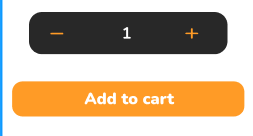
My airtable is :
-Product table(store/product/price/tax)
-Cart table (quantity/inventory)
-Calc (total/subtotal)
I appreciate knowing which request I should make to change the number 1 and what kind of formula I should use in Airtable?
Tks
7 replies
Wrote something in this thread and want it removed? Request removal
Ask the community on Discord
This archive is read-only. New questions, office hours and product updates now happen in the Bravo Discord.
Join the Discord