Archived from the Bravo community forum (2021–2026). Some answers may refer to older versions of Bravo.
Hi,
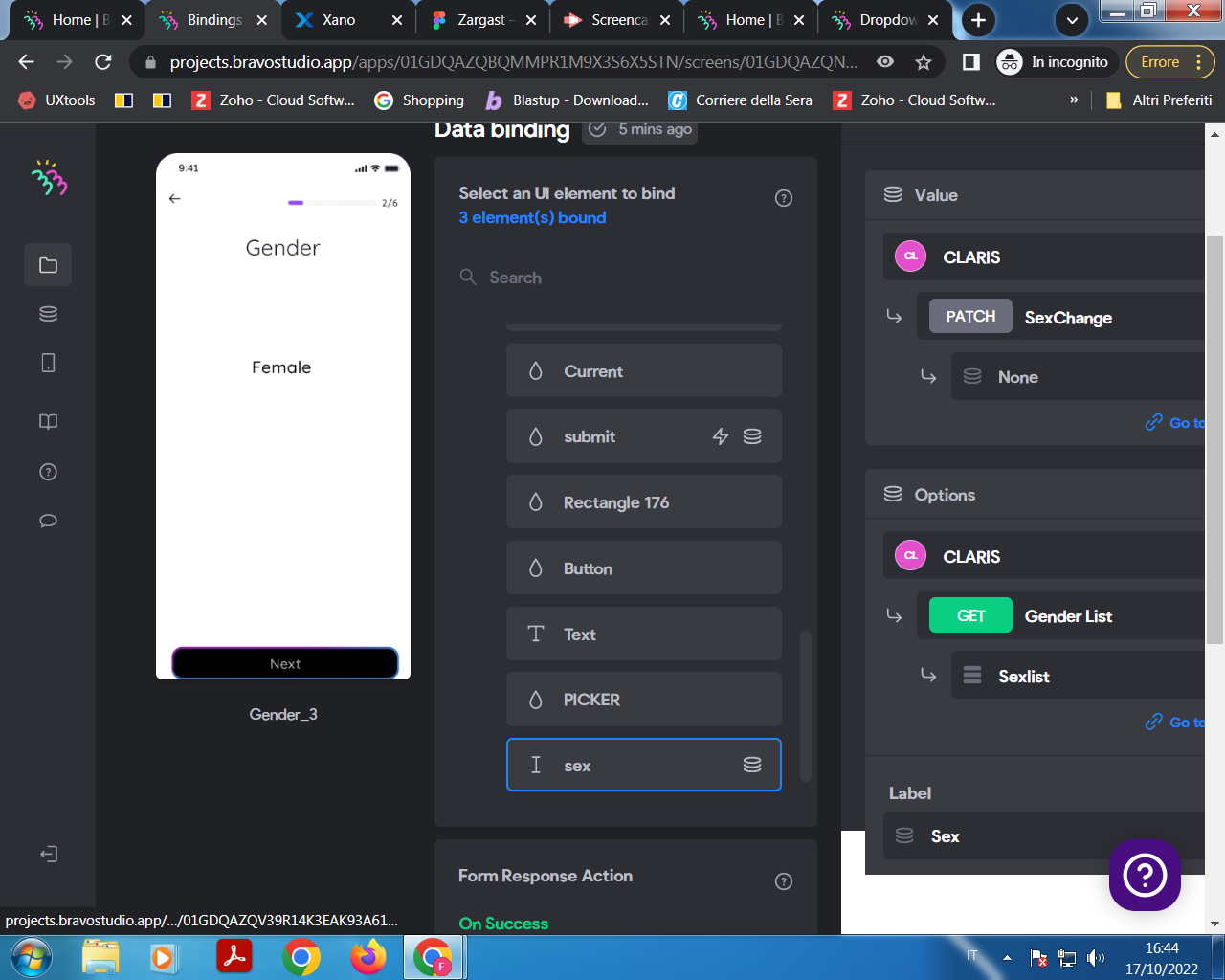
I'm struggling with a simple selector. For some reason now it seems that Bravo is submitting the form without reading the value that I'm passing. The reason could be that on the Dashboard Screen of Data Binding the Input selector is actually appearing at the end of the list of components to bind, after the submit button. I tried to modify my Figma file to make it happear before the button but sofar I didn't manage in doing so. The error I get is: "unable to find data destination".
https://www.figma.com/file/5DIL2pe3RrnvYsTZeAcyot/Zargast?node-id=30%3A672
In my Figma the screen is called Gender_3
4 replies
Wrote something in this thread and want it removed? Request removal
Ask the community on Discord
This archive is read-only. New questions, office hours and product updates now happen in the Bravo Discord.
Join the Discord