← Data, API & Backend
Data, API & Backend November 11, 2023 · 6 replies

issue with action:submit button on a GET with an input field to go to the next page

Archived from the Bravo community forum (2021–2026). Some answers may refer to older versions of Bravo.

I have made a signin/signup page using phone number OTP verification. I used a GET with an input field to get it working as per a tutorial I watched.

Both in the Xano backend, Bravo data request and in Bravo vision, it works. The only issue I am facing is, if a user provides a number to receive an OTP, the OTP is received but the action does not lead to the next page where they will provide the OTP and be authenticated.

The button does trigger there API request successfully, but it does not go to the next page.

Can anyone help on this as I am stuck.

6 replies
Blupry November 12, 2023

Hey  ,

Do you get a response back from Xano when the user clicks on that? Maybe your frontend workflow does not understand that the API was executed.

Abu November 12, 2023

Yes, the process triggers an action in Xano, which is done successfully. The action button just doesn't lead to the next page.

I even tried the Conditional action in Bravo. But still to no avail. Any suggestions to how I can go about it ?

Blupry November 13, 2023

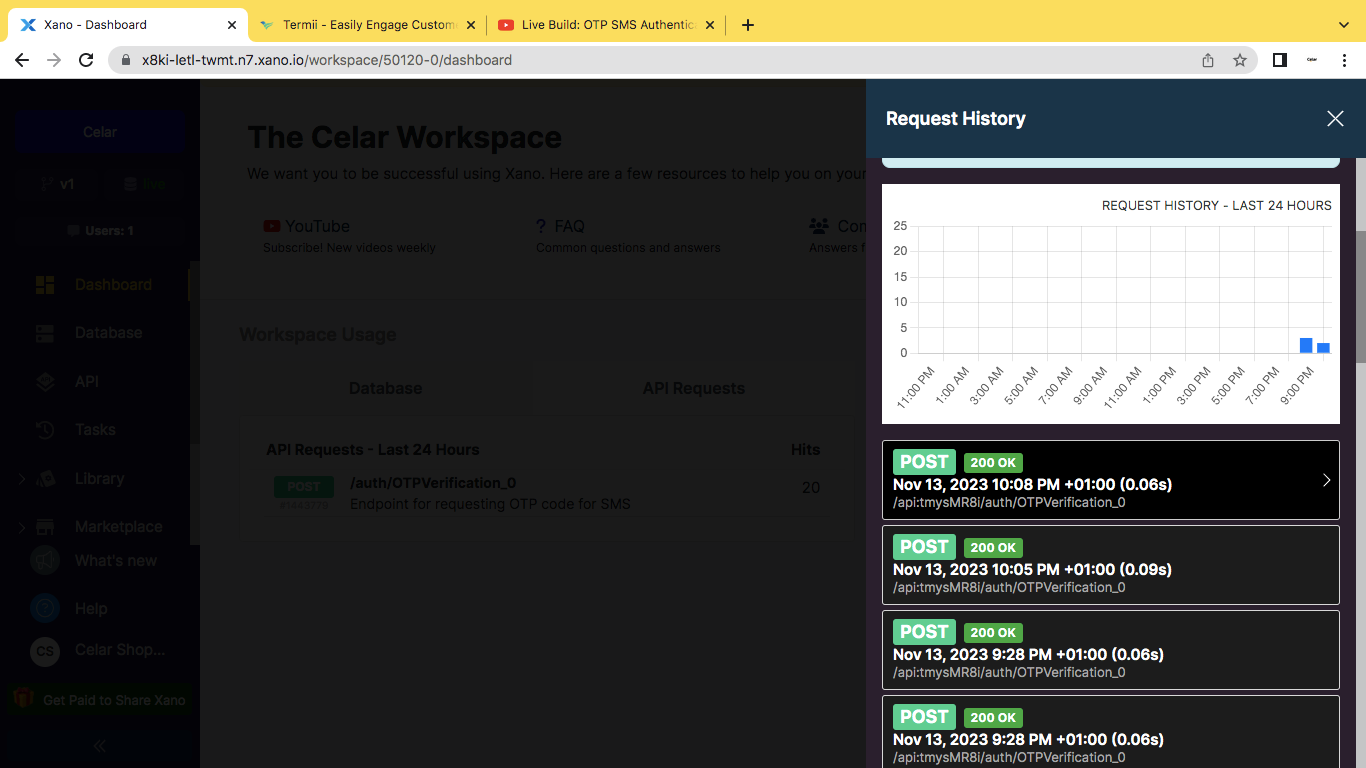
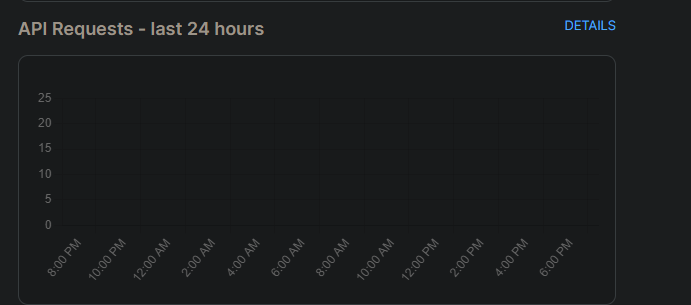
First of all, make sure that the API is actually successful by visiting the dashboard in Xano and clicking details in here

image.png

There you can find the relevant call and make sure it has a 2xx return code.

If that works correctly please try and create the workflow on Bravo in a way that the action button doesnt make a call, and it always proceeds the user into the next page. 

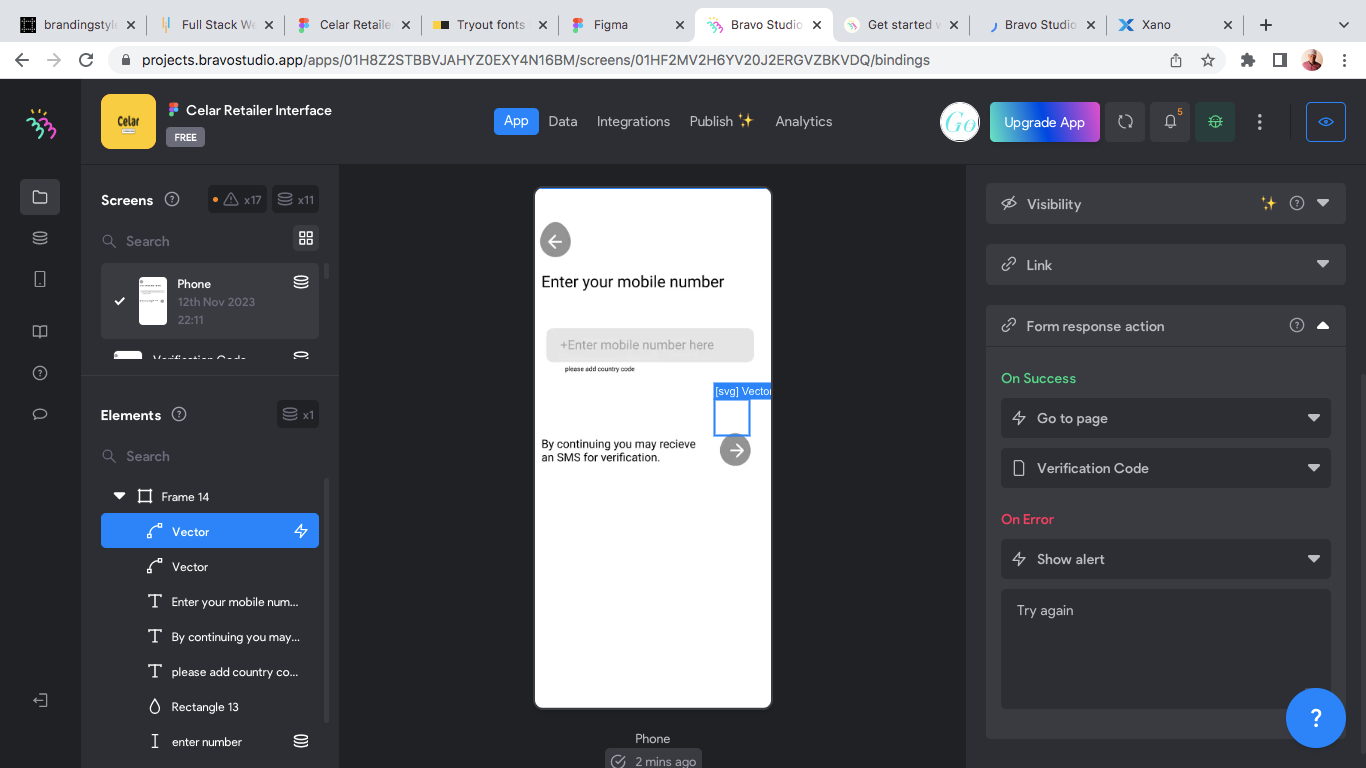
In case that also works, then I would need to see a screenshot of the logic behind your action button so as i can understand what is going wrong.

Abu November 13, 2023

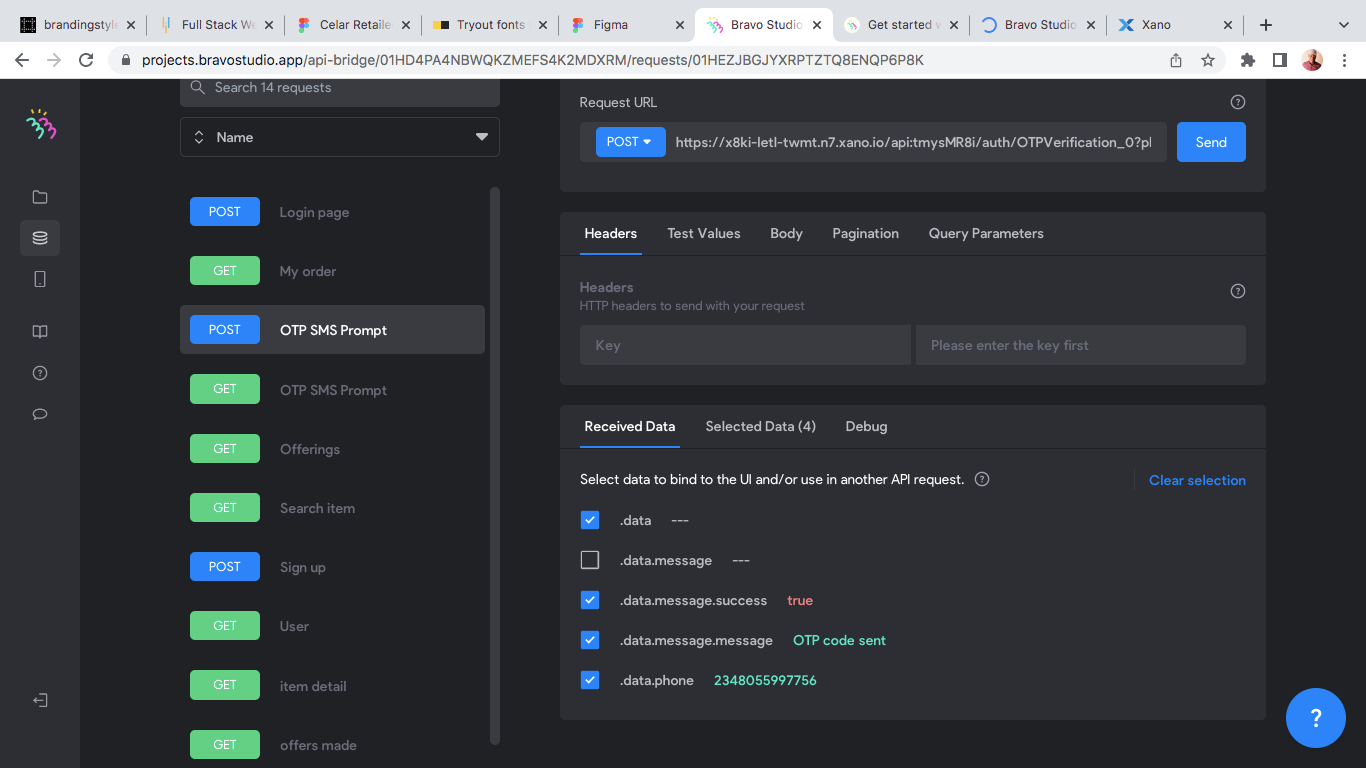
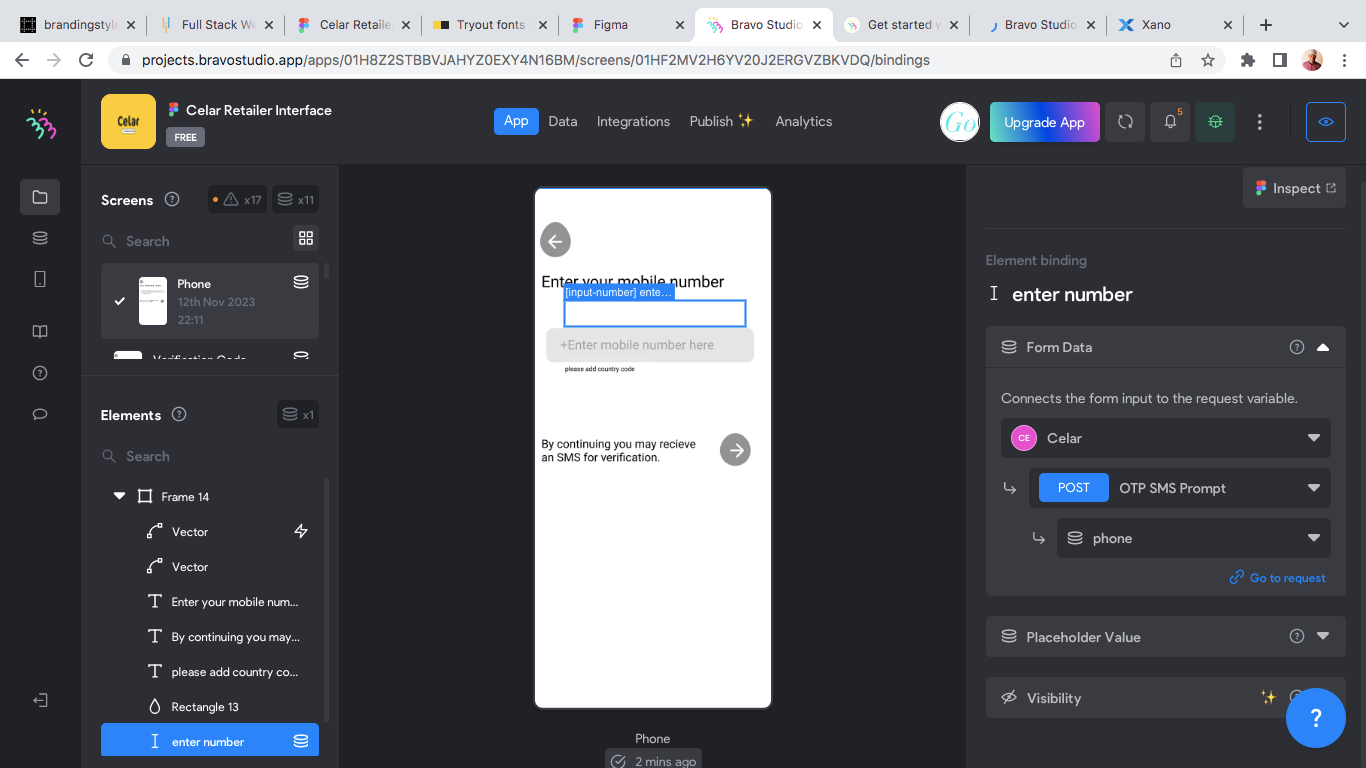
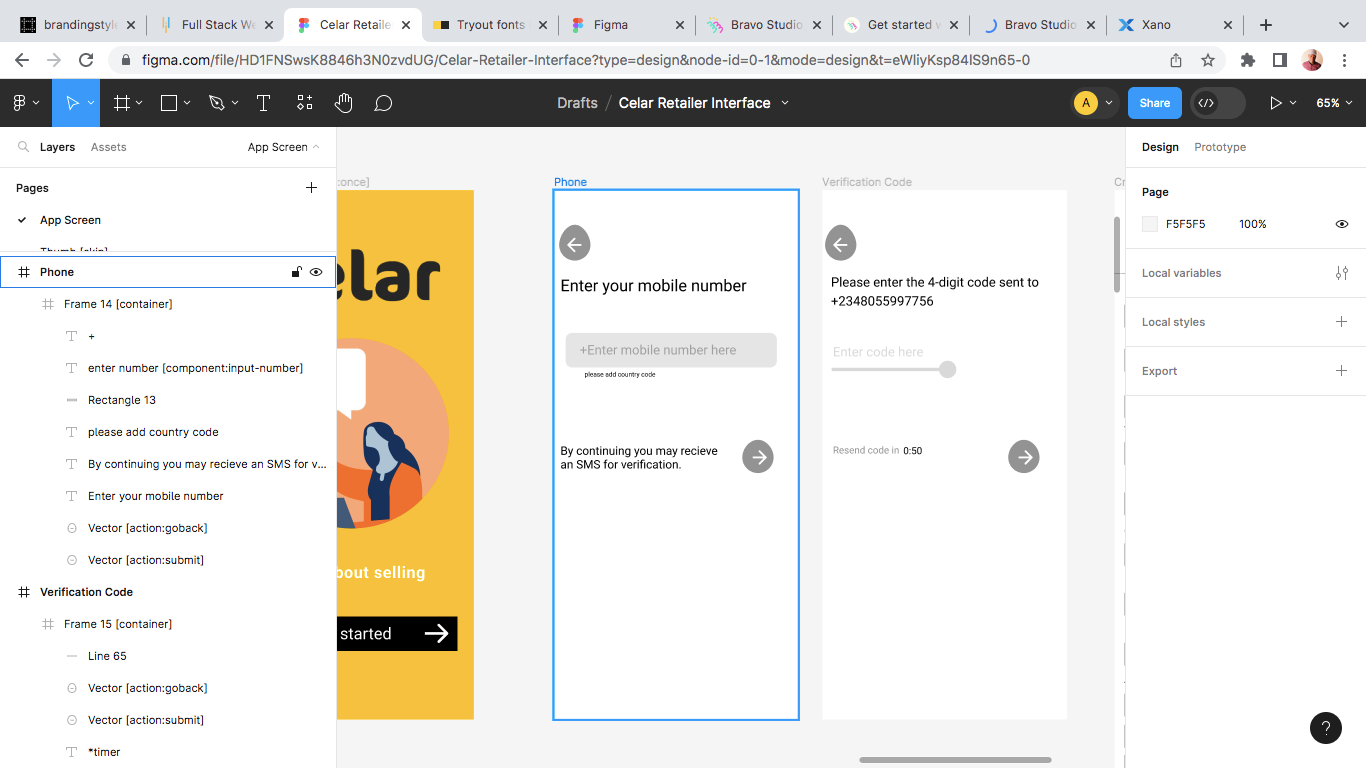
find below the screenshots of my Figma file, bravo and xano request history. the action does trigger the api call successfully as it carry out some tasks. 

Screen Shot 2023-11-13 at 10.11.33 PM.png

Screen Shot 2023-11-13 at 9.28.41 PM.png

Screen Shot 2023-11-13 at 9.28.23 PM.png

Screen Shot 2023-11-13 at 9.28.16 PM.png

Screen Shot 2023-11-13 at 9.27.25 PM.png

Simeon November 13, 2023

I'm seeing a similar issue with a form at the moment - form gets submitted, API returns the expected result, but the app doesn't navigate to the next screen.

Wrote something in this thread and want it removed? Request removal

Still stuck?

Ask the community on Discord

This archive is read-only. New questions, office hours and product updates now happen in the Bravo Discord.

Join the Discord