Archived from the Bravo community forum (2021–2026). Some answers may refer to older versions of Bravo.
I followed all of the custom login instructions here:
https://docs.bravostudio.app/integrations/user-authentication/authentication-with-custom-backend
Everything seems to work fine,
I can create uses in bravo vision, it won't load if I'm not logged in (which is all correct), I can log out and not get back in until I re-login (also correct).
My issue is with the profile page once I'm logged in, it will just endlessly load.
If I'm in the api tester, I can pull user data from the Bravo Api Tester screen just fine _authorization iand an auth token.
This article doesn't go into how to display user information on the profile page. I'm just tagging the fields email and name, but when I load in bravo vision it's a continuous loading screen loop. If I remove the binding, the page loads fine.
Am I supposed to include a header on this page? ${accessToken} maybe?
Is the token getting passed to this page automatically? Is there something I have to do to ensure it does?
Am I maybe not supposed to use the database binding for the user profile and instead use some sort of bravo tag?
Has anyone gotten Xano Login to work with the user profile page? could you share your setup or point me in the direction of a post, or video?
For example...
This works...
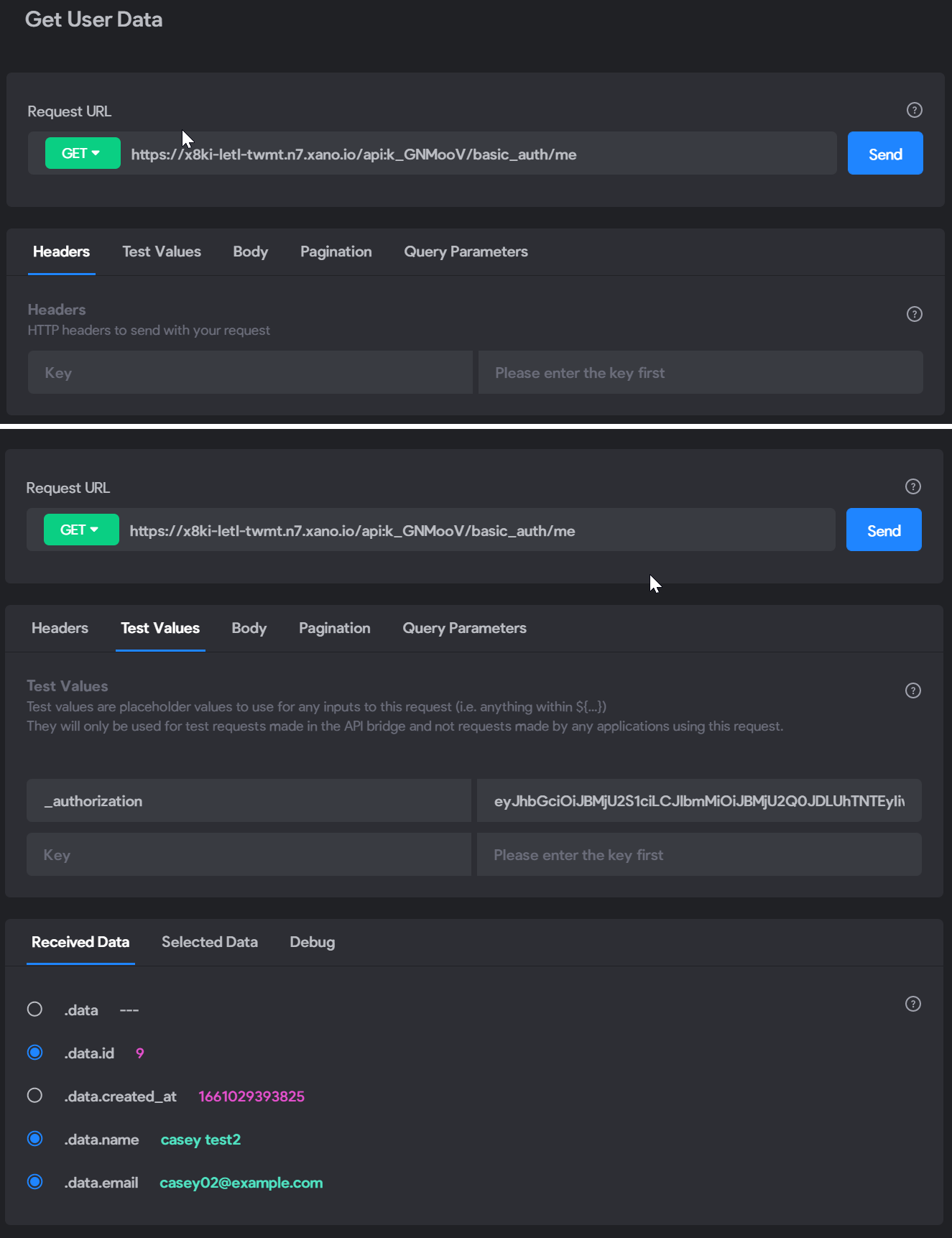
so ... i would have thought that this works? but, no?
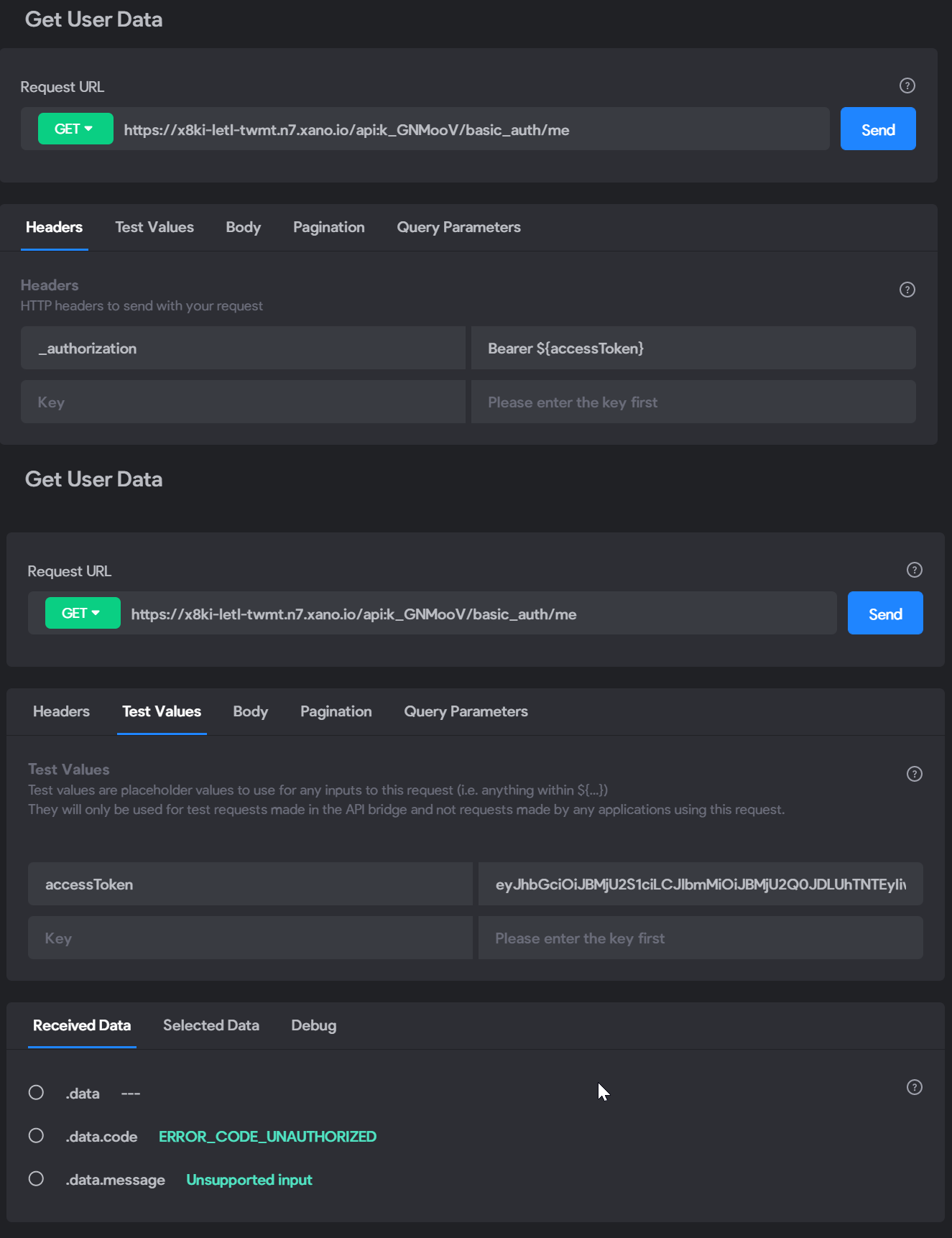
Appreciate any assistance. THANKS!
1 reply
Wrote something in this thread and want it removed? Request removal
Ask the community on Discord
This archive is read-only. New questions, office hours and product updates now happen in the Bravo Discord.
Join the Discord