← Data, API & Backend
Data, API & Backend Solved November 13, 2023 · 7 replies

App stuck on API call (only on Android)

Archived from the Bravo community forum (2021–2026). Some answers may refer to older versions of Bravo.

I have some issues running some apps on a Pixel 8 and Pixel 7a devices. Both are running the latest android 14 OS version and bravo app version 3.11.468 (released on Nov 9th).

The apps work great on iPhone and it’s only since the last update that the apps aren’t working correctly once the first API call is placed. After that they are stuck to the screen making the call (without any error message).

I am using the tag [action:remote] to bind the API call to a button. Anyone else experiencing a similar issue?

7 replies
Marta Serrano Bravo team November 14, 2023

Could you share more details?

  • Your app ID
  • Steps to reproduce
  • Video or screenshot to compare platforms
  • Which backend are you using?
  • Did you see any issues with the debugging tools?

Thank you! If it persists I would recommend contacting support directly to speed up the process.

Abu November 14, 2023

I am having the same issue here. form gets submitted, API returns the expected result, but the app doesn't navigate to the next screen.

Alberto Manzano Bravo team November 14, 2023

could you please share more details, as Marta suggested? We will take a look at it

Abu November 14, 2023

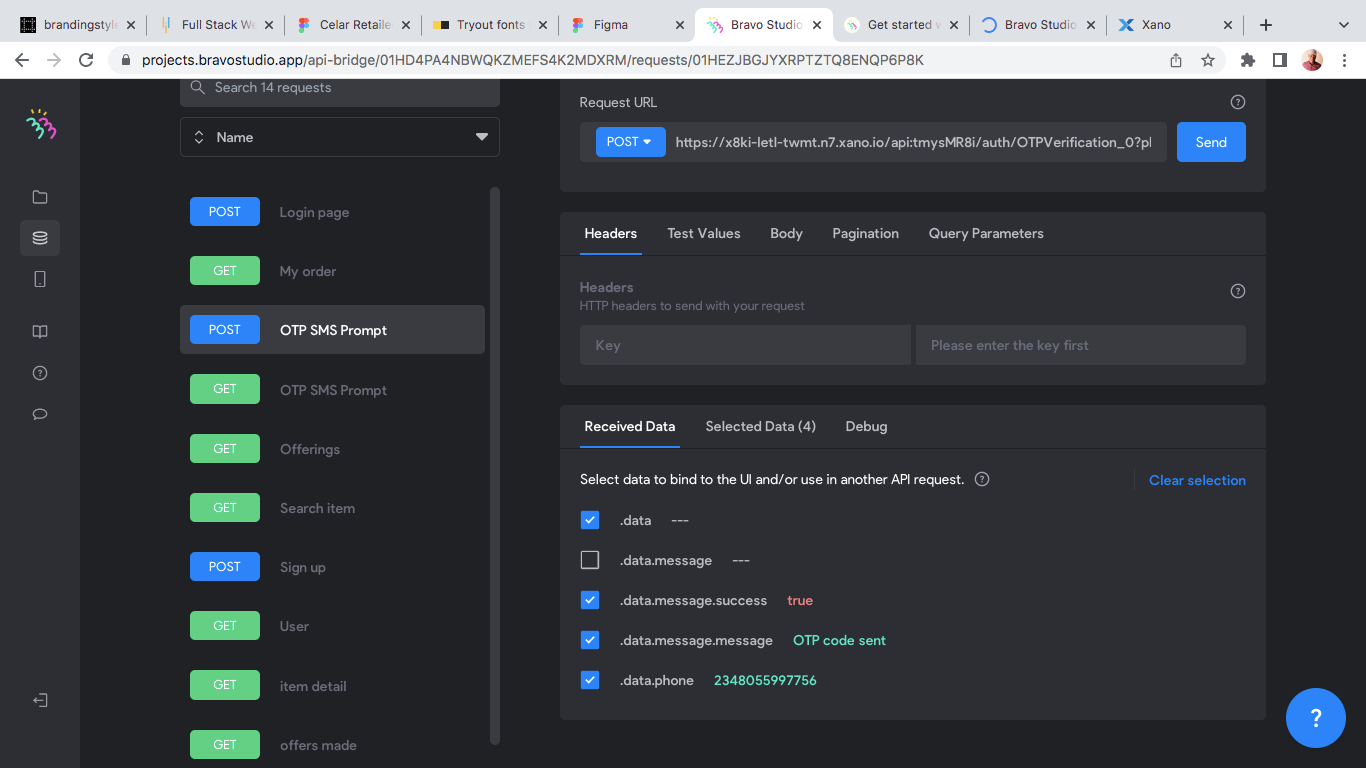
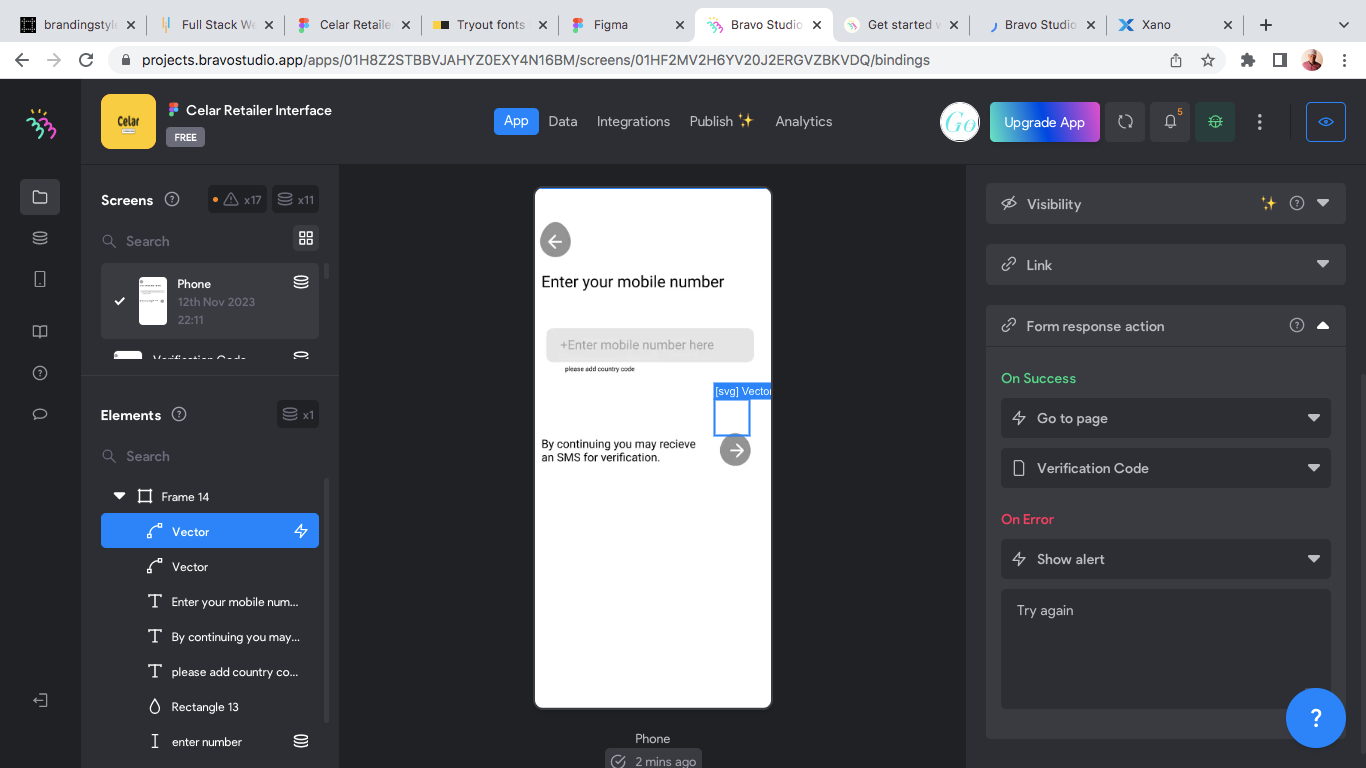
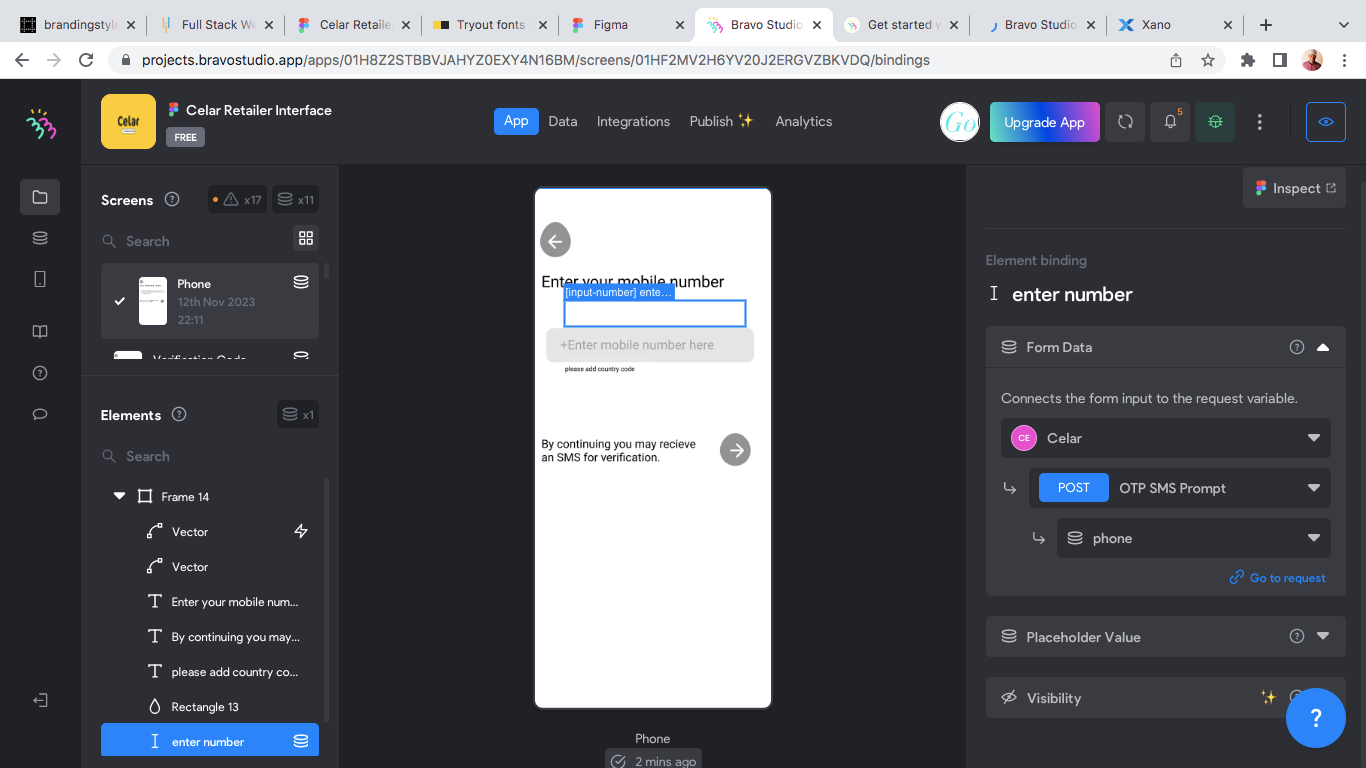
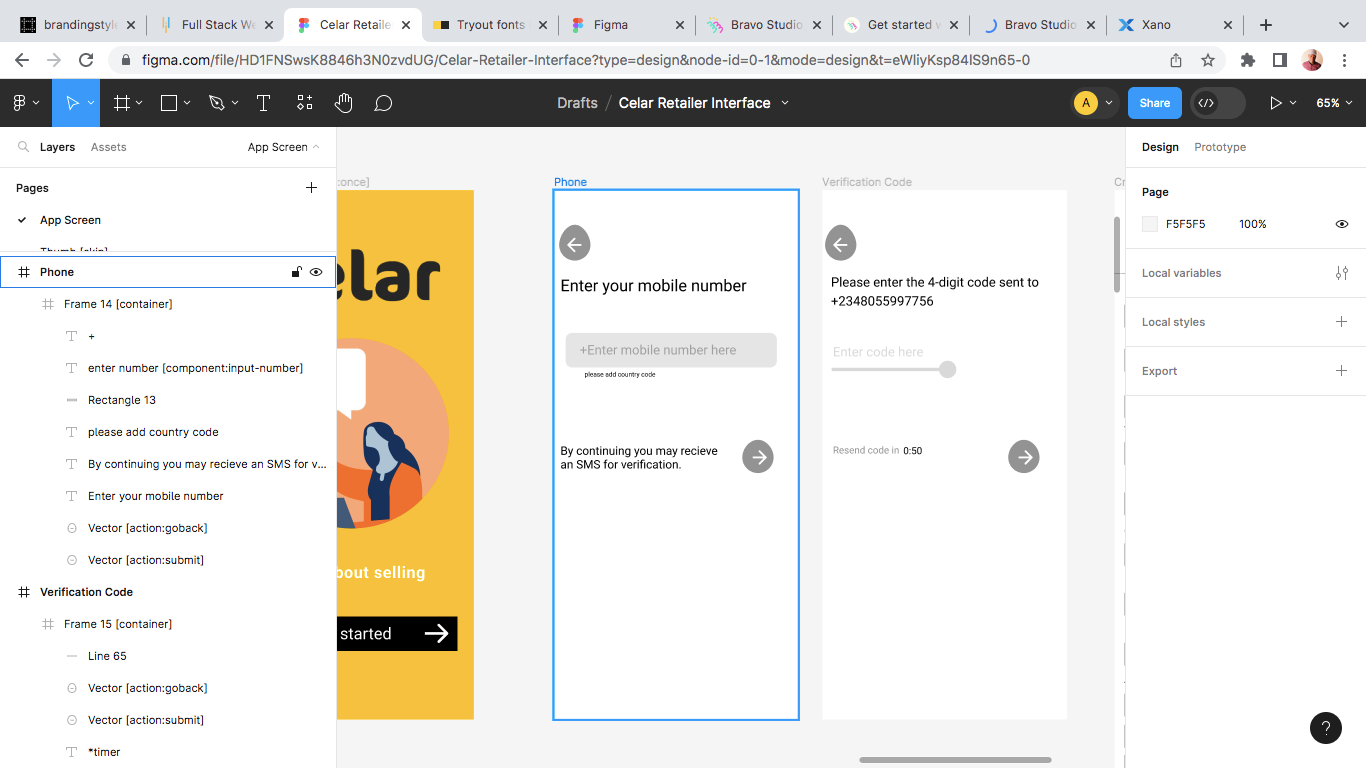
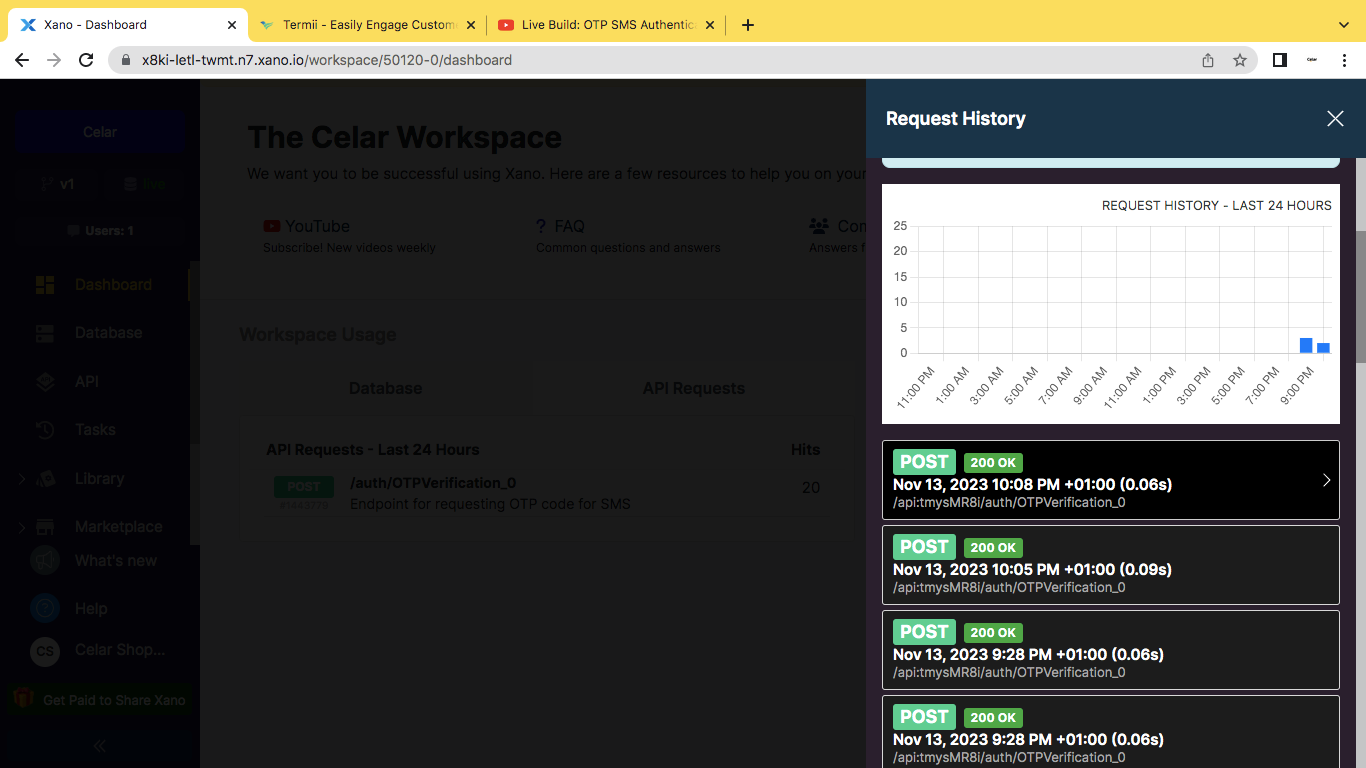
I am yet to publish my app. I am working on an OTP verification, which the backend has been setup and working. I have bind the my app field with the backend data with an action:submit button that will lead to the next page. The data is being sent to the backend with the OTP automatically generated from the action and a 200-ok response, to show that the api call was successful. The issue here is the action is suppose to lead to the next page, but it doesn’t. With the action being successful, the page remains. Find attached a screenshot of my work. 

I am testing my work through Bravo Vision. 

The backend I use is Xano and Figma for my design file.

The debugging tool shows that the form is submitted with no highlighted issue. 

Screen Shot 2023-11-13 at 10.11.33 PM.png

Screen Shot 2023-11-13 at 9.28.41 PM.png

Screen Shot 2023-11-13 at 9.28.23 PM.png

Screen Shot 2023-11-13 at 9.28.16 PM.png

Screen Shot 2023-11-13 at 9.27.25 PM.png

Alberto Manzano Bravo team November 14, 2023

and , please test with the latest version of Bravo Vision that has been published just now (3.11.471). Let us know if the issues are fixed with that version.

Abu November 15, 2023

I have run the app and it is proceeding successfully. Very much appreciated! 😊

Wrote something in this thread and want it removed? Request removal

Still stuck?

Ask the community on Discord

This archive is read-only. New questions, office hours and product updates now happen in the Bravo Discord.

Join the Discord