Archived from the Bravo community forum (2021–2026). Some answers may refer to older versions of Bravo.
Hi everyone, I know there is a way to create a List > List > Detail setup, but is it possible to do List > Detail > Detail? I want certain visuals to show up on the Detail page depending on what List item is chosen. And then what is selected on the first Detail Page should impact what shows up on the next Detail page. Is this possible?
Thanks!
Joey
3 replies
Yes, this is possible. You could imagine the first detail of List > Detail > Detail to be a list with only one element. That way the List > List > Detail setup still applies
Thanks !
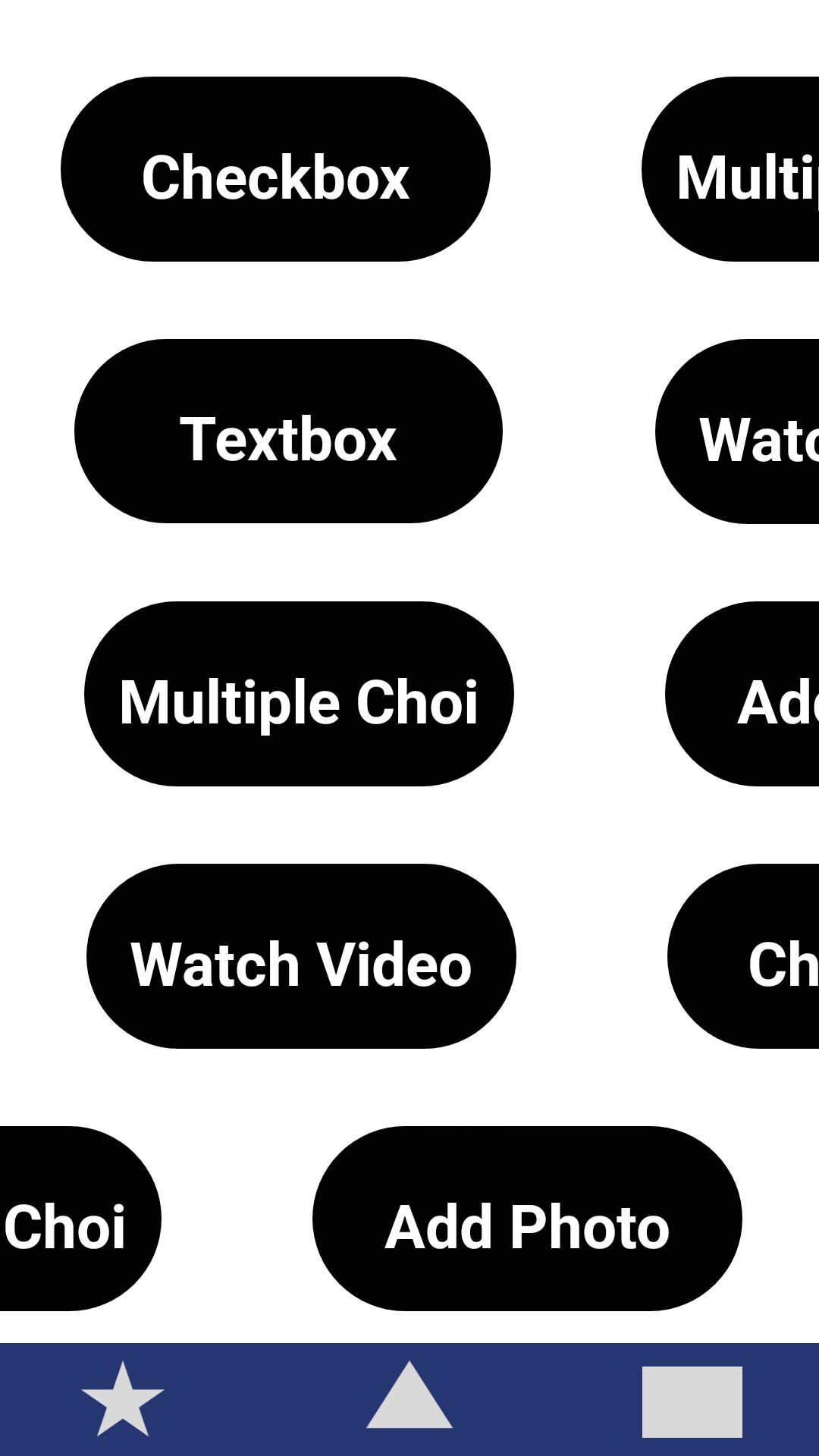
As a very rough visual of what i am trying to do, i am imagining a List Page that shows Lessons that could be clicked on, like "Eating Healthy at Home". And when the user clicks that Lesson it takes them to this first Detail Page (shown below), where different Module types will show up depending on that first List item they selected. Then when the user clicks on one of those module types they go to a final detail page where they can do the activity related to that module. For example they could be taken to a Checkbox Activity page within the "Eating Healthy at Home" Lesson.
is what i am trying to do still possible with List > List > Detail, knowing that the modules wont always be in the same order? (1 lesson could have Checkbox first, and Watch a video second. Whereas another lesson might have that flipped, where the Video is first and Checkbox ia second)
Is there an easier way to do this, besides the way i am trying to do it with conditional visibilty to hide modules that are not relevant to the chosen List Item?
Thank you!!
Joey
The order is determined by a sort parameter in Airtable. You could sort through a view too so I believe it would be possible.
I don't think you would need conditional visibility in Bravo if you could just let Airtable send the exact modules that are relevant t the page.
Wrote something in this thread and want it removed? Request removal
Still stuck? Ask the community on Discord
This archive is read-only. New questions, office hours and product updates now happen in the Bravo Discord.
Join the Discord