← Data, API & Backend
Data, API & Backend June 29, 2024 · 10 replies

List page showing only 10 items

Archived from the Bravo community forum (2021–2026). Some answers may refer to older versions of Bravo.

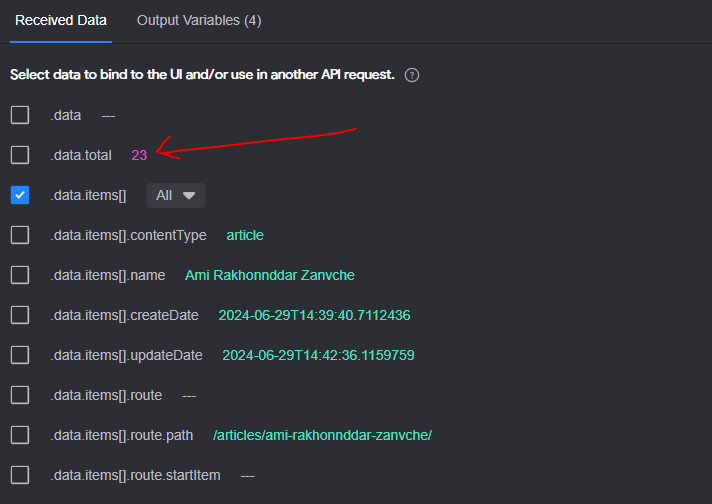
I have a list page which needs to show a list of articles. Currently I can see only 10 items in the list in my Bravo vision app. The API is returning 23 items as can be seen in the attached screenshot. What needs to be done to show all list items?
10 replies
Debasish July 1, 2024

Can someone please point to me what exactly I need to do to resolve this issue?

Debasish July 2, 2024

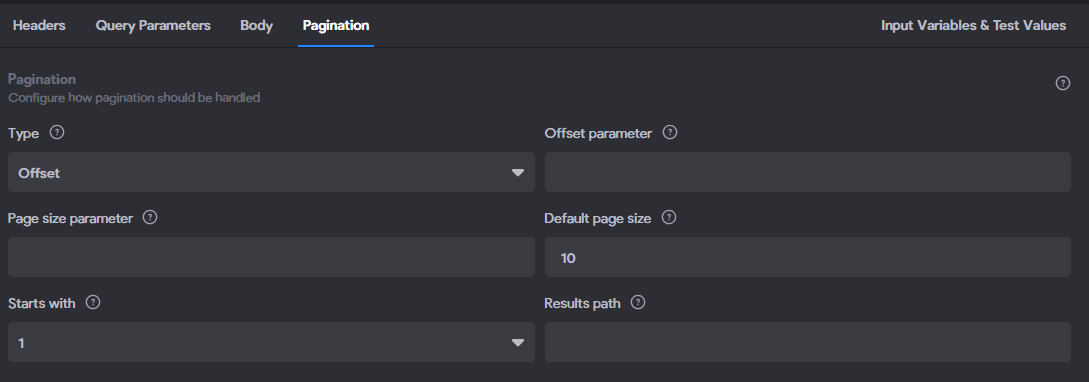
Hi @Marielle Ibias, I don’t think there is pagination applied. Also as can be seen in the above screenshot ‘data.total’ count is 23, so shouldn’t it have shown all 23 articles?

Marielle Ibias Bravo team July 2, 2024

@Debasish Gracias pagination are normally added in the url request as parameter, does the url have any? For example:
?offset=10&limit=10
?page=2&pageSize=10

Debasish July 3, 2024

@Marielle Ibias It does not have. According to umbraco documentation I can use ‘take‘ and ‘skip‘ for implementing pagination. Not sure how to do this in Bravo Studio. Can you please help?

Debasish July 4, 2024

@Marielle Ibias Can you please help me with this?

Marielle Ibias Bravo team July 4, 2024

@Debasish Gracias I’ll need more data about the request to help you set up the pagination if its added. Can you share with me the request or your project URL?

Marielle Ibias Bravo team July 5, 2024

Hey, after investigating, the best option to be used is offset.

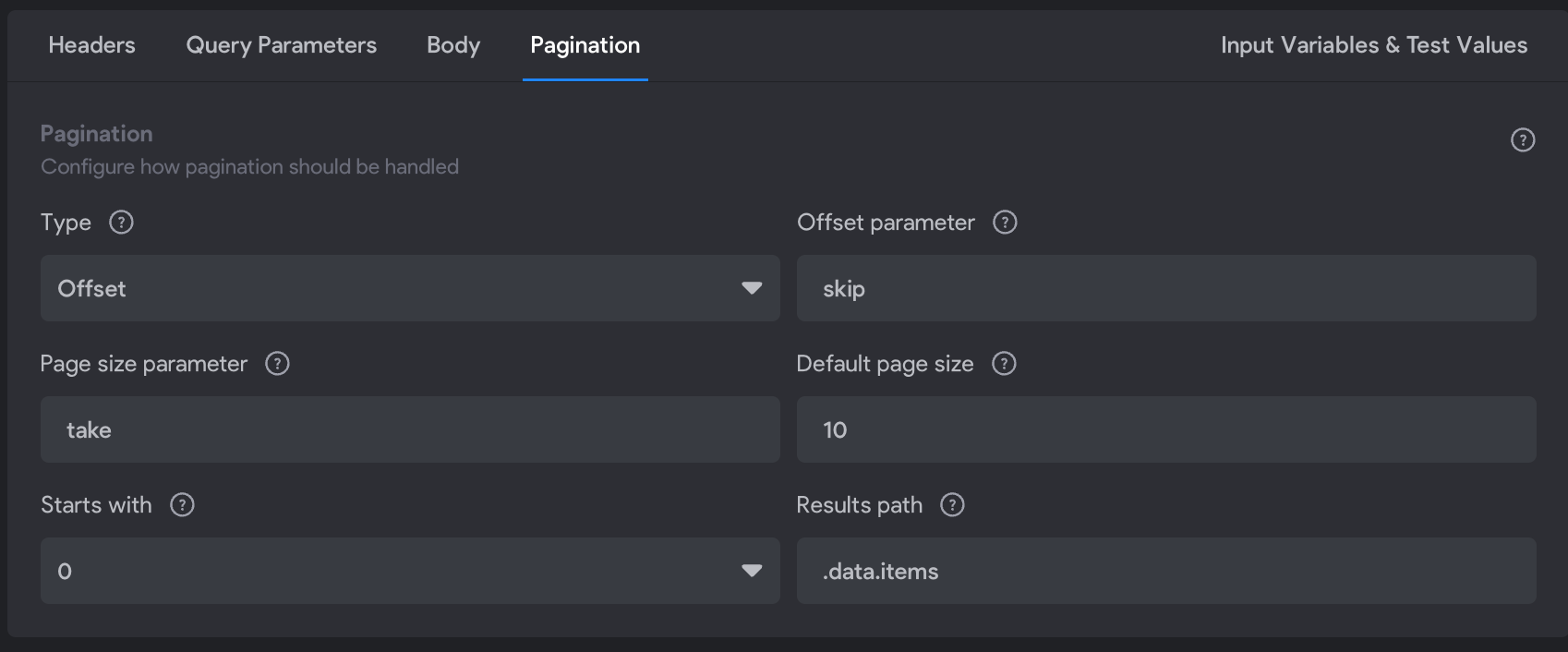
Firstly, remove the parameters &skip= &take= from the url request and set it in the pagination section as:

In this example, we’re setting 10 as take and skip 0.

Offset Parameter Setup

  • Offset Parameter: This is equivalent to skip in the skip/take method. It determines how many items to skip before starting to collect the items for the current page. Let’s set “skip”

  • Page Size Parameter: This is equivalent to take in the skip/take method. It specifies the number of items to return for the current page. Add “take”.

  • Default Page Size: Set this to the number of items you want per page, which is 10.

  • Starts With: This specifies the initial offset value. Set this to 0 to start from the beginning. In Bravo you can also select 1 to skip the first item.

  • Results Path: This is the path in the JSON response where the array of items is located. Ensure this points to the array of items in the API response where the actual data is located.

Debasish July 5, 2024

@Marielle Ibias Thank you so much for sorting this. Its working fine now.☺️

Wrote something in this thread and want it removed? Request removal

Still stuck?

Ask the community on Discord

This archive is read-only. New questions, office hours and product updates now happen in the Bravo Discord.

Join the Discord