← Data, API & Backend
Data, API & Backend October 6, 2024 · 6 replies

Nested Lists Display On Same Page?

Archived from the Bravo community forum (2021–2026). Some answers may refer to older versions of Bravo.

Hi Everyone,

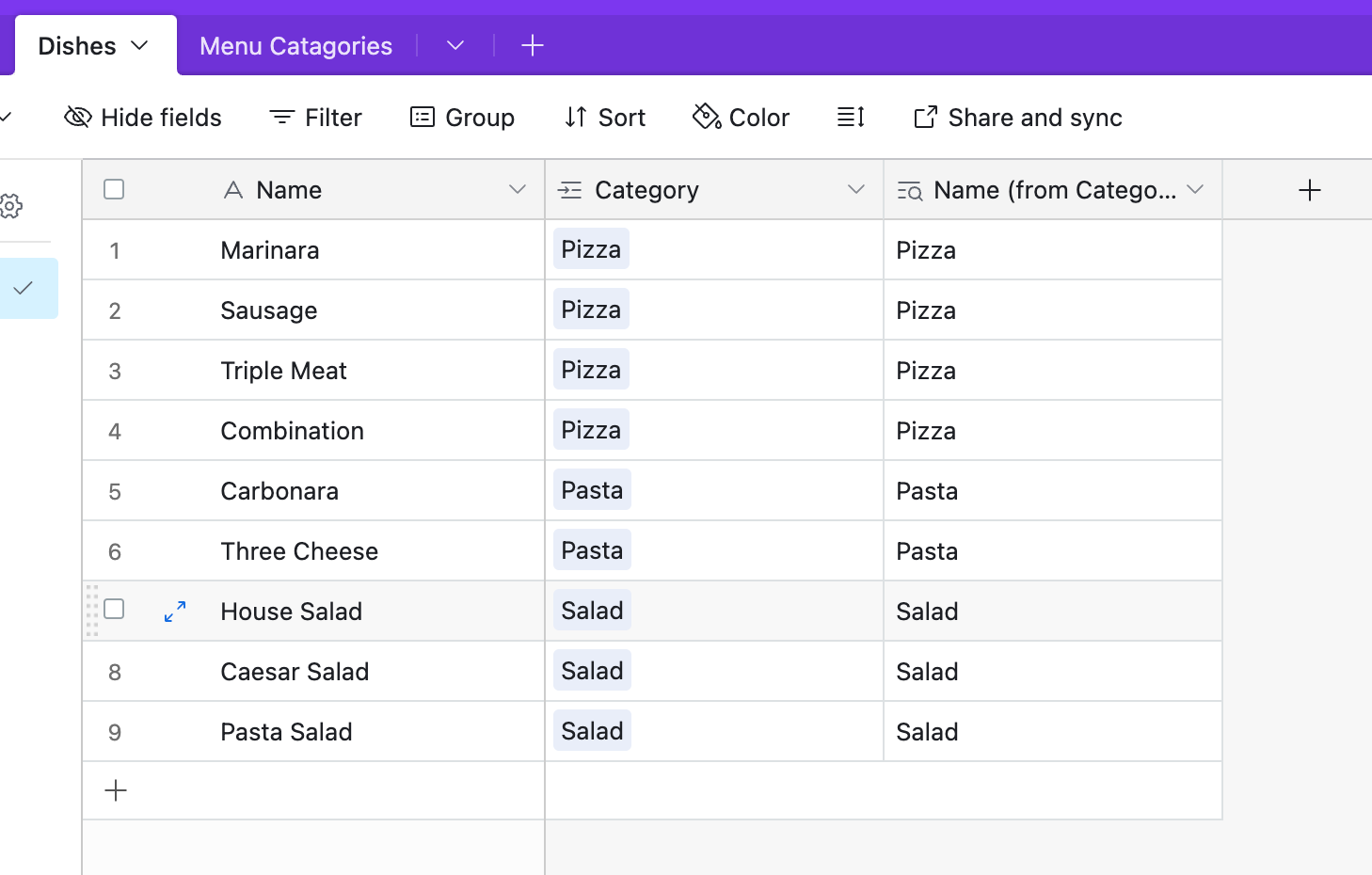
Is it possible to display nested lists on the same page? Think of a menu with headers:

Pizza

  • Marinara

  • Sausage

  • Triple Meat

  • Combination

Pasta

  • Carbonara

  • Three Cheese

Salad

  • House Salad

  • Caessar Salad

  • Pasta Salad

Etc. I know that we can create nested lists where you click on the header and it takes you to a new screen where you view the nested list items, but what I am looking for is displaying all lists on the same page with the parent items as headers.

I’ve searched the community and only found people asking with no responses. Is this possible? It seems like such a simple yet essential feature.

Thank you!

6 replies
Lindsay January 26, 2025

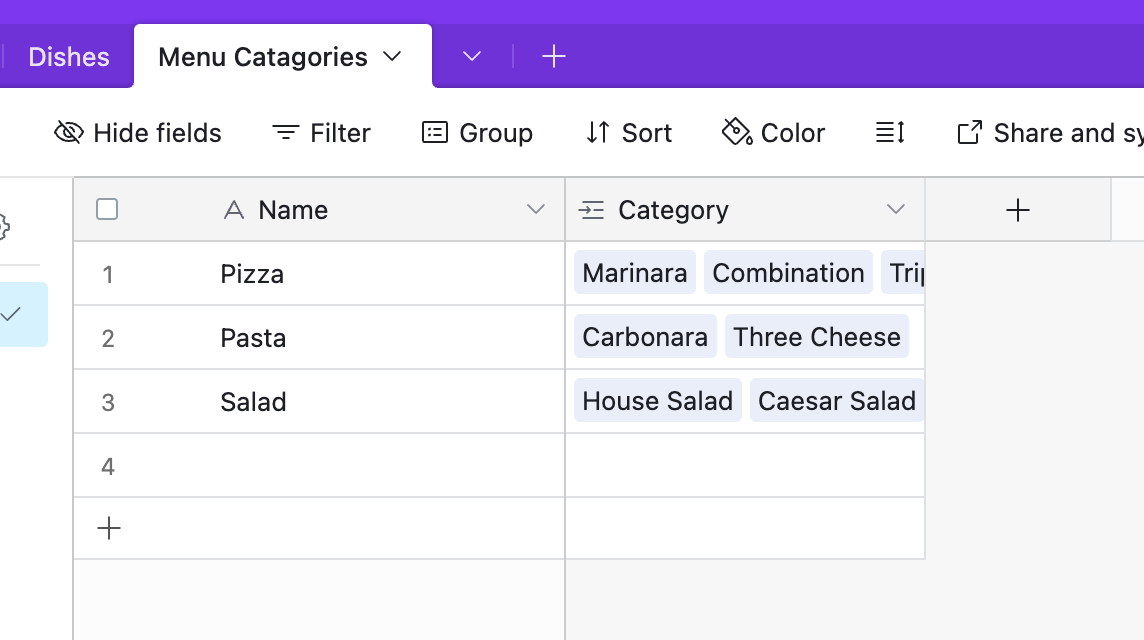
Hey Karla, thanks for the video. Would it be possible to point me in the right direction to how I’d accomplish this if I were working with a category sheet (for example pizza, pasta, salad) and a menu item sheet (pepperoni, carbonara, etc) where there is a category reference that links the two sheets?

Best,
Lindsay

Karla January 28, 2025

Hey @Lindsay Douglass can you share this database with me so that I try? It might be possible if instead of ID = Record ID you use its name as the ID, you can give it a tey ot share the data with me to try it out.

Lindsay February 12, 2025

Hey Karla. I’ve attached the Figma, Bravo & Airtable links below. I am hoping to display a list of items associated with each parent category on a horizontal scroll.

If you private message me your email I can add you as an editor on any of these. They are all playgrounds for me to understand if Bravo will be able to handle my data structure so I’m happy for you to modify anything :)

https://www.figma.com/design/6zZir0qJ4dcE90zQaul23u/Coffee-App-Playground?node-id=0-1&t=8thE9dYI9XFrYP0u-1

https://airtable.com/appBIMU7U5vGB8ZFa/shrRNt2iYucdMMm5z

https://bravostudioapp.page.link/?link=https%3A%2F%2Fapps-service.bravostudio.app%2Fdevices%2Fapps%2F01JKX172JMPT4PCXHA6D0979Q5&ofl=https%3A%2F%2Fbravostudio.app%2Fdownload-bravo-vision&apn=com.appfoundry.previewer&ibi=com.codelesslabs.app&isi=1470931833&efr=1

Karla February 18, 2025

Hey @Lindsay Douglass There are several small things you haven’t set up properly in Bravo, such as fixed scrolls, components, and auto layout, just to name a few. The same goes for your table—naming conventions are crucial, especially when dealing with data.

That said, what you're trying to do isn’t about displaying items but rather filtering sections or categories.

I’ve been waiting for a response on the same topic for a while now—hopefully, I’ll hear back soon. Once I do, I can show you how to proceed.

Wrote something in this thread and want it removed? Request removal

Still stuck?

Ask the community on Discord

This archive is read-only. New questions, office hours and product updates now happen in the Bravo Discord.

Join the Discord