← Data, API & Backend
Data, API & Backend March 14, 2024 · 8 replies

[SOLVED!] Nested Lists w/Airtable

Archived from the Bravo community forum (2021–2026). Some answers may refer to older versions of Bravo.

Need some help with nested lists with Airtable. I’ve gone through every step thoroughly from Bravo Studio Help Center and have tried everything I can think of.

I have a list of original cocktails and created a variation list to each of these cocktails. When I select the original cocktail (eg. Manhattan) it will bring me to the page of variations I created but it shows ALL of the variations and not separated by the variation associated with the original cocktail that you select to view. I’m stuck and no idea what else I can do to fix this problem in order to categorize the list accordingly.

8 replies

Jeffrey March 14, 2024

Thank you Jaime! Still having trouble and a little lost :(

Stéphan March 15, 2024

Could you share your Airtable file with me so I can check the relationships between the nested tables? Additionally, does the formula use the API link that connects the nested tables?

Jeffrey March 18, 2024

@Stéphan N'GUISSAN

Airtable Link: https://airtable.com/app4s0Xgl9nyEA89y/shrLi5UtnUmDyR58r

Under “Cocktails - Detail”, as per instructions, I’ve altered the request URL to be the following:

https://api.airtable.com/v0/tbleWLiTTEc7pB8e5/Variation?filterByFormula=search('${cocktail_name}'%2Carrayjoin(cocktail_name))

Under Element Binding:

Cocktails Card (Cocktails Variations → Cocktails - List → records)

*Name (Cocktails Variations → Cocktails - List → allRecordsFieldsCocktail)

*image (Cocktails Variations → Cocktails - List → image 0 url)

Variations Card (Cocktails Variations → Variations - List → records)

*Name (Cocktails Variations → Variations - List → variation)

*image (Cocktails Variations → Variations - List → image 0 url)

Jeffrey March 18, 2024

@Dany Klein sorry I’m fairly new and have only been using Airtable, not familiar with using Xano just yet.

Stéphan March 19, 2024

@Jeffrey Tran
airtable : https://airtable.com/app31qz0B7OLXnQTA/shrLh2w3pU6oQqHKS
Of course, here's an improved version of your response:

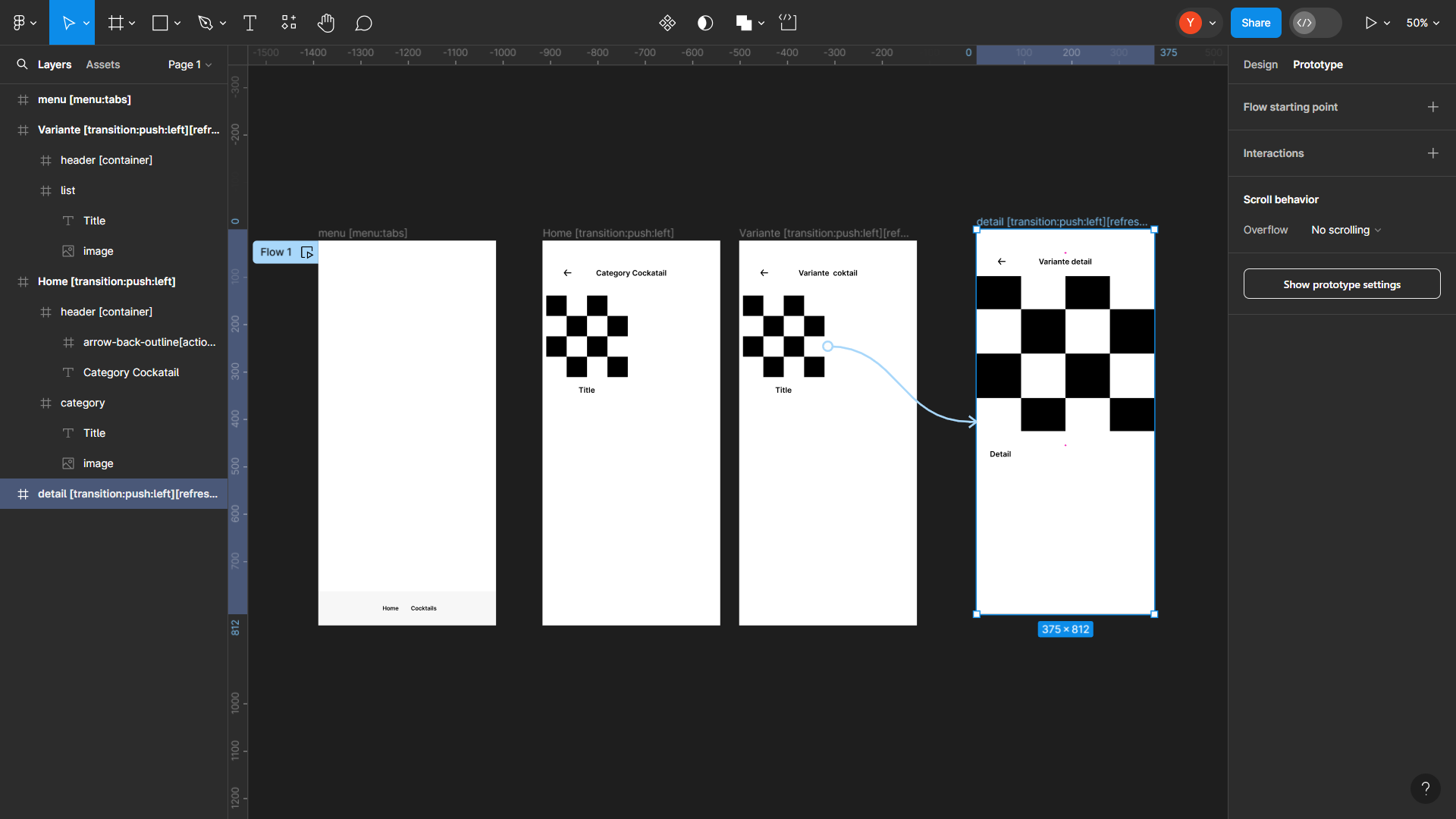
I'll refine the Airtable structure while providing some basic examples. Each cocktail will have several variants, and each variant will belong to a specific cocktail.

In other words, in the Figma file, we'll have a section for cocktail categories, one for variants which are subcategories of a given cocktail, and another for details of each variant based on the chosen cocktail category.
2-
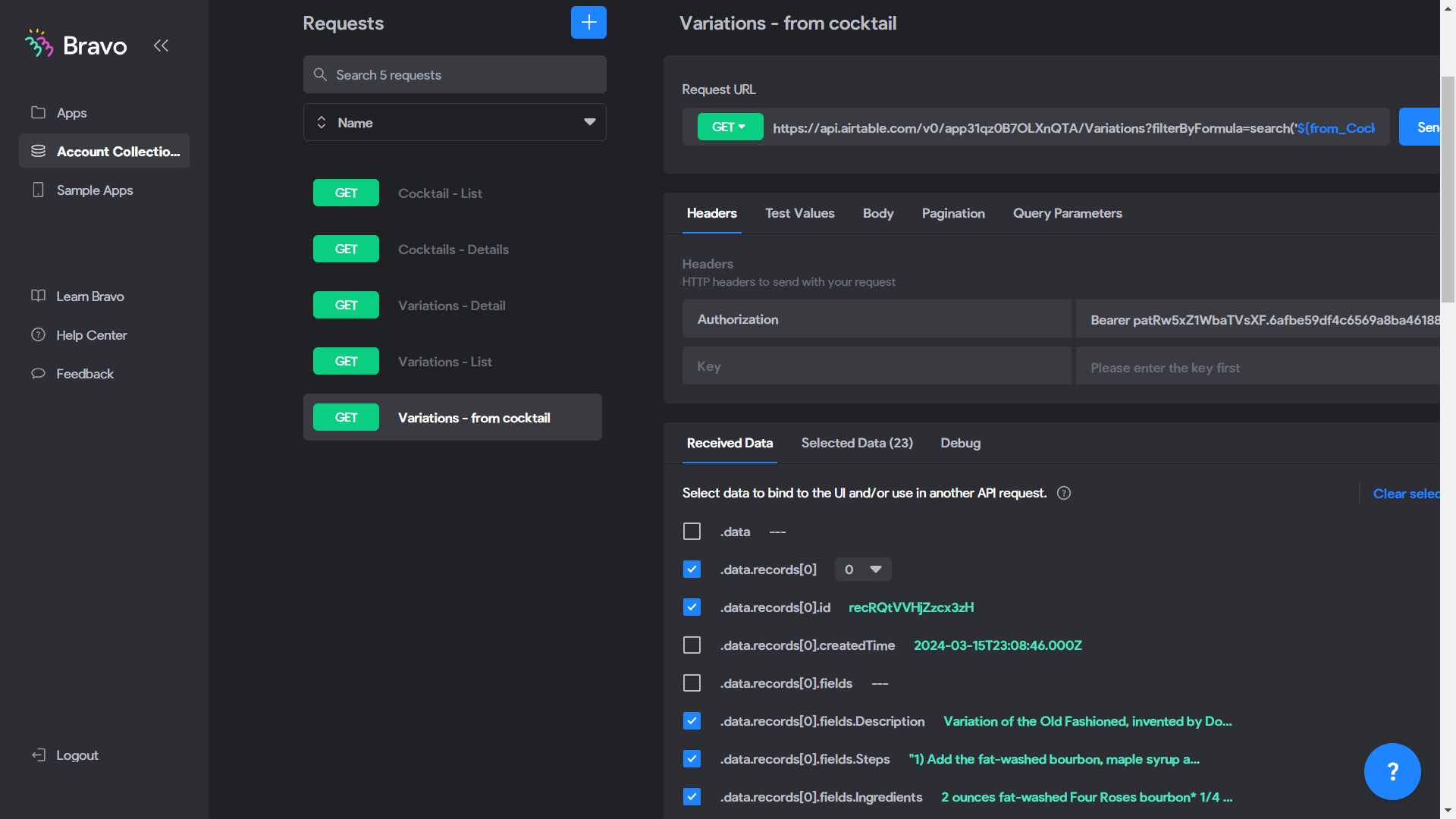
Dans Bravo Studio, specifically in "Account Data Collections," I have my APIs to configure:

The API:

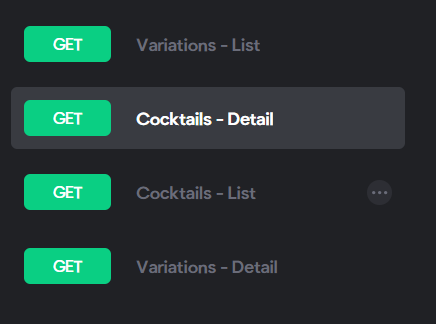
- GET Cocktails - list: To list cocktail categories

- GET Cocktails - detail: For details of the cocktail category

- GET Variation - list: To list variation sub-categories

- GET Variation - from Cocktail: To list variations linked to a specific cocktail

- GET Variation - detail: For details of each variant for both "GET Variation - list" and "GET Variation - from Cocktail".

To create the "GET Variation - from Cocktail," simply duplicate that of "Get Variation - list" and add this formula:

?filterByFormula=search('${from_Cocktails}'%2Carrayjoin(from_Cocktails))
3 -
To configure the formula, it depends on your Airtable setup. I focused on the Variations table: I took "from_cocktail" from the Variations table, retrieved from "Cocktails" through the link between the Cocktail and Variation tables to form the following formula: ?filterByFormula=search('${from_Cocktails}'%2Carrayjoin(from_Cocktails)).

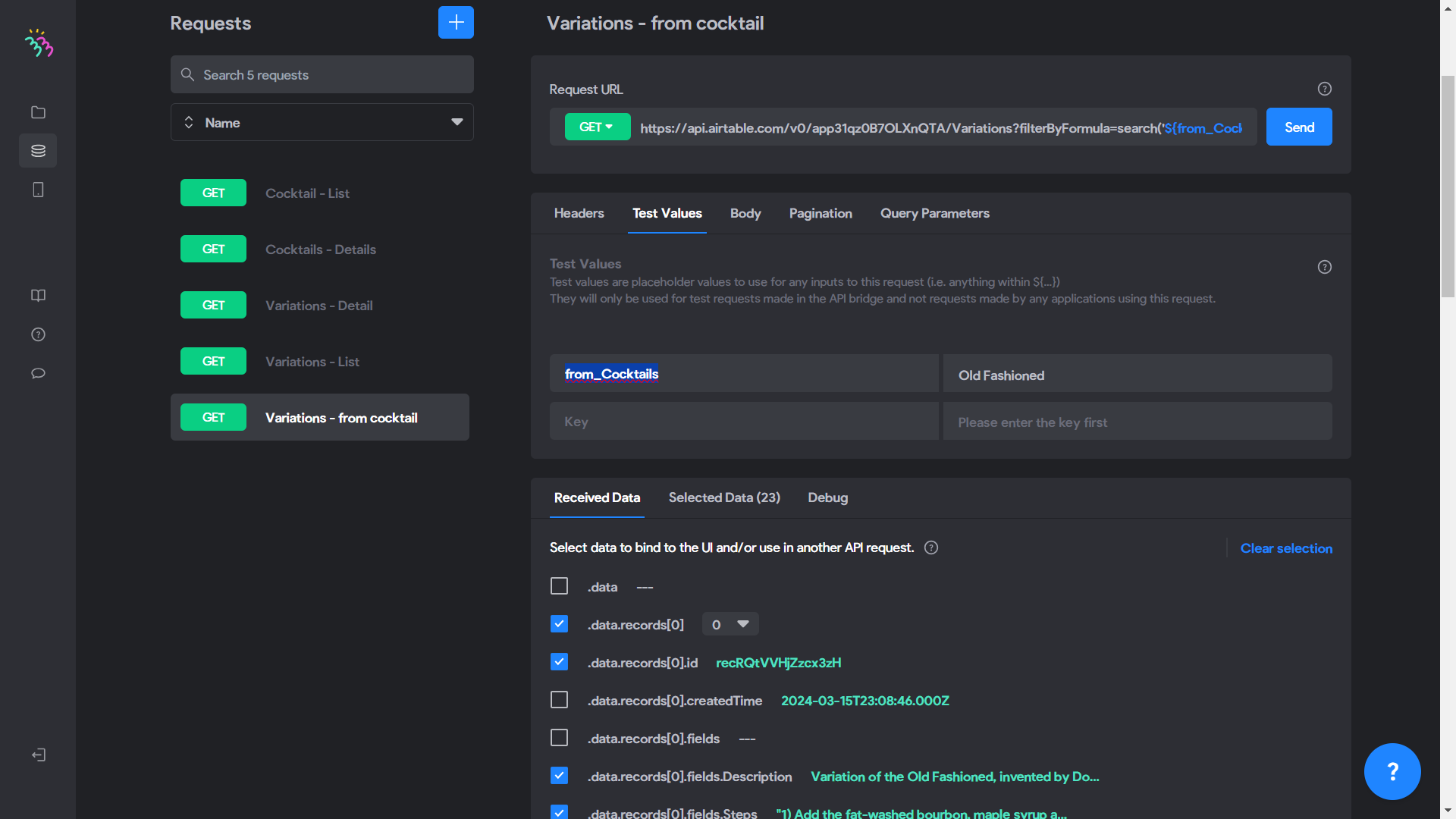
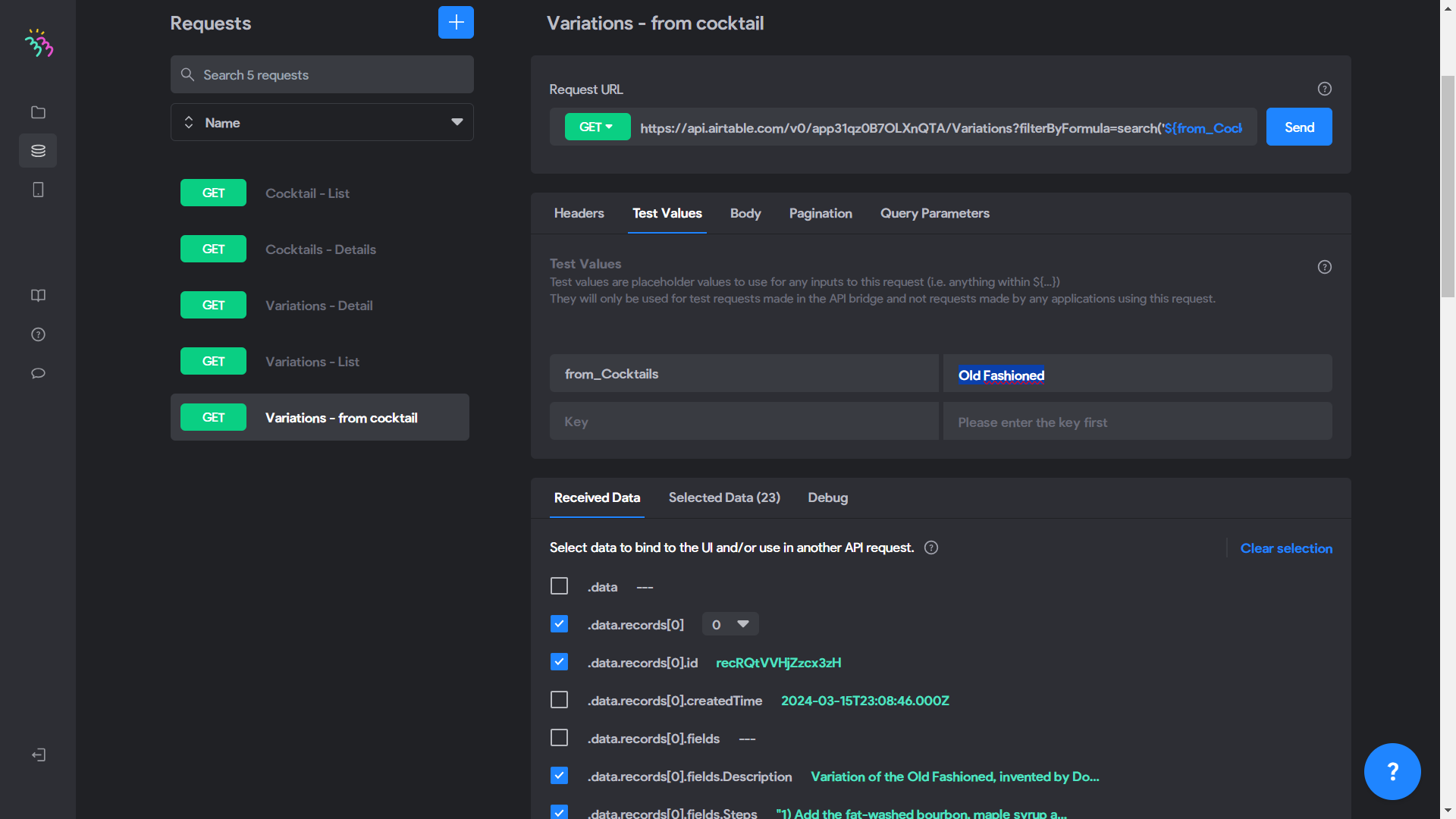
Then, in the API collection, you add this formula to the "Get Variation - from cocktail" API. In the value test on the left, you put "from_Cocktails", and on the right as the value, you put "Old Fashioned" since it's in the first position in Airtable.
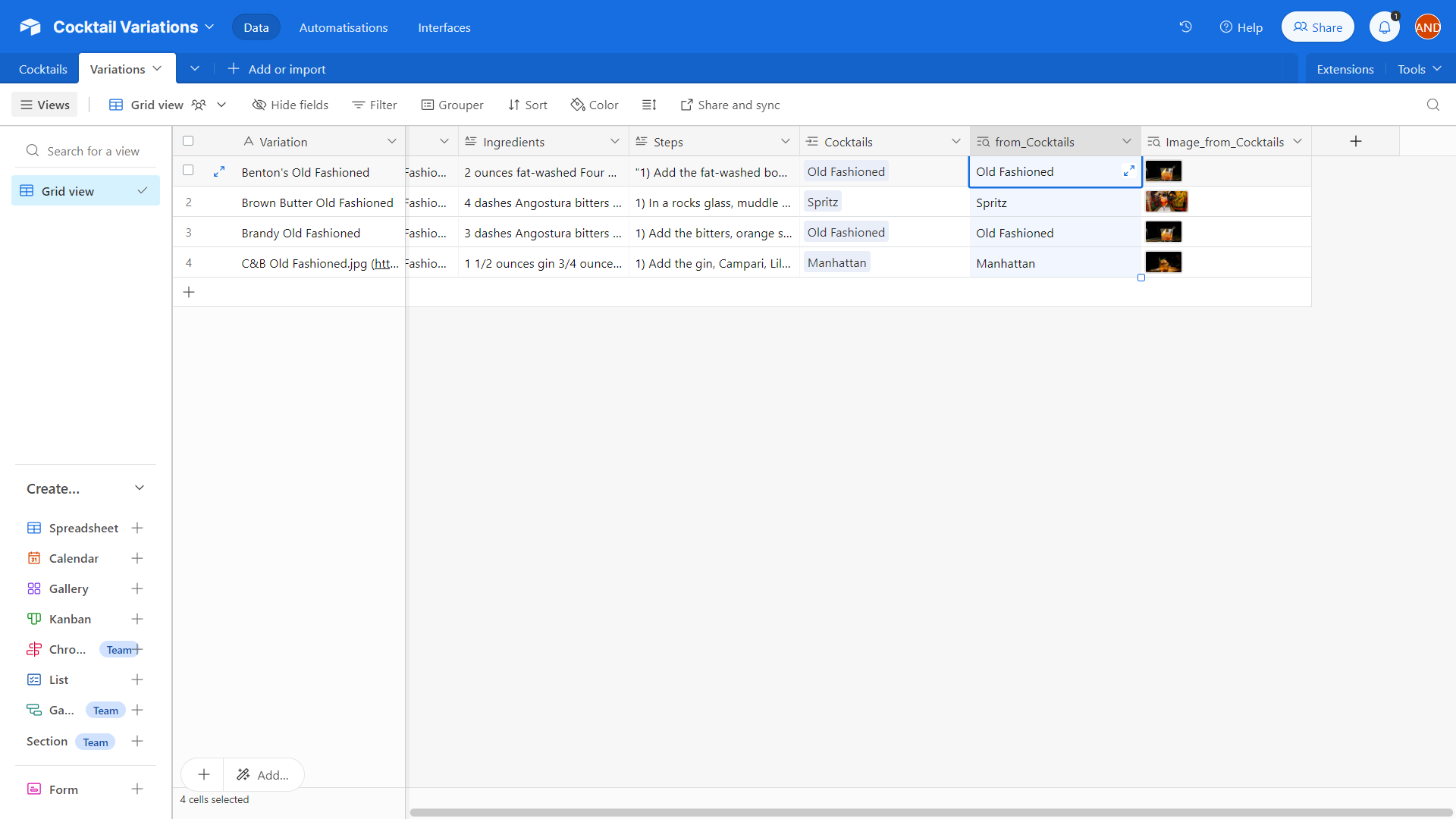
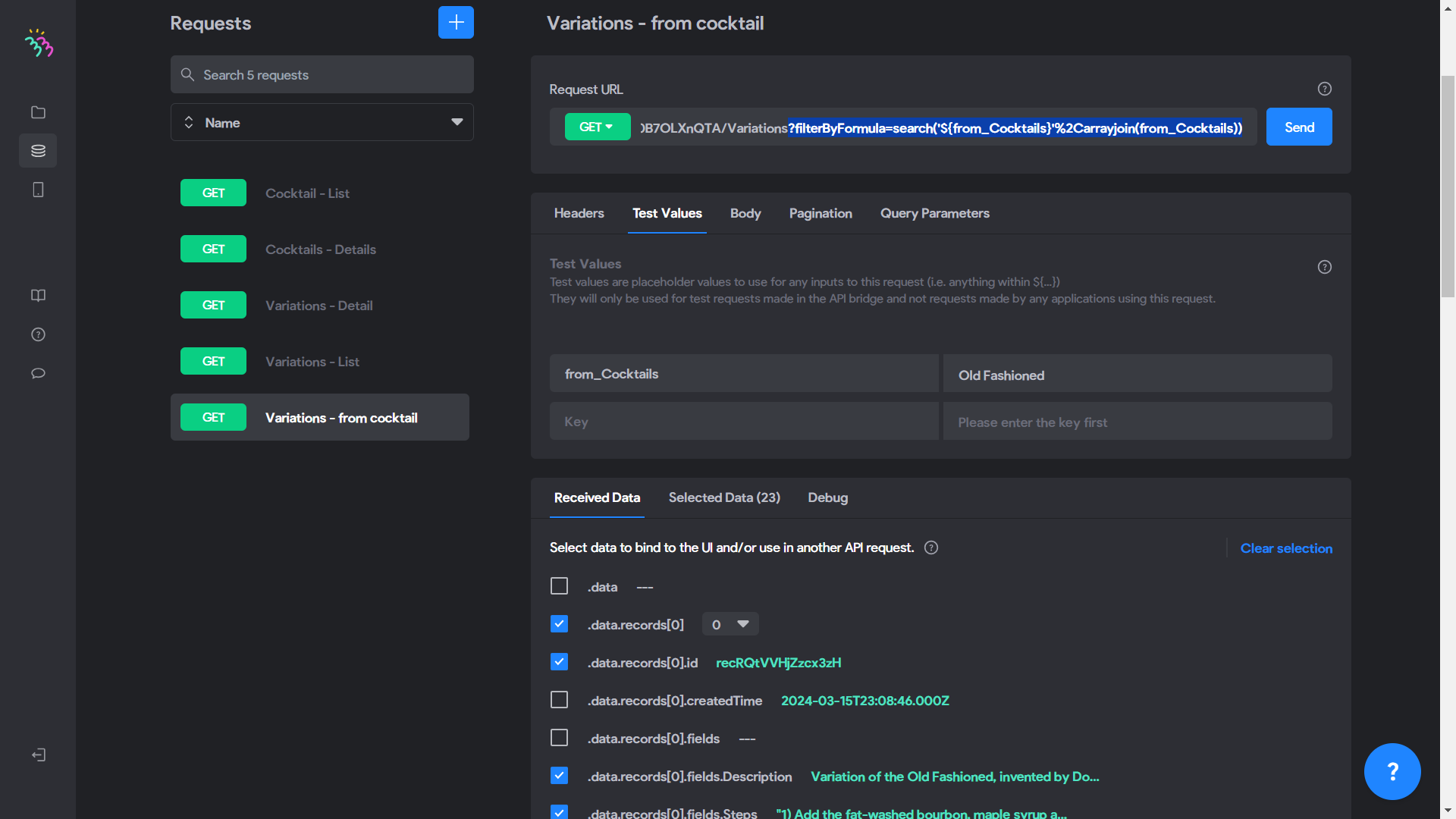
Then, after sending, check the elements that concern you, change the "ALL" to "0", and then recheck them.
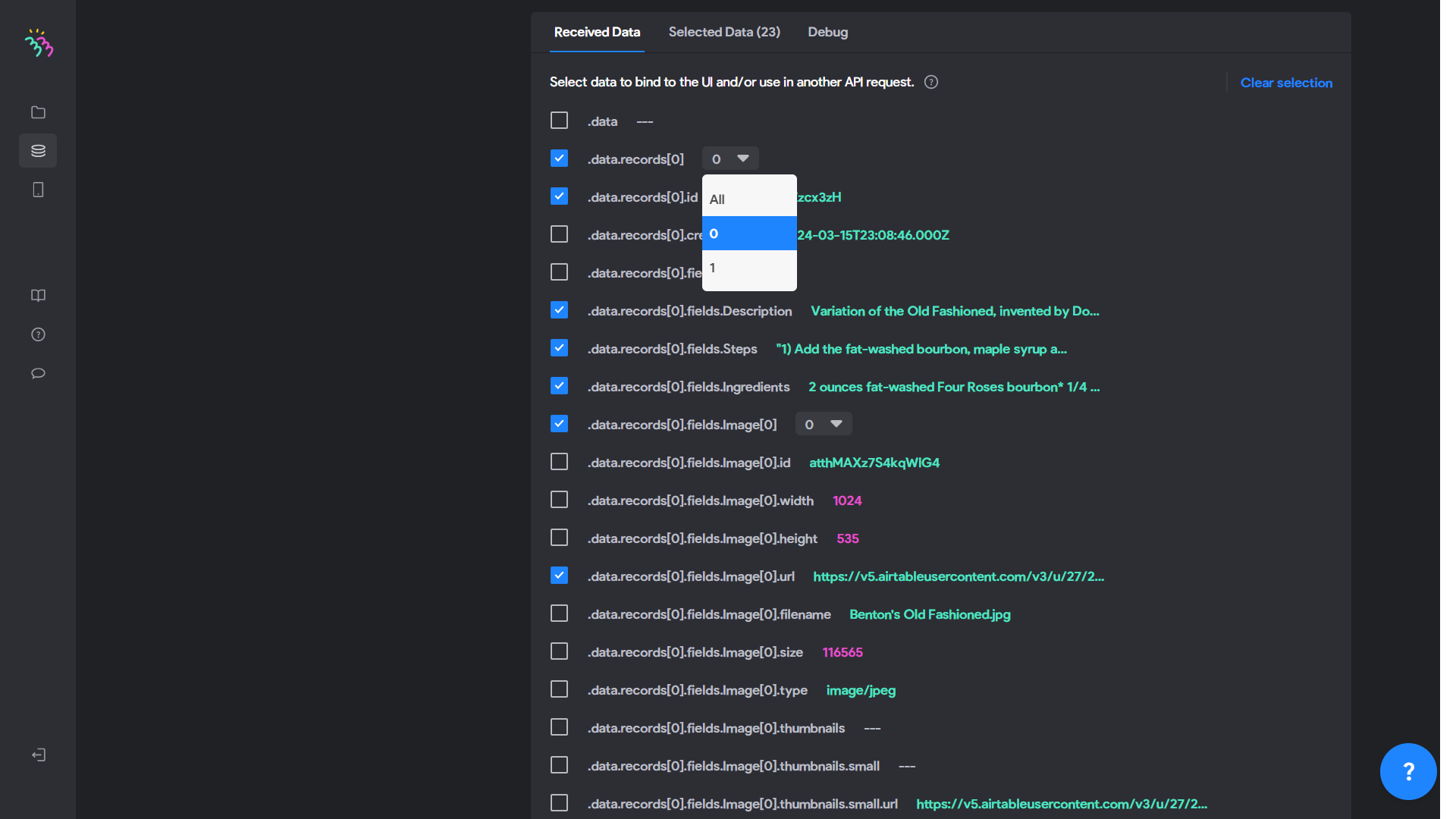
4-
Let's go back to the GET Cocktail - List, more precisely in the data selection. We will change the name or title "Cocktail" to the right of ".data.records[].fields.Cocktail" to from_Cocktails, and that's it.
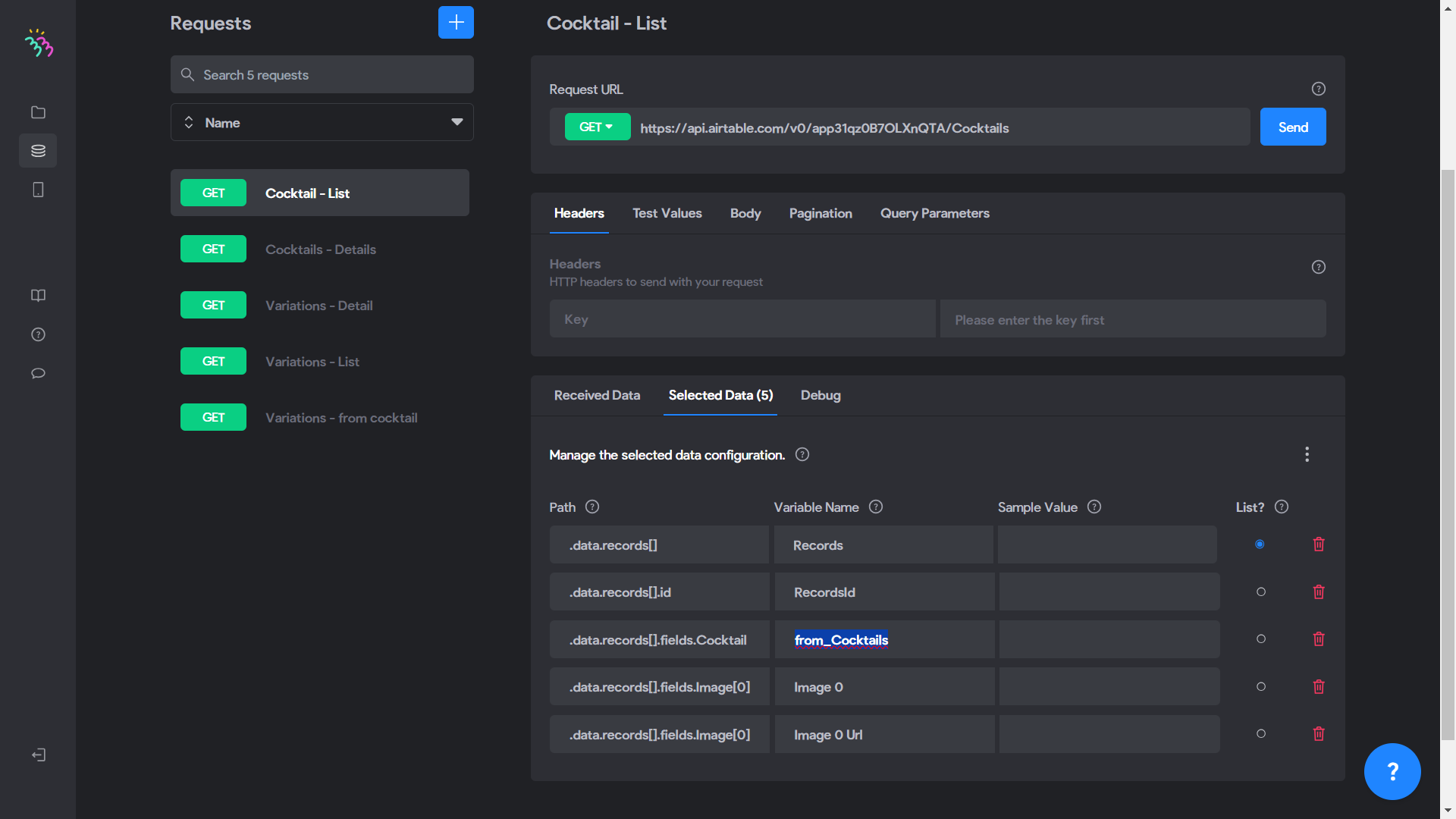
Here's the result after synchronizing the elements of each screen:

screen-20240319-123402.mp4
Jeffrey March 19, 2024

@Stéphan N'GUISSAN THANK YOU SO MUCH! IT WORKED! 🤯 You are a genius!

Wrote something in this thread and want it removed? Request removal

Still stuck?

Ask the community on Discord

This archive is read-only. New questions, office hours and product updates now happen in the Bravo Discord.

Join the Discord