Archived from the Bravo community forum (2021–2026). Some answers may refer to older versions of Bravo.
Does anyone have any example of Onesignal implementation with Xano and Bravo?
17 replies
Can you explain your use case? For the usual notifications set up you can just use OneSignal directly.
example is would be, I need the user to get notified when a booking date is approaching
I think you can use External API Request feature from Xano. Whenever the booking date api request is called, you can trigger the Create notification api request from OneSignal.
Let me try and create a Xano snippet for you.
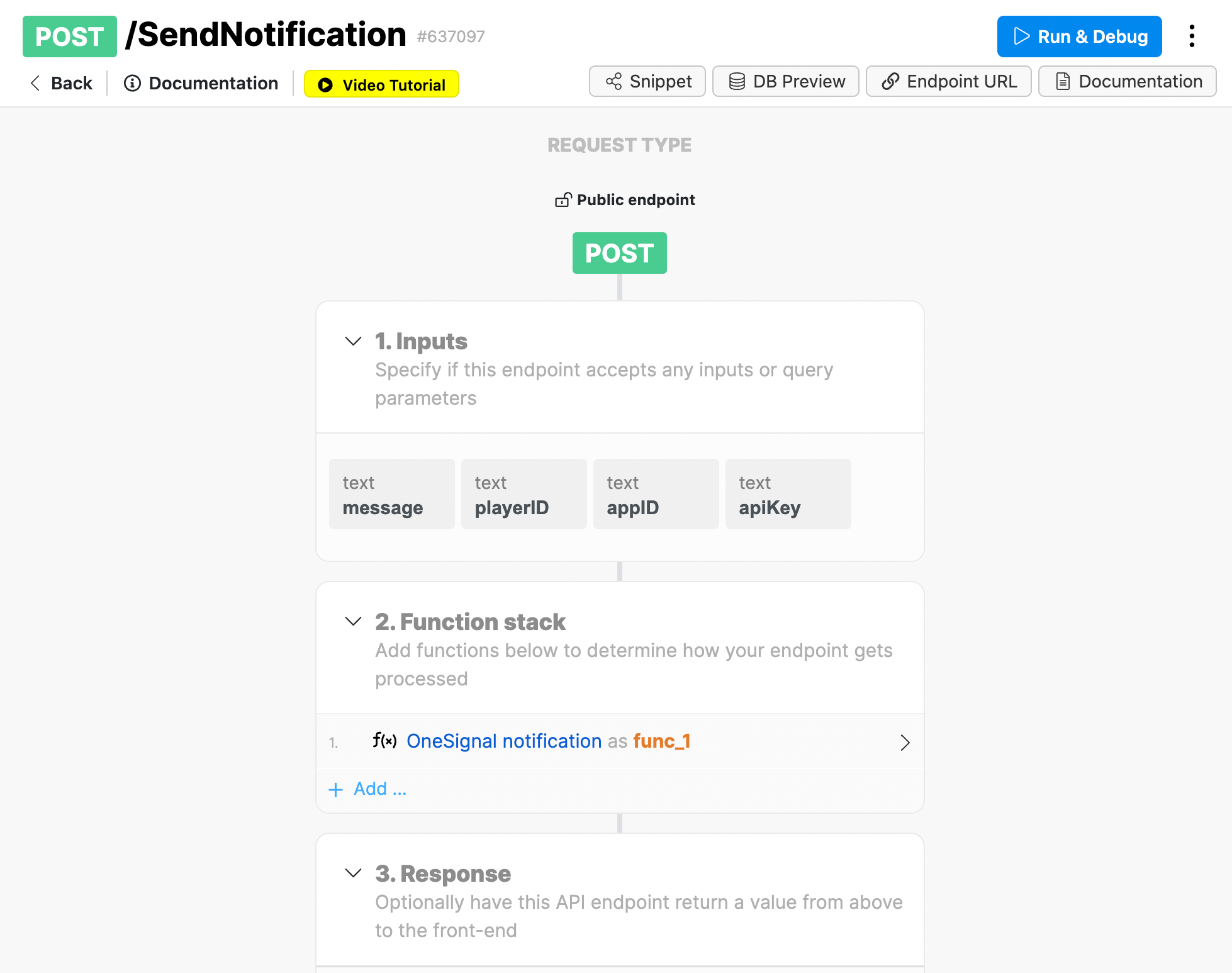
Okay I have created a snippet in Xano to send Push notifications with OneSignal:
https://www.xano.com/snippet/wU7QiMUz
You can add it to your booking date API endpoint. It receives four parameters:
message
appID (OneSignal)
apiKey (OneSignal)
playerID (OneSignal, represents the unique user ID)
You can test it via TestFlight. Requirements:
Have the [action:enablenotifications] tag on the design
Have a OneSignal account (you try it for free)
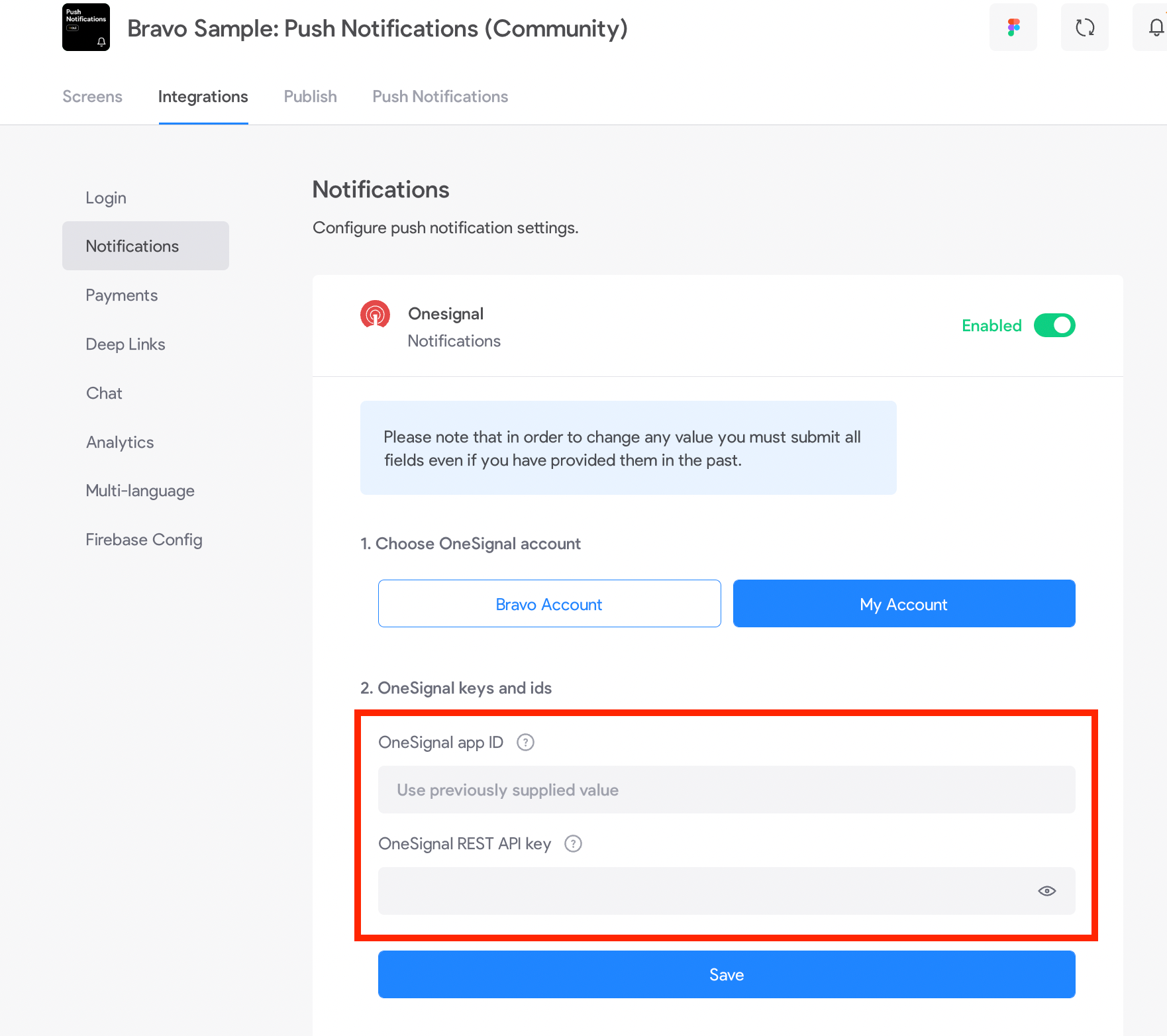
Have OneSignal set up in Bravo. Select "My account" and set the OneSignal appId and apiKey
Have an Apple Developer account
Follow the iOS publishing process until step 5 (TestFlight)
Let me know if you need any help!
Oh by the way, in your case you should set the function as a background task: https://docs.xano.com/xano-features/tasks
that is superuseful!! It will save me a ton of time! Thank you very much!
for Android I'll need to publish on the Playstore right?
to test it on Android you just need to download the apk and install it
that's great! Only one point is missing, how do I get to know the Onesignal Id of each user when prompting the request? Is something I would need to retrieve from the Onesignal db, do they provide an endpoint for that?
I'm getting this response back
Please include a case-sensitive header of Authorization: Basic <YOUR-REST-API-KEY-HERE> or Bearer token="<YOUR-REST-API-KEY-HERE>" with a valid REST API key
and my request Body is thisone
{
"message": "you are an hero",
"playerID": "d7919d4c-eea0-49e9-af95-0fe833fb08e2",
"appID": "deab2cc7-58a9-468d-8044-a3e7b6de656e",
"apiKey": "ZDc1ODMzMzYtNThhNy00MDUxLWJlMDktMTBjOThjZTYyNzMx"
}
I've double checked the ID to be valid on Onesignal
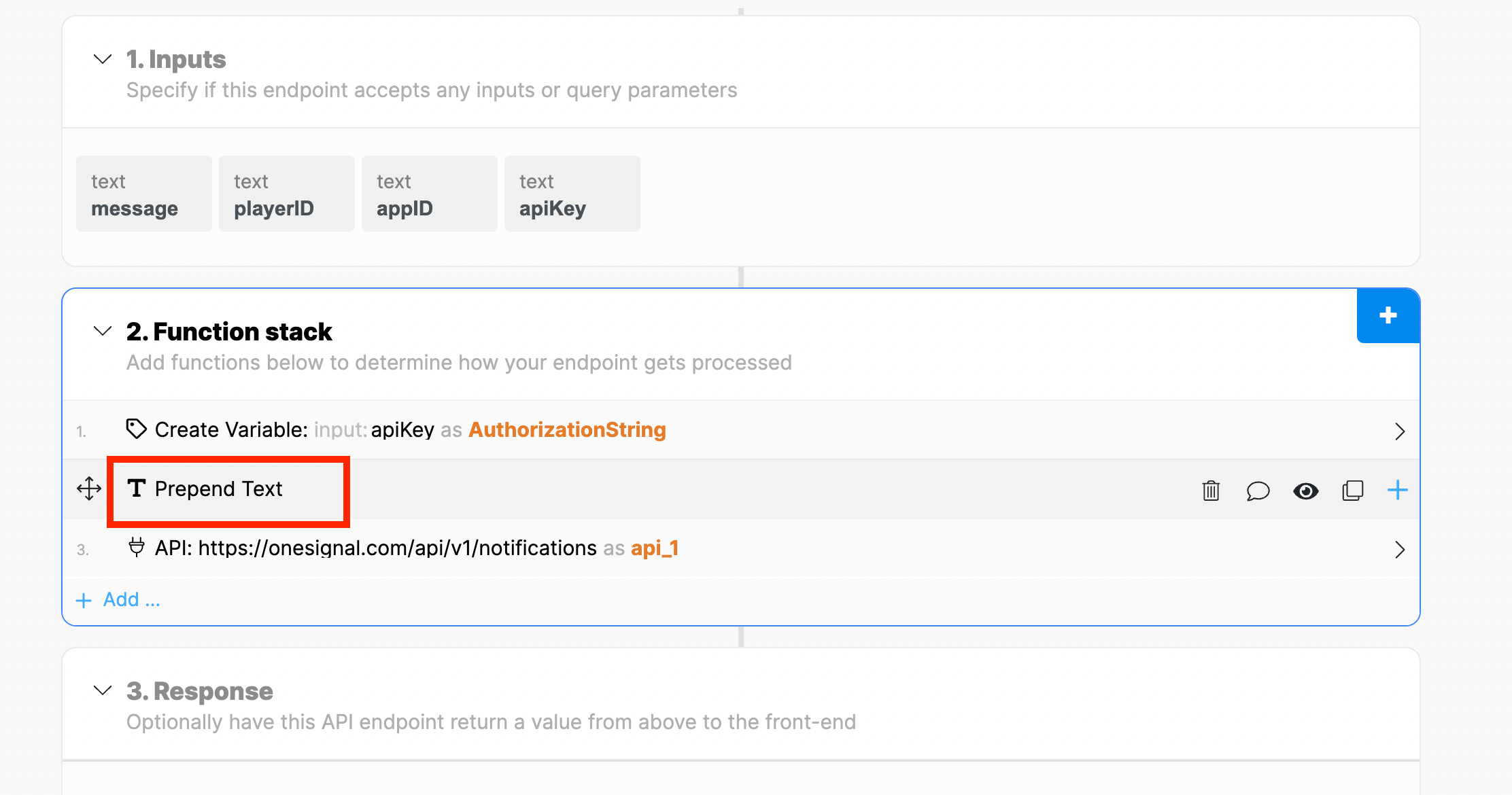
I've just fixed the snippet, I was using "append" instead of "prepend". You can update it or install it again here: https://www.xano.com/snippet/wU7QiMUz/
I still get the same error.. it could be an error with Onesignal or Firebase setup?
Make sure you are using the version with "Prepend Text".
If you do, paste here the OneSignal response
Once you add authorization, onesignal will get the user id (when the user signs up). Then you can change the OneSignal function from Xano to use that parameter instead of playerID: https://documentation.onesignal.com/reference/create-notification
I made a video this is how is working
https://watch.screencastify.com/v/Bx7GZpXGPwzE8kpyV1C2
I tried the snippet today, did few modifications on it and managed to get the status 200 but for some reason one signal returns a no subscriber and I do not really get any notifcations on the app yet "triggered by xano" . I Sent to Onesignal and hopefully I can get a helpful feedback. That being said, push notifications from bravo works fine.
response:
{
headers: [
HTTP/2 400,
date: Fri, 28 Oct 2022 10:28:17 GMT,
content-type: application/json; charset=utf-8,
status: 400 Bad Request,
ratelimit-limit: 165,
access-control-allow-origin: *,
cache-control: no-cache,
vary: Origin, Accept-Encoding,
referrer-policy: strict-origin-when-cross-origin,
x-permitted-cross-domain-policies: none,
... +18 more],
result: {
errors: [
Please include a case-sensitive header of Authorization: Basic <YOUR-REST-API-KEY-HERE> or Bearer token="<YOUR-REST-API-KEY-HERE>" with a valid REST API key.],
reference: [
https://documentation.onesignal.com/docs/accounts-and-keys#section-keys-ids\]},
Wrote something in this thread and want it removed? Request removal
Ask the community on Discord
This archive is read-only. New questions, office hours and product updates now happen in the Bravo Discord.
Join the Discord