← Data, API & Backend
Data, API & Backend May 10, 2022 · 8 replies

Patch doesn't work inside the Bravo Vision

Archived from the Bravo community forum (2021–2026). Some answers may refer to older versions of Bravo.

Hi! I did some search on web and inside the community but I can't find the answer.

Here my problem
In order to make a profil page for my users, I follow this tutorial :

I'm stuck with the Patch request. Everything work with the test, but inside the app, the data seems to not be update (the error alert appear on the CTA's tap).

I'm using Firebase as a provider.

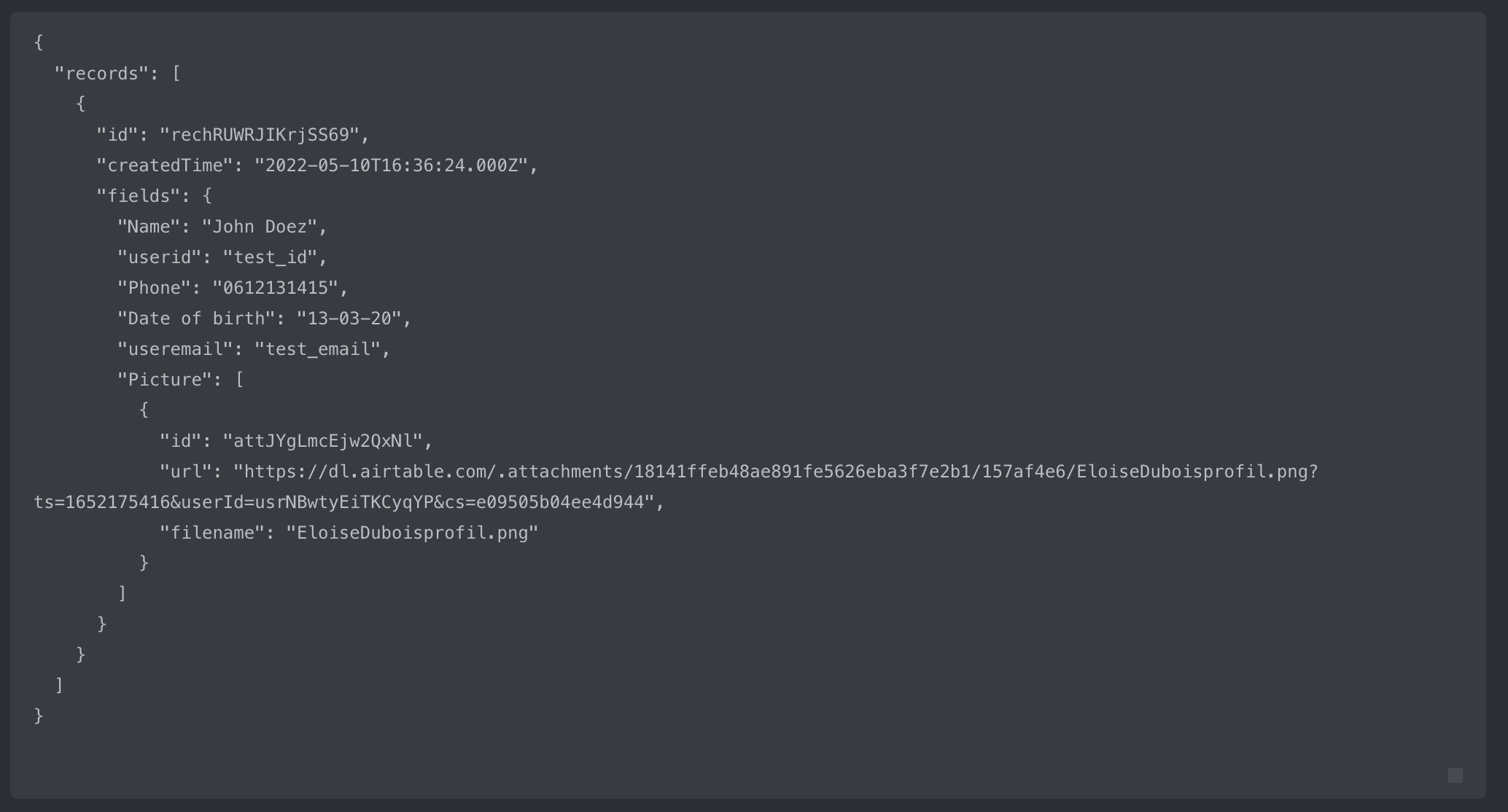
Here the  PATCH request Debug
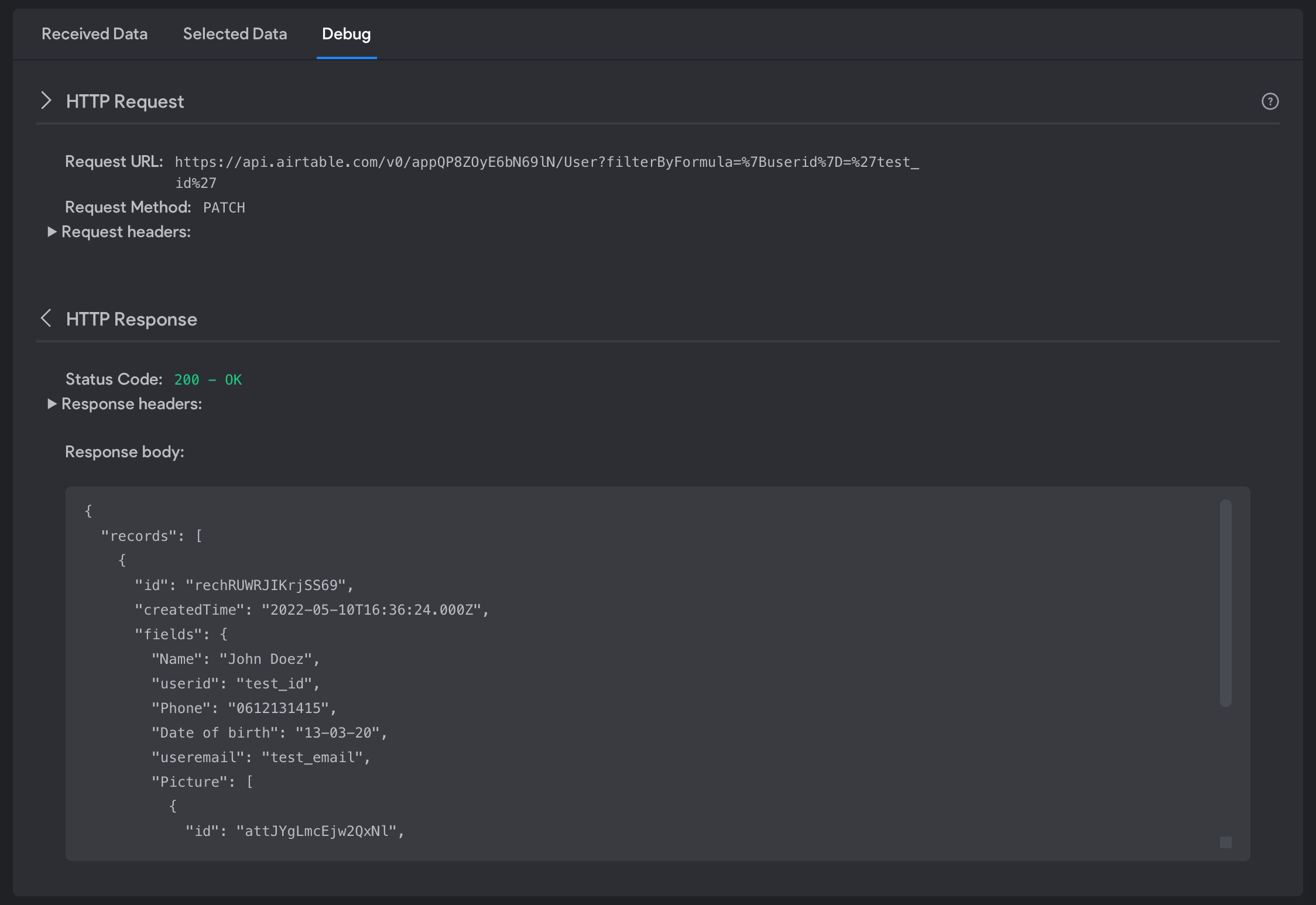
Capture d’écran 2022-05-10 à 19.29.45.png

Detail debug

Capture d’écran 2022-05-10 à 19.30.22.png

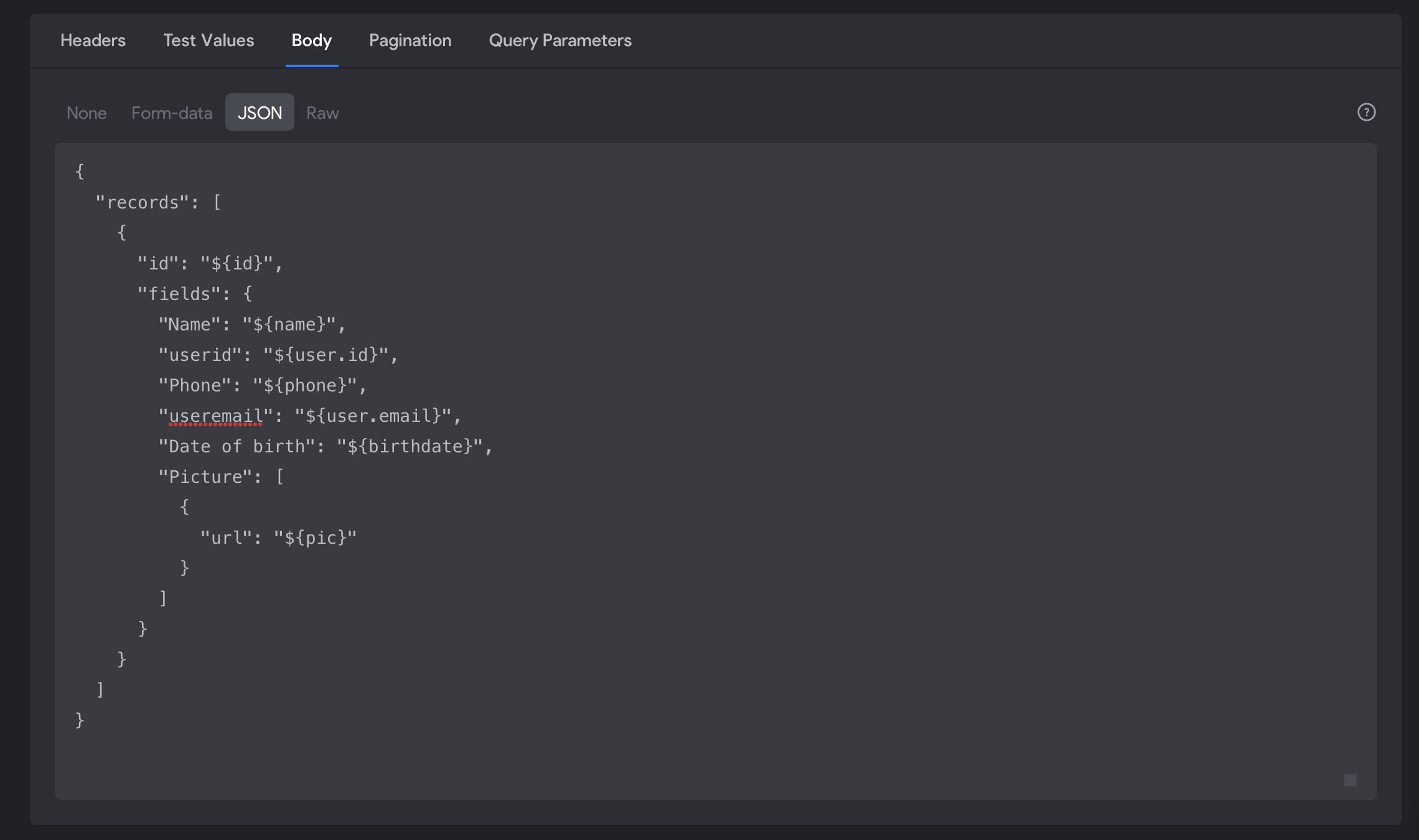
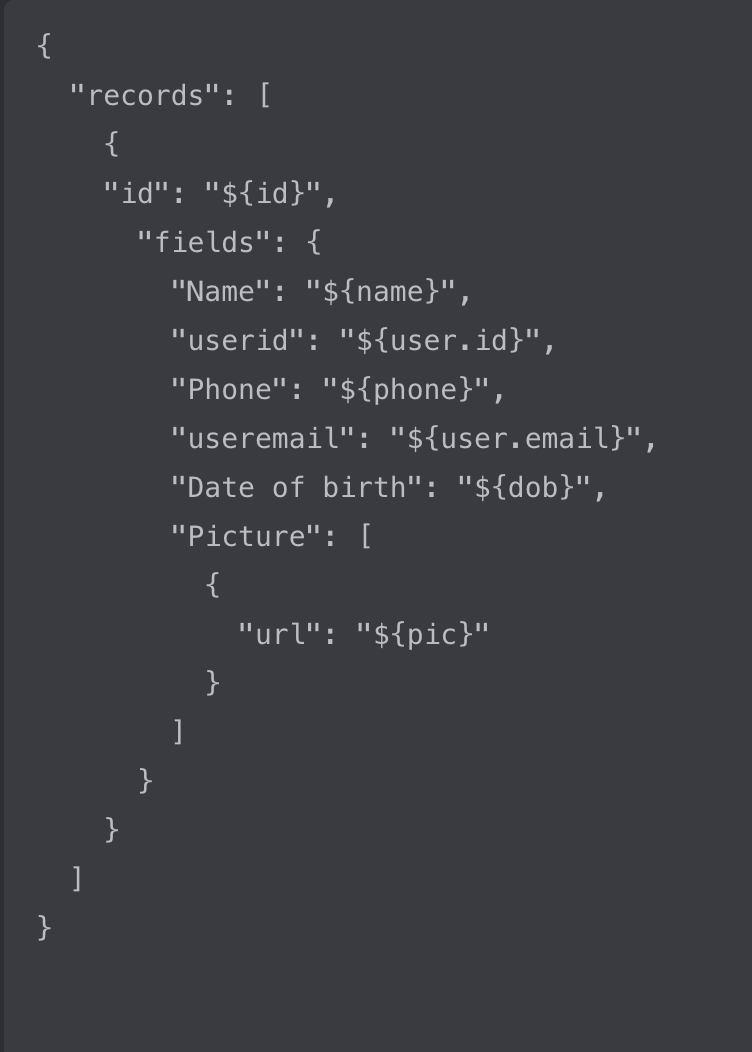
Body

Capture d’écran 2022-05-10 à 19.31.28.png

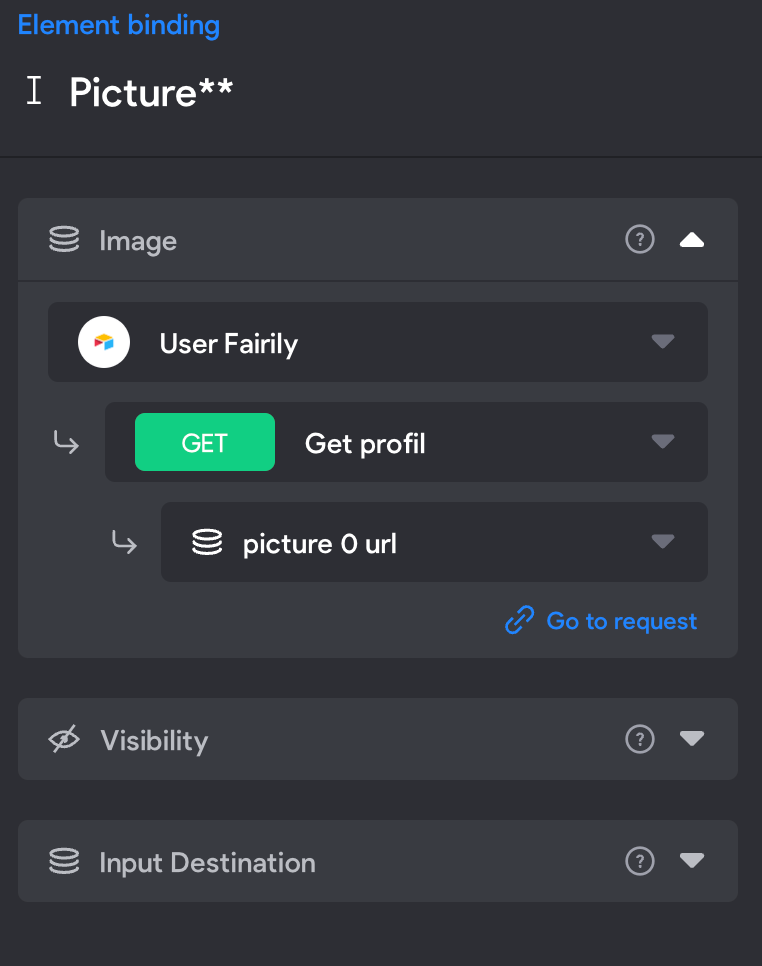
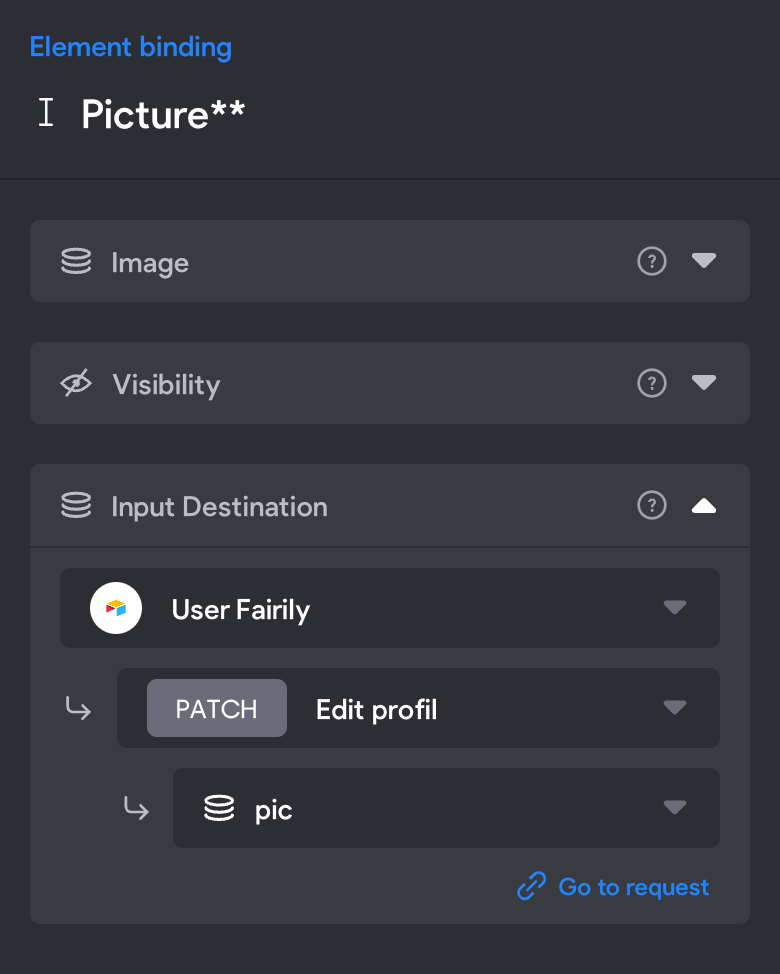
Here an example of the Binding

I did the same thing for every input 
Capture d’écran 2022-05-10 à 19.34.52.png

Capture d’écran 2022-05-10 à 19.36.01.png

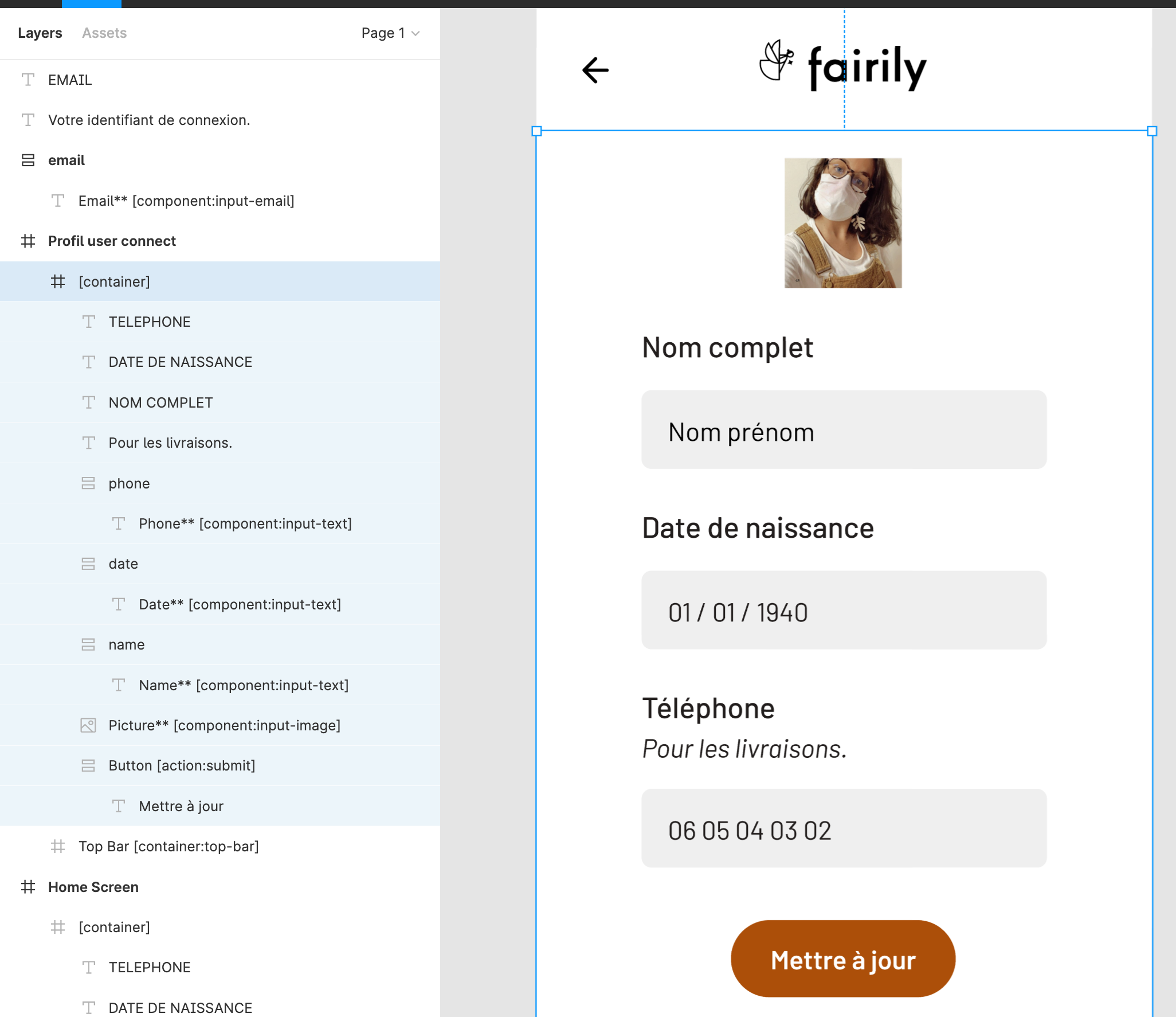
**And finally the figma file
**

Capture d’écran 2022-05-10 à 19.37.28.png

I don't know what to do, have you got some ideas to help me please 😄 ?

8 replies
Kingtian May 11, 2022

I had the same problem. Here is the solution. Try "PATCH" and bind data 1 by 1 to see which one is the problem.

In me case, It is still weird because my user has to fill in every input to send a PATCH request successfully.

I hope this helps. :)

Augustin May 11, 2022

Hi Kingtian

Thank you for the time you accord to me :) 

I will try this as soon as possible and I get back when I have my results.

Augustin May 15, 2022

Hi everyone,

I tried to bind one by one and the problem occur at the first test (with the Name). I even tried to put all the data in the form (with the get before the patch) and it doesn't work to.

I suspect a problem with Firebase (I forgot to mention that I'm using it). I don't know what do to because my knowledge in API isn't good 😅 

Thank you again for you help.

Augustin May 15, 2022

I have progressed a bit, when I use the Patch inside the app without bind with the Get, the Patch work but only for the birthdate. In addition, the new birthdate erase the profil picture too. I'm totally lose.

Here again the patch JS code

Capture d’écran 2022-05-15 à 19.36.09.png

**Edit :

The only way to solve my problem was to make a request Patch for each input. It's not optimized but it works, I'm not against an explanation of why the "big" global query doesn't work.**

Alejandro Gutiérrez Bravo team May 17, 2022

Hi Augustin Haran
A patch will override existing properties of an already existing entity. So in the case of the birthdate, if you send that payload but the image wasn't previously fetched, effectively you are updating with a new birthdate but with no photo (and any other param missing), depending on how backend is implemented it might just skip it or replace it by a null | undefined value, that is why it "erases" it.

However, I am not quite familiar with Firebase, but there is something that looks off to me in that payload.
In this case looks to mee like on the parent level, "id": "${id}" should be ${user.id}. as that is a unique and constant value that shouldn't even appear later down in the body.

So it seems to me like the 1-1 approach is working because you are creating new record each time with the same userId as one of its properties, instead of having a unique record

Let me know how that goes?

firdaus September 20, 2022

I have the same problem. Can you update if you have solve the problem...

Anika January 3, 2023

In following the tutorial I had a problem with data not sending through to airtable. but it didn't give me an error, it cleared all my fields. and it appeared like the record ID wasn't passing. But it later dawned on me that if it was able to clear the data, then the record ID is passing. 
I unbond the users data from my input fields and that solved my problem. It appears the bound data was overriding the input, hence if it was blank prior, that's what it would send when I hit submit. In the tutorial it seemed to work fine but im not sure why it's giving me issues 🤷‍♀️. I hope this is just a bug that is being fixed 🙂

Wrote something in this thread and want it removed? Request removal

Still stuck?

Ask the community on Discord

This archive is read-only. New questions, office hours and product updates now happen in the Bravo Discord.

Join the Discord