Archived from the Bravo community forum (2021–2026). Some answers may refer to older versions of Bravo.
Hello everyone,
I've been struggling for while now and checking here and there in forums but no solution.
My issue is the following: I've created a table with attachments that the user can upload (car pictures in this case). Once this is done, the pictures appear in my table (Airtable) but don't load on the app.
I use Figma and hereunder the corresponding frames (the *Picture is the one):
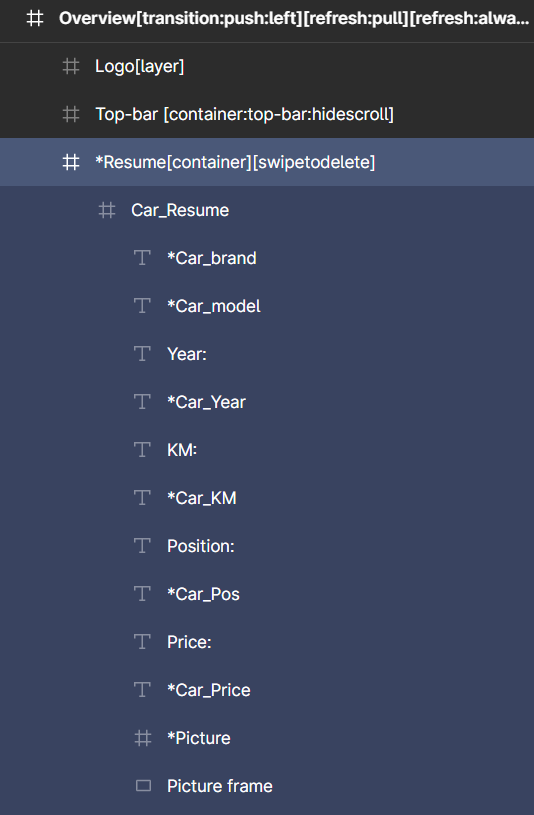
On the other hand, in Bravo, I have the field.url as fetched information:

I also tried to upload directly pictures on Airtable (and tried compressed and non compressed versions) but, in very rare cases, they appear on the app!
On the other hand, when I use links to other websites (e.g., https://cas01.autoscout24.ch/custom/206/10520206/1.jpg), it works straight away!
Do you have any clue or leads?
Thanks a lot for your support 😃!!
2 replies
Wrote something in this thread and want it removed? Request removal
Ask the community on Discord
This archive is read-only. New questions, office hours and product updates now happen in the Bravo Discord.
Join the Discord