← Data, API & Backend
Data, API & Backend April 25, 2023 · 8 replies

POST response

Archived from the Bravo community forum (2021–2026). Some answers may refer to older versions of Bravo.

I made a POST request to an API and I get some data in response.
I would like to display this data in an app page. 
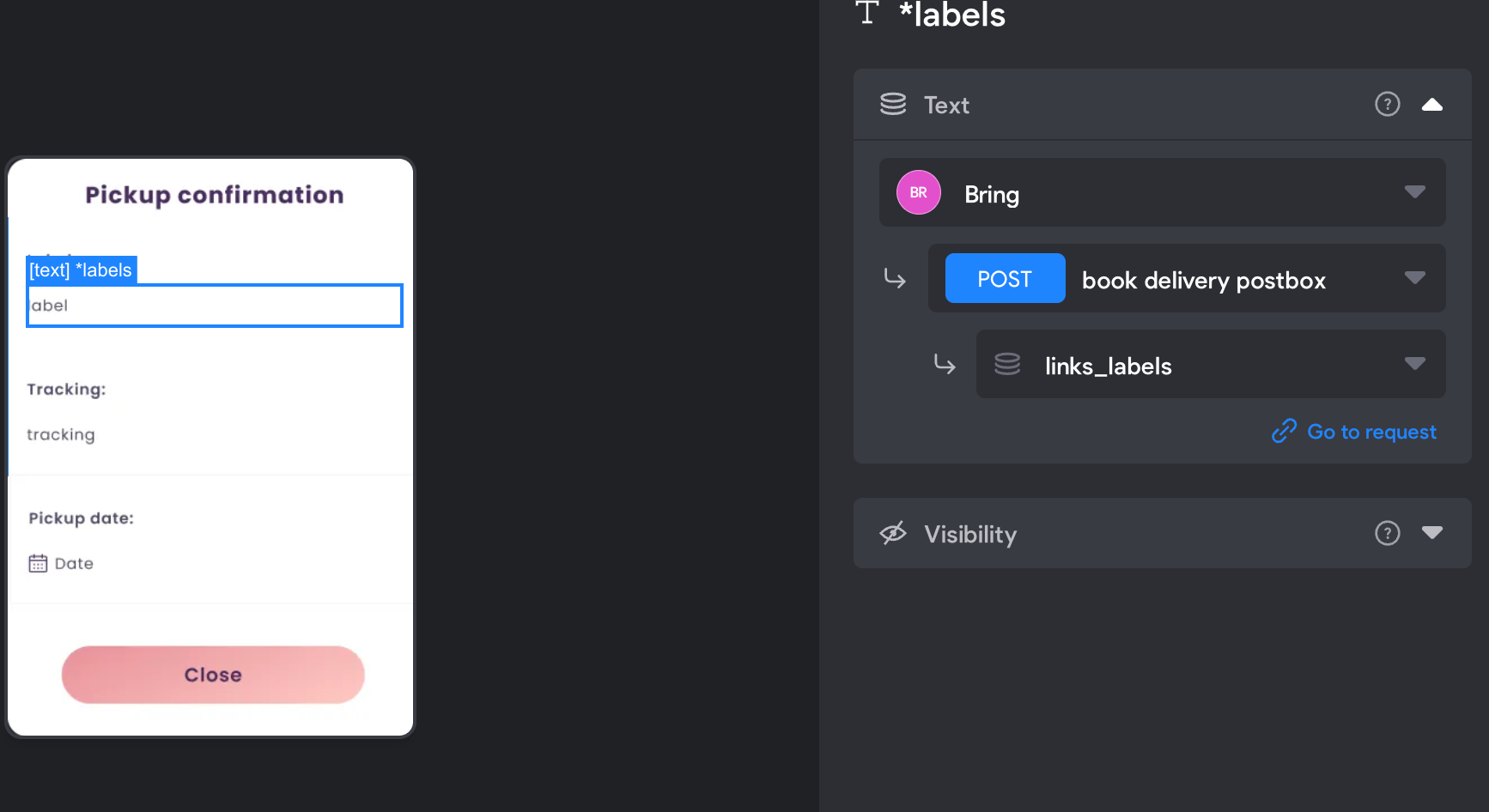
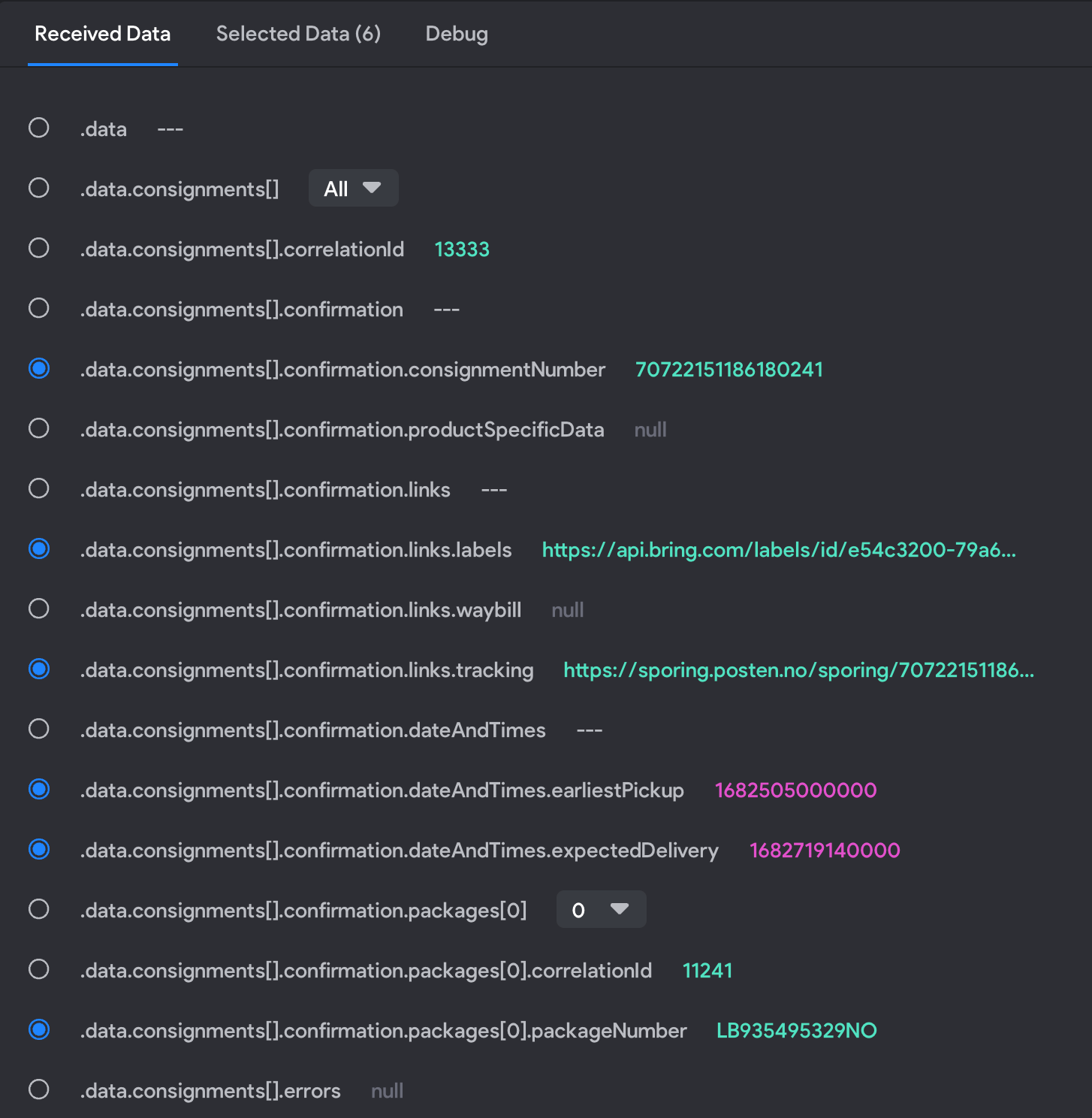
I selected the data in the "ReceivedData" tab and created the variables names in the "selected data" tab. I have "binded" this variables to some texts fields in the figma page using the same POST request. 
When I run the app the POST request that send the data works, and the app goes to the page where I should display the data from the response. Here the texts fields are not displaying anything. 

What I do wrong?

8 replies
Riccardo April 25, 2023

The API I´m using have only the POST ... 😟

Matthew April 25, 2023

So to be clear you are posting from airtable/Xano/etc to an external API to get "data"?

This API returns a message... "data", that you have somehow managed to get into bravo studio.

This "data" is then able to be seen in the "ReceivedData tab" within bravo studio?

If this is the case like Fred said you need to use a GET request to display this data within your app.

Riccardo April 26, 2023

Hi,
 I´m Posting to an API (a postal service here in Norway) directly from Bravostudio.
https://developer.bring.com/api/booking/
I have an app where the users can send each others items. 
I manage to make user 1 "ask" for an item from user2. 
User2 then need to book a package pickup from the postal service.
I was able to make the booking POST request to work from Bravo but the API returns the tracking number, link, labels, etc in the POST success response and I´m not able to capture this data. 

I can see this data in the ReceivedData tab, I made the variables in the SelectedData tab and I binded them with the text fields  in the "confirmation page" I made in Figma...  
when I test the app everythig works but the confirmation page text remain empty....

image.png

image.png

Matthew April 26, 2023

Do you have only one endpoint for this request?

For your first screenshot scroll up and you should be able to change the blue POST request to a green GET request.

If you can't do this because you are using this request to post to https://developer.bring.com/api/booking/.

Create a new request that is a GET request.

Unfortunately, you won't be able to see any data you collected via the API in bravo as long as you are using your POST request. The GET request is the way to show data in bravo.

The way I would do this is to have the data posted to Airtable or Xano from the booking api. Then use a GET request and bind this data in bravo to your pickup confirmation text fields.

Riccardo April 27, 2023

Hi Matthew, 
thanks, how you would do that? Using airtable automation?

Riccardo April 27, 2023

in the API I´m using there is only the POST method

Wrote something in this thread and want it removed? Request removal

Still stuck?

Ask the community on Discord

This archive is read-only. New questions, office hours and product updates now happen in the Bravo Discord.

Join the Discord