← Data, API & Backend
Data, API & Backend October 26, 2022 · 9 replies

Remote action failing in Bravo Vision

Archived from the Bravo community forum (2021–2026). Some answers may refer to older versions of Bravo.

Hey everyone! 

I thought I was done with everything and was getting ready for launch when a remote action started failing. 

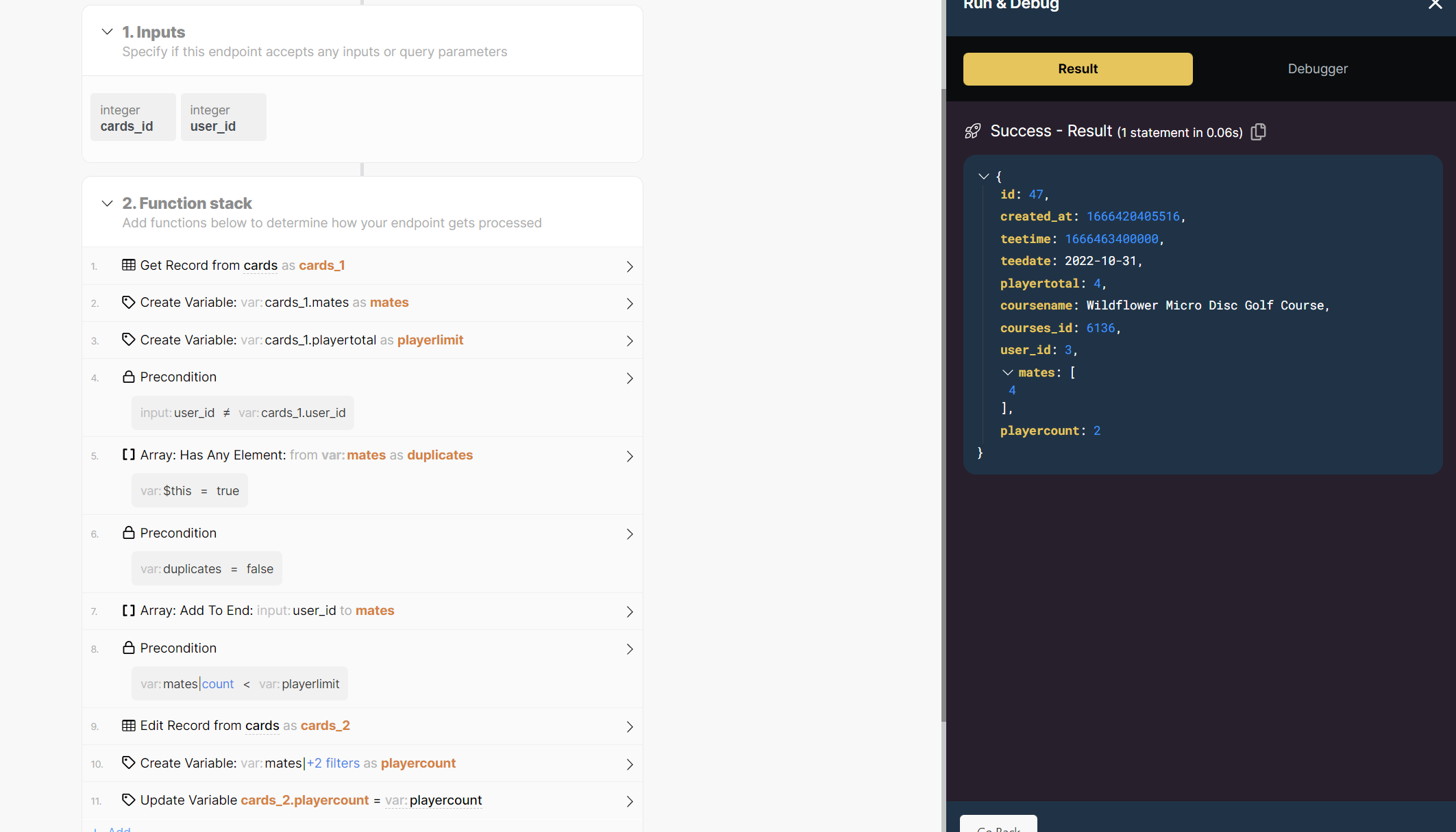
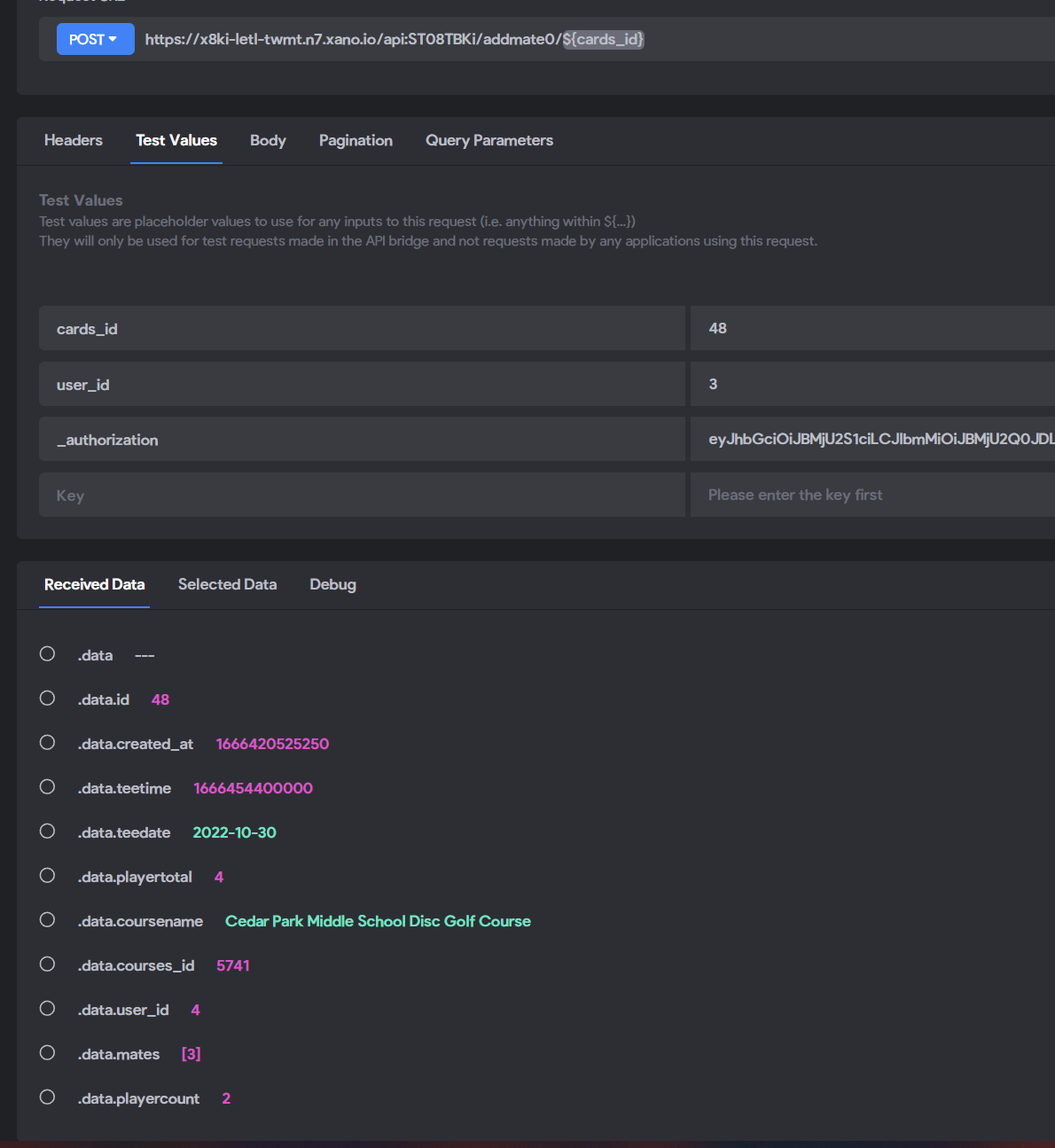
The POST request triggered by the remote action works in the API collection in Bravo and it works in Xano. I have no idea what is causing it to fail in bravo vision. 

I tried rebinding the API request.
I also tried relogging thinking it is an authentication issue in bravo vision but the same token works in the API collection in Bravo and in Xano

If anyone has any ideas how to troubleshoot this I would really appreciate it!
remote.PNG

remote 3.PNG

remote1.PNG

9 replies

Valter October 26, 2022

Maybe it could be some variables conflit in your design!

Daniel October 27, 2022

thanks for the reply! What do you mean  by that? Do you mean in my Figma file or the database design? Or possibly the API collection in Bravo?

Valter October 27, 2022

check if all variables that you are requesting on POST are unic and are populared onnthe same container with a list

Daniel October 27, 2022

I believe they are. It was working fine and then stopped when I had some other people test the app. 

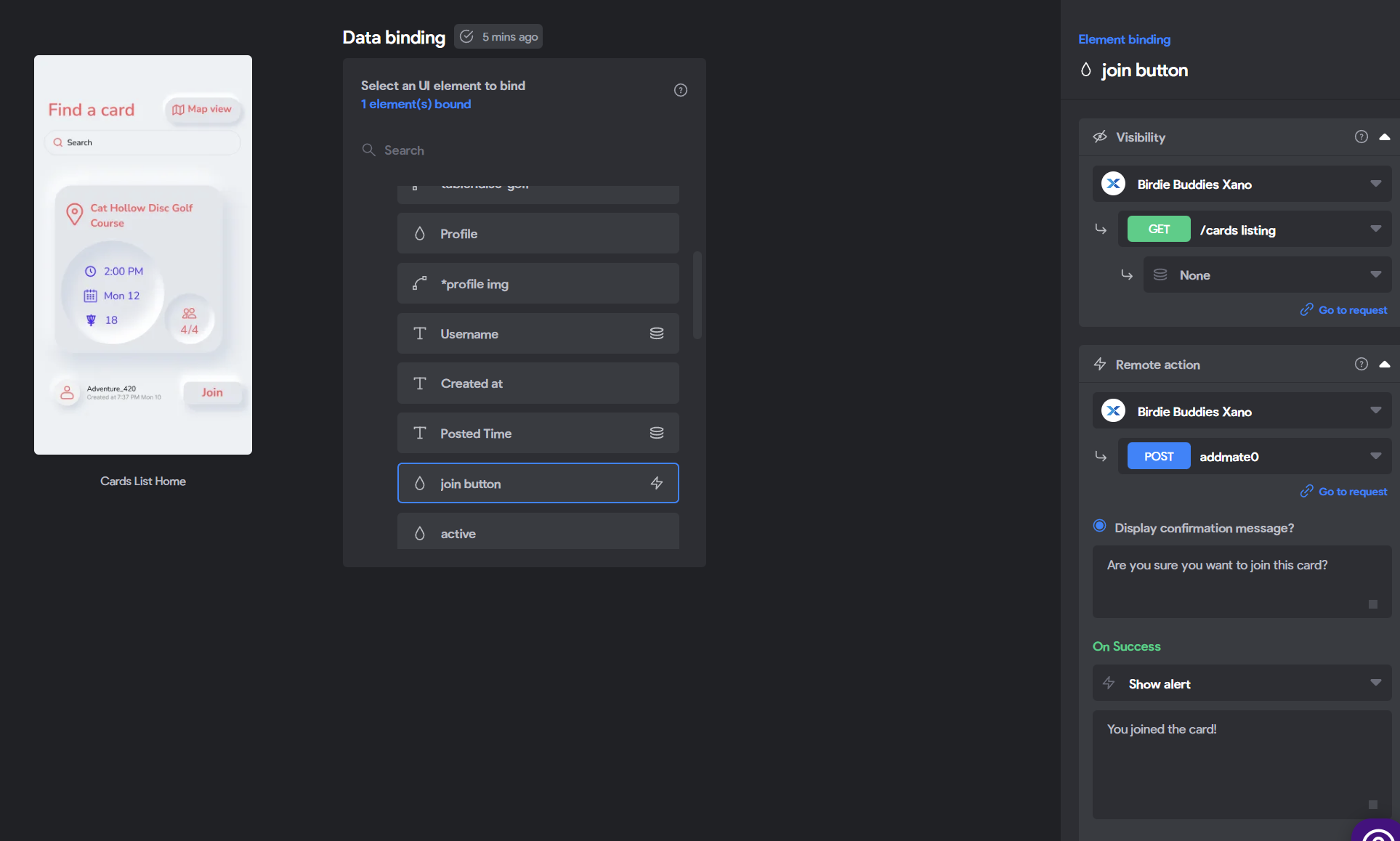
As you can see in the image of the data binding page it is a join button that triggers the post and there is no actual input for the user on the UI.

I'm thinking one of the two variables isn't being sent in the POST request when you tap the join button. It should send the ${cards_id} to know which record to edit and the ${user_id} to store in the array called "mates". 

I'm not sure what is going on or how to fix it.

Valter October 27, 2022

i use airtable so for me it is a bit diferente. But to know  which record to edit you should not be using the id! Field?

Daniel October 27, 2022

How would it know which record to edit then? That page is a list of cards and each has a join button. Do you know of a better solution to implement this?

Valter October 27, 2022

As i mentioned i use airtable. Each item as a unic record id and i use ${id} when i what to retrive that. If you what to edit an existing item you should use PATCH and not POST

Daniel October 28, 2022

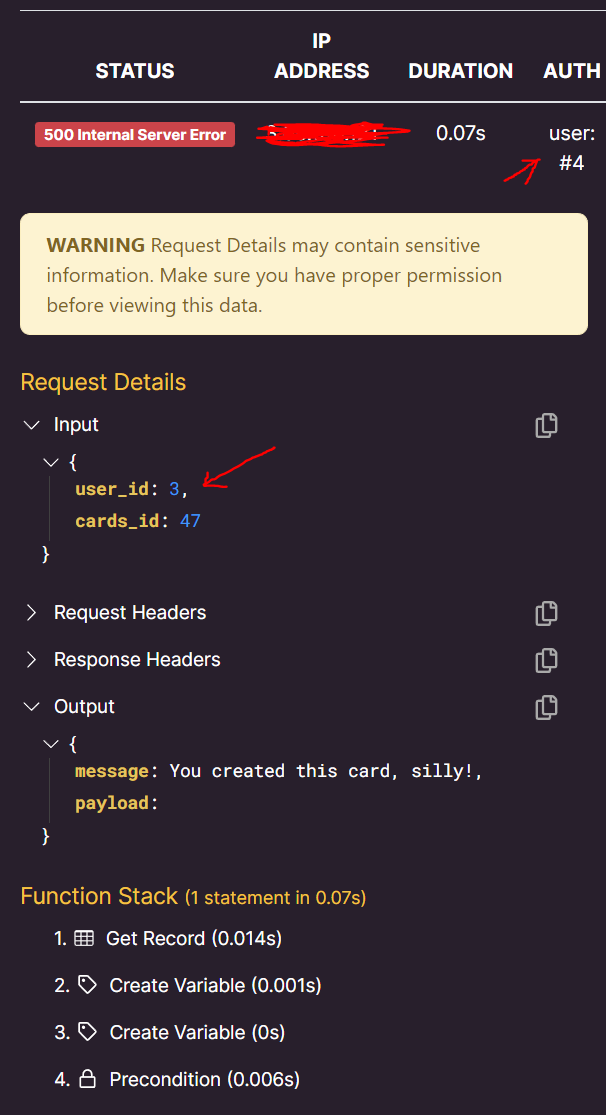
That doesn't make a difference. So the API request history shows that it is sending the wrong user_id. It sends the card creator's user_id instead of the user_id of the person trying to join it.

post problem (2).PNG

Daniel October 28, 2022

I finally fixed it in Xano by removing user_id as an input and using auth id throughout the function instead. So now the only input is cards_id.

Wrote something in this thread and want it removed? Request removal

Still stuck?

Ask the community on Discord

This archive is read-only. New questions, office hours and product updates now happen in the Bravo Discord.

Join the Discord