← Data, API & Backend
Data, API & Backend October 21, 2022 Ā· 4 replies

Selected data not showing in data binding page

Archived from the Bravo community forum (2021–2026). Some answers may refer to older versions of Bravo.

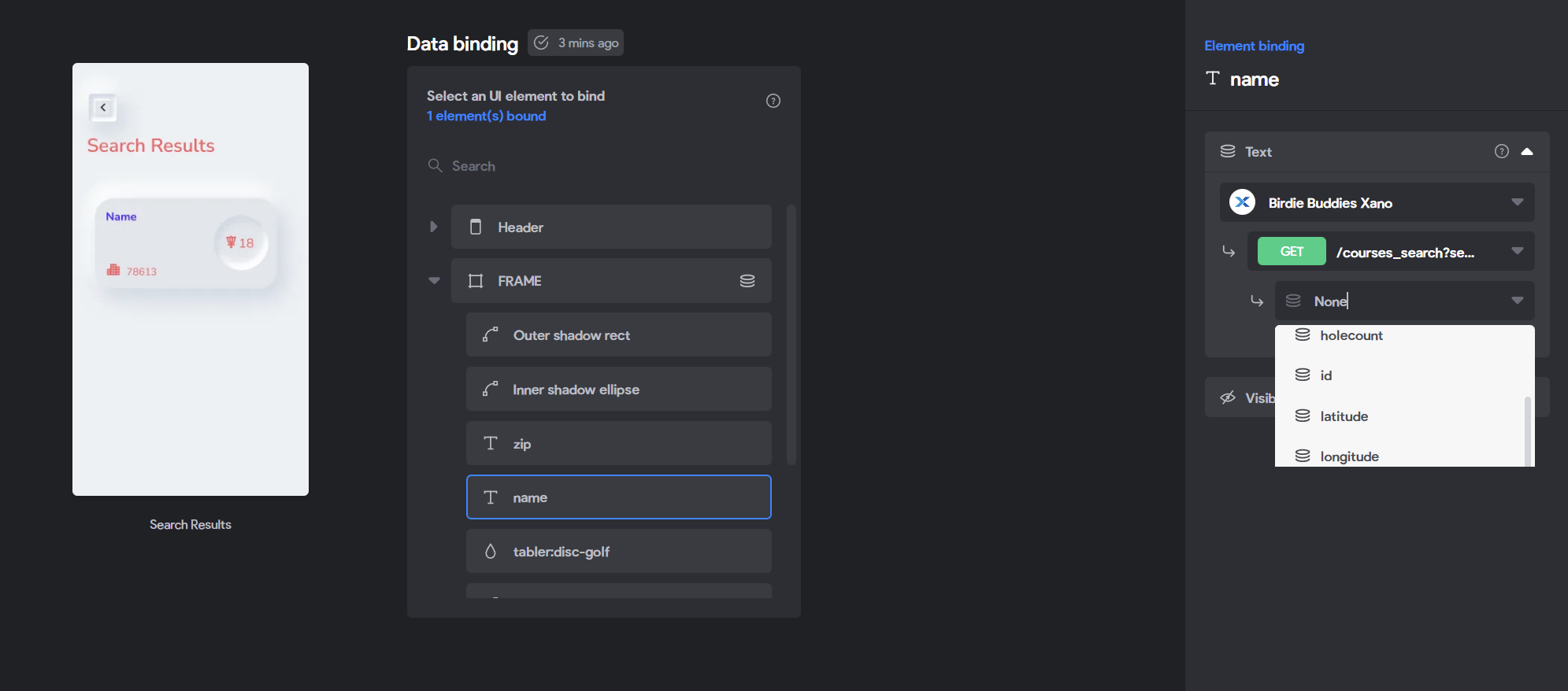
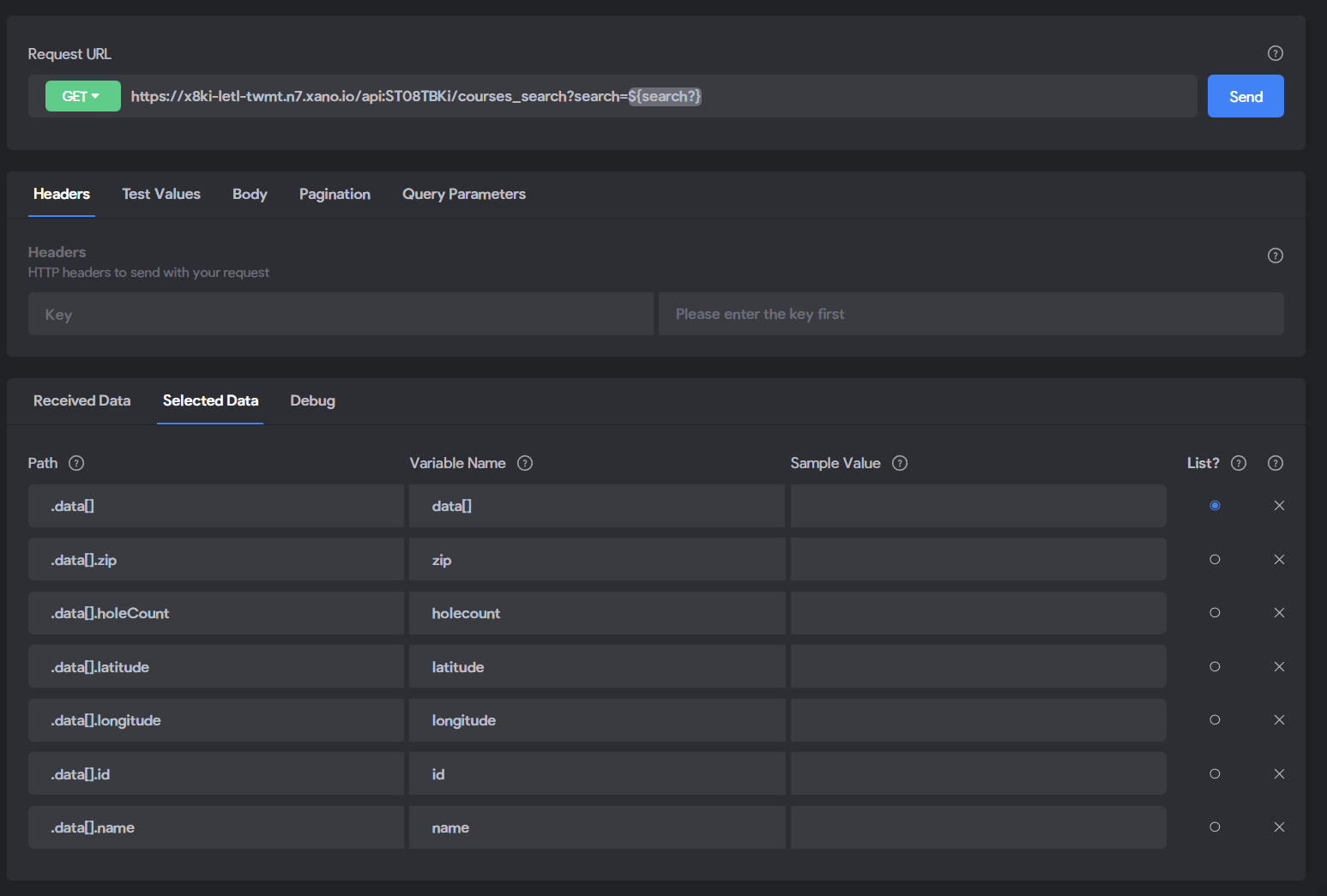
So only some of the selected data is showing. I selected new data and it isn't showing on the binding page. I reselected data trying to get it to refresh and still nothing. Is this a bug or am I overlooking something?
data2.PNG

data1.PNG

4 replies

Diego Iglesias Bravo team October 21, 2022

Which exact variables are not showing?

Daniel October 21, 2022

All except the 4 shown in the dropdown in the image. So name and zip.Ā 

They actually just showed up! Did you do something? 😃 or I guess I just needed to wait longer. Thanks for the quick reply Diego!

Valter October 21, 2022

Re do it all again from zero and guaraty that all the fields gave a value on the backand.

Diego Iglesias Bravo team October 21, 2022

Yes it probably was because of not having value on that moment. Glad you sorted it out!

Wrote something in this thread and want it removed? Request removal

Still stuck?

Ask the community on Discord

This archive is read-only. New questions, office hours and product updates now happen in the Bravo Discord.

Join the Discord