← Data, API & Backend
Data, API & Backend Solved September 20, 2023 · 4 replies

Send checkbox data to form

Archived from the Bravo community forum (2021–2026). Some answers may refer to older versions of Bravo.

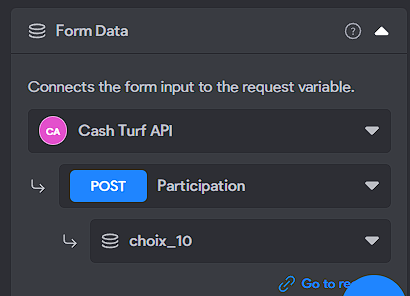
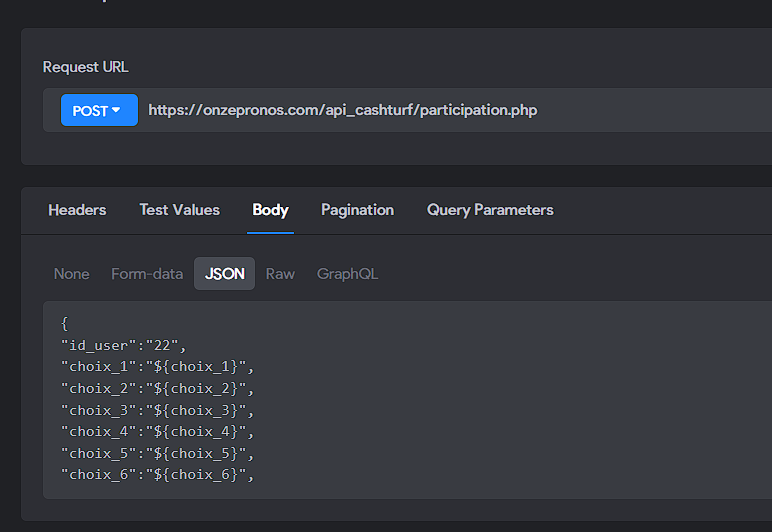
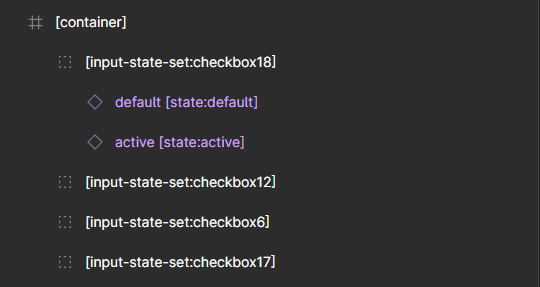
I created a form with several checkboxes, everything works fine in the application, but when I submit, it seems that the json file does not send any data, regardless of whether the boxes are checked or not. I couldn't find anything about sending checkbox data with the API.

Thank you for your help
4 replies
Marta Serrano Bravo team September 21, 2023

Hello, Have you tried to use our Event logger in Bravo Vision? to see what's happening? looks like some configuration is missing. 
Could you share more information with us?

  • Your App ID (Bravo app page URL)
  • Steps to reproduce it
  • Which device are you using?

Thank you!

Nathan September 21, 2023

Thank you, I used a logs and I tried to use form-data instead of json, and it is working now!

Nathan September 22, 2023

Excuse me, I thought it was working but actually it does not work.
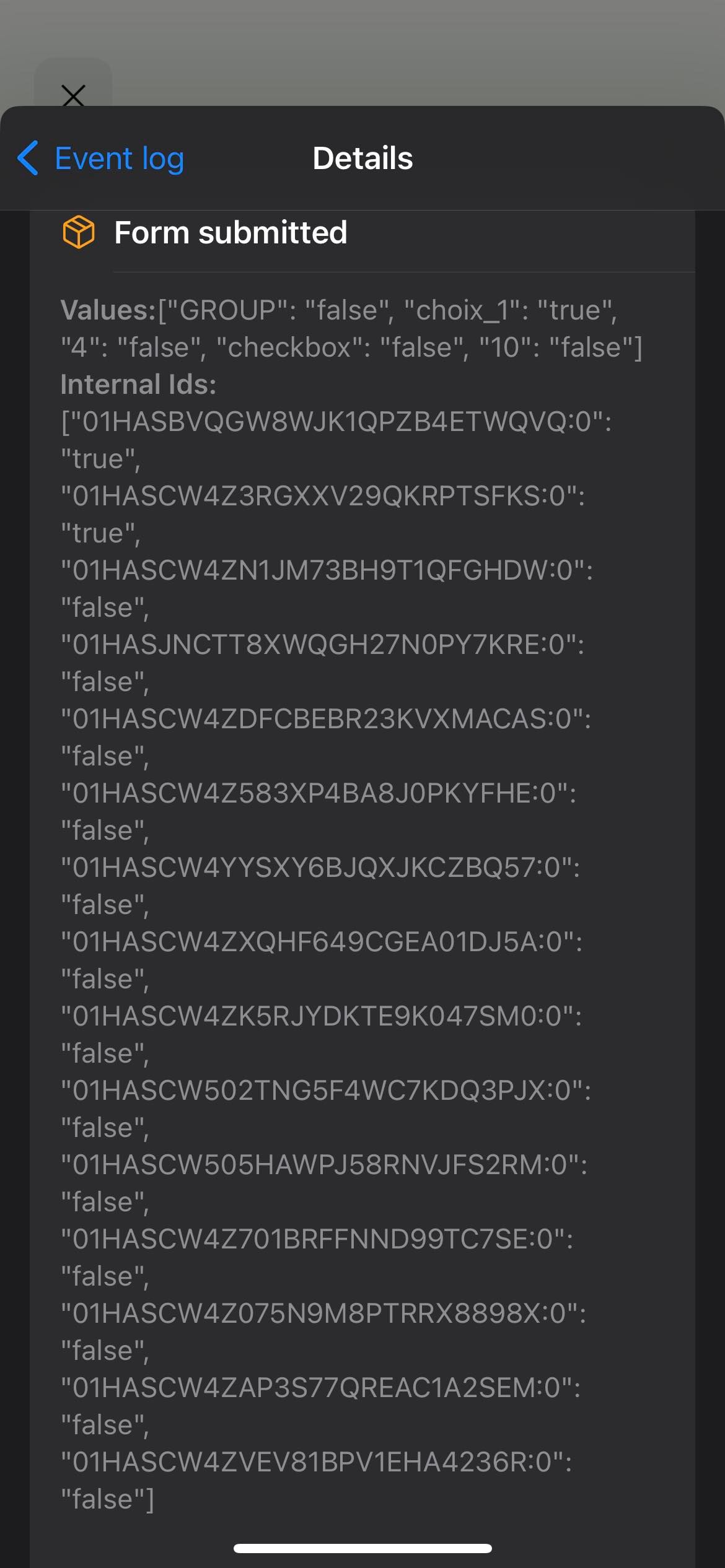
I checked the logs and I got this when I send the form :

381282653_831074505093292_8988807449549158104_n.jpg

In my back-end, I receive the value "choix_1", but it's always empty.

  • App ID : 01H7T6GCJP62NERR09XDN2QV7K
  • It's in "Jeu concours" page
  • To reproduce it, check the number 1 and submit the form (I just binded the number 1 for now)
  • I'm using Bravo Vision on iPhone

Thank you for your precious help

Wrote something in this thread and want it removed? Request removal

Still stuck?

Ask the community on Discord

This archive is read-only. New questions, office hours and product updates now happen in the Bravo Discord.

Join the Discord