← Data, API & Backend
Data, API & Backend Solved August 6, 2022 · 11 replies

State component?

Archived from the Bravo community forum (2021–2026). Some answers may refer to older versions of Bravo.

I am working on a books library app with a borrowing system.
The system works quite fine for now and I would like to embellish the pages...

People using the app can apply to borrow a book by filling out a form.
Name, Phone, and Date are the three required fields to fill in, then they submit the form with a submit button.

 In my database. I have a field for states which says that if the Date field is filled, the state of the book is "Borrowed" and if the field is empty, the state of the book is "Available"... This works and I use this data to show the state of the books on the app.

I would like to change the color of these 2 states... And I am kind of stuck...

I tried to follow the instructions here (https://docs.bravostudio.app/bravo-tags/interactive-component/stateful-component-like-button#create-the-api-requests-in-the-data-collections-section) but I cannot have the state of the component to change.

The figma file looks fine to me (Using Bravo Tags), but on the airtable, the text field I use "IF({Borrowing Date} = BLANK(), "Available", "Borrowed")" is not linked to a boolean field but to a date field. Is it a possible reason to the problem?

About the API requests, I should not need a PATCH but a GET, should I?
If the state is "available" then the state-set in Figma is "default", and if the state is "borrowed", then the state-set in Figma is "active". But how to bind it?

I hope I was clear enough.

Thanks for your help.

Florian

11 replies
Bastos August 6, 2022

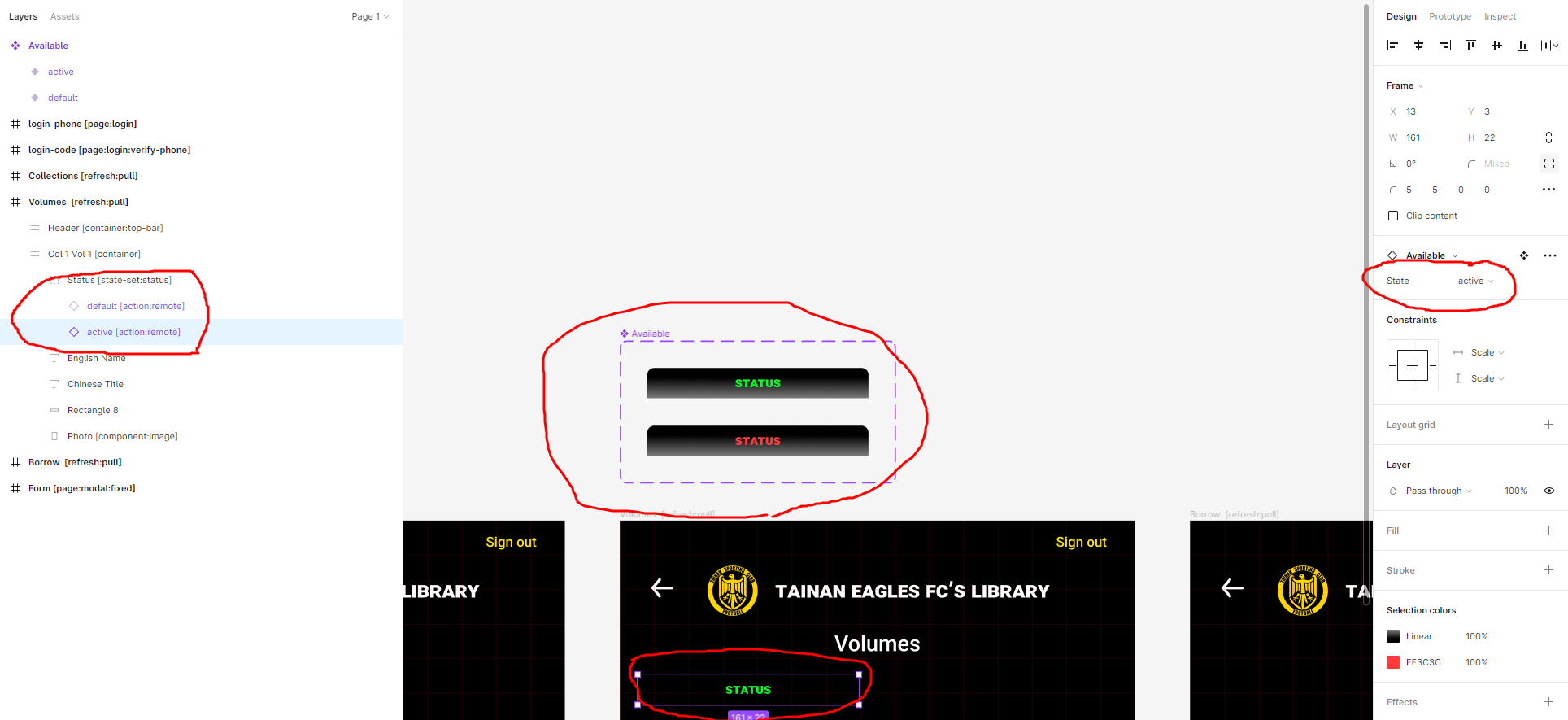
You should make a group with the 2 icons (1 icon with a state and the other one with the other state) above each other. The default state should be on top.

Florian August 6, 2022

I totally can be wrong but the Figma side is okay, isn't it?

image.png

Florian August 6, 2022

Before trying to change the color. I just had a text field status which i bound with status and the state of the book would change if someone borrowed it.

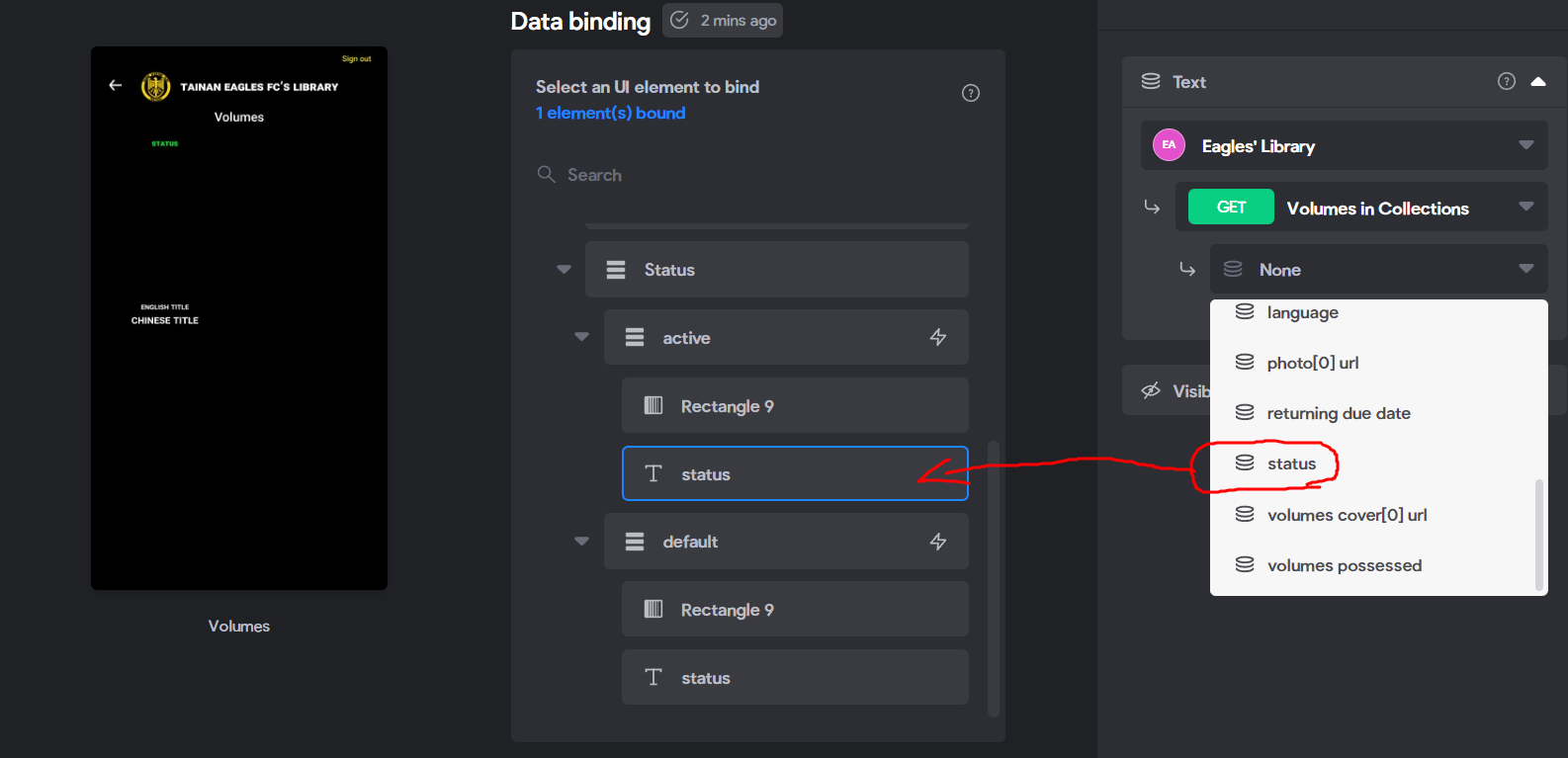
Now, there is the group "Status" and the 2 actions.

If I don't bind the text status with the one on the right, it wouldn't change the state of the book. So I guess I still have to bind the 2 "status" text field to "status".
What else should I do? I tried to play with the actions... With set state active/default on success but it doesn't change anything on bravo vision. Anything else to bind?

Thank you

image.png

Bastos August 6, 2022

I think you are trying to do something way two difficult 😅

I would suggest doing it in Airtable then you put it upon eachother in Airtable and you set the conditional visibility in Bravo Studio

Bastos August 7, 2022

I saw I made mistakes in my previous message, here’s the correction :

I think you are trying to do something way too difficult 😅

I would suggest doing your customization  in Airtable then you put it upon eachother in your Figma design and you set the conditional visibility in Bravo Studio

Florian August 8, 2022

Effectively, I reach the result I wanted with airtable automations and conditional visibility.

On airtable, I created automations so when "A" text field is not empty it would update "B" checkbox field with a check and inversely.

Then I set the visibility on the binding page in bravo and it almost work fine.

Once I submit the form (form response action = refresh), the data is refreshed/updated but the conditional visibility elements are not. I need to pull to refresh to have them refreshed/updated.

Any clue?

Florian August 11, 2022

Yes, bravo team is aware of that issue and working on it I believe.

Wrote something in this thread and want it removed? Request removal

Still stuck?

Ask the community on Discord

This archive is read-only. New questions, office hours and product updates now happen in the Bravo Discord.

Join the Discord