← Data, API & Backend
Data, API & Backend November 30, 2022 · 4 replies

Update Profile Picture (PATCH Request)

Archived from the Bravo community forum (2021–2026). Some answers may refer to older versions of Bravo.

Hi guys,

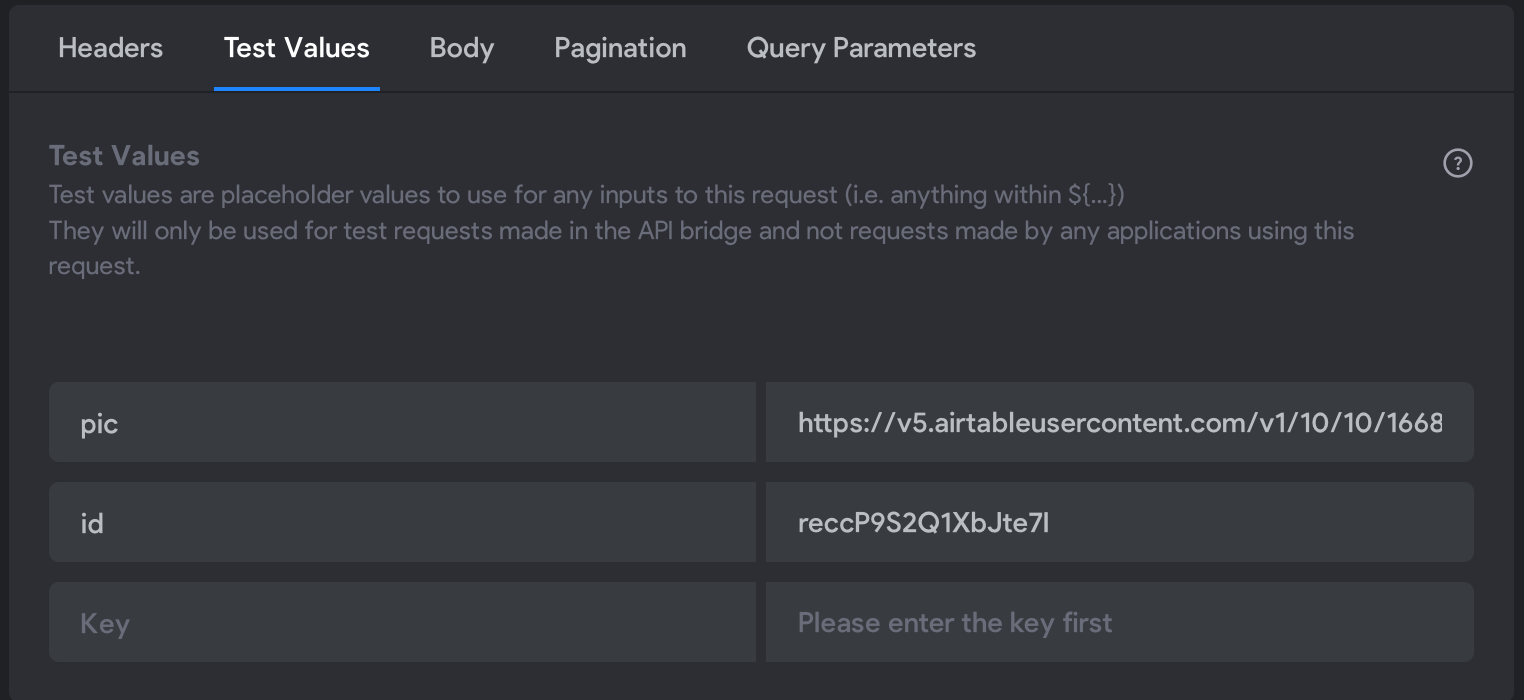
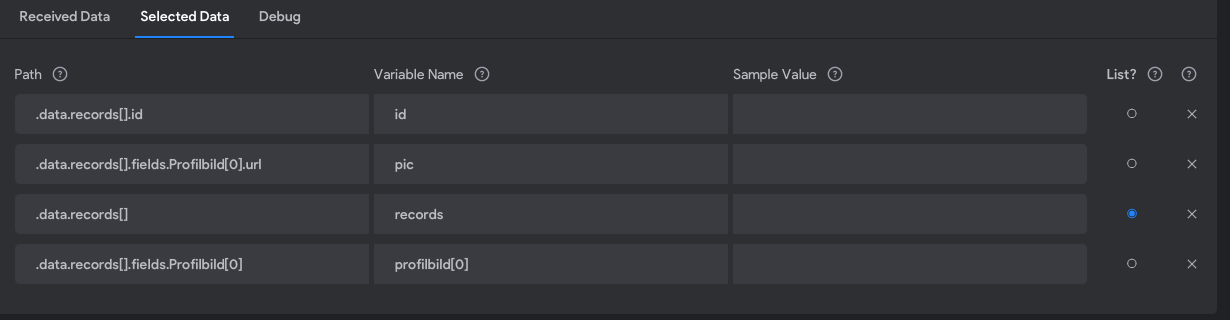
I have implemented a change profile picture button. Unfortunately, there always shows up the "Something went wrong" alert when I test it. But I can upload the picture that it appears in the input image area. It is just the upload to airtable that doesn´t work. But also, when I hit send in Bravo Studio with test values, that works, too!

Here is how I did it:

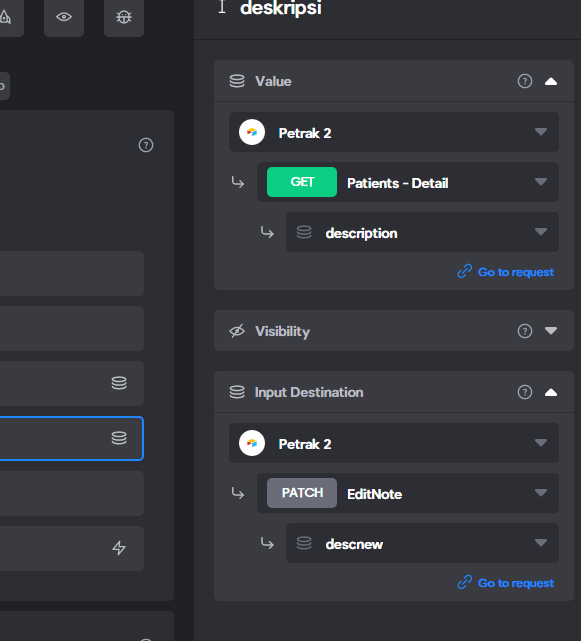
Adobe XD with Bravo tags
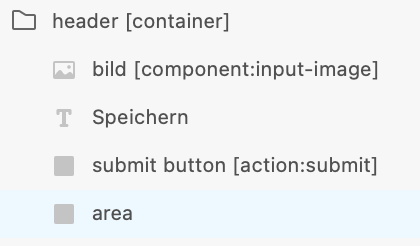
Bildschirmfoto 2022-11-30 um 17.20.24.png

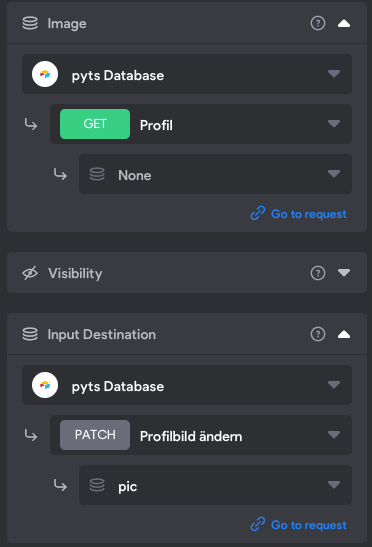
Bravo Studio:

Bildschirmfoto 2022-11-30 um 17.24.35.png

Body -> JSON:
{
  "records": [
    {
      "id": "${id}",
      "fields": {
        "Profilbild": [
          {
            "url": "${pic}"
          }
        ]
      }
    }
  ]
}

Airtable:

Bildschirmfoto 2022-11-30 um 17.25.54.png

And this also occurs when the UserEmail is filled.

Anybody any ideas?

All the best,
Tobi

4 replies
Valter November 30, 2022

I dont know but i would write the json in a bit diferent way!

Jabnakar December 1, 2022

hi I did this patch request by trial and error 😂 but it works
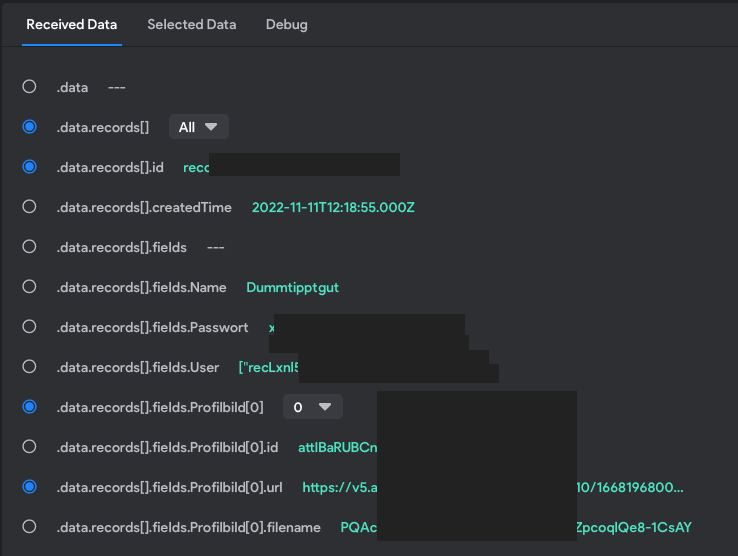
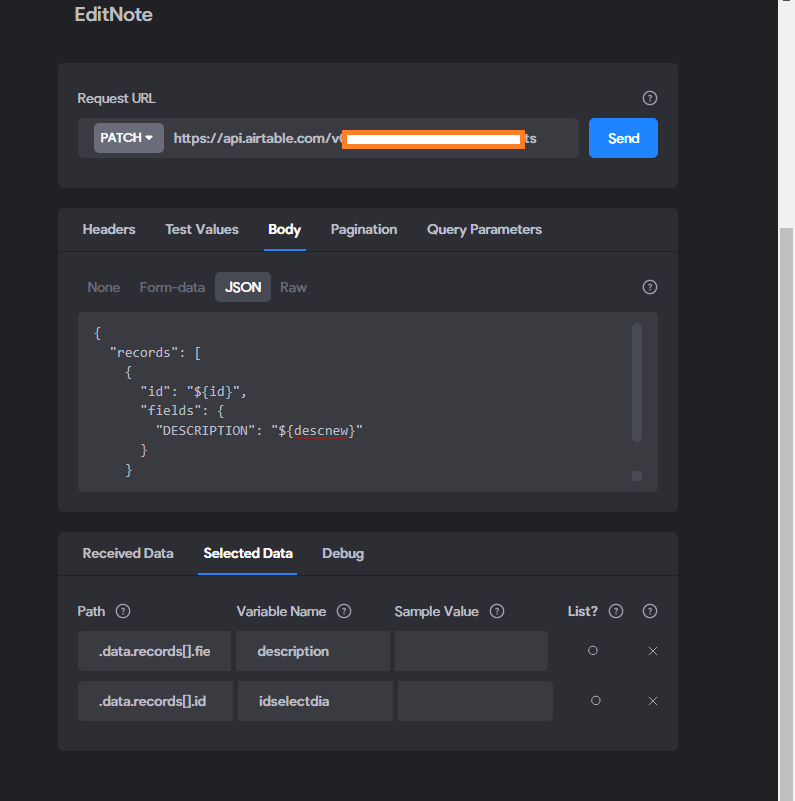
here is my back end... your selected data is correctly ticked?

image.png

here is with the binding

image.png

Tobias December 3, 2022

Hi ! Thanks for the screenshots. But I still couldn´t find the problem. Tried some stuff with the body as well but always came to an error. 

Bildschirmfoto 2022-12-03 um 13.21.08.png

Bildschirmfoto 2022-12-03 um 13.23.00.png

Bildschirmfoto 2022-12-03 um 13.25.09.png

And the correct things should be selected as well.....

Wrote something in this thread and want it removed? Request removal

Still stuck?

Ask the community on Discord

This archive is read-only. New questions, office hours and product updates now happen in the Bravo Discord.

Join the Discord