← Data, API & Backend
Data, API & Backend July 27, 2024 · 14 replies

[URGENT🙏] Passing variables between different API calls

Archived from the Bravo community forum (2021–2026). Some answers may refer to older versions of Bravo.

Hello Bravo community and the support team!

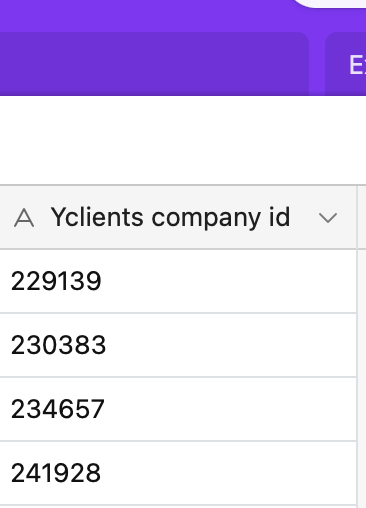
I am currently building a spa services booking app. I am using Airtable as the backend. I also would like to connect to a third party API (Yclients) to fetch services / slots list for a certain spa centre. To get this info I need Yclients company id to paste into the Yclients API GET request. I store these id’s in my Airtable (see screenshot).

The screens flow is:
1. The users have the Home Screen where they scroll through the list of spa centres.
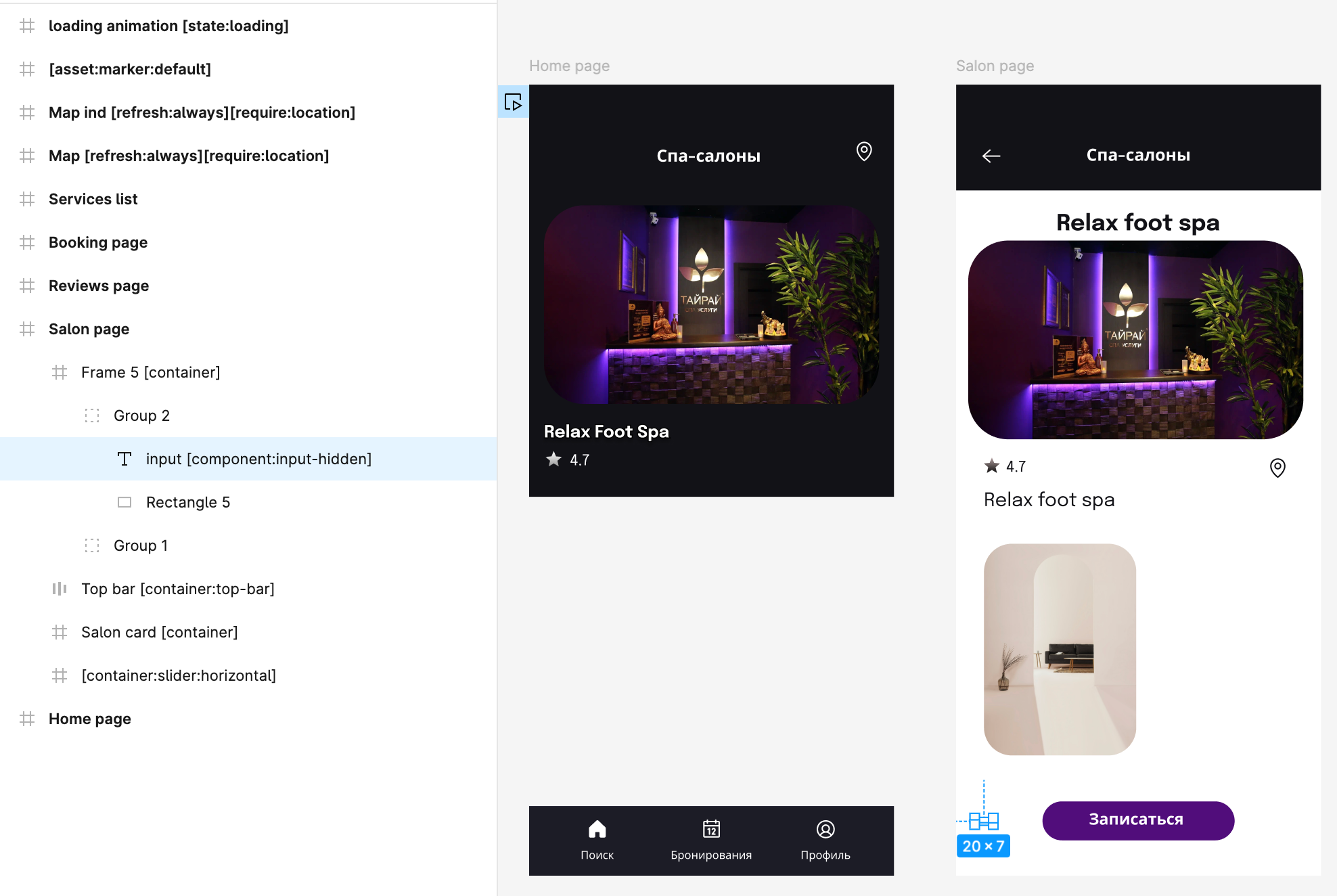
2. They pick a certain centre and click on it. The Detail Screen opens with photos, description and services / slots list.
All screens are properly connected in Figma with prototyping links.

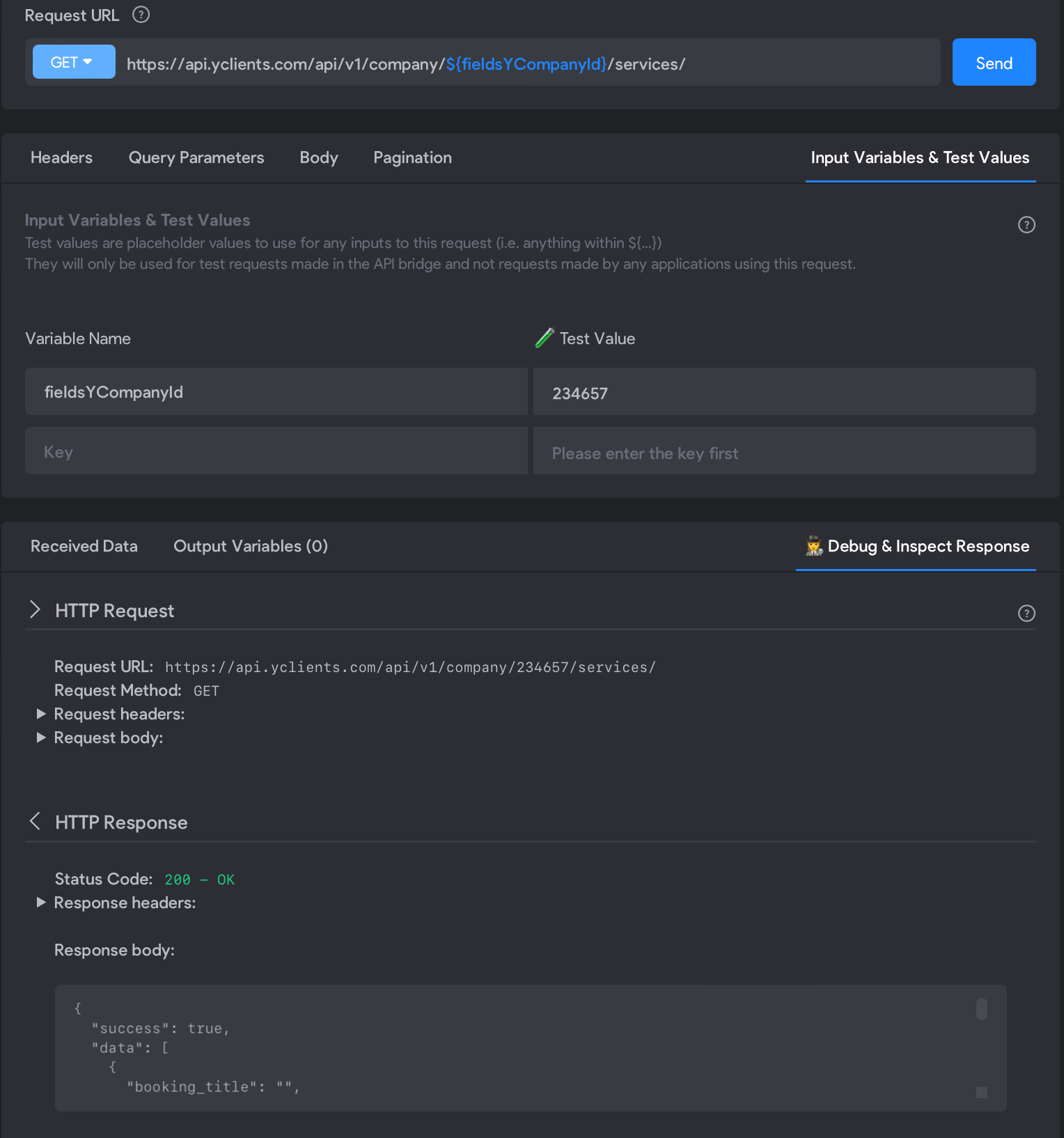
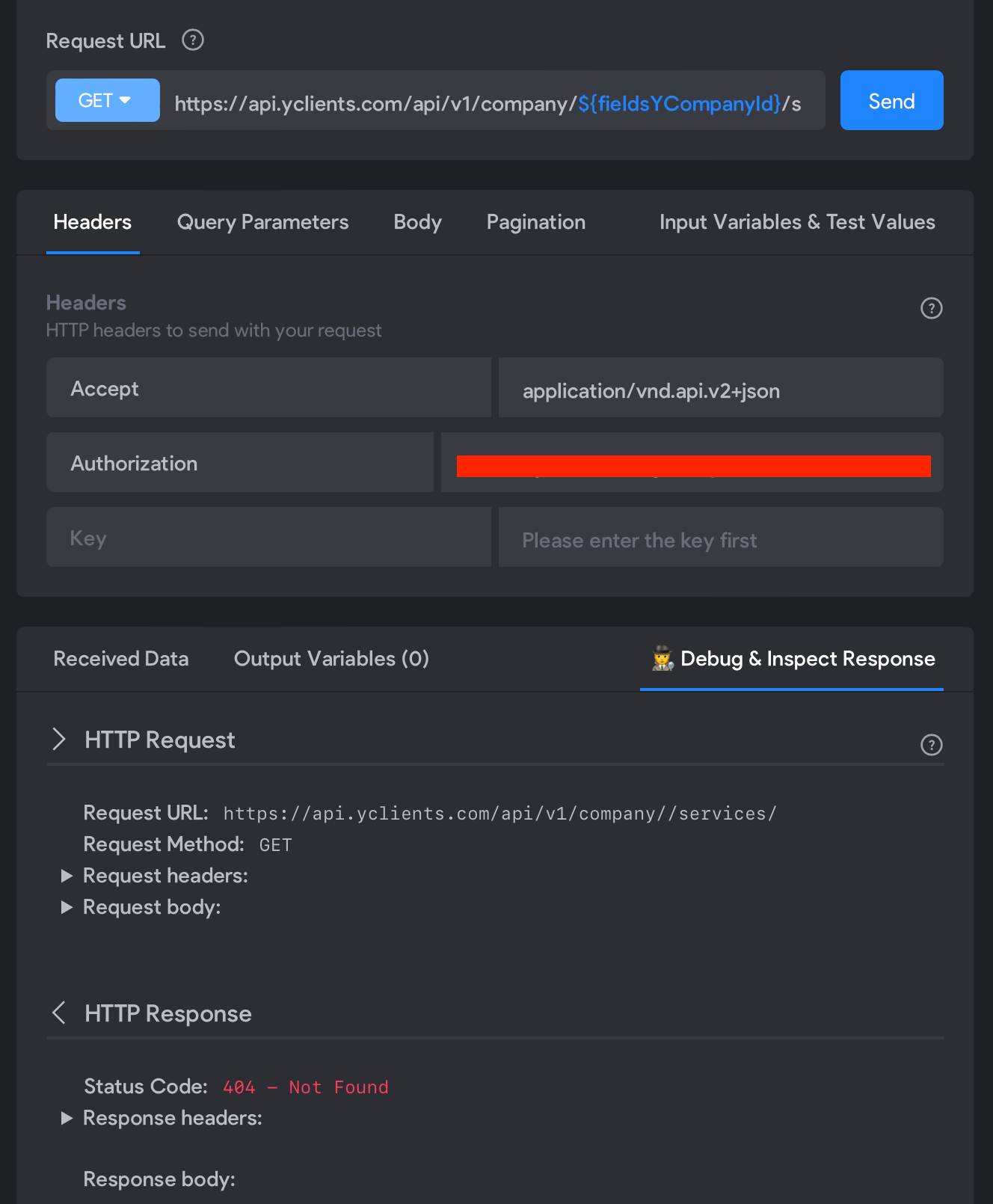
I get the Yclients company id with the API calls (Airtable list / detail) and store it as a variable ${fieldsYCompanyId}. I am then trying to use this variable in my Yclients GET request (see screenshot), but the variable isn’t included in the request (as you can see in the Debug section).
I have been stuck with this issue for multiple days, tried many options, but can’t find how to make it work 🙁. Could you please help me? 🙏🙏

I would really appreciate your response!
Thanks in advance!

14 replies

Debasish July 29, 2024

Hi @Gleb,

Where are you setting the value of the variable? For you to use the variable in API request, you can either set it in the following 3 places:

  1. Selected data from another API request

  2. User input

  3. Remote action tag

Please refer this documentation here for more info.

Also I have noticed that that your GET request URL is possibly wrong.

It should be https://api.yclients.com/api/v1/company/services/${fieldsYCompanyId} instead of https://api.yclients.com/api/v1/company/${fieldsYCompanyId} /services/

Gleb July 29, 2024

Hi @Debasish Gracias,
First of all, thanks for your reply here! I really appreciate it!

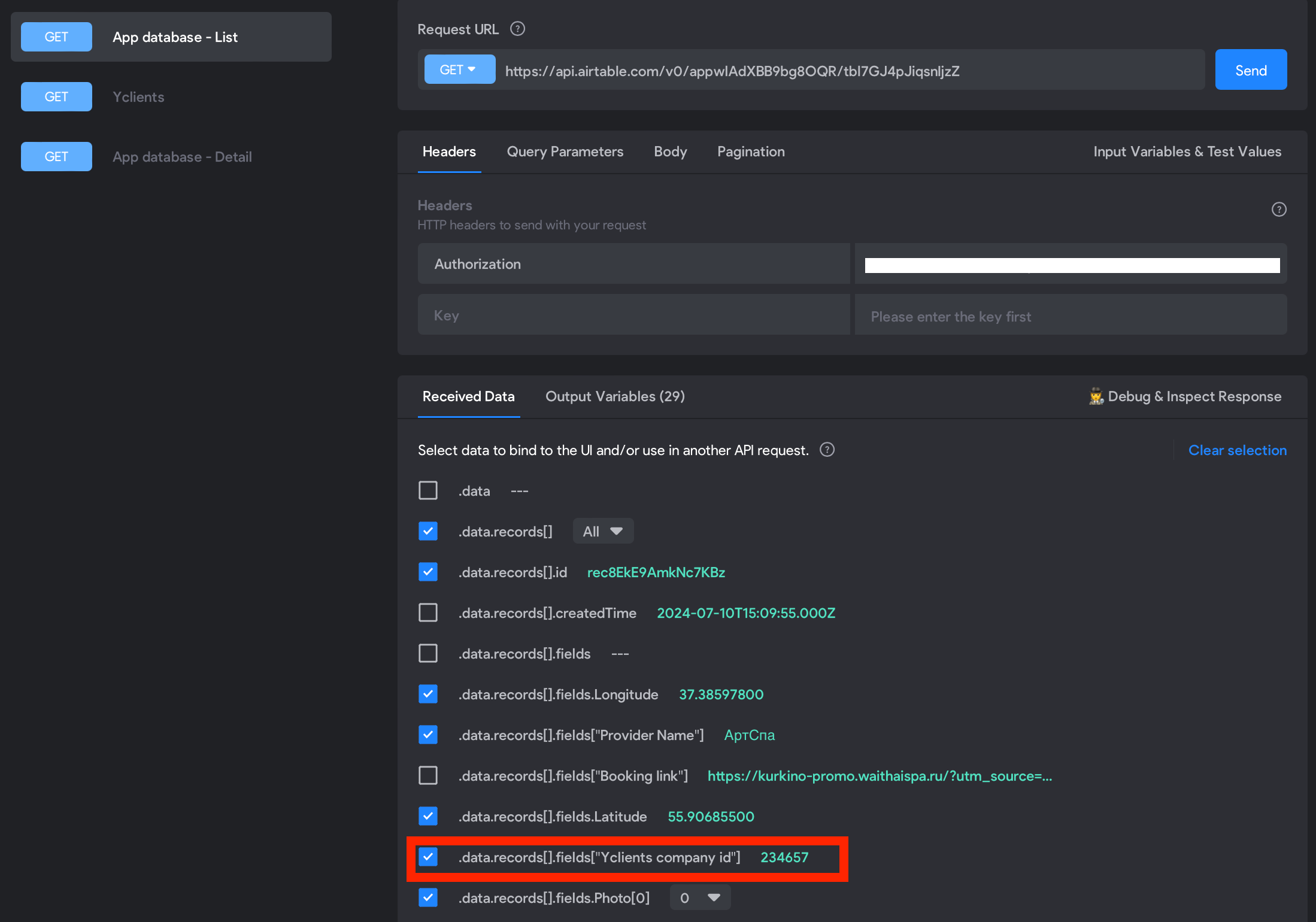
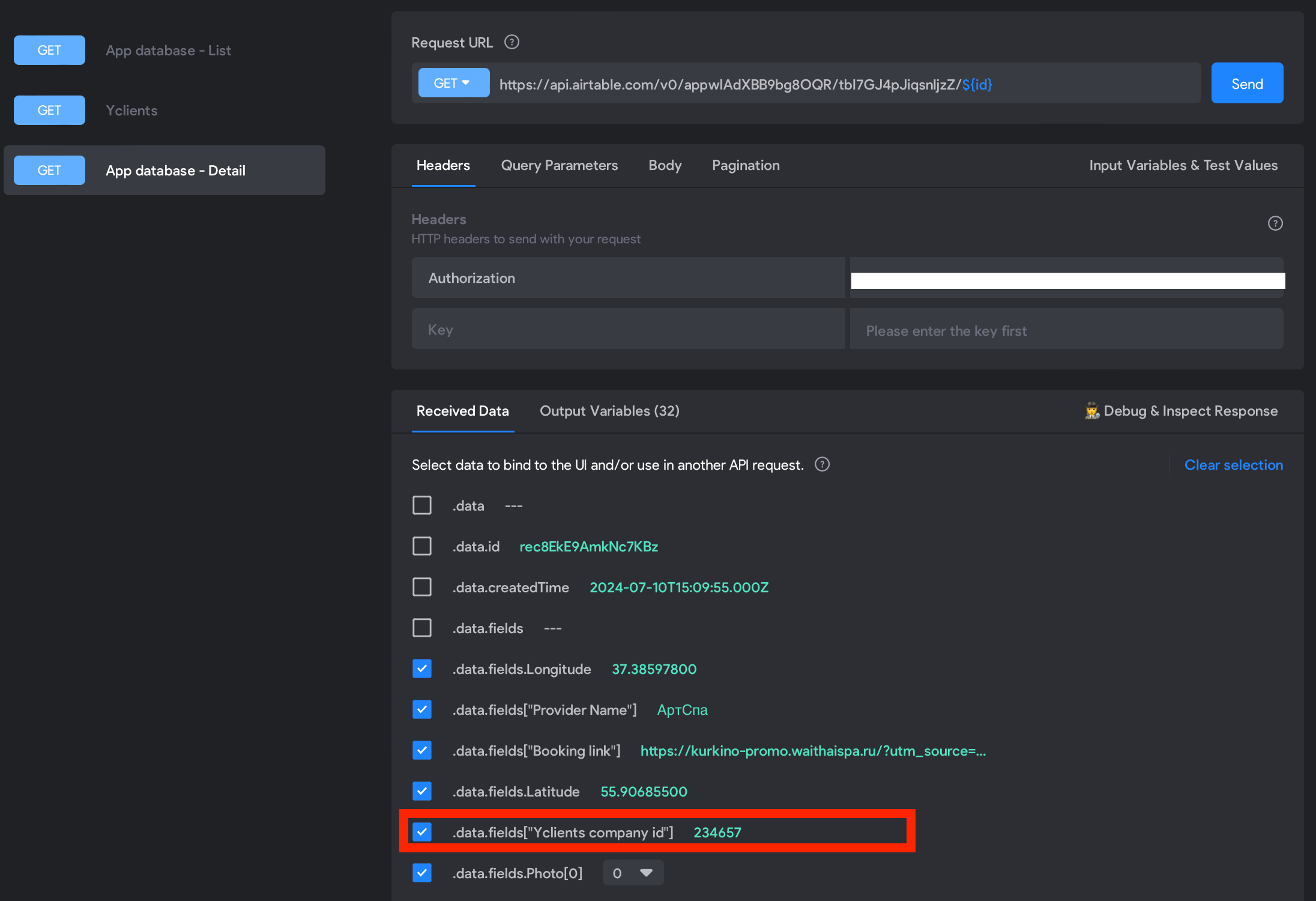
I am setting the variable value in selected data (output variables) from the Airtable request as you can see below:

Actually, the GET request URL is correct - I need to specify the “company id” before the “services” part, as per the Yclients API documentation.

You can also see the request working fine when I use the test values:

Any idea of how to pass the variables between the two API requests automatically, as it should be?

Debasish July 29, 2024

okay. Seems like the way you have setup is correct. But not really sure why you are not getting the value of your variable into the next API request. I have something similar and it works for me fine.

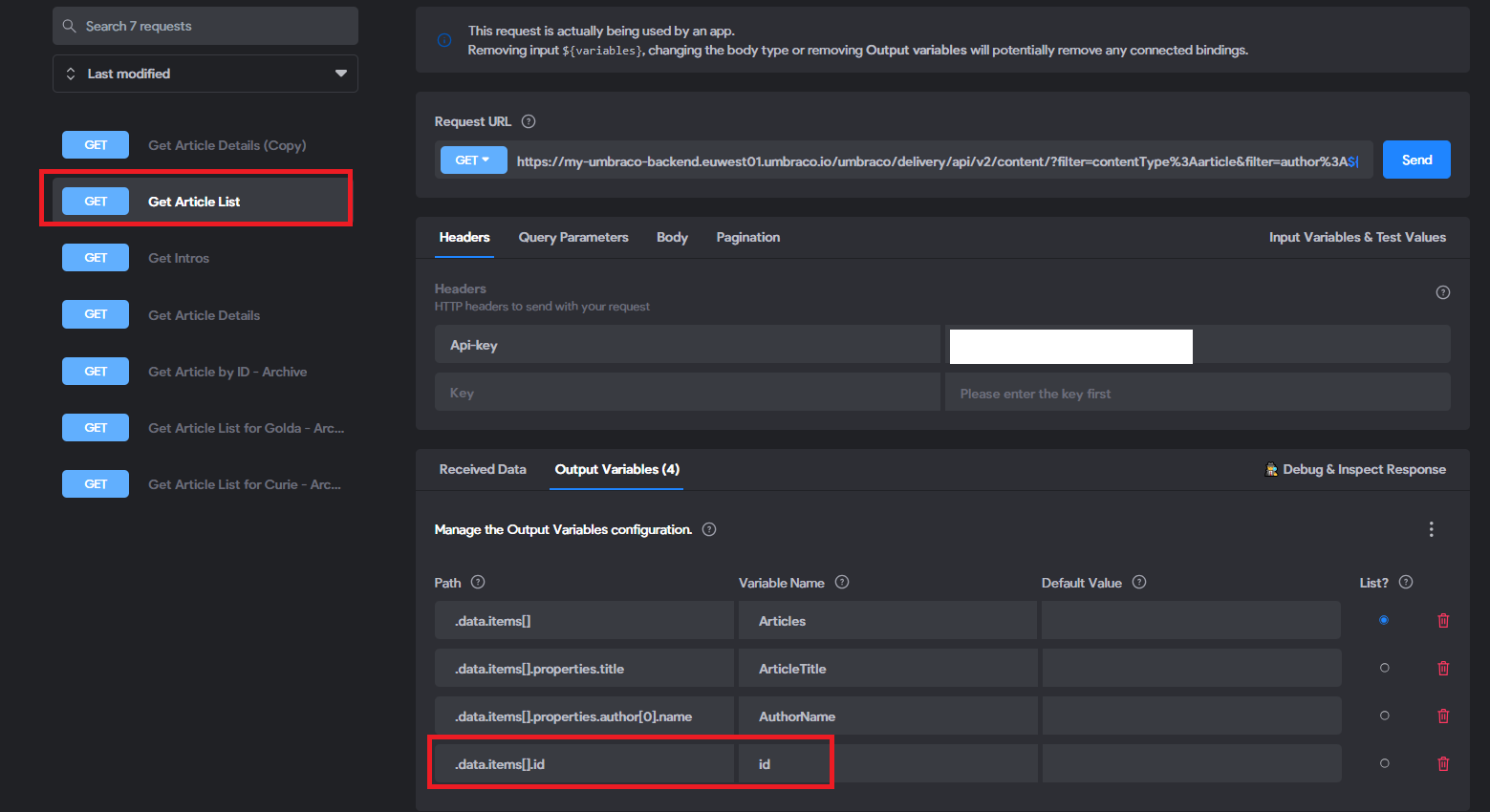
  1. I have set the variable(id) here:

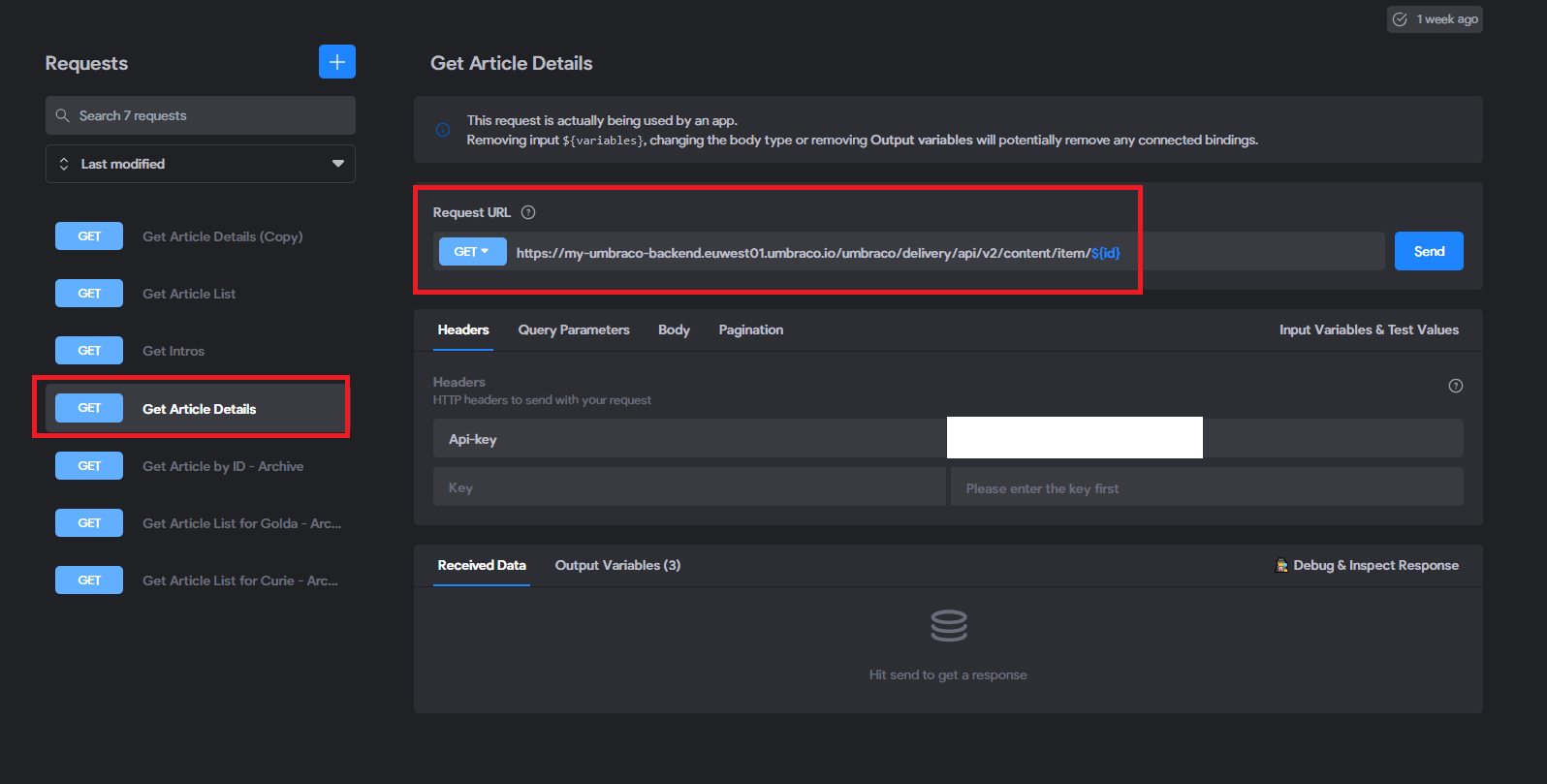
  1. In my next API request, I use it like this:

Can you double check if there is any typo in the variable name?

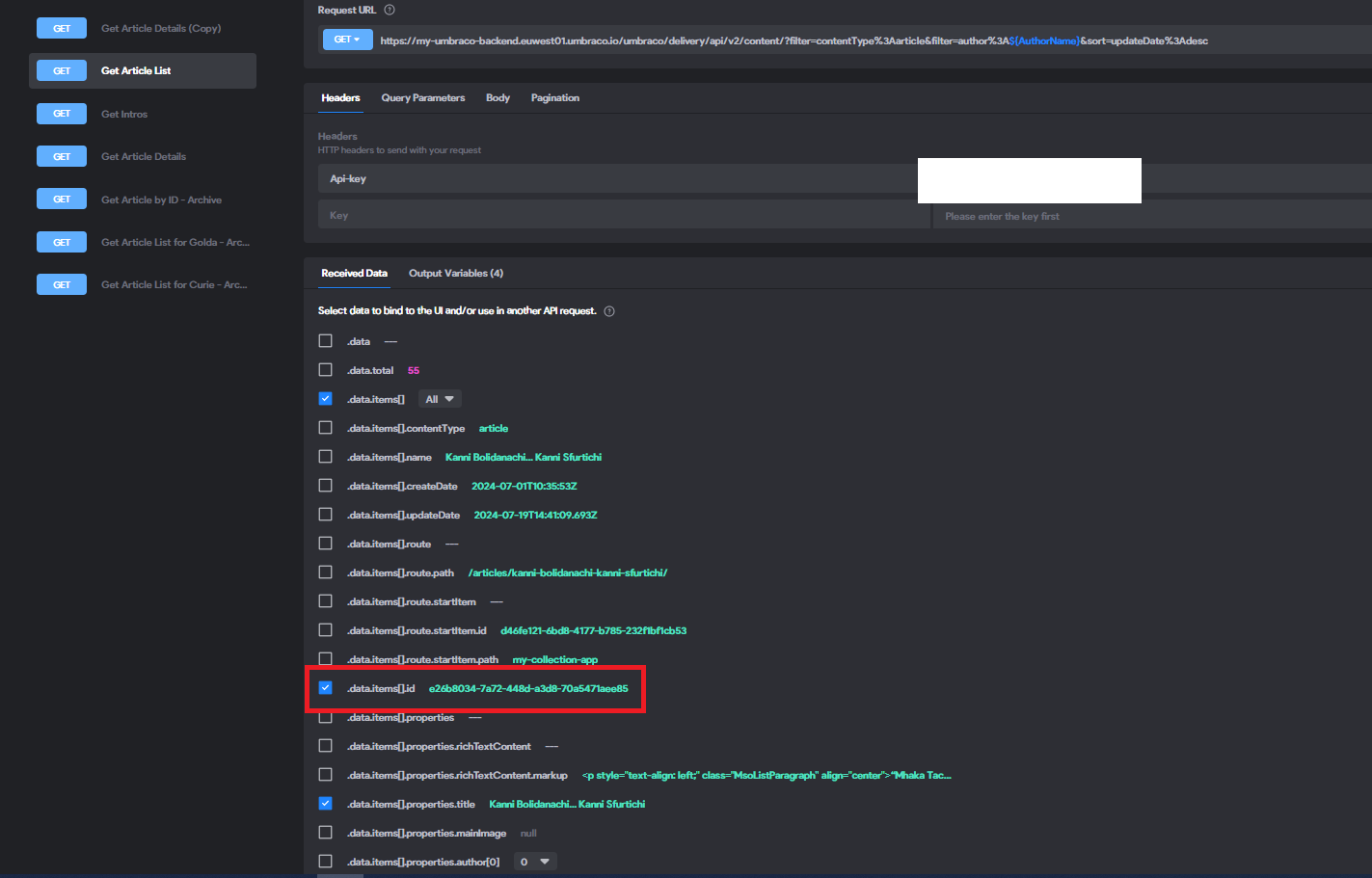
Also can you send me a screenshot of the received data like below?

Gleb July 29, 2024

There is no typo and I have played with the variable name many times. Now I have simplified the variable name to “Yid” to keep it simple - still the same issue.

Here is the List request data from Airtable:

Here is the Detail request data from Airtable:

I have tried to change the Airtbale cell format to a “number” instead of a “single line text”, but it didn’t work either.

In your example you are using different requests to the same API (My Umbraco). In my case, however, I am trying to pass a variable from one API to a different API (Airtable to Yclients).

Debasish July 29, 2024

Yes I’m using different requests but to same API. How are you calling the the Yclients GET API call? Is it on a click of button on your detail’s page?

Gleb July 29, 2024

Yes, I have tried it and it didn’t help either :(

Gleb July 31, 2024

Dear @Marielle Ibias,

Would you please be so kind to have a look at my problem, when you have some free time?

Sorry for tagging you, but I have no other contact that could potentially help me.

Unfortunately this is a dealbreaker issue for me and I can’t move forward without resolving it. I would then have to switch to other tools, like Flutterflow.

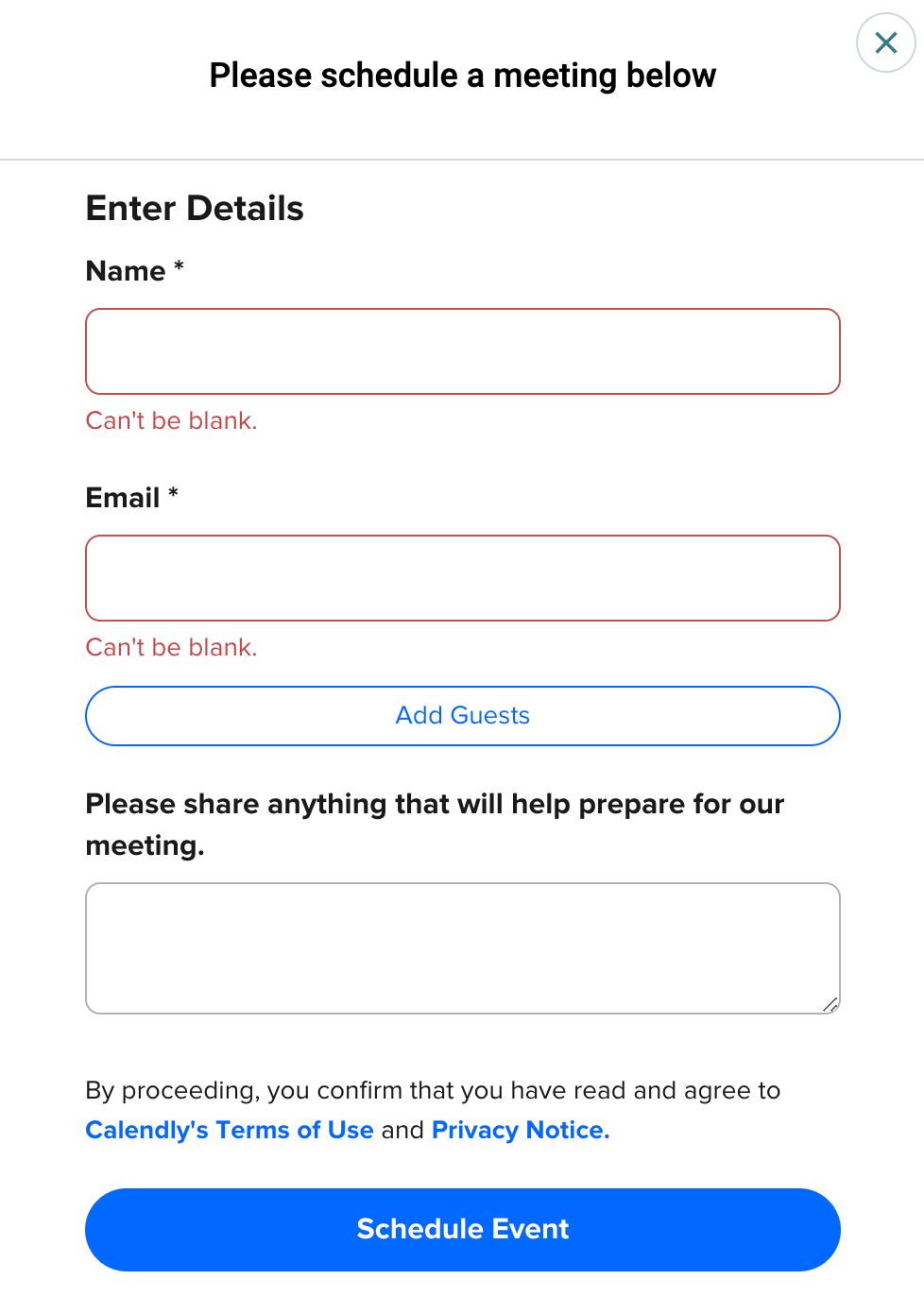
On a side note, I am trying to cancel my subscription and it offers to schedule a call with the support team. However I can’t fill in any of the fields in the form below (tried different browsers):

Marielle Ibias Bravo team July 31, 2024

Hey @Gleb,

Variables can’t be “catched on the fly”. It should be binded to an element and then, send a POST request of that element in order to propagate it from one API request to another.

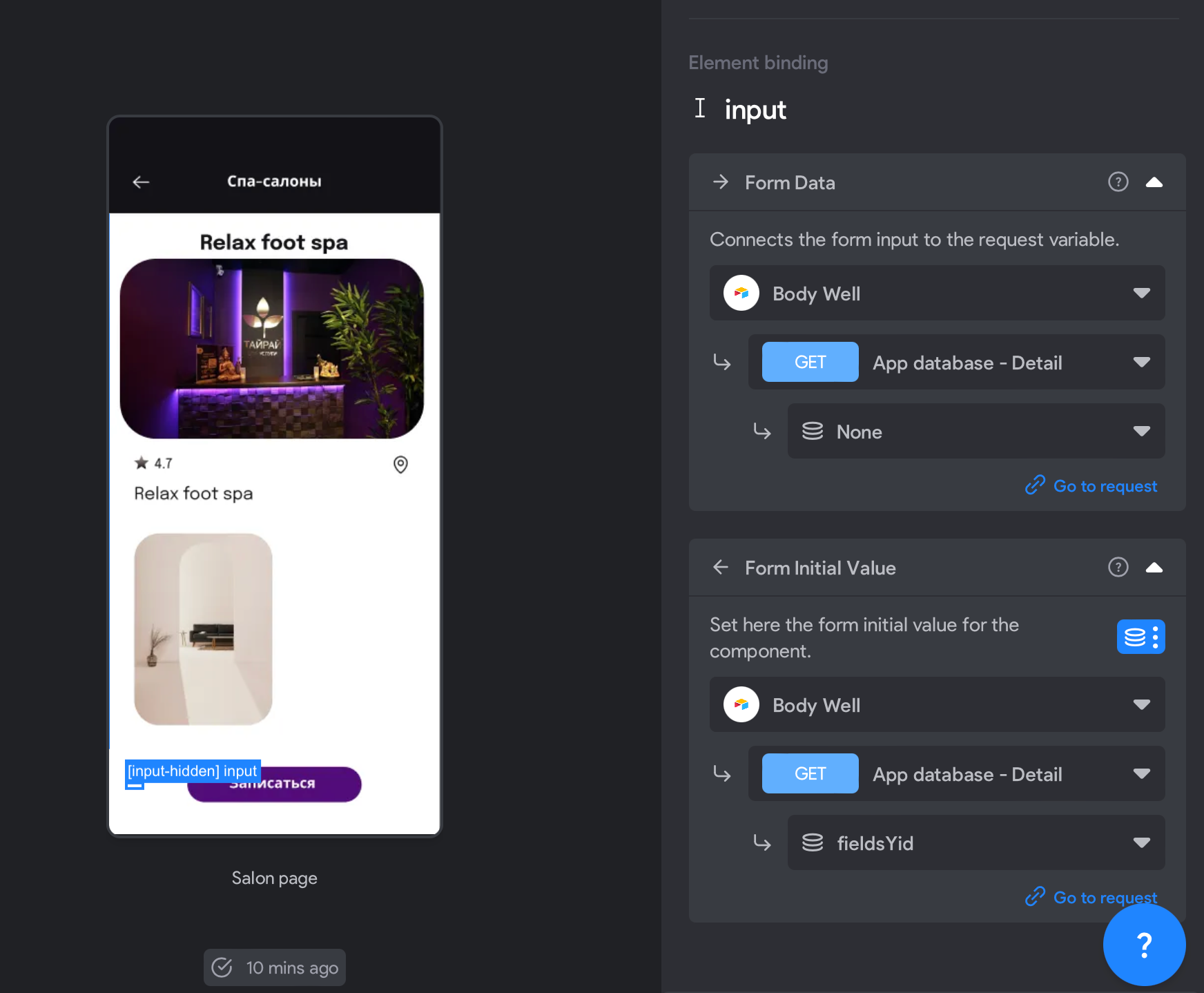
The component [component:input-hidden] can be used in this case to store identifiers or any other data that needs to be passed along with form submissions but doesn’t need to be visible or editable by the user.

Hope that helps! Let us know if you have more questions, we’re happy to help!

Btw, we’ll check the cancellation issue and get back to you asap.

Gleb August 1, 2024

Hello @Marielle Ibias,

Thank you for replying. I got confused. I will list the points below:
1. In my case I don’t have any form submissions. So I don’t understand why I should make any POST request
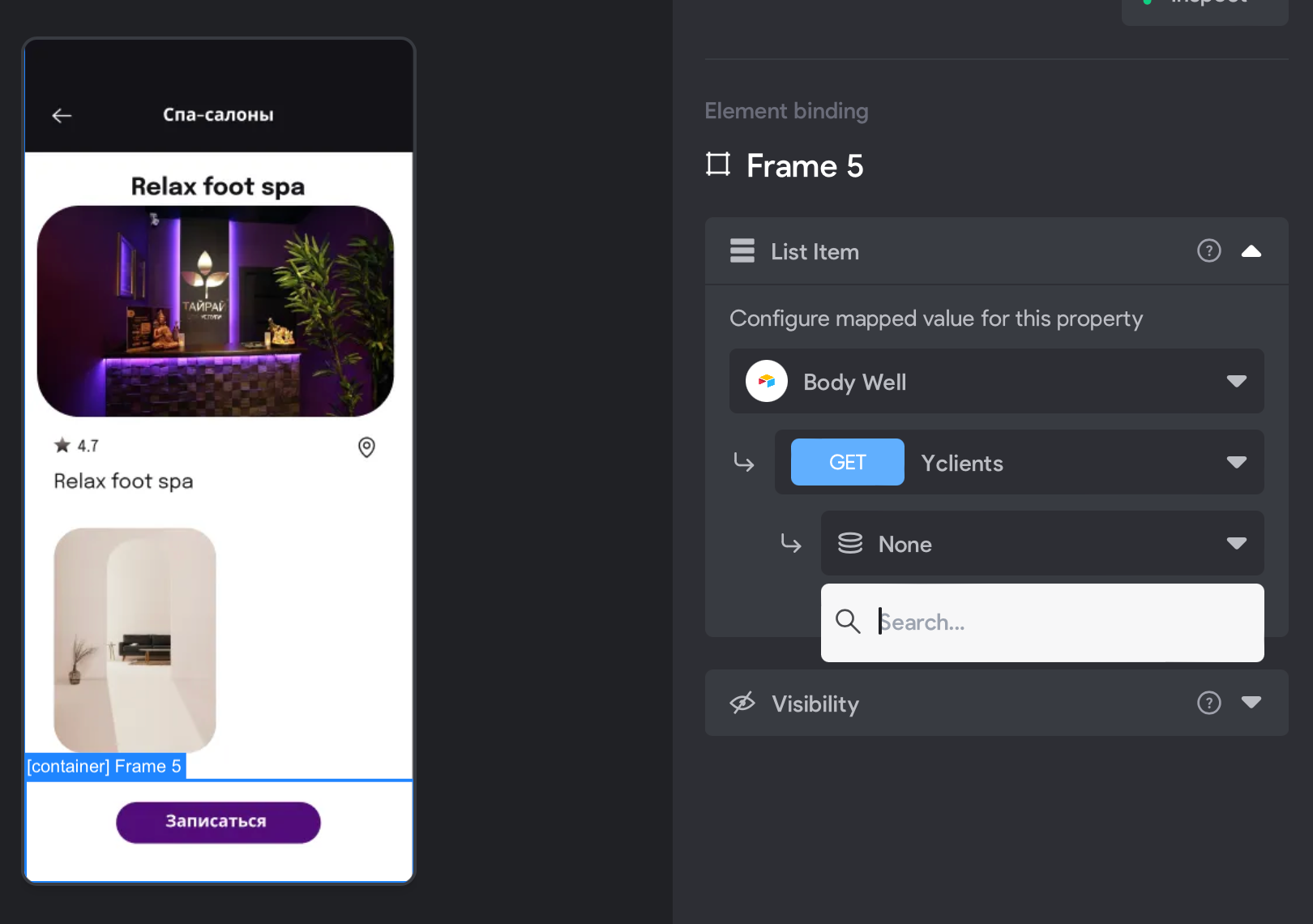
2. I tried to use [component:input-hidden] and bind it to “Yid” variable which I need in my Yclients API request, but the issue is still there and the variable s not propagated to this request. Am I doing anything wrong with Bravo’s Form Data / Form Initial Value parameters? My Figma / Bravo setup is below:

  1. Am I supposed to get back to the paid plan in order to make it work? Should the “remote action” feature be involved here?
Gleb August 5, 2024

Hi @Marielle Ibias.

Please kindly have a look at my latest questions, upon your availability 🙏

Marielle Ibias Bravo team August 6, 2024

@Gleb can you share your APP ID so I can have a look to it? Thanks!

Gleb August 7, 2024

@Marielle Ibias, thank you!
My app ID is 01J2EA8ETGPPFGTMRWJQKCJW09

Wrote something in this thread and want it removed? Request removal

Still stuck?

Ask the community on Discord

This archive is read-only. New questions, office hours and product updates now happen in the Bravo Discord.

Join the Discord