Archived from the Bravo community forum (2021–2026). Some answers may refer to older versions of Bravo.
I have set up the data collection and bind as from the guide:https://docs.bravostudio.app/integrations/user-authentication/custom-authentication#1.-setting-up-the-ui. That's all working but, when I test it out in bravo vision it doesn't work.
what could the issue be?
19 replies
Custom authentication is not working since 4 days ago. The issue has been reported and I have been in contact with support. They said that the issue has been identified and shall be fixed in the upcoming release. Hope that clarifies. Regards, Nour
Thanks ! We need to setup the same thing now. Perfect timing 👍
Also, even more basic question: is the "custom authentication" link above the way to setup user logins when user Xano? Especially if you want to avoid Firebase and keep both user authentication and Xano backend in the same place?
I wasn't sure the difference between:
- Firebase Auth
- OAuth
- Custom Authentication
- Xano Authentication
Here is the link for the custom authentication which is supposed to work with xano. https://docs.bravostudio.app/integrations/user-authentication/custom-authentication/custom-authentication-with-xano
If you are using xano for the backened, then I would recommend sticking to the current supported authentication by bravo which is custom authentication . However, there are some downsides here, which is...you will not be able to add more signing options rather than email/pass such as sign in with facebook, apple, etc "OAuth"
That being said, you could still utilize magic link for authentication using just email or SMS. That I managed to get it to work using both bravo, xano.
Concerning firebase, I did not really spend much time on, but I would be curious to see if you managed to get this somehow integrated with xano.
Thanks - My limited understanding is that while Firebase is awesome (like offering support for forgotten passwords, etc). I believe there is some security risk in needing to pass tokens back/forth between Firebase & Xano. As opposed to keeping everything centralized in one system.
I believe has a video on some of this, or at least knows the answer ;)
Hi , the custom login feature is working correctly on our side, so this should be some configuration issue. Could you send us your project details (including design file link and Bravo project URL) to support@bravostudio.app, so we can help out? Thank you!
attached a screenshot of the reply I received from support team. It is an issue with the latest release of bravo vision, that is what I have been told.
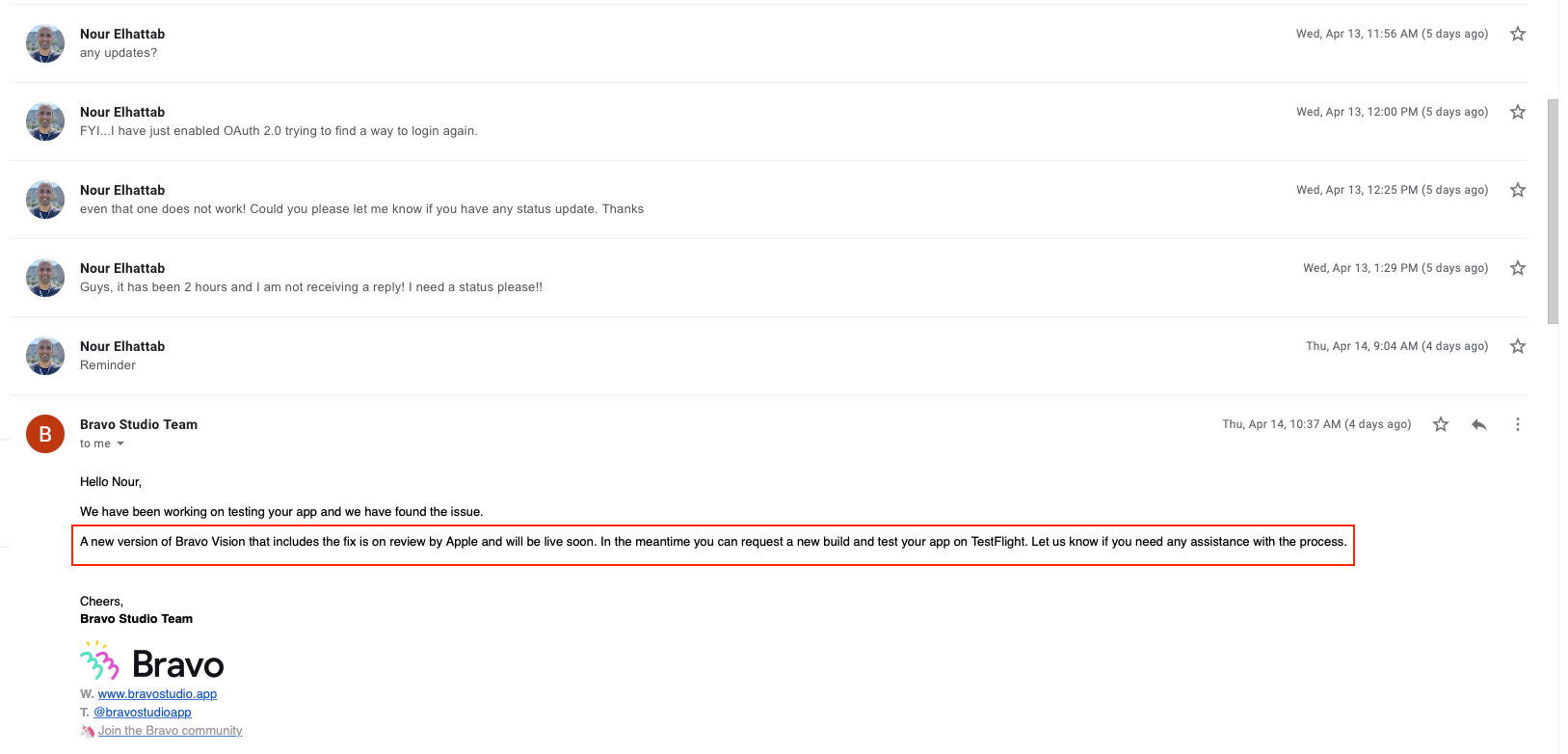
I have been sending emails to support team for 6 days now and my login issue is not solved yet. Could you please help me out? I have already sent all project details.
Thanks for sorting this out. Do you mind checking back when you've got it figured out? Also do you know how the custom auth. works if someone forgets their password and needs to reset?
app monster has a video yes for setting up firebase for authentication but not covering exchanging token with xano. Thats why I did not take this solution into consideration at least for the time being.
sure! by the way I got a new input from support today that the issue is fixed for android version of bravo vision but not for ios version yet. So it is still on hold for me. Concerning password reset, I managed to implement a solution with magic link, i can send you more details as soon as I am infront of my computer tomorrow. Cheers!
thank you for providing all of these updates! Let us know when support gets back to you and fixes the iOS version!
sure
That would be great, your tips on magic link thanks!
Hey guys,
sorry for the late reply, I was on vacation. There is actually no security risk in saving tokens in Xano. It is common procedure. Also, Bravo fills the user variables anyway so nothing to worry about :)
I have a video where I talk about the same thing with the device.id (https://www.youtube.com/watch?v=4o5qHrX-kKU ) But I've already heard from other users that it can be tricky to transfer that knowledge to user.id.
Latest update (for ios users): generate a new app bundle (IPA), they will already contain the fix. Bravo vision (1.8.0) does not contain the fix yet.
Quick update: New release for IOS users (1.8.1) is now available on the app store and containes the fix.
Thanks Nour! Just about to do the same and check it out.
When you have a chance can you share details on how you got "forgotten password" working for custom authentication. I believe you said magic link?
sorry for the late reply. It is quite hectic here. Here is the video I followed to get this to work: https://youtu.be/oya-BvMZyqU
Awesome thanks!
Wrote something in this thread and want it removed? Request removal
Ask the community on Discord
This archive is read-only. New questions, office hours and product updates now happen in the Bravo Discord.
Join the Discord