← Resources & Tips
Resources & Tips Solved July 16, 2022 · 9 replies

Analytics - Mixpanel + Segment

Archived from the Bravo community forum (2021–2026). Some answers may refer to older versions of Bravo.

Anyone have any tips on setting up some simple backend analytics? I'm using Xano so in theory it's possible, but just being a no-coder I'm a bit lost on where to start.

Any tips or tutorials out there ?

9 replies
Robin July 16, 2022

Hi Alex , I managed to set up some kind of analytics with Xano. It’s not super convenient but here is what I did : 

 I created a « visit » table in my db with those field : User/Created at/Product. 

Then for all my get detail endpoint I added one step creating a record in this visit table. 

This way I can follow which Product has more visits, the mean age of the users visiting a particular product and more generally how many visitors I have through my application on a daily/weekly/monthly basis etc… 

Not perfect at all but it seems to be the best I can do..

If you need help let me know !

app.monster July 16, 2022

This is a really cool solution! Depending on the detail of statistics you want to gather I would recommend this over Segment or Mixpanel.

Alex July 17, 2022

Thanks super helpful. I follow everything except, "Then for all my get detail endpoint I added one step creating a record in this visit table. "

How do you do the "create a record in the visit table" step? Is this something you're doing in Xano, like embeded in your get endpoint?

Or are you doing the remote triggers for UI navigation? I saw some recommend removed any prototype transitions, and instead do them with remote:action triggers and watch those? I tried this but the lag is noticable.

Alex July 17, 2022

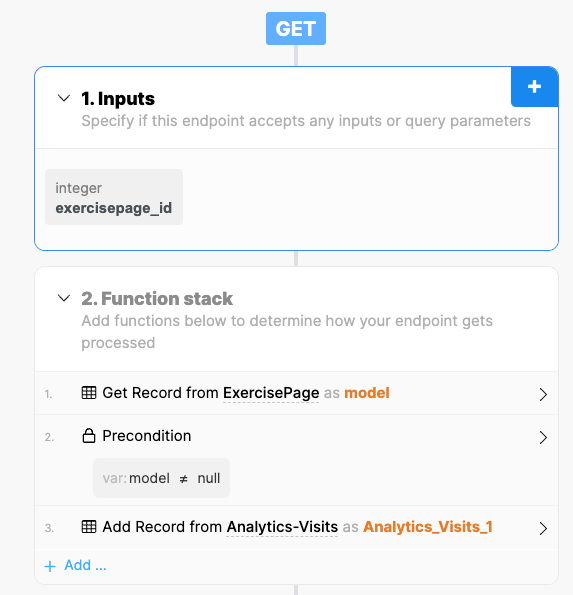
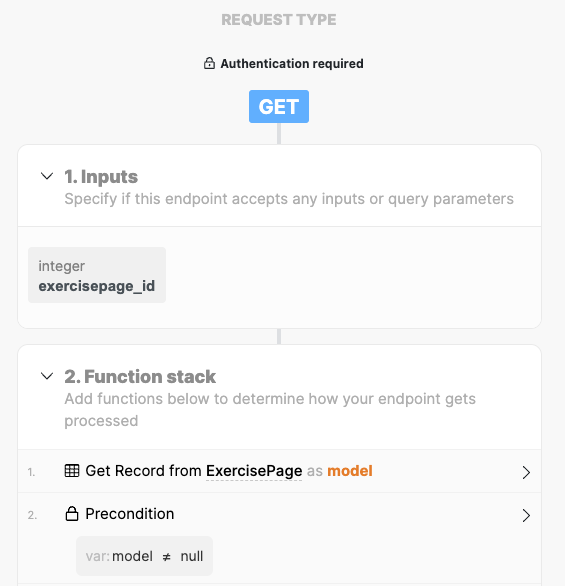
Oh so do you mean, taking a get-detail request like this...

image.png

And adding this "add record" in step 3?

image.png

Robin July 17, 2022

exactly ! 
Depending on what info you want, you can add an extra step to be more precise : 
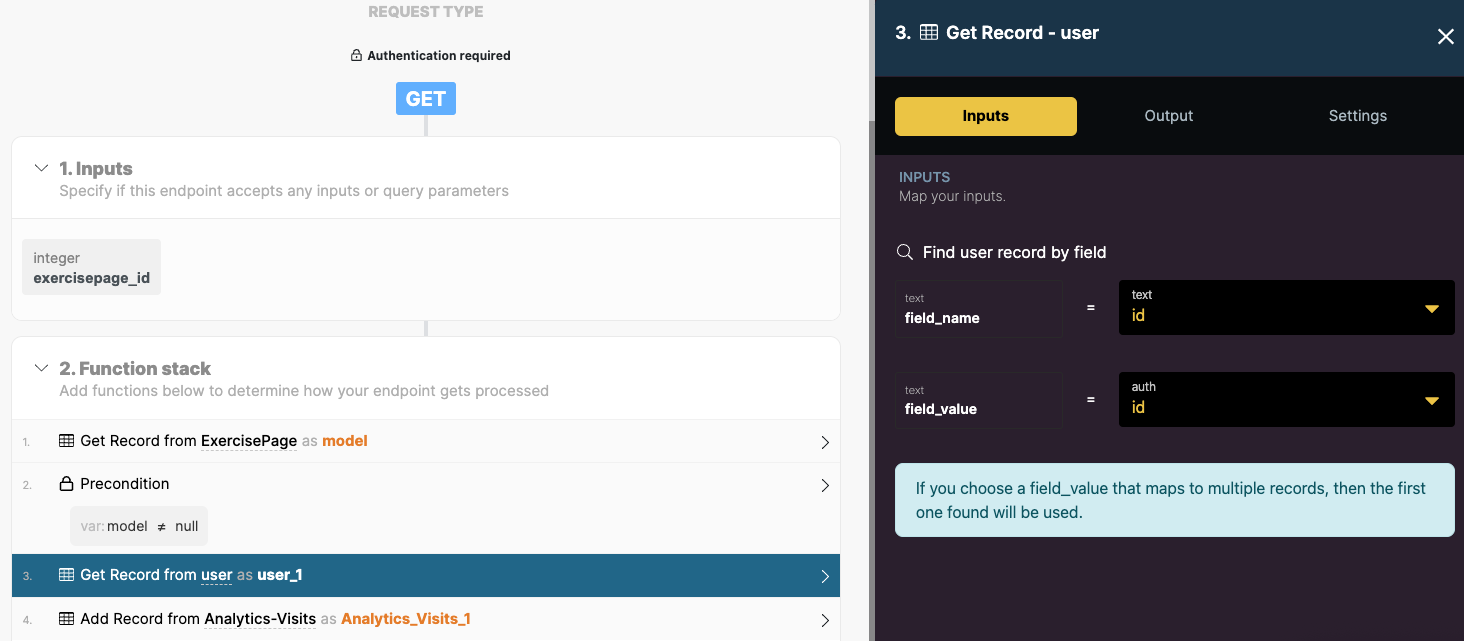
Get Record -> User (if your app use Xano’s authentification) 
Add a « user » field matching the user table
Bind user.id to that field in the analytics_Visits_1

This allow you to get more info from a simple visit

Alex July 18, 2022

Oh true! that's perfect thanks. If you have a screenshot of that it'd be great! but I can probably figure it out if not

Alex July 19, 2022

Got it. for the record incase anyone needs it:

image.png

Wrote something in this thread and want it removed? Request removal

Still stuck?

Ask the community on Discord

This archive is read-only. New questions, office hours and product updates now happen in the Bravo Discord.

Join the Discord