← Publishing
Publishing June 12, 2023 · 3 replies

Android app error fetching data and (update) FALSE android.permission.CAMERA alert, but iOS app works fine!

Archived from the Bravo community forum (2021–2026). Some answers may refer to older versions of Bravo.

I just published the test versions of my randomiser app and while the iOS version works fine, the Android version has an issue fetching and displaying data (from Firestore, in case that's relevant). Perhaps or you could point me in the right direction? :) Images attached below to help clarify the issue.

Essentially, my app allows users to add and save items ("moves") which are then displayed in the "my moves" menu. These moves can then be randomised and saved into "mixes", shown in the "my mixes" menu. On iOS the moves and mixes menu fetches all saved data as intended.

However, on Android, when entering the moves or mixes menus, no data is shown. Only after a new move or new mix is added and saved is all the data suddenly fetched and displayed as intended.

I exported both the iOS and Android builds from Bravo Studio at the same time from the same project, so I'm confused as to what might be causing this problem. All my Android testers have encountered it. I appreciate any pointers! <3

Images:

My Moves menu shown correctly on iOS:
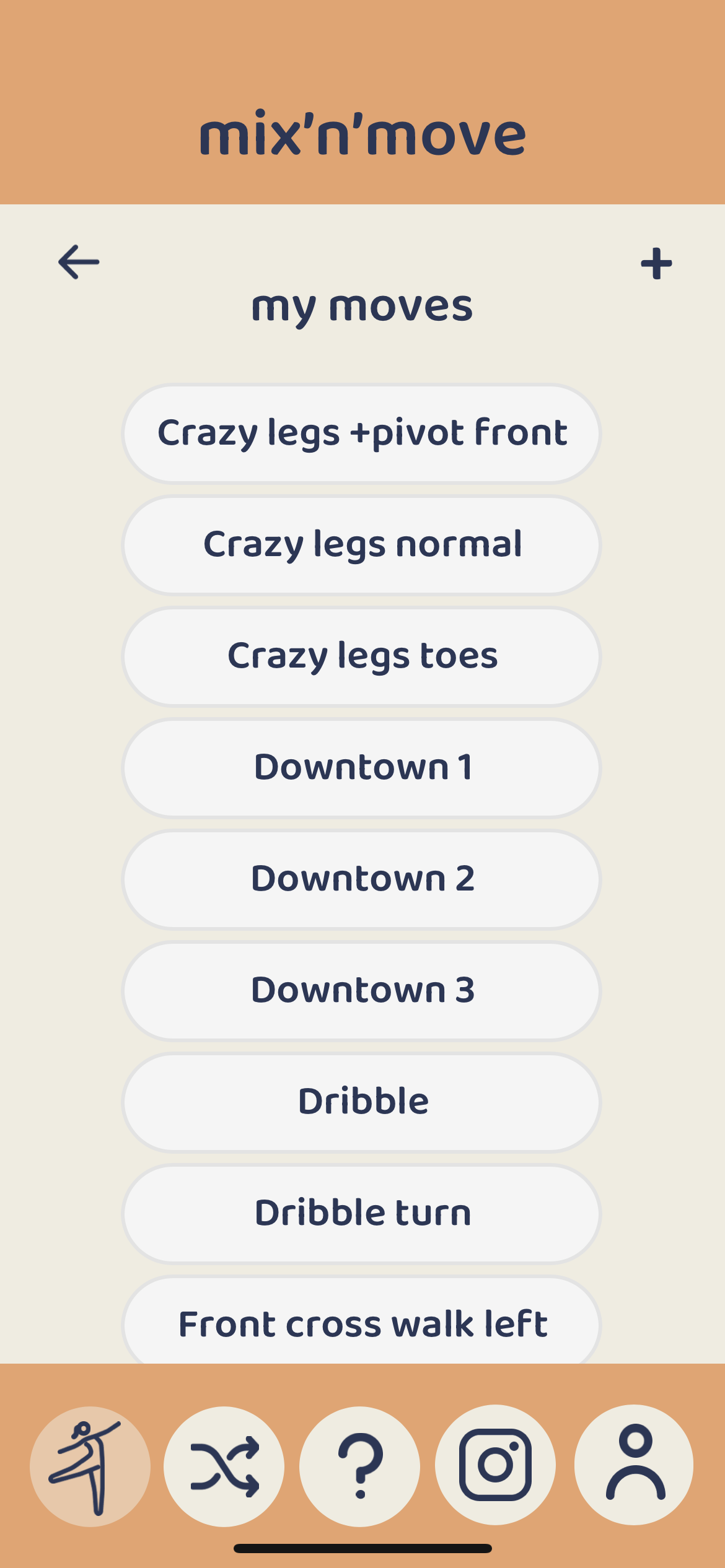
iOS moves list.PNG

My Mixes menu shown correctly on iOS:
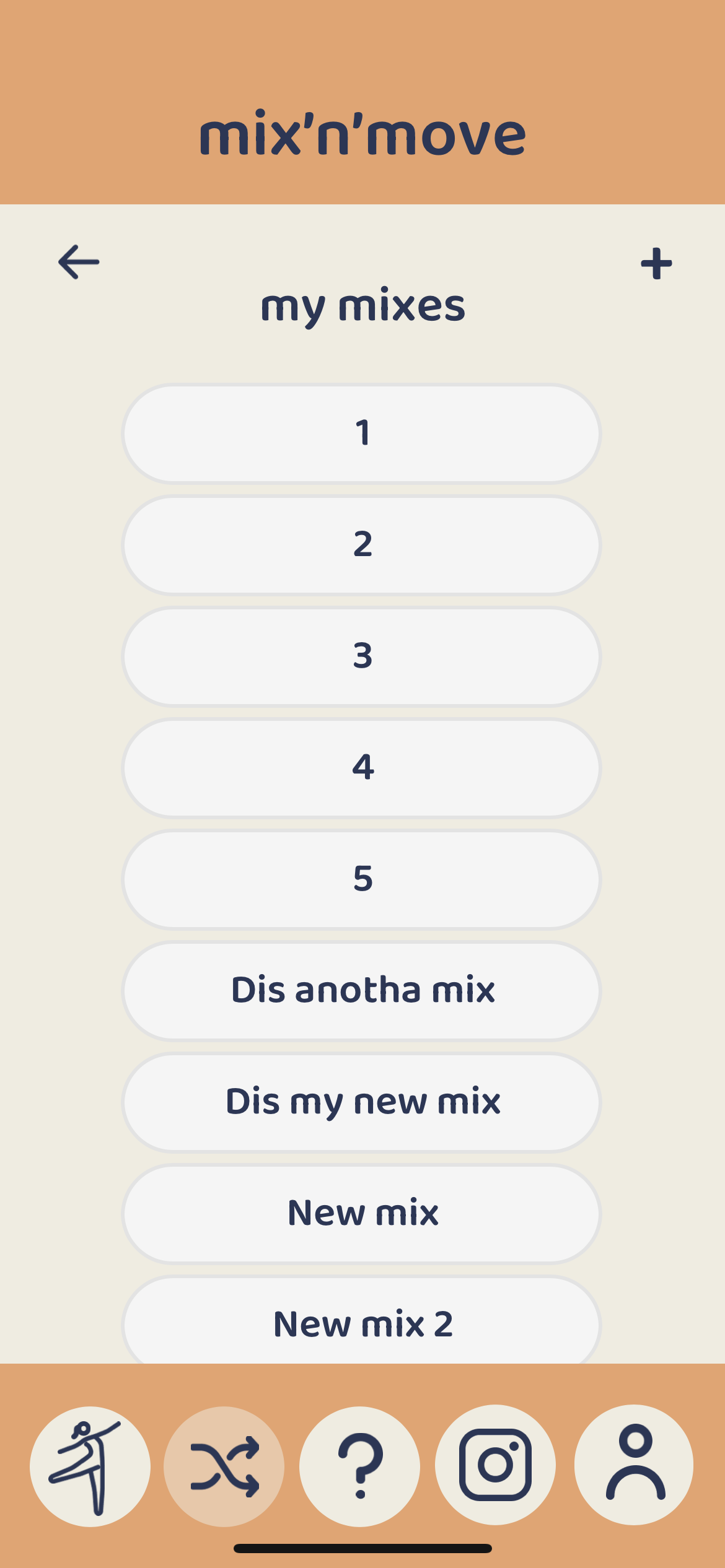
iOS mixes list.PNG

My Moves menu on Android when first opened with no shown data:
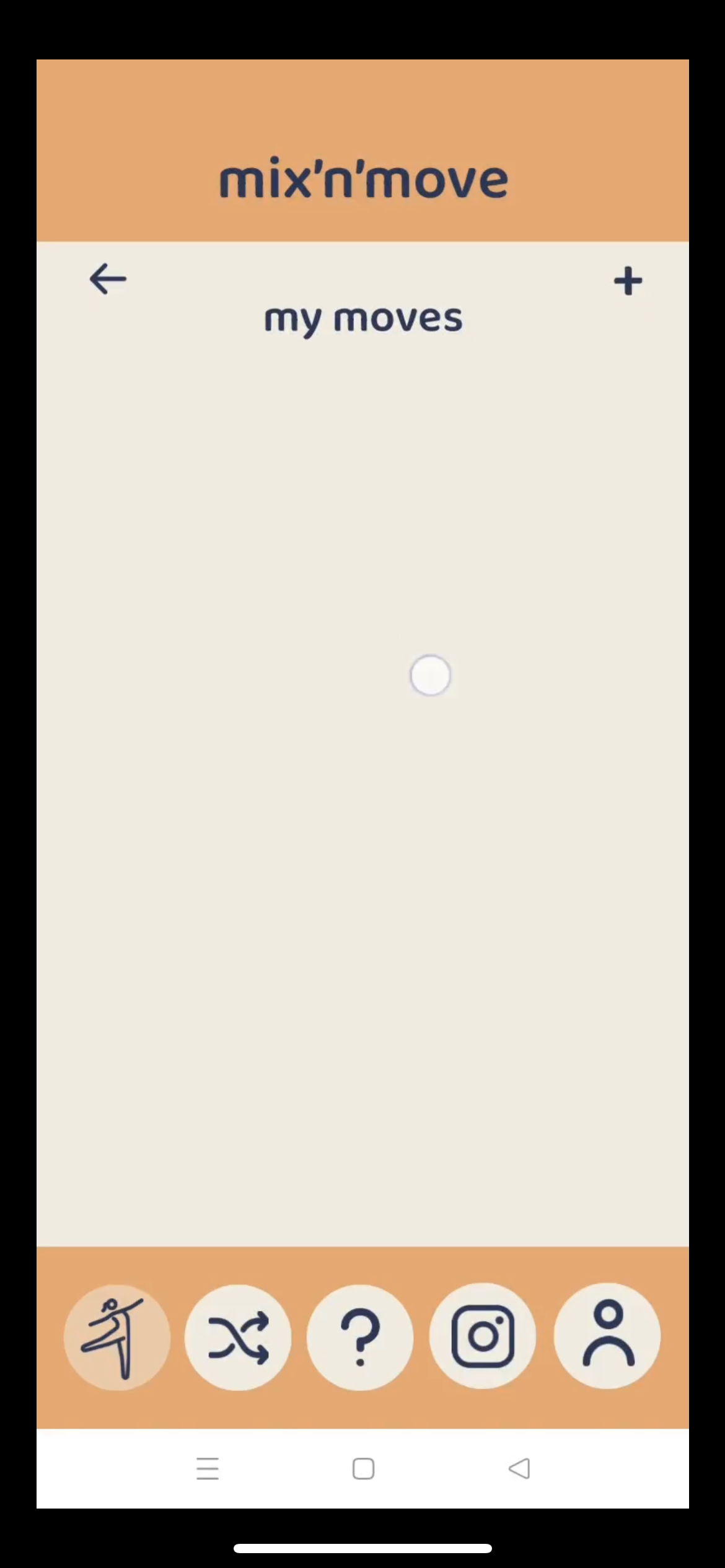
Android error no data shown.PNG

Adding and saving a new move in Android:
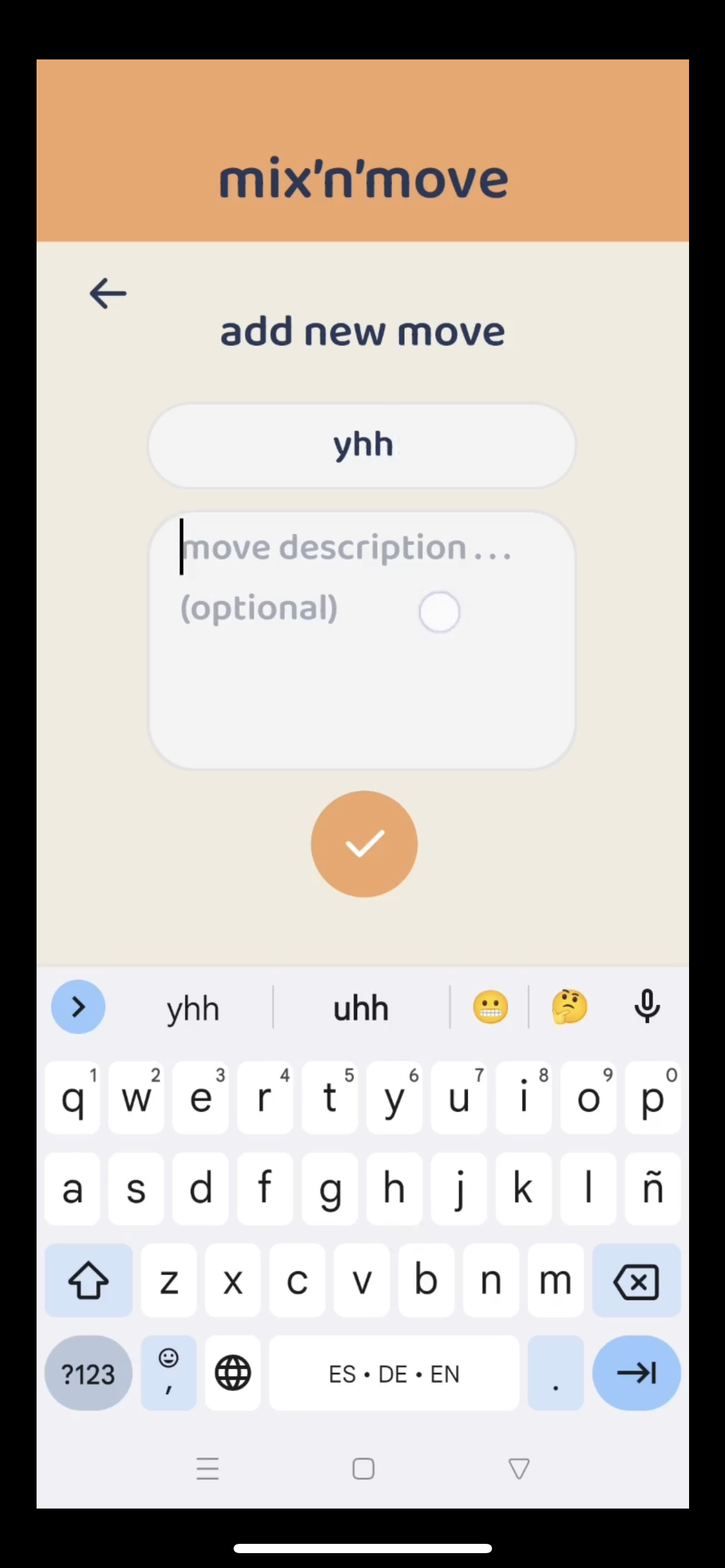
Android adding new data.PNG

My Moves menu on Android suddenly showing all data correctly after adding a new item:
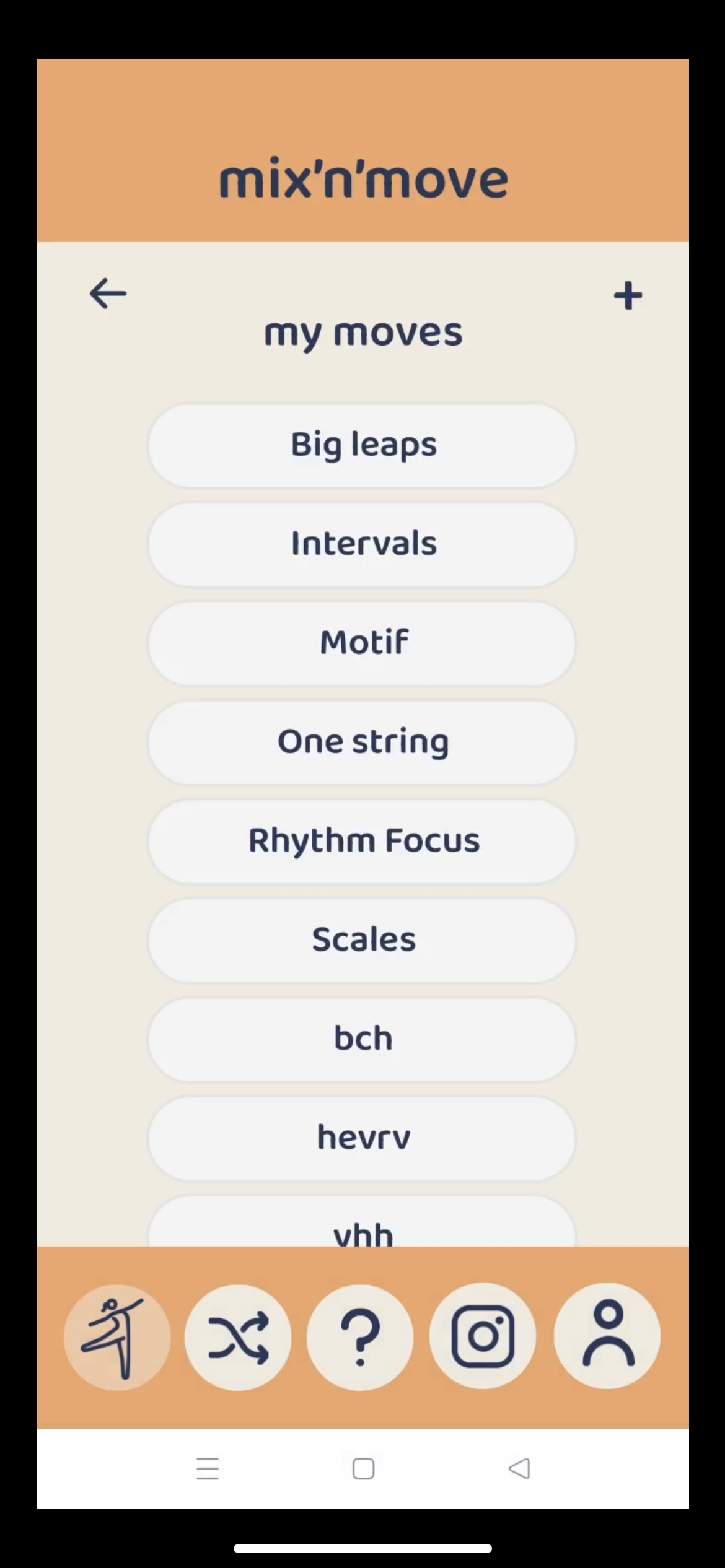
Android suddenly all data shown.PNG

3 replies

Karla June 12, 2023

Hey if the file and data is the same, you probably found an inconsistency on how the same function works on apple and android devices.

This inconsistency also happens for example on the share function that works differently in each device, or even the open url to play video. Sadly, I am of no help here. I am sure will take a look and see if this can be improved.

In the mean time, I would say for you to check if you have refresh tags in place, and if not, try to check and play with those options. Other thing would be do a forced change of page on your flow to make it really read data again and make the request another time, maybe not ideal, but it could work too.

Hope this helps, good luck!

Jessica June 14, 2023

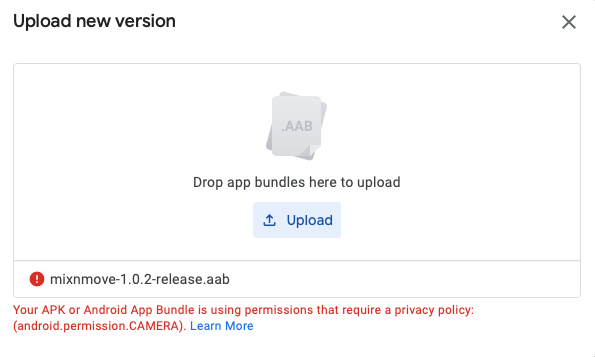
Thanks for your advice! I've included the tags [refresh:always] and [refresh:pull] to the pages in question to try and force all data to be read and displayed every time the page is opened and/or when the user wants to refresh. However, now I'm receiving this message while trying to upload the new version for Google Play internal testing:

Your APK or Android App Bundle is using permissions that require a privacy policy: (android.permission.CAMERA**).
**

false - android.permission.CAMERA.png

...even though my app never uses the camera anywhere and I certainly didn't include any tags of the kind. The iOS version uploaded without a problem and is working fine.

I tried to find other cases here but there didn't find an explanation as to how this can be fixed, only that  and seemed to be involved in solving this kind of topic in the past?

Attaching my .aap here:

mixnmove-1.0.2-release.aab

Karla June 14, 2023

Theses things are out of my hand too. Sadly Google Play is the easier place to send the apps and get approval from, but also the only one that keeps updating the way they wish to know how things are done in your app. I have just received a new change to make on Data Policy that used to be fine and isn’t anymore. If this is happening to you, I would guess it will happen to everyone until is fixed.

Wrote something in this thread and want it removed? Request removal

Still stuck?

Ask the community on Discord

This archive is read-only. New questions, office hours and product updates now happen in the Bravo Discord.

Join the Discord