← Publishing
Publishing Solved March 22, 2024 · 5 replies

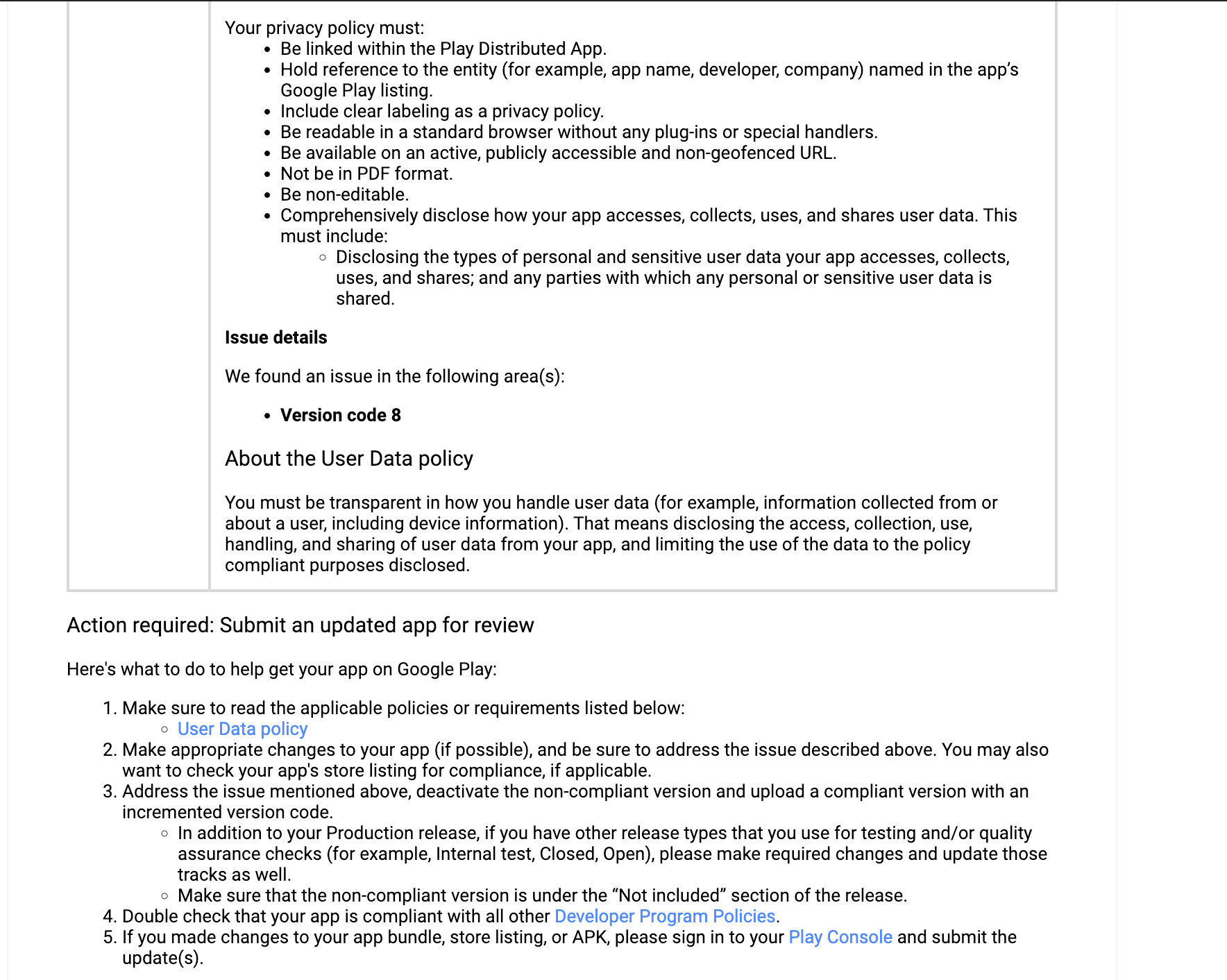
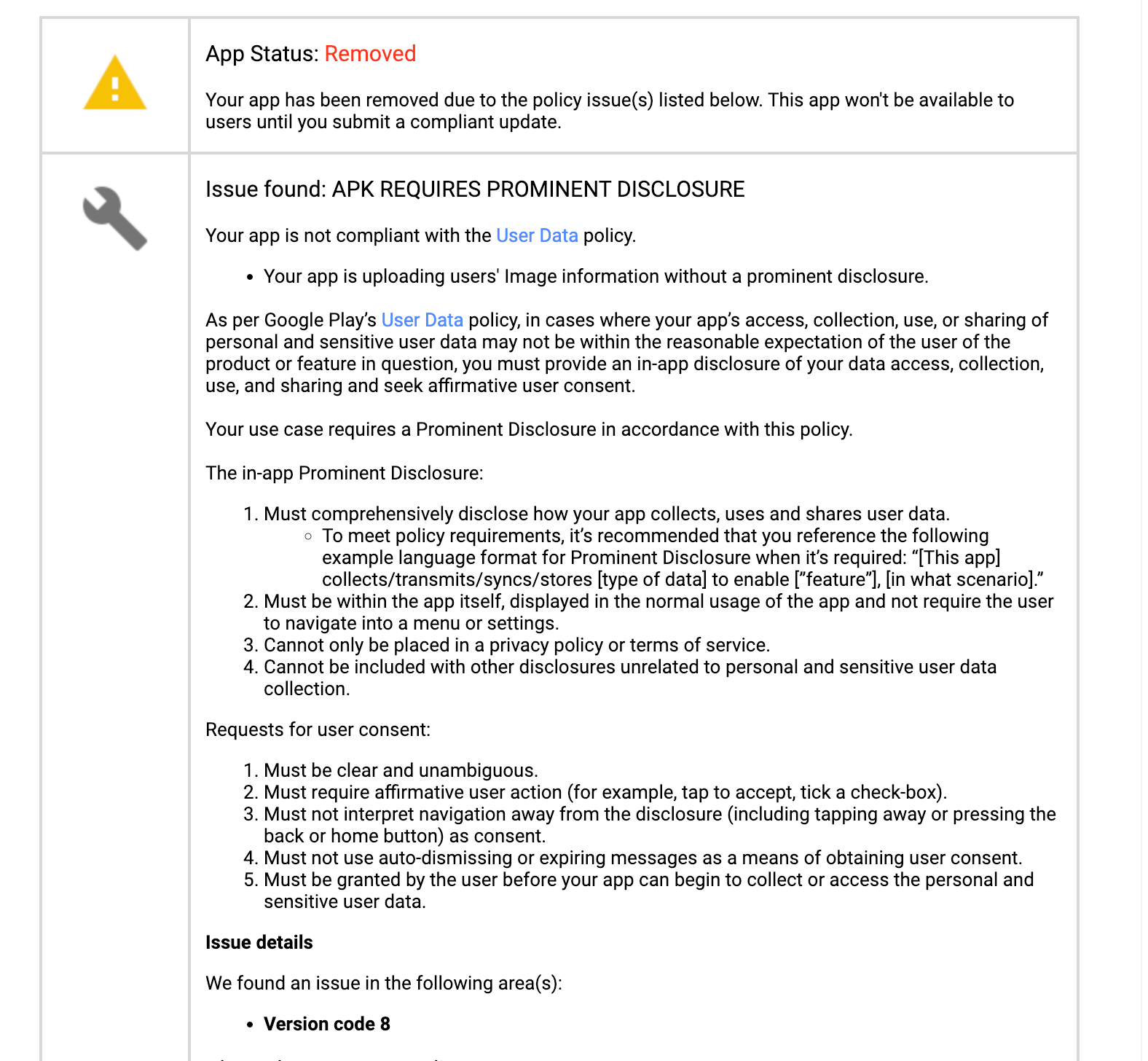
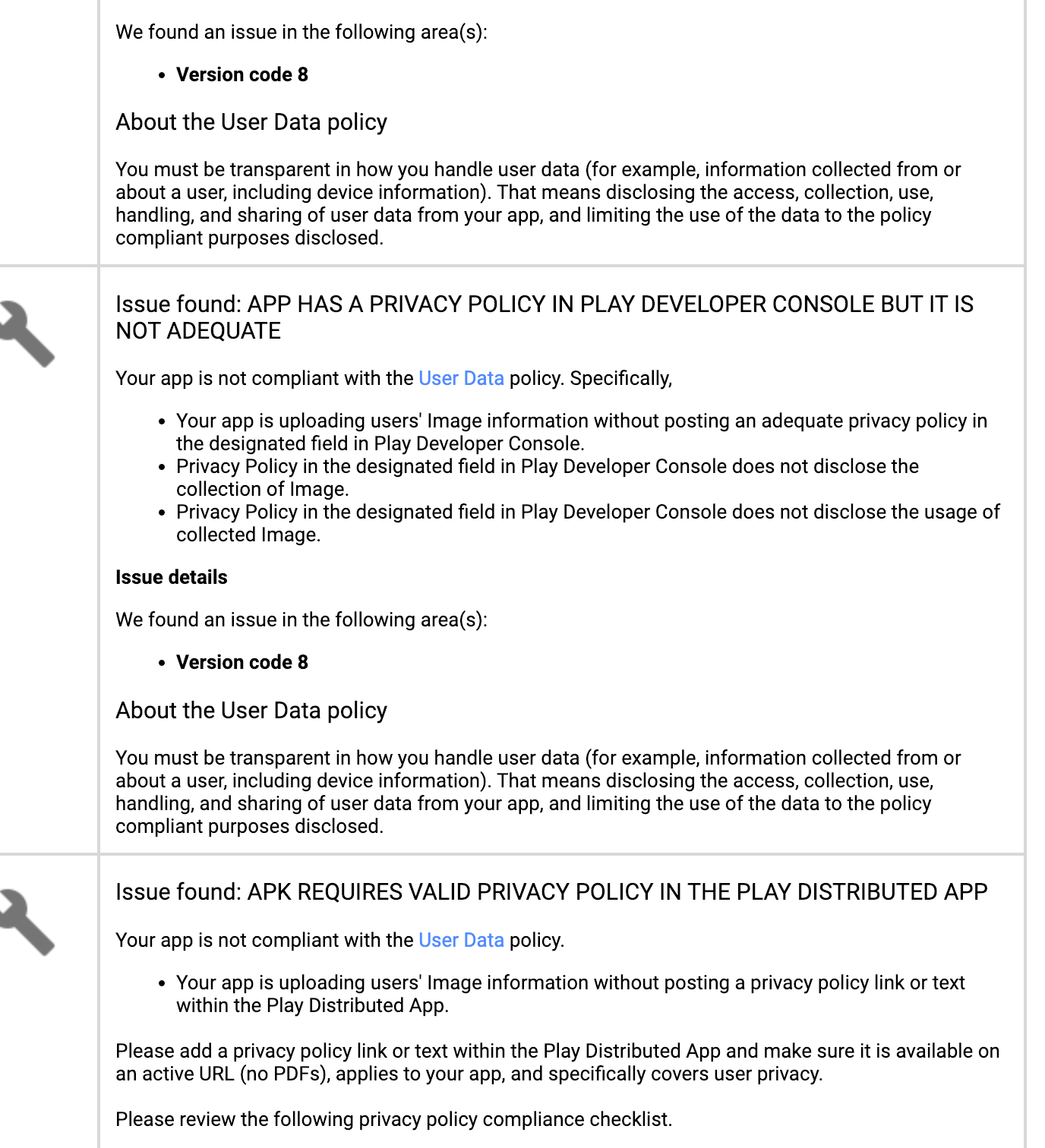
App Status Removed On Google Play

Archived from the Bravo community forum (2021–2026). Some answers may refer to older versions of Bravo.
5 replies

Travis March 22, 2024

My solution effort here is I’m going to add

“[This app] collects/transmits/syncs/stores [type of data] to enable [”feature”], [in what scenario].”

Inside of my app adding a privacy policy link

also updating the privacy policy content

Karla March 24, 2024

Check the right way to publish the app to PlayStore, there are several things you need to add to Data Collection, as well as adding the link to the privacy police!

Travis March 24, 2024

I added a popup into the app before someone selects get started which says important info then shares this string

“[This app] collects/transmits/syncs/stores [type of data] to enable [”feature”], [in what scenario].”

Then the pop up says name

View privacy policy, which is a URL to the privacy policy and below that is a button that says accept terms if user select select terms then it opens the app past the intro screen. The app has been re-approved.

Karla March 24, 2024

@Travis Mitchell you don’t need to add that pop up if you add the privacy police and the data collection not the right places of the app content.

Wrote something in this thread and want it removed? Request removal

Still stuck?

Ask the community on Discord

This archive is read-only. New questions, office hours and product updates now happen in the Bravo Discord.

Join the Discord